
🧠 AI Quiz
Think you really understand Artificial Intelligence?
Test yourself and see how well you know the world of AI.
Answer AI-related questions, compete with other users, and prove that
you’re among the best when it comes to AI knowledge.
Reach the top of our leaderboard.


















PostPlus AI
What is PostPlus AI?
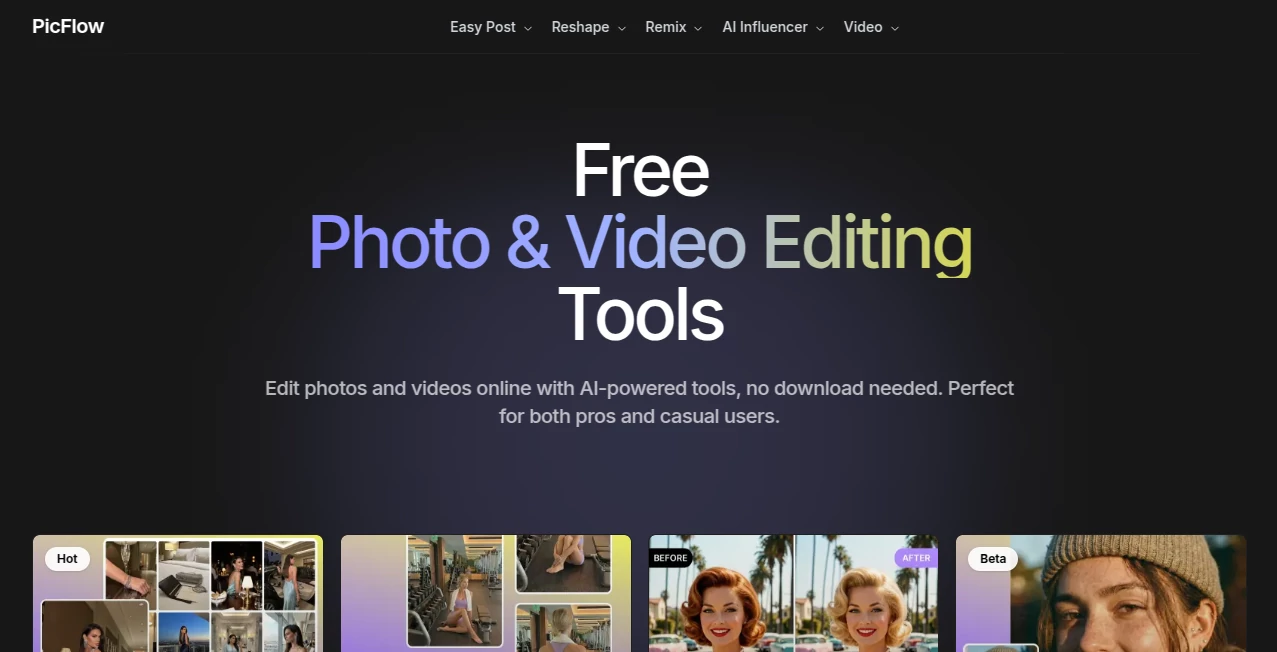
There's something downright addictive about uploading a simple selfie and watching it transform into a polished, magazine-worthy shot—complete with toned arms, flawless skin, or a whole new backdrop that screams adventure. This platform nails that thrill every time, packing a suite of clever tools that let anyone craft eye-catching visuals without wrestling complicated software or hiring pros. I've lost count of how many times it's saved a bland photo, turning it into something I'd proudly post, and the results feel natural, not overdone.
Introduction
In the rush to feed social feeds with fresh, scroll-stopping stuff, most folks hit a wall—either settling for meh snaps or sinking hours into edits that still fall flat. This online editor flips that script, harnessing sharp AI to reshape, remix, and reinvent photos and videos right in your browser. No apps to install, just upload and play with features that range from subtle skin glow-ups to bold pose swaps or background overhauls. It's caught on big with content makers chasing viral vibes, influencers tweaking their look on the fly, and everyday users who want that extra polish without the fuss. What stands out is how it balances fun experimentation with pro-grade tweaks, making high-end enhancements feel within reach for anyone with a decent photo.
Key Features
User Interface
Everything unfolds on a straightforward page with tools grouped neatly—Reshape for body tweaks, Remix for scene shifts, AI Influencer for face fun, and Video for clip templates. Thumbnails give a quick peek at what each does, and selecting one pulls up an easy upload spot with clear previews. It's the kind of clean layout that invites tinkering; my first spin with a hairstyle changer had me cycling through looks in minutes, laughing at the spot-on matches.
Accuracy & Performance
These tools read your uploads with impressive smarts, mapping contours and textures so reshapes blend seamlessly—like slimming a waist without warping the rest or upscaling grainy shots to crystal clear. Jobs finish quick, even on detailed edits, delivering files that hold their punch on big screens. From trying the muscle boost on a gym pic, it added definition that looked earned, not edited, proving the algorithms know their stuff.
Capabilities
Dive into body sculpting with targeted tweaks for arms, waist, or chest; swap expressions or faces for playful influencer vibes; erase crowds or swap scenes entirely. The standout Image to Post turns one solid shot into a full, styled spread, while video templates spin clips into trending formats. Upscaling breathes new life into old pics, and virtual makeup or hair trials let you preview changes risk-free—it's a playground for polishing personal snaps or crafting commercial-ready content.
Security & Privacy
A solid privacy policy backs the basics, handling uploads with care and giving you control over what's processed. It's reassuring for personal edits, especially those intimate body tweaks, knowing the platform keeps things discreet without unnecessary hangs on your data.
Use Cases
Fitness buffs showcase progress with subtle muscle enhancements that motivate without misleading. Influencers experiment with hairstyles or poses for feed consistency, nailing brand looks ahead of shoots. E-commerce sellers stage products in dream settings via background swaps, boosting clicks without studio costs. Casual posters upscale family pics for prints or remove photobombers from vacation shots, turning good memories into great ones.
Pros and Cons
Pros:
- Targeted tools deliver natural, believable edits that elevate without overkill.
- Browser-only access means instant starts, no installs or updates.
- From quick touch-ups to full remixes, it covers a wide creative span.
- Upscale and post generators add real value for social sharers.
Cons:
- Best on clear, front-facing uploads—tricky angles might need retries.
- Video side still growing, with templates leading the charge.
Pricing Plans
Dive in free to test tools and see the magic firsthand, with credits for a handful of edits to get the feel. Paid tiers unlock unlimited runs and advanced options, scaling smoothly for casual to heavy users—flexible enough to grow with your content habits without early commitments.
How to Use PostPlus
Pick a category like Reshape or Remix, upload your photo (clear and well-lit wins big), and let the tool scan it. Tweak sliders if available, preview the change, and download when it clicks. For Image to Post, drop one fave shot and watch it multiply into styled variants. Experiment freely—start with skin enhancer for a glow, then layer a background swap for full scene magic.
Comparison with Similar Tools
While broad editors overwhelm with options, this one hones in on body and style tweaks with a finesse that feels specialized, delivering quicker, more targeted wins. It skips the bloat for focused fun, outpacing general apps in natural reshaping and post-ready outputs, ideal for social creators who want polish without the pro price tag.
Conclusion
This platform captures the joy of visual tweaking, making enhancements feel empowering rather than effortful. It's a quiet powerhouse for turning ordinary uploads into standout stories, fitting seamlessly into feeds or portfolios. Give it a spin with a favorite photo—you'll likely walk away with a few new favorites, wondering how you posted without it before.
Frequently Asked Questions (FAQ)
What photos work best?
Clear, front-on shots with good lighting let the tools shine brightest.
Can I undo changes?
Previews let you compare and retry till it's just right.
Is video editing full-featured?
Templates lead the way for viral clips, with more brewing.
Commercial use okay?
Outputs fit pro projects, from ads to influencer drops.
How private are uploads?
Handled discreetly per policy, focused on your edits alone.
AI Video Generator , Photo & Image Editor , AI Photo Enhancer , AI Face Swap Generator .
These classifications represent its core capabilities and areas of application. For related tools, explore the linked categories above.
PostPlus AI details
Pricing
- Free
Apps
- Web Tools
Categories

PostPlus AI Alternatives Product

GPT Image 1.5

Artguru

deck cleaner

Reztune

Pixelfox AI

Sora 2 Video…

Beardless Fi…

Upscale image

JPG to Small
