🧠 AI Quiz
Think you really understand Artificial Intelligence?
Test yourself and see how well you know the world of AI.
Answer AI-related questions, compete with other users, and prove that
you’re among the best when it comes to AI knowledge.
Reach the top of our leaderboard.


















Somnio
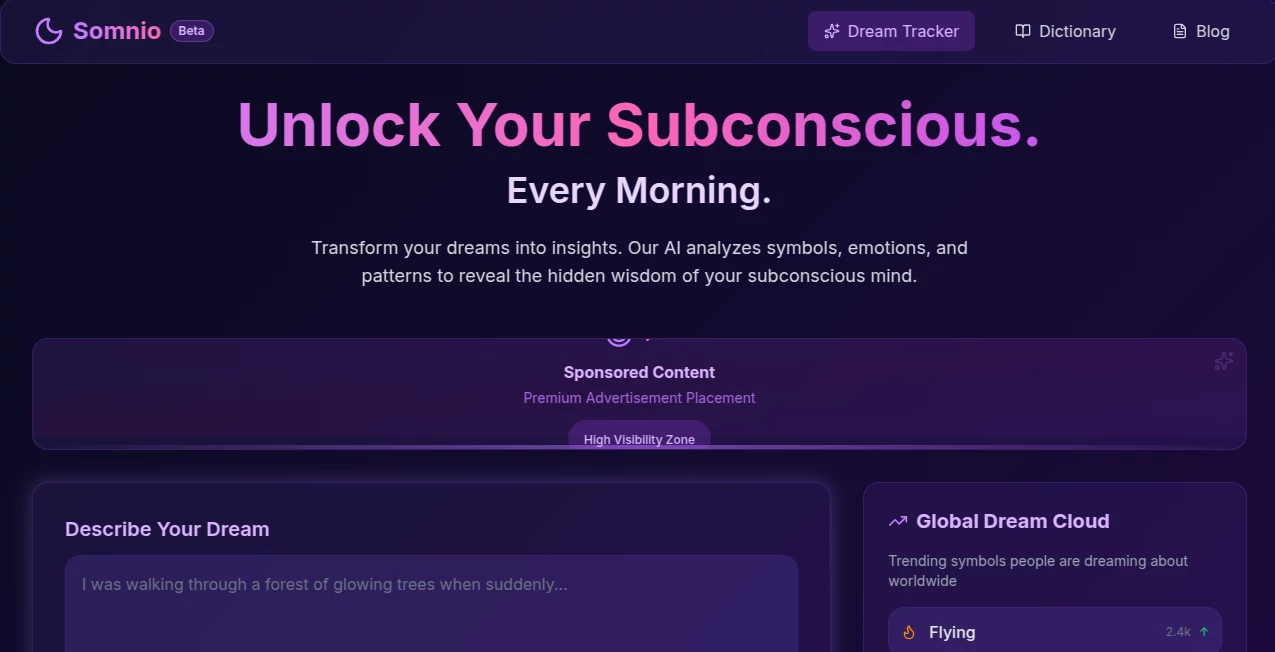
What is Somnio?
There’s a quiet thrill in watching a half-formed thought become a clickable, functional app without writing a single line of code. This tool makes that leap feel almost too easy. Describe what you want—“a simple habit tracker with streaks and reminders” or “a minimalist invoice generator for freelancers”—and a few moments later you’re looking at a live preview you can actually use. I’ve seen non-technical founders go from “I wish there was a tool for this” to sharing a working prototype with beta users the same afternoon. It’s the kind of speed that turns daydreams into reality before the coffee gets cold.
Introduction
Most no-code builders still require you to drag elements around, connect databases, set up logic flows—hours of tinkering even for simple things. This platform skips the construction set entirely. You talk to it like you’d talk to a developer friend who already knows what you mean. It understands context, asks smart clarifying questions when needed, and builds full-stack apps—frontend, backend, database, authentication, even basic payments if you want them. What makes it stand out is how little friction there is between idea and working product. It’s not trying to teach you no-code; it’s trying to get your idea live so you can start testing and iterating immediately. For makers, founders, and side-project enthusiasts, that’s a revelation.
Key Features
User Interface
The conversation is the interface. Type or speak your idea, watch it ask follow-ups (“Do you want user login or public access?” “Should this sync across devices?”), then see a live preview appear on the right side of the screen. Tweak by chatting—“make the button bigger and green”—and changes reflect instantly. No visual editor to learn, no properties panel to hunt through. It feels like pair-programming with someone who never sleeps and never rolls their eyes at “one more change.”
Accuracy & Performance
It rarely misinterprets intent. If you say “a waitlist page with email capture and referral system,” it builds exactly that—form validation, success animation, referral links with tracking—without you spelling out every detail. Apps are responsive out of the box, load quickly, and handle reasonable traffic from day one. In practice, the first generation is usually 80–90% there; the rest is quick back-and-forth refinement. That level of starting accuracy saves more time than most people expect.
Capabilities
Full-stack generation: React/Vue-like frontend, Node/Supabase-like backend, authentication (email, social), real-time features, Stripe payments, custom domains, database setup, file uploads, user roles, notifications—the list goes on. It handles CRUD apps, dashboards, marketplaces, booking systems, internal tools, MVPs, and prototypes. Export code anytime if you want to take over. The breadth is impressive; it’s not locked to one niche vertical.
Security & Privacy
Generated apps use secure defaults: HTTPS, input sanitization, row-level security where applicable. Your prompts and data stay private—no training on your ideas. When you export code, it’s yours completely. For early-stage founders testing sensitive concepts, that clean separation between ideation and ownership feels essential.
Use Cases
A fitness coach wants a simple client progress tracker—describes it once, gets a dashboard with photo uploads, metric charts, and private sharing links. A marketer builds a lead magnet landing page with email gating and follow-up sequence in under an hour. A developer mocks up an internal admin tool for a client before quoting full custom work. A side-hustler launches a micro-SaaS waitlist + referral system and starts collecting emails the same day. Wherever speed-to-prototype matters, it shines.
Pros and Cons
Pros:
- From idea to live app faster than any other tool I’ve tried.
- Understands natural language so well you barely need to “prompt engineer.”
- Full-stack output—no need to glue separate frontend/backend tools together.
- Live preview + instant iteration keeps momentum high.
- Code export gives you escape hatch if/when you outgrow it.
Cons:
- Very complex logic or custom UI still requires manual code tweaks after export.
- Free tier limits generations per day; serious use needs paid plan.
- Occasional over-eager assumptions in first generation (easy to correct).
Pricing Plans
Free tier gives meaningful daily generations—enough to prototype several ideas per week. Paid plans unlock unlimited generations, higher usage quotas, priority support, custom domains on generated apps, and advanced features like team collaboration. Pricing feels sensible for the time saved; many users say it’s cheaper than hiring even a junior developer for a single MVP.
How to Use Project DoAnything
Start a new project, describe what you want in plain English (“a todo app with categories, due dates, and email reminders”). Answer any clarifying questions it asks. Watch the live preview build on the right. Chat back and forth to refine (“add dark mode toggle”, “make the sidebar collapsible”). When happy, click deploy for a public URL, or export code to host yourself. Save the project to continue later. The loop is addictive—you’ll find yourself prototyping things you never thought you’d build.
Comparison with Similar Tools
Traditional no-code platforms require visual assembly and lots of manual configuration. Prompt-based code generators often produce snippets, not full apps. This one bridges the gap: conversational creation + complete deployable product + code ownership. It’s less about teaching you a system and more about getting your idea live fast. For speed-to-MVP, it consistently outperforms the alternatives I’ve tried.
Conclusion
Ideas die in notebooks all the time because turning them into something real feels too hard, too slow, too expensive. This tool changes that equation. It doesn’t replace developers; it removes the biggest barrier between thinking and shipping. When you can go from casual conversation to working app in under an hour, creation becomes playful again. For makers, founders, and anyone who’s ever said “I wish there was a tool for this,” that’s pure possibility.
Frequently Asked Questions (FAQ)
How complete are the generated apps?
Very—frontend, backend, database, auth, basic UI polish. Complex custom logic may need post-export tweaks.
Can I host the app myself?
Yes—export the full codebase anytime and deploy wherever you want.
Do I own the generated code?
100% yours. No licensing restrictions on commercial use.
What happens if the generated app has bugs?
Chat to fix most UI/logic issues. Export and edit for deeper changes. Community and support help too.
Is it only for web apps?
Primarily web, but exported code can be adapted for mobile/desktop with extra work.
AI Workflow Management , AI App Builder , AI No-Code & Low-Code , AI Developer Tools .
These classifications represent its core capabilities and areas of application. For related tools, explore the linked categories above.
Somnio details
Pricing
- Free
Apps
- Web Tools
Categories

Somnio Alternatives Product

JSON to TOON…

Tate-A-Tate

vivgrid

Emergent

Beacons

FINIITE AI

Jujutsu Zero…

Kimi K2.5

MindSnapz