
🧠 AI Quiz
Think you really understand Artificial Intelligence?
Test yourself and see how well you know the world of AI.
Answer AI-related questions, compete with other users, and prove that
you’re among the best when it comes to AI knowledge.
Reach the top of our leaderboard.

















promptcat
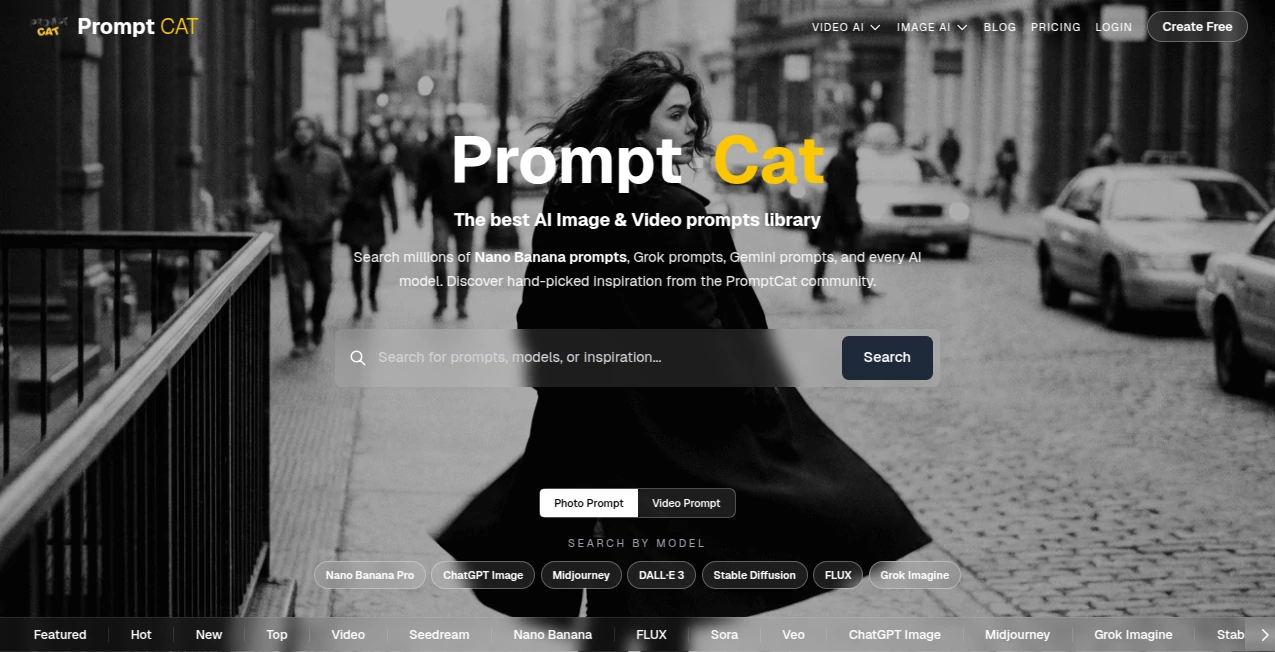
What is promptcat?
There’s a quiet satisfaction in finding the exact right words that make an AI model sing—whether it’s crafting a pitch-perfect story, nailing a marketing hook, or getting code that actually runs. This platform turns that hunt into something joyful instead of frustrating. You start typing a rough idea, and it helps you shape, refine, test, and save the prompt in one clean space. I’ve watched writers go from “this AI never gets me” to “look at what it just wrote” after one thoughtful session here. It feels less like a tool and more like a thoughtful co-writer who’s really listening.
Introduction
Prompt engineering is still part art, part science, and most people waste hours tweaking the same sentence over and over. This tool changes that by giving you a workspace that thinks alongside you—suggesting improvements, showing side-by-side variations, remembering what worked before, and letting you organize everything into shareable collections. It’s become a favorite among creators who use AI daily because it removes the guesswork and repetition, so more time goes into the actual creative work. The interface is calm, the suggestions are sharp, and the results speak for themselves—better outputs with far less effort.
Key Features
User Interface
The workspace is beautifully minimal: a big prompt editor on the left, live preview of the AI response on the right, and a slim sidebar for saved versions and collections. Everything updates in real time as you type—no need to keep clicking “generate.” You can fork a prompt into variations with one click, compare outputs side-by-side, and drag favorite versions into folders. It’s designed so you stay in flow instead of fighting tabs or copy-pasting between windows.
Accuracy & Performance
The built-in tester pulls from multiple models so you can see how the same prompt behaves across them—super helpful when one model nails tone but another gives better structure. Response times are snappy, even with long prompts or chained tests. The suggestion engine is surprisingly good at spotting weak spots (vague phrasing, missing constraints, overused clichés) and offering concrete fixes that actually improve the output. In practice, most people see stronger results after just one or two suggested edits.
Capabilities
Version history for every prompt, side-by-side comparison of outputs, multi-model testing, prompt chaining (build complex workflows), collections for organizing by project or use-case, public/private sharing with custom links, embedded playground for collaborators, and export to text, JSON, or direct copy for other tools. It supports almost every major model provider and lets you add custom API keys if you want. Whether you’re writing fiction, marketing copy, code, or research prompts, it adapts without forcing you into a rigid format.
Security & Privacy
Your prompts and outputs stay private by default—nothing is used for training unless you explicitly publish it. Sharing is opt-in, with granular controls (view-only, editable, password-protected). For teams or consultants handling sensitive client work, that level of control is a real comfort. No sneaky data harvesting, no forced public profiles.
Use Cases
A copywriter builds a master prompt for product descriptions, tests it across models, saves variations for different tones, and shares the winning version with the team—suddenly everyone’s output is consistent and high-quality. A novelist creates character voice templates, iterates until each feels distinct, then reuses them for chapters—saving weeks of re-prompting. A marketer builds a chain that generates LinkedIn posts, carousel ideas, and captions from one topic input—turning a 30-minute task into 3 minutes. Even hobbyists experimenting with AI art prompts organize their best finds into themed collections to revisit later. It scales from solo tinkering to collaborative workflows without breaking a sweat.
Pros and Cons
Pros:
- Side-by-side comparison and version history make iteration feel effortless.
- Multi-model testing saves you from blindly switching apps.
- Organized collections turn chaos into a personal prompt library.
- Sharing is clean and professional—great for teams or teaching.
- Generous free tier lets you really test before committing.
Cons:
- Advanced chaining and custom model integrations live on higher plans.
- Still growing library of community prompts (though yours will fill fast).
Pricing Plans
Free plan gives you plenty of room to build, test, and save—enough for daily use or small projects. Pro unlocks unlimited model access, advanced chaining, custom API keys, team workspaces, priority support, and more sharing controls. Pricing feels fair for the time it saves—many users say it pays for itself after one big project where prompt perfection mattered. Annual billing knocks a nice chunk off the monthly rate.
How to Use PromptCat
Start typing your prompt in the main editor. Hit “Run” to see the output. If it’s close but not quite, click “Suggest Improvements” or fork into a new version and tweak. Compare outputs side-by-side, save the winner to a collection, and give it a descriptive name. When you need it later, search or browse your library. Want feedback? Share a link (public or private). For complex workflows, chain prompts so the output of one becomes input for the next. It’s intuitive enough for your first session, deep enough for daily use.
Comparison with Similar Tools
Basic playgrounds give you a chat box and that’s it. Prompt managers are often just text files with no testing. This one combines live testing, version control, comparison views, and organization in a way that feels built for real creative work—not just saving strings. It’s less about being a “prompt marketplace” and more about being your personal prompt workbench, which is exactly what most serious users need.
Conclusion
Great AI output starts with great prompts, but crafting them well takes time and iteration. This tool takes the friction out of that process so you spend more time creating and less time fighting the model. It’s thoughtful, fast, and genuinely useful—whether you’re writing for fun, for clients, or for business. Once you’ve organized your first few winning prompts and seen how much better the results get, it’s hard to imagine going back to scattered notes or trial-and-error chats. It turns prompt engineering from a chore into a craft you actually enjoy.
Frequently Asked Questions (FAQ)
Do I need to connect my own API key?
Not at all—built-in models work out of the box. Bring your own key for extra control or cost savings.
Can I collaborate with others?
Yes—share prompts or entire collections with view or edit access. Team plans make it even smoother.
How many models can I test?
All major providers are built-in on paid plans; free tier gives solid access too.
Can I make my prompts public?
Yes—publish to the community gallery or keep everything private. Your choice.
Is there a limit on prompt length?
Generous limits on free; unlimited on paid—long enough for even complex system prompts.
AI Writing Assistants , AI Content Generator , Prompt .
These classifications represent its core capabilities and areas of application. For related tools, explore the linked categories above.
promptcat details
Pricing
- Free
Apps
- Web Tools
Categories

promptcat Alternatives Product

Automateed

Harvey

Faceless vid…

Jasper

RankPeak

nano banana …

wu tang name…

Schedpilot

Greetings Is…
