🧠 AI Quiz
Think you really understand Artificial Intelligence?
Test yourself and see how well you know the world of AI.
Answer AI-related questions, compete with other users, and prove that
you’re among the best when it comes to AI knowledge.
Reach the top of our leaderboard.


















QR Menu Generator
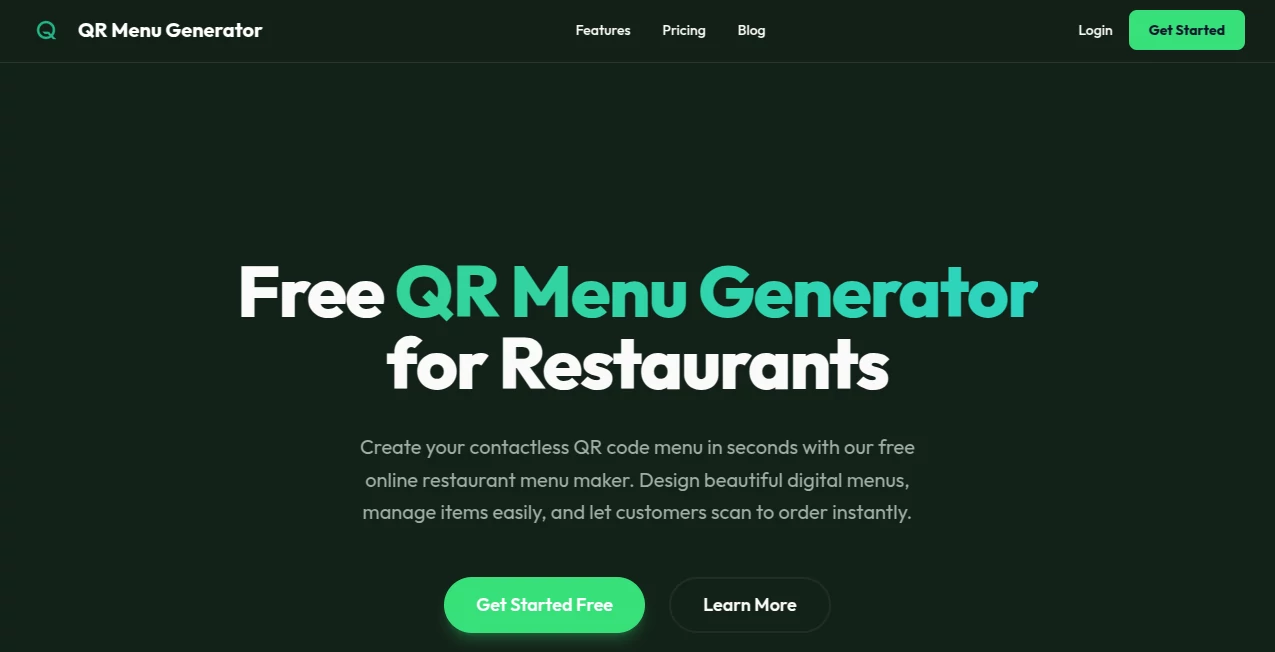
What is QR Menu Generator?
Walking into a restaurant and seeing a QR code on the table used to feel a bit cold and impersonal. These days it’s different—when the code leads to a clean, attractive digital menu that loads instantly and looks like it belongs to the place, the whole experience shifts. This tool is built exactly for that shift. Restaurant owners and café managers tell me they love how quickly they can go from “we need a menu update” to “done and looking sharp,” without calling a designer or fighting with complicated software. The results genuinely feel premium, and customers notice.
Introduction
After the pandemic, QR menus stopped being a temporary fix and became the new normal for many spots. But most solutions were either ugly, slow, or locked behind monthly fees that hurt small businesses. This platform quietly changed the game by focusing on speed, good looks, and zero ongoing costs for the basics. You can have a working, mobile-friendly menu live in under five minutes—add your logo, pick a theme that matches your vibe, drop in dishes with photos and prices, and generate a QR that never expires. Owners I’ve spoken with say it’s one of the few tools that actually saves time instead of creating more work, and their regulars keep commenting on how much nicer the menu feels compared to the old laminated sheets.
Key Features
User Interface
Everything happens in one calm, uncluttered workspace. You start with a blank canvas, drag in sections (appetizers, mains, drinks, desserts), type or paste your items, upload photos if you want, and watch the layout rearrange itself neatly. Color pickers, font choices, and layout switches sit right where you need them—no deep menus or confusing icons. It’s the kind of simplicity that makes you think “why can’t everything be this easy?”
Accuracy & Performance
Pages load lightning-fast even on older phones and weak Wi-Fi, which matters a lot when tables are full and people are hungry. Photos stay crisp without huge file sizes, prices update instantly across the menu, and every change you make shows up live—no refresh needed. In real restaurants I’ve visited, the menu never lagged or broke layout, even with 50+ items and a dozen categories.
Capabilities
You can build anything from a single-page specials list to a full multi-category menu with sections, subsections, allergens, spice levels, descriptions, and high-quality images. Add your logo, choose accent colors, pick from elegant themes, set opening hours if you want a “we’re closed” overlay, and generate unlimited free QR codes (printable or digital). Paid upgrades unlock custom domains, analytics (how many scans, peak times), password protection, and priority support. It covers every realistic need a restaurant, café, bar, or pop-up might have.
Security & Privacy
Your menu data stays yours. No third-party ads sneak in, no customer data is harvested, and everything is served over HTTPS. When you upgrade to a custom domain or password-protected access, those layers add extra control without complicating the experience. For owners handling sensitive pricing or private events, that matters.
Use Cases
A new café launches with a clean, photo-rich menu that matches their Instagram aesthetic and gets compliments from day one. A busy pizzeria updates daily specials in seconds instead of reprinting sheets. A fine-dining spot adds allergen icons and wine pairings so front-of-house staff can focus on service, not explaining. A food truck prints one durable QR card that lives on the window month after month. Each time the feedback is the same: customers appreciate the clarity and the place feels more modern without trying too hard.
Pros and Cons
Pros:
- Truly instant setup—live menu in minutes, not days.
- Looks expensive even on the free plan.
- No forced subscriptions for core functionality.
- Mobile-first design that actually works well on every phone.
Cons:
- Free QR codes use their domain (though still very clean).
- Advanced features like analytics and custom domains require payment.
Pricing Plans
The free tier is generous enough that many small places never feel the need to upgrade. You get unlimited items, photos, categories, and permanent QR codes with their branding. One-time lifetime plans remove the branding and unlock a custom domain, analytics, password protection, and priority support—pay once and own it forever. No sneaky monthly traps, just clear steps up when you want more polish or data.
How to Use the Tool
Sign up (takes seconds), start a new menu, choose a template that feels right for your place, then add sections and items. Drag to reorder, upload dish photos, write short tasty descriptions, set prices. Preview on your phone to make sure it looks good in real life. When you’re happy, generate the QR code, download the print-ready version, and stick it on tables, menus, or windows. Update anytime—changes go live instantly. It really is that simple.
Comparison with Similar Tools
Plenty of QR menu builders exist, but most either look dated, push aggressive subscriptions, or bury basic features behind paywalls. This one stands apart by delivering genuinely attractive, fast-loading menus on the free plan and asking for money only when you want extras like your own domain or visitor stats. It feels built by people who actually run restaurants, not just developers guessing at needs.
Conclusion
Good menus do more than list food—they set the tone for the whole experience. When they’re clear, beautiful, and instantly accessible, customers relax and enjoy the meal more. This tool makes that kind of menu achievable for almost any size business without drama, delay, or huge cost. If you’re still handing out sticky laminated sheets or linking to a slow PDF, you owe it to yourself (and your guests) to see how much smoother and more professional things can feel.
Frequently Asked Questions (FAQ)
How long does it take to make a menu?
Most people have something presentable in 5–15 minutes. Adding photos and descriptions takes longer, but the structure is quick.
Do customers need an app?
No—just a browser. It works on every phone without downloads.
Can I update prices or items later?
Yes—instantly. Changes appear live for everyone scanning the code.
Is the free plan really free forever?
Yes—no hidden expiration. You keep the menu and QR forever.
Can I add my own domain?
Yes, with a one-time upgrade. Looks more professional (yourrestaurant.com/menu).
AI Design Generator , AI Website Designer , AI Forms & Surveys .
These classifications represent its core capabilities and areas of application. For related tools, explore the linked categories above.
QR Menu Generator details
Pricing
- Free
Apps
- Web Tools
Categories

QR Menu Generator Alternatives Product

volume shade…

Flux 2 Klein

AI Age Progr…

Gpt Image 1.5

LongCat Image

AI Signature…

Luma AI

ModelsLab

Paper Animat…