🧠 AI Quiz
Think you really understand Artificial Intelligence?
Test yourself and see how well you know the world of AI.
Answer AI-related questions, compete with other users, and prove that
you’re among the best when it comes to AI knowledge.
Reach the top of our leaderboard.


















ReportMaker.ai
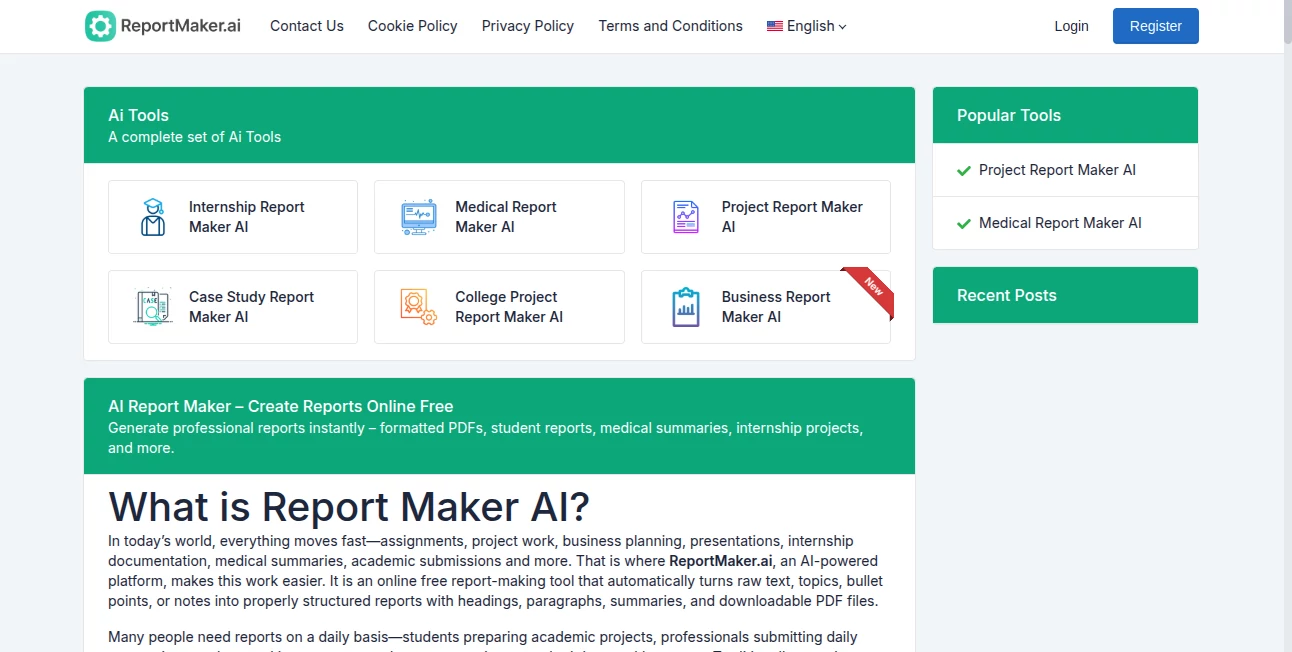
What is ReportMaker.ai?
Few things are more satisfying than watching scattered notes transform into a clean, structured report that looks like it took hours of careful work. This tool does exactly that—takes your rough ideas, bullet points, or even a quick description and turns them into something polished and ready to submit or share. I’ve had friends who used to dread writing project summaries now finish them in minutes and still get compliments on how professional everything looks. It’s the kind of help that feels almost too good to be true, but it really works that well.
Introduction
Writing reports can feel like a chore, especially when deadlines loom and the content is already in your head but not on the page. This platform quietly solves that problem by handling the organization, formatting, and even the wording so you can focus on the actual substance. No login needed, no watermarks on basic use, and it works straight from any browser—whether you're on a phone during a commute or at a desk late at night. Students use it for college assignments, interns for documentation, professionals for progress updates, and even medical folks for summaries. The speed and simplicity make it one of those tools you wonder how you managed without.
Key Features
User Interface
It’s refreshingly straightforward. You land on a single box where you paste text, list topics, or type a description. A few options appear for report type if you want to guide it, then one click starts the process. The result appears almost immediately, nicely laid out with headings, paragraphs, and a clean look. No complicated menus or sign-up walls—just get in, do the work, and get out.
Accuracy & Performance
The AI reads your input carefully and builds a logical flow with proper sections, avoiding the robotic tone that plagues some generators. It understands context well enough to create coherent paragraphs instead of just stringing bullet points together. Speed is impressive—most reports are ready in seconds—and the output consistently looks human-written, with natural language and good structure. It rarely needs major edits, which is rare for this kind of tool.
Capabilities
It handles a wide variety of reports: student projects with objectives and conclusions, internship summaries with daily tasks and learnings, business updates with progress and next steps, even medical overviews with symptoms and follow-ups. You can feed it raw notes, bullet lists, or full paragraphs, and it organizes everything into a formatted document with a table of contents feel. PDF download is built-in, so sharing or printing is immediate.
Security & Privacy
No sign-up means no account data to worry about. Your input is processed on the fly and not stored beyond the session. For sensitive summaries or internal reports, that simplicity is a real advantage—no lingering files or privacy concerns.
Use Cases
A college student pastes lecture notes and project goals, gets a full report with abstract, methodology, and findings ready for submission. An intern logs daily activities and turns them into a structured end-of-term document that impresses supervisors. A small business owner summarizes monthly progress for a team meeting without spending the whole weekend drafting. Even doctors use it to convert handwritten notes into clear patient summaries. It fits wherever a report is needed but time or formatting skill is short.
Pros and Cons
Pros:
- Truly free with no hidden limits on basic generation.
- Output looks thoughtfully written, not machine-stamped.
- Instant PDF export saves another step.
- Works without registration, perfect for one-off needs.
Cons:
- Very complex or highly technical reports might need some manual polishing.
- No deep customization options like specific templates or branding.
Pricing Plans
The core experience is completely free—no credits, no subscription, no watermarks on downloads. Everything from generation to PDF export is available without paying or signing up. It’s one of the few tools that truly lets you use it without barriers, which makes it especially appealing when you just need one good report fast.
How to Use ReportMaker
Open the site, paste your notes, bullet points, or a description into the input area. Choose a report type if you want guidance (student, business, medical, etc.), or leave it general. Click generate and wait a few seconds. Review the structured output, make small edits in your own editor if needed, then download the PDF. That’s it—start to finish usually under two minutes.
Comparison with Similar Tools
Many report generators ask for sign-up, limit free uses, or add watermarks that make the output look less professional. This one skips all that. Where others produce stiff, repetitive text, the language here feels natural and well-organized. It’s not trying to be everything—just a reliable, no-frills report maker that gets the job done cleanly and quickly.
Conclusion
When deadlines are close and words won’t come together, having a tool that quietly organizes your thoughts into something presentable can feel like a lifeline. This platform delivers exactly that—fast, clean, and genuinely useful reports without any fuss. It’s the kind of helper that makes you wonder why everything isn’t this simple. Whether you use it once a semester or every week, it quietly makes life easier.
Frequently Asked Questions (FAQ)
Do I need to sign up?
No—use it completely anonymously with no account required.
Is there a limit on how many reports I can make?
Basic generation is unlimited and free—no daily caps.
Can I edit the output?
Yes, download the PDF and refine it in any editor you like.
What kinds of reports work best?
Anything structured—projects, summaries, progress updates, academic work.
Will it look like I wrote it?
Very much so—the tone is natural and professional, not robotic.
AI Report Writing , AI General Writing , AI Content Generator , AI Documents Assistant .
These classifications represent its core capabilities and areas of application. For related tools, explore the linked categories above.
ReportMaker.ai details
Pricing
- Free
Apps
- Web Tools
Categories

ReportMaker.ai Alternatives Product

JFIF to JPG …

Sourcetable

Meet Submind

SupaTraffic

wu tang name…

YooPrompt

SuperAI

Read PDF Alo…

BlogBuster