
🧠 AI Quiz
Think you really understand Artificial Intelligence?
Test yourself and see how well you know the world of AI.
Answer AI-related questions, compete with other users, and prove that
you’re among the best when it comes to AI knowledge.
Reach the top of our leaderboard.


















RoomLab.app

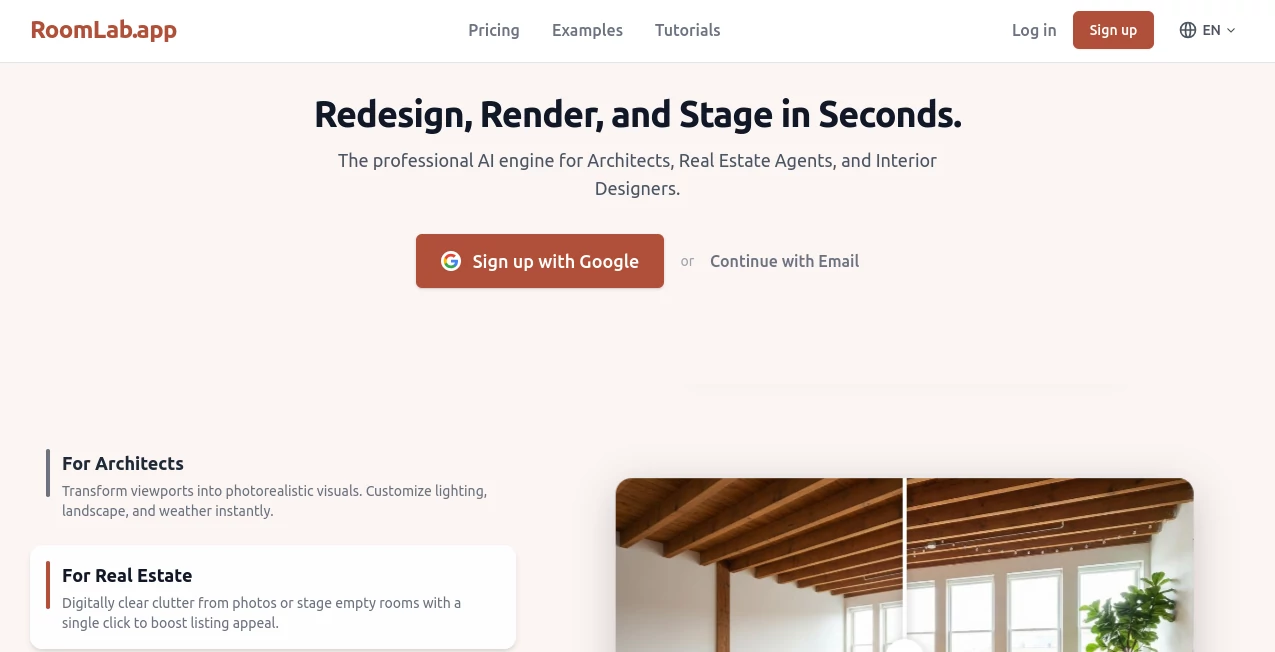
What is RoomLab.app?
There's nothing quite like seeing a tired old room burst into life with fresh furniture or a whole new vibe, all without lifting a paintbrush or waiting weeks for renders. This tool makes that happen in the blink of an eye, turning your uploaded photos into stunning redesigns that look like they came from a high-end studio. I tried it with a snapshot of my cluttered living room, and the decluttered, modern version it spat out had me rethinking my whole setup—professional quality that feels almost too easy to be true.
Introduction
Built for folks who live and breathe spaces—architects sketching visions, real estate pros prepping listings, interior designers pitching ideas—this platform harnesses sharp AI to handle the heavy visual lifting. Upload a photo or even a basic 3D render, pick a style or tweak specifics, and watch it deliver photorealistic results that save hours (or days) of manual work. It's gained a loyal following because it gets the details right: keeping room geometry intact while swapping elements, or turning empty shells into inviting homes. At a fraction of traditional agency costs, it's the practical choice for anyone wanting pro visuals without the pro price tag or timeline.
Key Features
User Interface
The dashboard keeps things delightfully simple: upload your image, choose from over 29 styles or dive into custom prompts, and refine with precise tools that let you select individual objects. Everything happens in under 10 clicks, with real-time previews and modes for speed or quality. It's intuitive enough that even on a rushed morning, you can knock out a redesign without hunting through menus—clean, focused, and genuinely enjoyable to use.
Accuracy & Performance
It excels at preserving the room's core while nailing changes, whether swapping materials or adding seasonal touches, with outputs that feel convincingly real down to lighting and textures. Generations fly—around 25 seconds standard, or 5 in fast mode—and HD options polish things further. From experience, it handles complex requests like precise fixture edits or photoreal upgrades from basic renders with impressive fidelity, rarely needing more than one tweak.
Capabilities
Instant decluttering, virtual staging for empties, furniture swaps that respect layout, material changes on the fly, and even turning rough 3D models into lifelike scenes. Custom text prompts add people or themes, while granular refinements let you perfect lighting or decor. With commercial licenses on higher plans, it's ready for client work or listings that need to impress.
Security & Privacy
Your photos stay private, stored securely and auto-deleted after a month or three depending on your plan, never shared or repurposed. It's a straightforward promise that puts control back in your hands, ideal for personal renos or sensitive professional projects where discretion matters.
Use Cases
Real estate agents stage vacant properties digitally, helping buyers envision potential and speeding sales. Interior designers test client ideas—like new tiles or layouts—without disrupting the space. Architects elevate basic viewports with realistic lighting and landscapes for compelling presentations. Homeowners play with holiday themes or modern makeovers, finding inspiration that turns "someday" plans into actionable steps.
Pros and Cons
Pros:
- Lightning-quick results that rival expensive agency work.
- Precise editing keeps changes targeted and professional.
- Broad style library sparks endless creative options.
- Cost-effective with flexible credits that roll over.
Cons:
- Best with well-lit, straight-on photos for top accuracy.
- HD and commercial perks reserved for higher tiers.
Pricing Plans
Start at around €15 monthly for the Pro tier with 400 credits, scaling to Ultra at €40 for 1,100 credits plus HD and commercial rights—the sweet spot for most. Premium pushes to €90 for heavy users with 3,000 credits and priority support. Yearly billing shaves off nicely, credits accumulate if unused, and everything refreshes monthly, making it scalable without wasteful overcommitment.
How to Use RoomLab
Upload a clear room photo, select a style from the collection or describe custom changes, choose your generation mode—standard for balance, fast for speed, HD for extra crispness—and let it process. Refine with object selection or prompts if needed, then download the winner. It's that direct: a few clicks, a short wait, and you've got visuals ready for pitches, listings, or personal daydreams.
Comparison with Similar Tools
While others might overlay generic furniture or struggle with precision, this one stands out for targeted edits and photoreal upgrades that respect the original space. It's more pro-oriented, with tools for exact fixture tweaks and commercial-ready outputs, often delivering cleaner, more reliable results where competitors blur lines or miss nuances.
Conclusion
This platform turns the often tedious task of visualizing spaces into something genuinely exciting, delivering pro-grade redesigns that inspire confidence and action. It's a smart ally for anyone shaping rooms, big or small, proving that great design doesn't have to mean great hassle or expense. Give it a spin with your next project—you'll wonder how you managed without it.
Frequently Asked Questions (FAQ)
What photo tips yield best results?
Well-lit, straight-on shots with minimal distortion—think phone snaps from eye level.
How many styles are available?
Over 29, from timeless classics to fun seasonals like Christmas or Cyberpunk.
Can I use outputs commercially?
Yes on Ultra and Premium plans, with full licenses included.
How long do images stay stored?
Auto-deleted after 1-3 months by plan, keeping things tidy.
What's the typical generation time?
Around 25 seconds standard, down to 5 in fast mode.
Photo & Image Editor , AI Photo Enhancer , AI Design Generator , AI Interior & Room Design .
These classifications represent its core capabilities and areas of application. For related tools, explore the linked categories above.
RoomLab.app details
This tool is no longer available on submitaitools.org; find alternatives on Alternative to RoomLab.app.
Pricing
- Free
Apps
- Web Tools
Categories

RoomLab.app Alternatives Product

Avatarka AI

Ai logo maker

Picnana

Face Swag

Artguru

deck cleaner

Plottie

Nano Banana …

Gpt Image 1.5
