
🧠 AI Quiz
Think you really understand Artificial Intelligence?
Test yourself and see how well you know the world of AI.
Answer AI-related questions, compete with other users, and prove that
you’re among the best when it comes to AI knowledge.
Reach the top of our leaderboard.


















SAM3D.co
Turn Single Photos into Stunning 3D Worlds

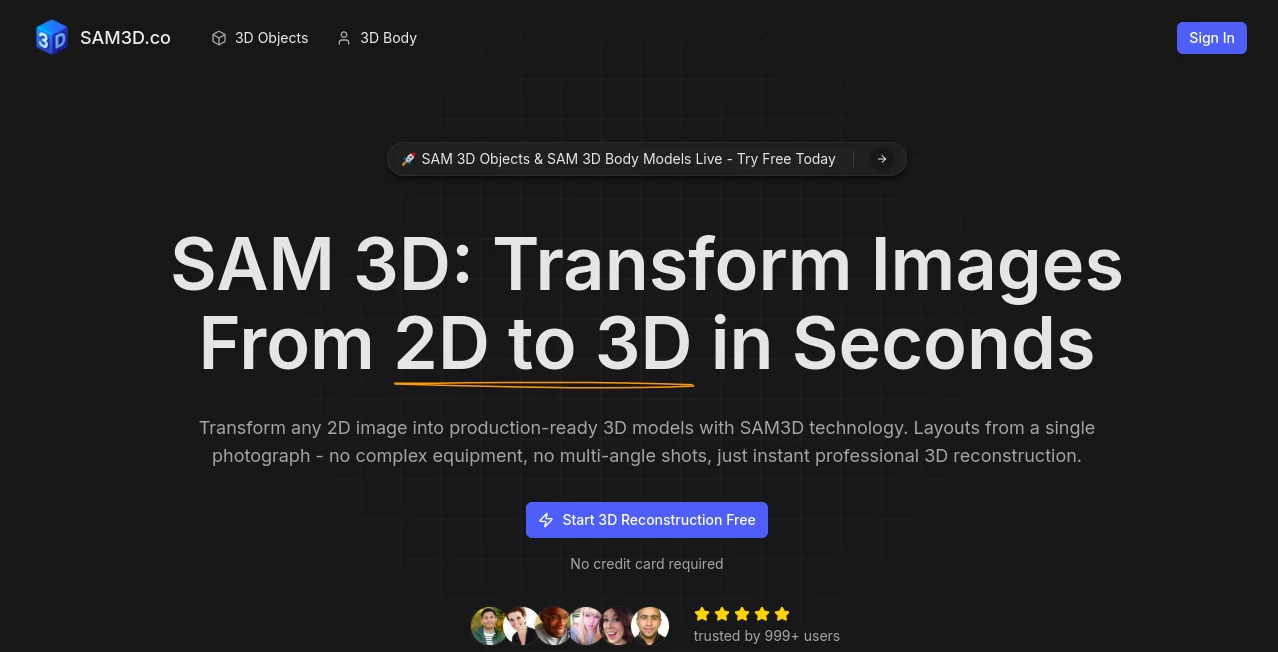
What is SAM3D.co?
SAM3D slips into your creative routine like an old friend who knows just the trick to pull off something impressive without breaking a sweat. Imagine snapping a quick pic of your favorite chair or a casual portrait, then watching it bloom into a full 3D model you can spin, tweak, and drop into your next project. It's the kind of tool that turns "what if" moments into tangible results, drawing in everyone from weekend tinkerers to full-time creators who swear by its knack for making the impossible feel routine.
Introduction
SAM3D showed up a couple years back, dreamed up by a bunch of folks who'd spent too long wrestling with bulky scanners and endless photo shoots just to get a decent 3D file. They figured there had to be a better way, something that let you start with whatever was in your pocket and end up with something pro-ready. Word spread quietly at first through maker forums and design chats, where people started sharing those "you gotta try this" stories—like rebuilding a whole room from one snapshot or capturing a friend's pose in mid-laugh. What hooked them was how it stripped away the barriers, turning tech that once needed a lab into something you could fire up over coffee. Today, it's a staple for those chasing quick wins in a world that's all about speed without skimping on the spark.
Key Features
User Interface
You land on a page that's all business but none of the fuss—a big upload button front and center that grabs your file with a drag or a click, no menus burying the good stuff. Pick what you want to build, whether it's an everyday object or a full scene, and it lights up with previews as you go, letting you nudge things like focus or scale right there. The flow feels like chatting with a sharp assistant who anticipates your next move, wrapping everything up in a clean dashboard that works just as well on your phone during a walk as it does at your desk.
Accuracy & Performance
Feed it a snapshot with tricky shadows or odd angles, and it still pulls out shapes that feel spot-on, tracing edges and depths like it was there in the room. Jobs fly through in seconds, not the minutes you'd expect, even for busier builds, keeping your ideas fresh while the system's humming. Those who've run it side-by-side with old-school methods often grin at how it nails the little details—the curve of a handle or the fold in fabric—that make the difference between flat and full.
Capabilities
It juggles everything from solo items like a quirky lamp to whole indoor setups, layering in textures that look lived-in and ready to touch. There's a special knack for folks, catching poses down to the fingertips without missing a beat, and it spits out files that slide easy into your favorite apps for further fiddling. Whether you're blending it with game worlds or just printing a quick mockup, it opens doors to remixing reality in ways that feel endlessly playful.
Security & Privacy
Your uploads get a quick once-over and then fade away, handled in a way that's all about keeping things yours without the usual fine print worries. It's built open, so you can peek under the hood if you want, and that transparency lets you breathe easy knowing nothing sticks around unless you say so. Creators lean on it for that straightforward trust, especially when testing personal snaps or work-in-progress shots that aren't quite ready for the spotlight.
Use Cases
A game designer grabs a photo of an old book from the shelf, spins it into a 3D prop that fits right into their level without a full redraw. E-commerce sellers stage products in virtual rooms pulled from store pics, giving buyers that spin-around view that seals the deal. Researchers map out motion from a single athlete shot, using the model to simulate strides for studies that used to take days. Even artists sketch ideas on paper, snap 'em, and watch them leap off the page into sculptable forms that inspire the next stroke.
Pros and Cons
Pros:
- One photo's all it takes—no gear or gang of shots needed.
- Blazing quick turns that keep your momentum rolling.
- Handles the hairy bits like poses and clutter with grace.
- Open setup means you can tweak it to your whims.
Cons:
- Shines on clear subjects; super-busy backgrounds might need a trim.
- Fine details on tiny bits can sometimes blur in the build.
- No fancy edits baked in—you'll layer those on later.
Pricing Plans
SAM3D keeps it simple and open—no walls or wallets required to get in the game, letting you run wild with as many builds as your ideas demand. That free-for-all vibe has folks coming back, knowing they can scale from a curious test to a full workflow without watching the meter tick. It's the rare setup that bets on generosity, trusting the community to carry it forward through shares and tweaks.
How to Use SAM3D
Start by pulling up a decent photo—nothing staged, just clear enough to catch the essence—and drop it into the uploader. Let it sniff out the main bits or point them yourself if you're picky, then sit back as the model takes shape in the viewer. Give it a spin to check the angles, grab your file in whatever format fits your flow, and you're off to blend it into your bigger picture. Swing by the open bits on the side if you want to dig deeper, turning a one-off into your own custom rig.
Comparison with Similar Tools
Where some demand a dozen views or a pricey rig to get halfway there, SAM3D cuts straight to the chase with one shot and zero cost, though those might edge out on hyper-specific tweaks. Against the big suites that load you down with options, it keeps things light and laser-focused, skipping the overwhelm but perhaps missing the all-in-one polish. It lands that sweet spot for folks who want power without the parade, making the everyday extraordinary without extra effort.
Conclusion
SAM3D wraps up the chase for easy 3D magic by handing you a shortcut that's as clever as it is carefree, turning snapshots into stories you can hold. It reminds us that the best tools fade into the background, letting your visions take the stage without a fight. As more hands reach for that next dimension, this one's poised to keep leading the way, one clever capture at a time.
Frequently Asked Questions (FAQ)
What kinds of photos work best?
Clear ones with good light and simple setups shine, but it handles the real-world mess too.
Can I use it for people?
Absolutely—poses down to the details, perfect for character builds or quick studies.
What files do I get out?
Standard ones like OBJ or GLB, ready to drop into your apps without a hitch.
Is there a limit on tries?
None at all—build away as much as your curiosity calls.
How do I tweak the open-source side?
Grab the bits from the usual spots and run with them in your setup.
Photo & Image Editor , AI Design Generator , AI 3D Model Generator , AI Image to 3D Model .
These classifications represent its core capabilities and areas of application. For related tools, explore the linked categories above.
SAM3D.co details
This tool is no longer available on submitaitools.org; find alternatives on Alternative to SAM3D.co.
Pricing
- Free
Apps
- Web Tools
Categories

SAM3D.co Alternatives Product
China Brush

Artguru

AIGAZOU

Text Remover…

Curved Text …

Image to STL

FaceTo3D

ImgEnhancer

Picnana
