
🧠 AI Quiz
Think you really understand Artificial Intelligence?
Test yourself and see how well you know the world of AI.
Answer AI-related questions, compete with other users, and prove that
you’re among the best when it comes to AI knowledge.
Reach the top of our leaderboard.


















Seedance 2.0 AI
What is Seedance 2.0 AI?
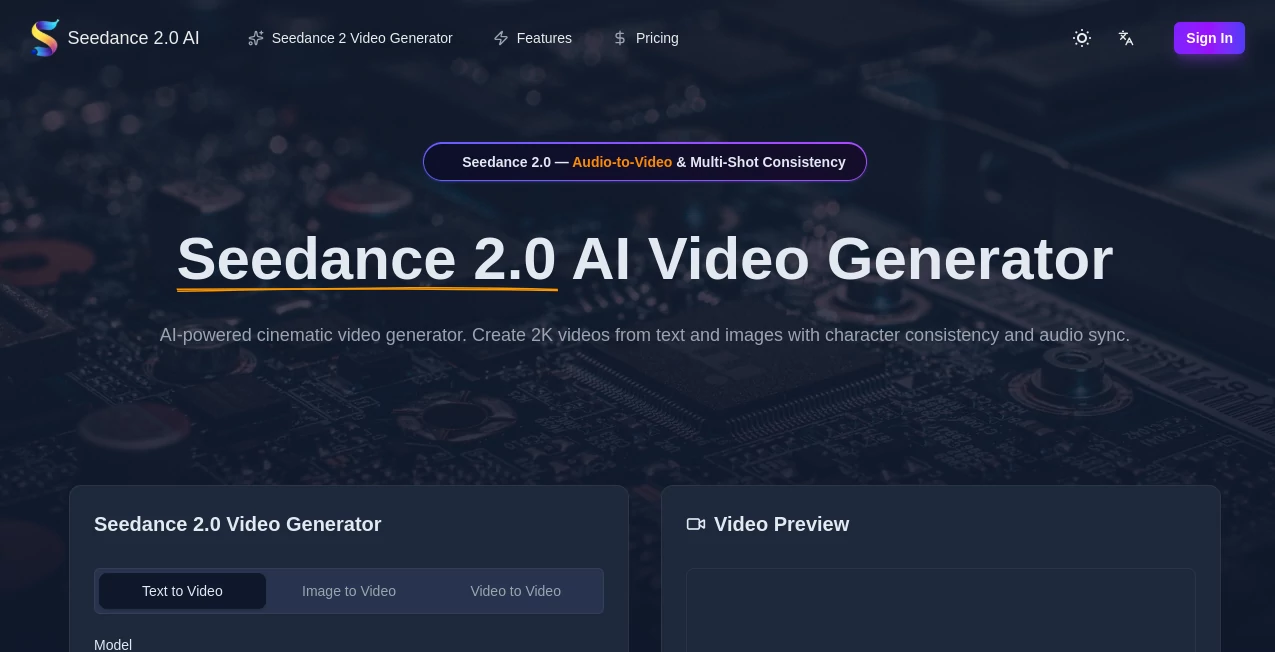
Few things beat the rush of watching words on a page turn into a living scene with movement, lighting, and sound that feels genuinely directed. This tool makes that leap feel almost too easy. You describe the shot, drop in a reference image or clip if you want tighter control, and it delivers a multi-shot sequence where characters stay recognizably the same, physics behave, and audio lines up naturally with lip movements. I once turned a quick story prompt about a rainy city chase into something that looked like it belonged in a short film, audio included, and the whole process took under a minute. That kind of speed paired with quality is addictive.
Introduction
The gap between imagining a video and actually having one has shrunk dramatically with tools like this. It stands out by treating video creation as true multi-modal storytelling—text sets the narrative, images lock style or character, video clips dictate motion, audio drives rhythm and dialogue. The result is cohesive clips up to around 12 seconds (extendable in some cases) at up to 2K resolution, with native sound and lip-sync that doesn't feel bolted on. Creators from marketers to filmmakers are using it to prototype ideas fast, produce social-ready content, or visualize concepts that used to require teams and weeks. What makes it special is the control: you can reference almost anything and the output respects it with impressive consistency.
Key Features
User Interface
The workspace is refreshingly uncluttered. You type a prompt, optionally attach images/videos/audio references (up to a generous limit), pick aspect ratio and length, and hit generate. Progress shows clearly, previews load quickly for early checks, and options for camera moves or style nudges sit right where you need them. It never feels like you're learning a new software—just describing what you want and watching it appear. Even on first use, the flow is intuitive enough to focus on the idea instead of the buttons.
Accuracy & Performance
Consistency across shots is where it really pulls ahead—faces, outfits, and even lighting stay coherent even when the prompt gets complex. Motion follows realistic physics, transitions feel cinematic rather than abrupt, and lip-sync matches spoken lines with surprising precision across multiple languages. Generations are fast (often under a minute for short clips), and the success rate on first tries is noticeably high. In practice, you spend far less time regenerating and more time refining or using the output directly.
Capabilities
Text-to-video, image-to-video, video-to-video, audio-driven animation—all in one place, with support for multi-shot narratives, camera control via prompts (zoom, pan, orbit), native audio generation including effects and dialogue sync, and extensions for longer sequences. It handles up to 2K output, multiple aspect ratios for different platforms, and reference-based control that lets you dictate style, character, or motion from uploaded assets. Commercial rights come standard on paid plans, so you can use the clips anywhere.
Security & Privacy
Your prompts, references, and outputs stay handled securely with standard enterprise-grade protections. No unnecessary data retention, and paid tiers include stronger guarantees around ownership and usage. For creators working on client projects or sensitive ideas, that level of care removes a major worry.
Use Cases
A content creator sketches a quick product showcase, adds a voiceover clip, and gets a polished ad-ready video with synced narration and smooth transitions. An indie filmmaker prototypes a scene with character consistency across cuts, testing pacing before committing to real production. A marketer builds short social campaigns by referencing brand assets, ensuring every frame aligns visually and tonally. Even educators animate short explainers with custom visuals and voice sync, making lessons more engaging without a full production budget. The speed lets you experiment freely and iterate fast.
Pros and Cons
Pros:
- Outstanding character and style consistency across multi-shot sequences.
- Native audio and lip-sync that feels integrated, not added later.
- Reference control gives director-level precision without complex rigging.
- Fast generation and high first-try success rate keep momentum high.
Cons:
- Maximum clip length around 12 seconds (extensions help, but not unlimited).
- Free tier limited; serious use needs a paid plan.
Pricing Plans
New users get a taste with free credits to explore the model without commitment. Paid plans start affordably (around $10/month for basic access) and scale up for higher credit volumes, priority queues, and advanced features like faster processing or commercial licensing. Yearly options bring meaningful savings, and the credit system is transparent—enough for hobbyists to play freely and pros to run serious workloads without surprises.
How to Use Seedance 2.0
Start by writing a clear prompt describing your scene, characters, camera moves, and mood. Attach any reference images, short video clips, or audio you want to guide style, motion, or sound. Choose aspect ratio (vertical for social, landscape for wider shots, etc.) and resolution. Hit generate, watch progress, then review the preview. If needed, tweak the prompt or references and run again. Download the MP4 when you're happy—ready for posting, editing, or further work. The loop is quick enough to try variations in one sitting.
Comparison with Similar Tools
Many AI video generators excel at single-shot clips or struggle with consistency when scenes change. This one tackles multi-shot storytelling head-on, with stronger reference adherence and native audio that doesn't require separate syncing steps. Where others lean on post-production fixes, the output here feels more complete from the first render. It's especially strong for creators who value control and coherence over raw length.
Conclusion
Video creation used to demand teams, time, and budgets. Now tools like this put director-level control in your hands, letting a single prompt or reference become a finished, cinematic clip with sound and motion that feels intentional. It's empowering for anyone who wants to tell visual stories quickly and well—whether for social, ads, prototypes, or personal projects. The barrier is low, the quality is high, and the results speak for themselves.
Frequently Asked Questions (FAQ)
How long can the videos be?
Up to around 12 seconds per generation, with options to extend for longer sequences.
Does it support audio input?
Yes—upload voiceovers or tracks for native sync and lip movements.
What resolutions are available?
Up to 2K, with multiple aspect ratios for different platforms.
Can I use references for control?
Absolutely—images, videos, and audio can guide style, motion, and sound.
Is commercial use allowed?
Yes, paid plans include full commercial rights with no royalties.
AI Animated Video , AI Image to Video , AI Text to Video , AI Video Generator .
These classifications represent its core capabilities and areas of application. For related tools, explore the linked categories above.
Seedance 2.0 AI details
Pricing
- Free
Apps
- Web Tools
Categories

Seedance 2.0 AI Alternatives Product

UniVideo

KKV AI

Seedance 2 P…

Kling 3.0 – …

Seedance 2.0

Seedance 2.0

vei4 ai

Sora 2 AI
Sora 2 Video
