🧠 AI Quiz
Think you really understand Artificial Intelligence?
Test yourself and see how well you know the world of AI.
Answer AI-related questions, compete with other users, and prove that
you’re among the best when it comes to AI knowledge.
Reach the top of our leaderboard.


















Seedance AI
What is Seedance AI?
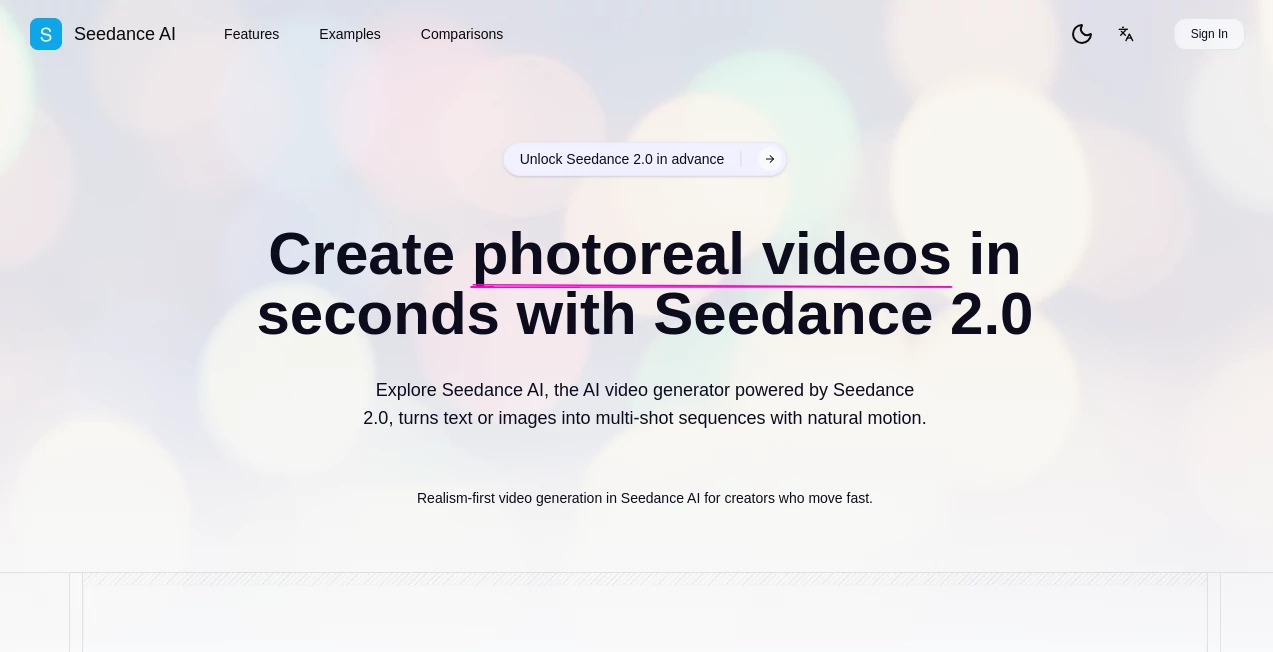
Some tools feel like they were built exactly for the days when you need to ship something beautiful fast without sacrificing the story. This one captures that urgency perfectly. You describe a scene once, maybe drop in a reference image or clip, and in moments you get a multi-shot draft that already has cinematic flow—smooth camera moves, consistent characters, believable lighting, even native audio sync that matches the rhythm. I’ve had friends go from a rough script idea to a polished teaser ready for social in under ten minutes. The excitement when they hit play and it actually works is hard to beat. It’s not magic; it’s smart engineering that finally feels ready for creators who can’t afford to wait.
Introduction
Most AI video generators still force you to generate one shot at a time, then pray the pieces match when you stitch them together. This platform quietly flips that script. Built around Seedance 2.0, it thinks in scenes rather than isolated frames—delivering multi-shot narratives with natural motion, stronger coherence, and a cinematic eye that understands pacing and transitions. Early users talk about how it turned frantic last-minute content needs into calm, confident creation sessions. Whether you’re a solo creator racing a trend or a marketer testing hooks, the speed and realism make it feel like a genuine production partner rather than a tech experiment. It’s the kind of leap that reminds you why people fell in love with video in the first place.
Key Features
User Interface
The workspace is clean and focused—drop a prompt, attach references if you want tighter control, pick your aspect ratio and duration, then generate. Draft mode lets you iterate quickly at lower cost, then upscale winners to full quality with one click. Previews load fast, and the whole flow encourages experimentation without punishing you for trying variations. It never feels like you’re fighting the tool; it’s designed to keep the creative momentum going.
Accuracy & Performance
Motion stays natural even in complex actions—people walk, objects interact, cameras glide without that telltale floaty or underwater feel. Character consistency holds across shots, lighting feels coherent, and prompt adherence is remarkably tight. Generations are fast enough that you can test multiple creative directions in one sitting. The jump in realism and stability compared to earlier models is noticeable the first time you run a side-by-side.
Capabilities
Text-to-video, image-to-video, and reference-guided control let you direct everything from subtle expressions to full multi-shot sequences. Native audio sync aligns speech and sound effects to the action, saving hours of post work. Platform-ready exports cover 16:9, 9:16, 1:1, and more, with presets tuned for Reels, Shorts, TikTok, and beyond. It’s flexible enough for quick social tests or longer narrative pieces, always prioritizing believable movement and visual credibility.
Security & Privacy
Your prompts, references, and outputs stay contained—private generation mode on higher plans ensures nothing is shared or used for training. Compliance standards are in place, and the system is built with creator trust in mind. When you’re working on client projects or personal ideas you want to keep close, that matters a lot.
Use Cases
A UGC creator sketches a product hook, generates five variants in different styles, picks the winner, and has a ready-to-post Reel by lunch. A marketer tests campaign narratives with quick drafts before investing in full shoots. An indie filmmaker prototypes scene pacing and character beats, refining the story faster than ever. Even course creators turn lesson scripts into engaging visual explainers with synced narration. The speed lets ideas breathe instead of dying in the backlog.
Pros and Cons
Pros:
- Genuinely cinematic multi-shot storytelling in one pass—no awkward stitching.
- Strong motion realism and character consistency that feels pro-grade.
- Native audio sync saves massive post-production time.
- Fast draft-to-HQ workflow perfect for high-pressure creative cycles.
Cons:
- Longer sequences (beyond 15 seconds) still require planning and splitting.
- Best results come from clear, detailed prompts and good references.
Pricing Plans
It starts accessible with a free tier that lets you test the waters and see the quality firsthand. Paid plans scale sensibly: Starter gives you solid monthly credits for regular use, Premium unlocks higher priority and more power, and top tiers bring commercial licenses and unlimited fast models. Credits roll over and never expire, so you’re never racing against a reset. The value hits hard once you realize how much time and outsourcing cost it replaces.
How to Use Seedance AI
Describe your scene in the prompt box—be specific about mood, action, camera moves if you want. Attach a reference image or clip for stronger consistency. Choose duration (5s, 10s, 15s presets work great), aspect ratio for your platform, and whether you want draft or high-quality mode. Generate, review the result, tweak the prompt or references if needed, and upscale the keeper. Export and post. The loop is fast enough to feel like sketching rather than production.
Comparison with Similar Tools
Many generators still feel like single-shot machines; this one thinks in scenes and delivers native multi-shot coherence that saves enormous editing time. Motion realism and audio sync give it an edge over tools that require heavy post work. It’s tuned for creators who need believable, shippable clips quickly—not just pretty stills in motion. For social-first workflows, the platform-ready exports and fast iteration make it a standout.
Conclusion
Video creation used to mean long hours, big budgets, or settling for less. This platform quietly shifts that reality—giving creators cinematic tools that feel fast, reliable, and genuinely creative. When you can test ideas, nail the story, and ship polished content in the time it once took to plan a shoot, the possibilities expand. It’s not just another generator; it’s a partner that helps ideas move as freely as your imagination.
Frequently Asked Questions (FAQ)
How long can the videos be?
Presets go up to 15 seconds, perfect for social hooks and teasers; longer pieces can be built from multiple clips.
Does it support image-to-video?
Yes—upload stills and watch them come alive with natural motion and cinematic feel.
Is audio included?
Native sync aligns sound to the action; upload your own tracks for perfect timing.
What resolutions are available?
Up to 1080p with strong detail and realism, plus platform-specific aspect ratios.
Can I use it commercially?
Higher plans include commercial licenses; check the tier that fits your needs.
AI Animated Video , AI Image to Video , AI Text to Video , AI Video Generator .
These classifications represent its core capabilities and areas of application. For related tools, explore the linked categories above.
Seedance AI details
Pricing
- Free
Apps
- Web Tools
Categories

Seedance AI Alternatives Product

Sora 2

Nano Banana …

Seedance2 Vi…

AI Baby Dance

Logo Animati…

Seedance 2 A…

WonderShare …

Veo 3

Sora 2 Video