🧠 AI Quiz
Think you really understand Artificial Intelligence?
Test yourself and see how well you know the world of AI.
Answer AI-related questions, compete with other users, and prove that
you’re among the best when it comes to AI knowledge.
Reach the top of our leaderboard.

















Seedance 1.5

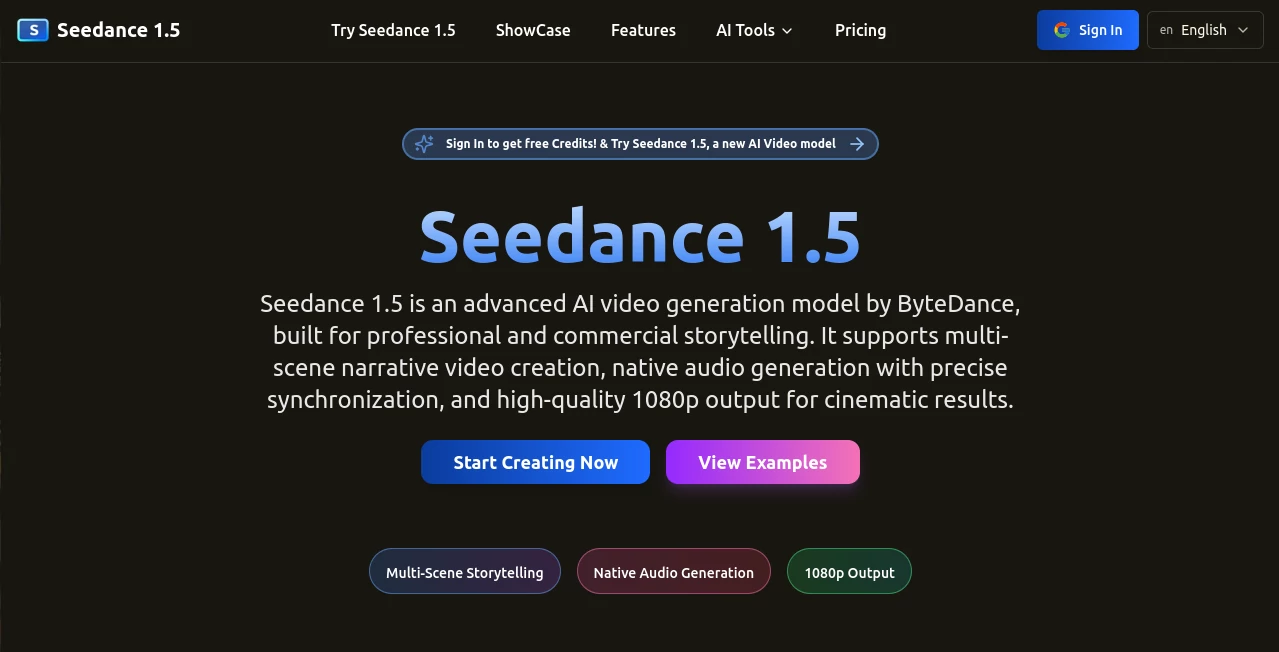
What is Seedance 1.5?
There's something downright thrilling about feeding a few lines of description—or even just an image—into a tool and getting back a full video clip that moves with purpose, sounds alive, and looks like it came from a seasoned crew. This one nails that feeling, blending sharp visuals with audio that syncs so tightly you forget it's all machine-made. I've tinkered with a few similar setups, but this stands out for how it handles storytelling across multiple scenes, keeping everything cohesive without you babysitting every detail.
Introduction
Built on some seriously impressive tech from ByteDance, this platform takes video creation to a place where pros and casual makers alike can craft cinematic shorts that punch way above their weight. It shines in turning natural language prompts into multi-scene narratives, complete with native audio that includes voices, effects, and ambiance—all timed perfectly to the action. Whether you're chasing photorealistic vibes or something more stylized like cyberpunk glows or hand-felt textures, it delivers 1080p clarity that holds up for commercial work. What really hooked me was trying a simple Mars exploration prompt; out came an astronaut striding across red dunes with wind howls and footsteps that felt eerily real, all in one seamless flow.
Key Features
User Interface
It's refreshingly straightforward: a prompt box that invites your wild ideas, spots to upload reference images, and sliders for style picks or audio tweaks that don't overwhelm. The preview loads fast, letting you spot wins or nudges right away, and the whole dashboard feels like it's designed for flow rather than fuss. My first run was a coastal scene—typed in waves crashing at dusk, added a felt texture style, and watched it build a serene clip with gulls crying in the background, no extra steps needed.
Accuracy & Performance
The prompt parsing here is spot-on, picking up on camera angles, lighting cues, or multi-character interactions without veering off script, delivering predictable yet creative results. Generations hum along quickly, even for layered scenes with dynamic motion, and the consistency across cuts—faces staying true, environments holding steady—saves endless revisions. In a racing sequence I tried, engines revved in sync with tires screeching around bends, physics feeling grounded and the whole thing stable at full HD.
Capabilities
Multi-scene builds with smooth handoffs, native audio that layers voices, effects, and ambiance seamlessly, plus rich style options from ultra-real to artistic twists. It handles complex actions with physical realism, controlled camera moves, and high-res outputs that look pro. Throw in image references for guided creations, and you've got a toolkit that turns abstract ideas into tangible stories ready for screens big or small.
Security & Privacy
With solid certifications backing it, your projects stay handled responsibly, especially handy for commercial spins where rights and compliance matter. It keeps things professional without unnecessary hurdles, giving that quiet confidence to focus on crafting rather than worrying.
Use Cases
Ad folks whip up branded shorts with synced voiceovers that sell without sounding salesy. Storytellers prototype micro-dramas or visualized lyrics, testing emotional beats before full commits. Educators bring history or science to life with narrated scenes that engage way more than slides. Even product marketers stage demos in custom worlds, like a gadget floating through cyberpunk streets with humming tech sounds that draw eyes in.
Pros and Cons
Pros:
- Audio that feels native and perfectly timed, elevating simple clips to immersive ones.
- Strong consistency in characters and worlds across scenes, cutting rework.
- Versatile styles that adapt to any mood or brand need.
- High-res outputs with cinematic control that rival dedicated software.
Cons:
- Best results come from thoughtful prompts—quick scribbles might need a refine.
- Free credits fly fast for heavy testing sessions.
Pricing Plans
Sign in and grab free credits to kick things off, plenty for a solid taste of the capabilities. Plans scale from there with options that unlock more generations, higher priorities, or commercial clears, keeping it accessible yet rewarding for committed creators. It's the kind of structure that lets you start small and grow as your ideas do.
How to Use Seedance 1.5
Log in for your starter credits, then spill your vision into the prompt—detail scenes, actions, styles. Upload an image if you want guided direction, tweak audio or resolution settings, and let it render. Preview the multi-scene magic with its synced sounds, regenerate tweaks if needed, then download the full HD clip. A forest lake prompt I ran came back with rustling leaves and distant bird calls that matched the gentle ripples perfectly—simple yet stunning.
Comparison with Similar Tools
Plenty of options churn out clips, but few match this one's native audio depth or multi-scene coherence, where sounds layer naturally and narratives flow without forced cuts. It edges ahead on precision parsing and style variety, delivering that professional polish with less trial and error, especially for storytelling that needs emotional weight and immersive feel.
Conclusion
This tool redefines what's possible for quick yet quality video crafting, blending visuals and sound in a way that sparks real connection. It's the bridge for ideas that deserve to move and breathe, turning static thoughts into dynamic tales worth watching again. Give it a prompt that matters to you, and see how effortlessly it brings the scene to life—it's one of those finds that quietly changes how you create.
Frequently Asked Questions (FAQ)
What resolution do clips hit?
Full 1080p with clear details and stable frames throughout.
How does audio integration work?
Native generation syncs effects, ambiance, and voices right to the action.
Can I guide with images?
Yes, uploads steer the look and feel for more controlled outcomes.
Styles available?
From photoreal to cyberpunk, illustration, felt, and beyond.
Good for commercial use?
Absolutely, with outputs suited for pro storytelling and ads.
AI Image to Video , AI Music Video Generator , AI Text to Video , AI Video Generator .
These classifications represent its core capabilities and areas of application. For related tools, explore the linked categories above.
Seedance 1.5 details
This tool is no longer available on submitaitools.org; find alternatives on Alternative to Seedance 1.5.
Pricing
- Free
Apps
- Web Tools
Categories

Seedance 1.5 Alternatives Product

RunwayAI

Runway Gen-4…

Framepack AI

Nano Banana …

gpt video

kling 4.0

Seedance 2 V…

Wan AI

Kling 3.0