🧠 AI Quiz
Think you really understand Artificial Intelligence?
Test yourself and see how well you know the world of AI.
Answer AI-related questions, compete with other users, and prove that
you’re among the best when it comes to AI knowledge.
Reach the top of our leaderboard.

















Seedance 1.5 Pro

What is Seedance 1.5 Pro?
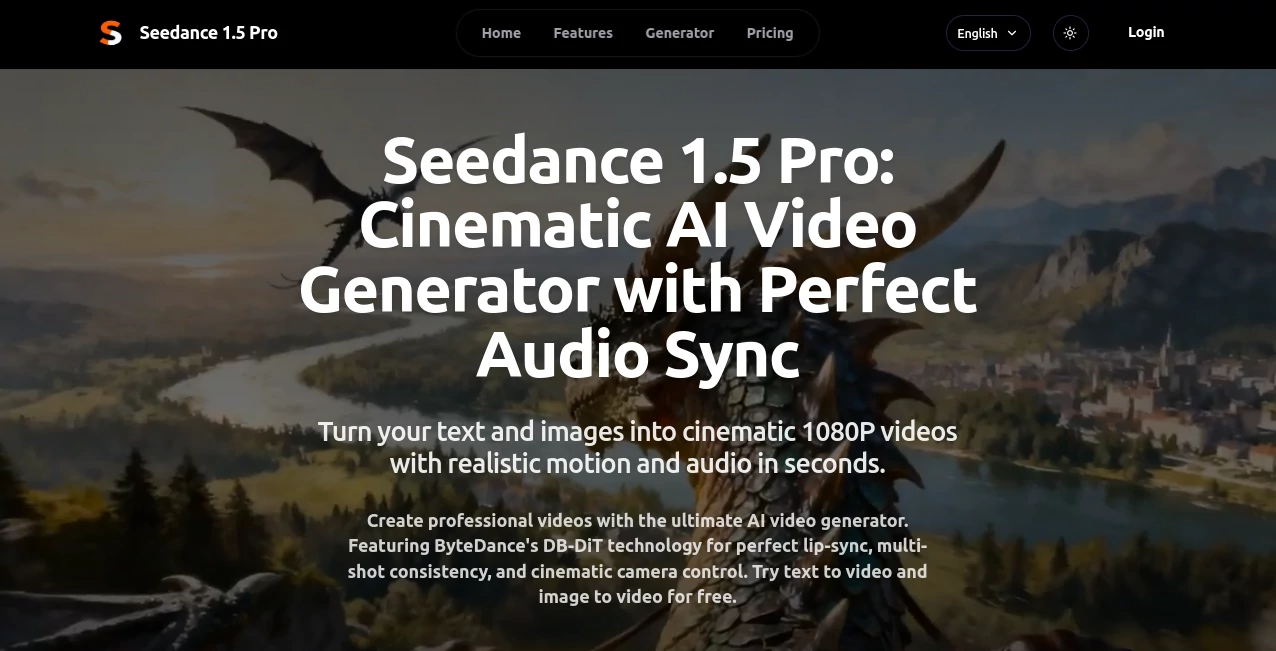
There's something downright thrilling about typing a scene into a box and watching it unfold as a full-fledged cinematic clip, complete with voices that match mouths perfectly and sounds that pull you right in. This tool nails that magic better than most, blending text or images into smooth, high-quality videos that feel like they came from a pro crew. A marketer friend of mine used it to whip up a multilingual ad spot in an afternoon—something that would've taken days and dollars otherwise—and the client couldn't tell it wasn't shot on set.
Introduction
Built on ByteDance's clever DB-DiT setup, this platform stands out by cooking up video and audio together from the start, dodging those awkward mismatches that plague other generators. It handles everything from straightforward talking heads to layered stories with multiple folks moving naturally, all while letting you direct the camera like a seasoned filmmaker. What draws people in is the reliability: prompts get interpreted with nuance, especially in Chinese contexts where it shines with cultural depth, but it holds its own across languages. Free trials hook you quick, and once you're in, the speed and polish keep you crafting clips that punch way above their weight.
Key Features
User Interface
Everything sits right there on one welcoming page—a generous prompt box, spots for image uploads, and tidy toggles for camera moves like pan or zoom that feel intuitive, not overwhelming. Credits track upfront, history pulls up past creations easy, and the generate button delivers without fuss. It's the sort of clean layout that lets ideas flow; I found myself experimenting with director angles on a whim, adding orbit to a simple monologue and loving how it elevated the whole thing instantly.
Accuracy & Performance
Lip movements line up flawlessly with speech, even across dialects, thanks to that dual-branch magic running video and sound in tandem. Generations fly—often 30 to 40 seconds for a solid chunk—and the motion stays natural, with characters holding steady from shot to shot. In practice, it grabs subtle prompt details like lighting or pacing, turning vague ideas into coherent scenes that rarely need do-overs.
Capabilities
Flip text into multi-shot narratives or breathe life into static photos, complete with pro camera tricks and sound effects that fit the mood. Multi-language support means voices sound authentic wherever your audience sits, and the consistency keeps faces and styles locked across cuts. It's versatile for everything from quick ads to short dramas, with that 1080p crispness making exports ready for prime time.
Security & Privacy
With solid certifications backing it, your prompts and outputs stay handled responsibly, focused on giving you commercial-ready files without unnecessary lingering. It's reassuring for pros dipping into client work, knowing the backend prioritizes clean, compliant processing that lets creativity run free.
Use Cases
Agencies slash budgets by prototyping storyboards that wow clients fast, complete with synced dialogue. Marketers scale campaigns across regions, crafting localized spots that resonate without hiring voice talent. Content folks on social spin engaging shorts with consistent avatars, building series that hook viewers week after week. Studios even use it for pre-vis, testing complex sequences before committing cameras—cutting costs while sparking better finals.
Pros and Cons
Pros:
- That simultaneous audio-video brew delivers sync that's hard to beat, saving endless edits.
- Camera controls add real directorial flair without the learning curve.
- Handles cultural nuances beautifully, especially for diverse markets.
- Fast enough to iterate ideas in a single session, boosting creativity.
Cons:
- Credit costs add up for heavy daily use, though plans ease the pinch.
- Shorter clips keep it focused on bites, not features.
Pricing Plans
Free trials let you feel the power firsthand, no strings. Basic runs about $12 monthly for a steady stream of credits and standard speeds, Pro at $40 bumps priority and extras for serious creators, while Studio at $100 unlocks the fastest lanes and dedicated help for big operations. Yearly commits shave off a nice chunk, making it scalable whether you're dipping in or diving deep.
How to Use Seedance 1.5 Pro
Drop a detailed prompt—think scene, action, dialogue—toggle your camera moves for that pro touch, and upload an image if you want to start from there. Hit generate, sip your drink while it works (not long), then preview the synced result. Tweak the description for another go if needed, upscale, and export clean for your project. Start simple with a talking head, add layers like orbit or zoom, and soon you're directing full shorts that surprise even you.
Comparison with Similar Tools
Against big names like Sora or Runway, this one pulls ahead with its baked-in audio sync and real-time branch interaction, avoiding the separate-step clunk that breaks immersion. It's quicker on inference too, with that 10x edge keeping waits short, and the cultural smarts give it an advantage for global spins. For folks needing reliable lip-sync and camera finesse without patchwork fixes, it feels more cohesive and creator-friendly overall.
Conclusion
This platform quietly redefines what's possible for quick, cinematic clips, handing tools that turn rough ideas into refined stories with sync and style that impress. It's the bridge for creators who want pro results without pro headaches, sparking outputs that engage and endure. Give it a prompt that matters to you, and watch the scene come alive—it's the kind of tool that sticks around, making every video venture a bit more exciting.
Frequently Asked Questions (FAQ)
What sets the audio sync apart?
Parallel generation from dual branches ensures lips and sounds match precisely, even in songs or multi-speaker scenes.
Does it handle Chinese prompts well?
Better than most, with deep cultural grasp for authentic aesthetics and context.
How long per video?
Around 30-40 seconds generation for typical clips, keeping the pace brisk.
Commercial use okay?
Paid plans grant full rights, perfect for ads or client work.
Camera options available?
Pan, tilt, zoom, orbit, and more for that director's control.
AI Image to Video , AI Music Video Generator , AI Text to Video , AI Video Generator .
These classifications represent its core capabilities and areas of application. For related tools, explore the linked categories above.
Seedance 1.5 Pro details
This tool is no longer available on submitaitools.org; find alternatives on Alternative to Seedance 1.5 Pro.
Pricing
- Free
Apps
- Web Tools
Categories

Seedance 1.5 Pro Alternatives Product

Genmi AI

Flow Veo 3

Sora 2 AI

Sisif

Runway Gen-4…

seedance 2

Sora AI Vide…

ImagineToVid…

gpt video