🧠 AI Quiz
Think you really understand Artificial Intelligence?
Test yourself and see how well you know the world of AI.
Answer AI-related questions, compete with other users, and prove that
you’re among the best when it comes to AI knowledge.
Reach the top of our leaderboard.

















Seedance 2.0
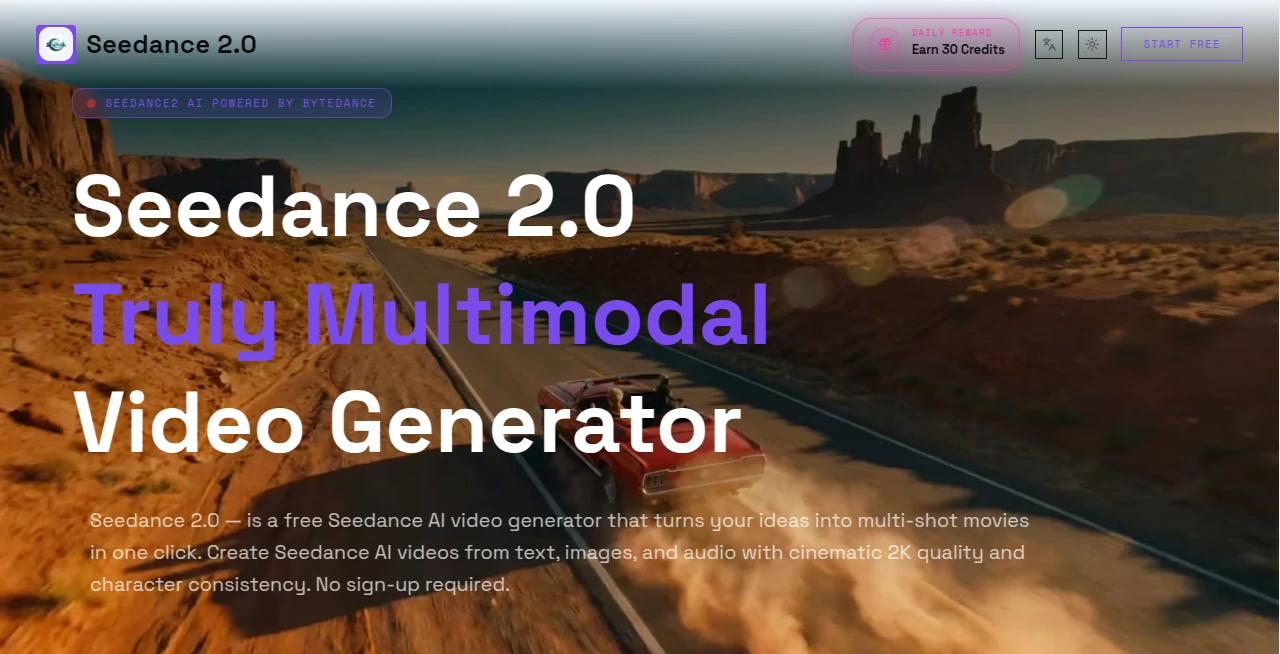
What is Seedance 2.0?
You sit down with a half-formed idea—a moody scene, a character that needs to stay consistent, maybe some music you love—and in minutes you have a short film that actually feels directed, not just stitched together. That’s the quiet thrill this platform delivers. It takes the chaos of trying to wrangle AI video tools and turns it into something almost conversational. I’ve had moments where I threw in a reference photo, a voice clip, and a loose description, and the output came back with motion that made sense, lighting that matched, and audio sync that didn’t feel bolted on. For anyone who’s ever spent hours tweaking single shots only to get inconsistent results, this feels like a deep breath of relief.
Introduction
Creating video used to mean storyboards, shooting, editing, sound design—layers of work that crushed most ideas before they could breathe. Now imagine describing a multi-shot sequence, attaching a few reference images for style and character, setting durations per segment, and watching it all come together in one coherent clip with native audio alignment. This tool quietly shifts that reality. No heavy software installs, no endless parameter hunting—just a clean web interface that lets you focus on story while it handles the technical stitching. Creators who’ve tried it keep coming back because the consistency is unusually strong and the free tier actually lets you produce usable work without a paywall looming every few seconds.
Key Features
User Interface
The dashboard keeps things uncluttered. You choose your input type—text, image, video reference, first/last frame—fill in prompts for each shot, set lengths, and decide how strict the AI should follow your references. A small preview loads quickly so you can spot-check before committing credits. It never feels like you’re lost in menus; every control is right where intuition expects it. Even on a smaller screen it remains usable, which matters when you’re iterating late at night.
Accuracy & Performance
Character faces and outfits hold steady across shots in ways that still surprise me. Motion follows realistic physics—weight shifts, fabric ripples—without that uncanny float many models suffer from. Generation times stay reasonable even for multi-shot requests, and the audio sync (when you provide a track) aligns expressions and lip flaps more naturally than I’ve seen elsewhere. The first attempt frequently lands close enough to use or only needs light prompting tweaks.
Capabilities
You can build sequences up to six shots in a single generation, each with its own prompt and duration. Up to three reference images lock in character appearance, color grade, or overall aesthetic. First-frame and last-frame guidance give precise start and end points. Native audio sync handles voice or music input, and you can fine-tune motion intensity or avoid unwanted elements through negative prompts. Exports are watermark-free on paid tiers, and the quality scales up to 2K (or higher on top plans). It’s a rare tool that feels equally comfortable with quick social clips and more ambitious narrative tests.
Security & Privacy
Your prompts, references, and outputs are treated with care. The platform follows standard compliance practices, and paid plans offer stronger guarantees around data handling. For creators working with client material or personal projects, that matters. Nothing feels unnecessarily exposed or retained longer than required.
Use Cases
A musician visualizes a single track as a looping cinematic piece, syncing the beat drops to camera moves and keeping the singer’s look consistent across angles. A marketer creates a short product story that transitions smoothly between lifestyle shots and close-ups, all from one set of reference photos. An indie filmmaker tests dialogue scenes with lip-synced actors before committing to real production. Even casual creators make engaging Reels that feel thoughtfully directed rather than AI-slapped-together. The multi-shot control opens storytelling possibilities that single-clip generators simply can’t touch.
Pros and Cons
Pros:
- Multi-shot storytelling in one generation saves enormous iteration time.
- Reference control delivers unusually strong character and style consistency.
- Native audio sync and lip movement feel integrated, not afterthought.
- Free daily credits let you produce real work without upfront spend.
Cons:
- Free tier limits resolution and credits, so serious use quickly wants a plan.
- Longer or very intricate sequences may still require splitting or refinement.
Pricing Plans
You can start completely free with daily credits that renew—no card required, no account forced. When you outgrow that, plans begin at a modest monthly rate and scale up for higher resolutions, more credits, batch generation, and faster queues. Annual billing cuts the cost noticeably. The structure rewards testing first and scaling naturally as your projects demand more.
How to Use Seedance 2.0
Open the generator page, decide your input mix—text, images, video clips, audio. For multi-shot, break your story into segments, assign prompts and durations to each, and attach references where consistency matters. Adjust CFG scale or negative prompts if you want stricter motion control. Generate, preview the result, download the MP4 if it hits the mark, or refine the prompt and try again. It’s forgiving enough for experimentation yet precise enough for production-level output once you dial it in.
Comparison with Similar Tools
Many video generators excel at single clips but stumble when you ask for narrative flow across multiple shots. This one bridges that gap with thoughtful multi-shot handling and reference strength that keeps characters and looks coherent. Where others feel like random bursts, the output here carries director-level intent. It’s not the longest-form tool, but for shorts, ads, and story-driven clips, it consistently outperforms in polish and usability.
Conclusion
Video creation used to demand heavy time, software mastery, or big budgets. This platform quietly lowers every barrier while raising the quality bar. You get cinematic results—coherent stories, consistent characters, synced sound—without the usual frustration. For creators who want their ideas to move and breathe quickly, it’s one of those rare tools that feels like it was built exactly for the moment we’re in. Try a prompt today; the first clip that comes back might just change how you think about making video.
Frequently Asked Questions (FAQ)
How long can each generated video be?
Up to 15 seconds total, with individual shot durations set by you.
Can I use my own audio track?
Yes—upload music or voice, and it syncs lip movements and expressions naturally.
What resolutions are available?
Free tier reaches 480p–1080p; paid plans unlock 2K and higher.
Do I need an account to start?
No sign-up needed for the free daily credits—jump straight in.
How many reference images can I use?
Up to three for character, style, or color locking.
AI Animated Video , AI Image to Video , AI Text to Video , AI Video Generator .
These classifications represent its core capabilities and areas of application. For related tools, explore the linked categories above.
Seedance 2.0 details
Pricing
- Free
Apps
- Web Tools
Categories

Seedance 2.0 Alternatives Product
Veo4AI

Veo 3.2

MuseCraft.AI
Seedance 2.0…

WonderShare …

gpt video

Veo4

seedream 5

Kling 3.0 Vi…