🧠 AI Quiz
Think you really understand Artificial Intelligence?
Test yourself and see how well you know the world of AI.
Answer AI-related questions, compete with other users, and prove that
you’re among the best when it comes to AI knowledge.
Reach the top of our leaderboard.

















Seedream Image Generator
What is Seedream Image Generator?
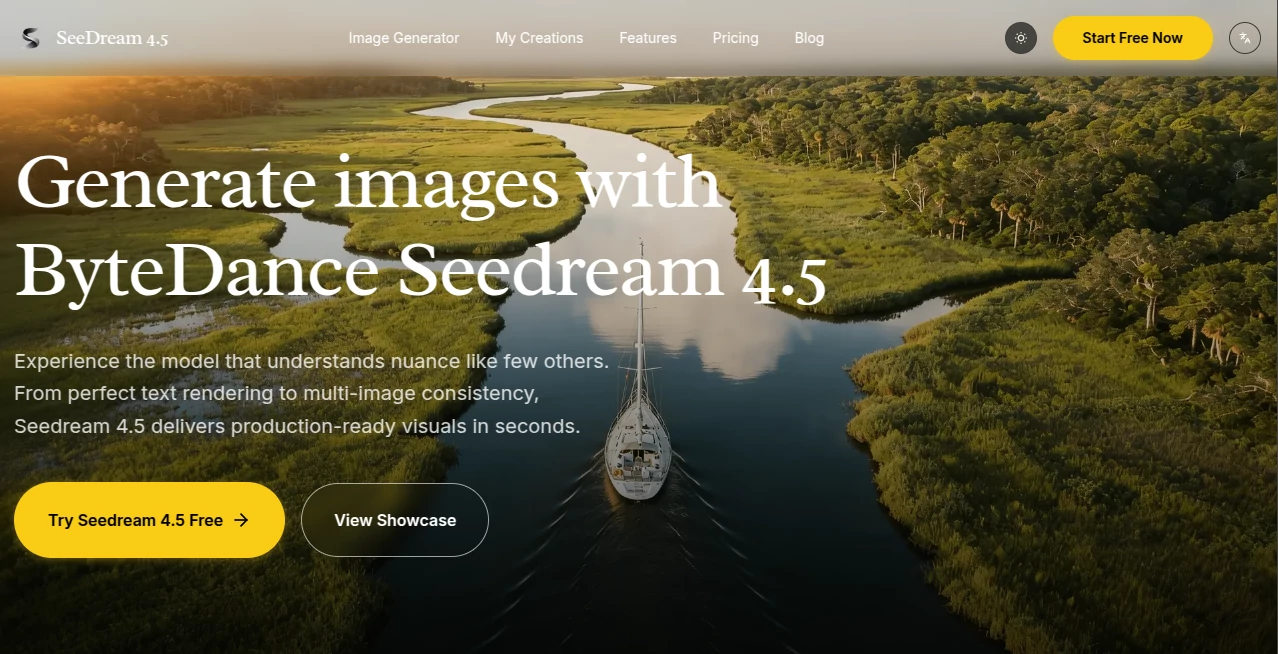
There's something almost addictive about feeding a detailed description into a tool and watching it spit out an image that captures every little nuance you imagined—sharp text on a poster, consistent lighting across a series, or a character that looks the same from every angle. This platform nails that feeling time and again, blending raw power with thoughtful finesse to produce visuals that feel ready for the real world, not just another pretty experiment. I've tinkered with plenty of generators, but few make complex prompts feel so reliably rewarded, turning what could be a frustrating lottery into a confident craft.
Introduction
ByteDance's latest leap in image tech arrives with a focus on the stuff that matters most to pros: rock-solid consistency, legible text that doesn't turn into gibberish, and editing control that respects your original vision. Forget regenerating endlessly for the right face or layout—this one gets multi-reference inputs, fusing up to 14 images while keeping textures and styles intact. It's built for workflows where time is money, churning out native 4K assets that hold up on billboards or screens, all while understanding prompts with a depth that surprises. Creators in design studios and marketing teams keep circling back, sharing how it streamlined campaigns or storyboards that used to drag on for days.
Key Features
User Interface
The dashboard keeps things delightfully uncluttered: a generous prompt box that counts characters as you type, easy dropdowns for dimensions and quality, and a drag-and-drop zone for references that fills a neat counter without overwhelming the screen. Switch to edit mode, and it feels like painting with words—pinpoint changes while the rest stays put. My first session had me uploading a handful of sketches for a branding mockup, and the whole process flowed so naturally I forgot I was using AI at all.
Accuracy & Performance
It listens to instructions with uncanny precision, parsing layered requests for composition, lighting, and materials without the usual missteps, delivering results that align closely with what's in your head. Generations fly—seconds for most—and even heavy edits with multiple references don't bog down, producing files that scale beautifully to 4K without artifacts. In practice, it's the rare tool where the first output often needs only minor nudges, saving that precious creative energy for refining ideas instead of fixing flaws.
Capabilities
Text renders crisp and contextual, characters hold their identity across shots, and the edit mode lets you surgically tweak elements while preserving the whole. Support for diverse ratios, high-quality modes, and batch inspirations make it versatile for everything from UI prototypes to cinematic posters. The multi-reference fusion stands out, blending sources seamlessly for cohesive series that tell a story without visual hiccups.
Security & Privacy
Your projects stay contained, with commercial rights baked in so you can confidently use outputs for client work or sales. No unnecessary data hoarding—just straightforward handling that respects the professional stakes involved. It's reassuring for teams juggling sensitive branding or campaigns, knowing the backend prioritizes discretion alongside delivery.
Use Cases
UI designers whip up interface mocks with readable labels and balanced hierarchies that impress stakeholders on first sight. Marketers build campaign visuals with uniform characters and styles across ads, ensuring brand coherence without endless revisions. Storyboard artists lock in looks for sequences, iterating angles while the core stays true. Even poster creators craft text-heavy pieces where every word pops clear, perfect for events or promotions that demand legibility from a distance.
Pros and Cons
Pros:
- Exceptional grasp of complex prompts, reducing iterations to a minimum.
- Flawless text and character handling that pros rely on daily.
- Powerful editing with references, keeping changes precise and consistent.
- Native high-res outputs ready for professional pipelines.
Cons:
- Best results come from thoughtful prompts—quick scribbles might need refining.
- Monthly quotas on lower plans, though generous for most.
Pricing Plans
A free trial lets you explore the basics and feel the quality firsthand. Basic runs about nine bucks monthly for a solid stack of generations and commercial clearance, while Pro at nineteen unlocks priority speeds, more volume, and faster support. Yearly commitments shave off a nice chunk, making it scalable whether you're testing waters or diving deep into daily use.
How to Use Seedream 4.5
Drop into the generator, craft a rich prompt detailing your scene and styles, then upload references if you're locking in specifics like faces or textures. Choose your ratio and quality, hit go, and watch the magic unfold—often spot-on from the start. For tweaks, flip to edit, describe changes, and regenerate selectively. Export clean for your projects, and build galleries of inspirations along the way.
Comparison with Similar Tools
Older models often stumble on text or drift in consistency, forcing endless rerolls, but this one steps ahead with deliberate upgrades in fidelity and control. It's less about sheer variety and more about reliable, production-grade results that don't require babysitting, edging out competitors for workflows where precision trumps experimentation.
Conclusion
This platform redefines what's possible in a single prompt, delivering visuals that feel thoughtfully directed rather than randomly rolled. It's the thoughtful evolution creators have been waiting for—one that respects nuance, rewards detail, and turns ambitious ideas into tangible assets with grace. Give it a spin with a challenging concept; the payoff might just reshape how you approach visuals altogether.
Frequently Asked Questions (FAQ)
How many references can I use?
Up to 14 for edits, blending them seamlessly while holding onto core elements.
Does text come out readable?
Absolutely—sharp and contextual, no more garbled nonsense in signs or logos.
What's the max resolution?
Native 4K that retains detail, ideal for prints or large displays.
Commercial use allowed?
Yes, full rights on all plans for client or sales work.
How fast are generations?
Seconds for most, keeping your momentum unbroken.
AI Photo & Image Generator , AI Art Generator , AI Design Generator , AI Text to Image .
These classifications represent its core capabilities and areas of application. For related tools, explore the linked categories above.
Seedream Image Generator details
Pricing
- Free
Apps
- Web Tools
Categories

Seedream Image Generator Alternatives Product

Consistent C…

Z Image Turbo

ModelsLab

Nanosora
Imgezy

Nano Banana …

Createimg.ai

flux 3
Try FLux2