🧠 AI Quiz
Think you really understand Artificial Intelligence?
Test yourself and see how well you know the world of AI.
Answer AI-related questions, compete with other users, and prove that
you’re among the best when it comes to AI knowledge.
Reach the top of our leaderboard.


















SeeDream 4.5
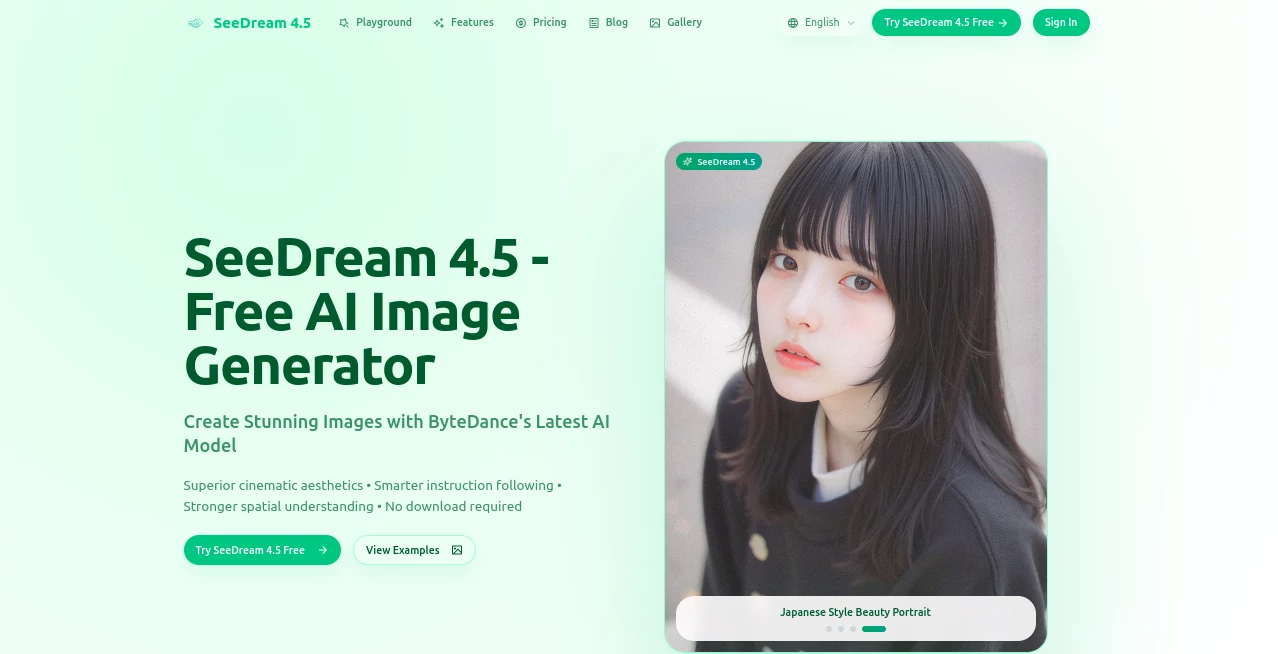
What is SeeDream 4.5?
SeeDream invites creators to breathe life into their wildest scenes, transforming everyday descriptions into breathtaking visuals that capture the eye and stir the imagination. This no-fuss platform lets you dive straight in, crafting professional-grade pictures without the usual barriers of downloads or fees. It's become a quiet go-to for artists and dreamers alike, who often share how a single prompt can spark a whole series of stunning frames that feel pulled from a silver screen.
Introduction
SeeDream arrived as a breath of fresh air in the crowded world of visual tools, cooked up by a team at ByteDance who wanted to make high-end scene-making accessible to all. It kicked off with a bang, drawing in folks from design shops to solo scribblers tired of clunky alternatives that demanded too much setup. Before long, stories started circulating about late-night sessions yielding moody portraits or epic landscapes that nailed the mood just right, turning casual tries into portfolio pieces. What keeps it buzzing is that blend of power and simplicity, evolving quietly to handle trickier requests while staying true to its roots as a free gateway to cinematic flair.
Key Features
User Interface
The setup greets you with a welcoming blank slate, where a generous prompt box sits front and center alongside a quick-pick menu for shapes like wide cinemascope or cozy squares. No cluttered sidebars or hidden toggles—just type your vision, tap generate, and watch previews unfold in a tidy row below, each one ready for a closer spin or snag. It's the kind of flow that feels like chatting with an old friend who gets your drift, keeping things light even when you're layering in the finer points.
Accuracy & Performance
When you describe a layered moment—like a figure lost in winter fog—it sorts the pieces with a keen eye, placing elements just so and blending lights that feel lived-in rather than lit up. Turnarounds land in half a minute or so, holding steady even for packed ideas, and the results pop crisp on any screen without a hint of blur. Those who've pushed it with real tests often nod at how it holds steady across batches, dodging the slips that can throw off a good groove.
Capabilities
From spinning fresh frames out of thin air to reworking uploads with a few guiding words, it covers the full arc of visual play, weaving in consistent looks for repeated faces or outfits across shots. You can pull from a handful of starters to guide the flow, and it grasps the bigger picture—separating layers like foreground drama from distant haze—while grounding things in real-world nods like cultural motifs or tech setups. The range stretches to pro scenes too, from fashion spreads to room renders, all without leaving a trace behind.
Security & Privacy
Your sketches and starters get handled with a light touch, processed on the spot and cleared away once the magic's captured, leaving no digital footprints unless you choose to keep them. It keeps things straightforward, letting you control the shares without extra locks or logs, so personal visions stay just that—yours to reveal when ready. Creators lean on that easy trust, focusing on the frame without fretting over the fine print.
Use Cases
Ad folks whip up hero shots that set the tone for campaigns, testing moods from sleek to soulful before the pitch. Architects sketch room flows or site studies, layering light and life to spot what sings. Fashion teams build lookbooks with steady threads across poses, saving hours on manual mocks. Game builders prototype worlds from vague vibes, stacking assets that fit seamless. Even educators craft scene aids that pull dry facts into vivid views, making lessons land with a visual punch.
Pros and Cons
Pros:
- Jumps right in free, no sign-ups or watermarks to snag the fun.
- Grasps the full scene, nailing layers and lights with pro poise.
- Handles tweaks on uploads, keeping the heart while shifting the skin.
- Quick spins for batches, ideal for idea floods without the wait.
Cons:
- Shines brightest with clear English cues; loose ones might wander.
- Free credits cap the endless play, nudging toward mindful picks.
- No deep dives into custom saves for ongoing threads.
Pricing Plans
It opens wide with no entry fee, handing new hands a stack of free turns to test the waters right away. Basics stay open without a dime, covering generates and grabs for most everyday dives, though heavier hauls might tap those starter credits quick. The whole setup leans generous, keeping the door ajar for casual creators without pushing paid paths or hidden hurdles.
How to Use SeeDream
Start by spilling your scene into the prompt spot, aiming rich with details on mood and makeup. Pick a frame fit from the lineup, then tap to set it spinning—give it a half-minute breath, and scan the fresh batch below. For a rework, slip in a starter shot and whisper the shift, watching it bloom anew. Snag the standouts clean, and circle back with refinements to chain a collection that builds on itself.
Comparison with Similar Tools
Where some free floats skim the surface with quick but quirky takes, SeeDream layers in that steady grasp for outputs that hold water, though those might edge on raw speed for one-offs. Against paid powerhouses, it keeps the core clean and cost-free, skipping the sprawl but perhaps pinching on endless extras. It fits neat for balanced bursts, where cinematic smarts meet straightforward starts without the weight.
Conclusion
SeeDream quietly reshapes the chase for striking sights, handing over a canvas where words weave into worlds worth watching. It turns the 'someday sketch' into today's triumph, blending brains with beauty to fuel fresh flows. As more minds turn to visual vents, this one's primed to keep the spark steady, inviting all to dream in frames that fade into favorites.
Frequently Asked Questions (FAQ)
What makes a prompt pop here?
Pack in specifics on light, layers, and looks—English edges it sharper.
How long till the first frame?
A quick half-minute to a full, depending on the depth you dive.
Can I rework my own shots?
Yes, upload and guide the glow-up with words that whisper the way.
Any limits on free fun?
Starters get a credit cushion; light lifts stay open without the pinch.
What shapes can I frame?
From wide epics to tall tales, a full spread to suit your story.
AI Text to Image , AI Photo & Image Generator , AI Image to Image , AI Art Generator .
These classifications represent its core capabilities and areas of application. For related tools, explore the linked categories above.
SeeDream 4.5 details
Pricing
- Free
Apps
- Web Tools
Categories

SeeDream 4.5 Alternatives Product

Wplace Toolk…

BlackInk

Banana Promp…

Leonardo.ai

Generador De…

Seedream 5.0

Sovibe AI

KissPixel

Roblox Man F…