
🧠 AI Quiz
Think you really understand Artificial Intelligence?
Test yourself and see how well you know the world of AI.
Answer AI-related questions, compete with other users, and prove that
you’re among the best when it comes to AI knowledge.
Reach the top of our leaderboard.


















solhun

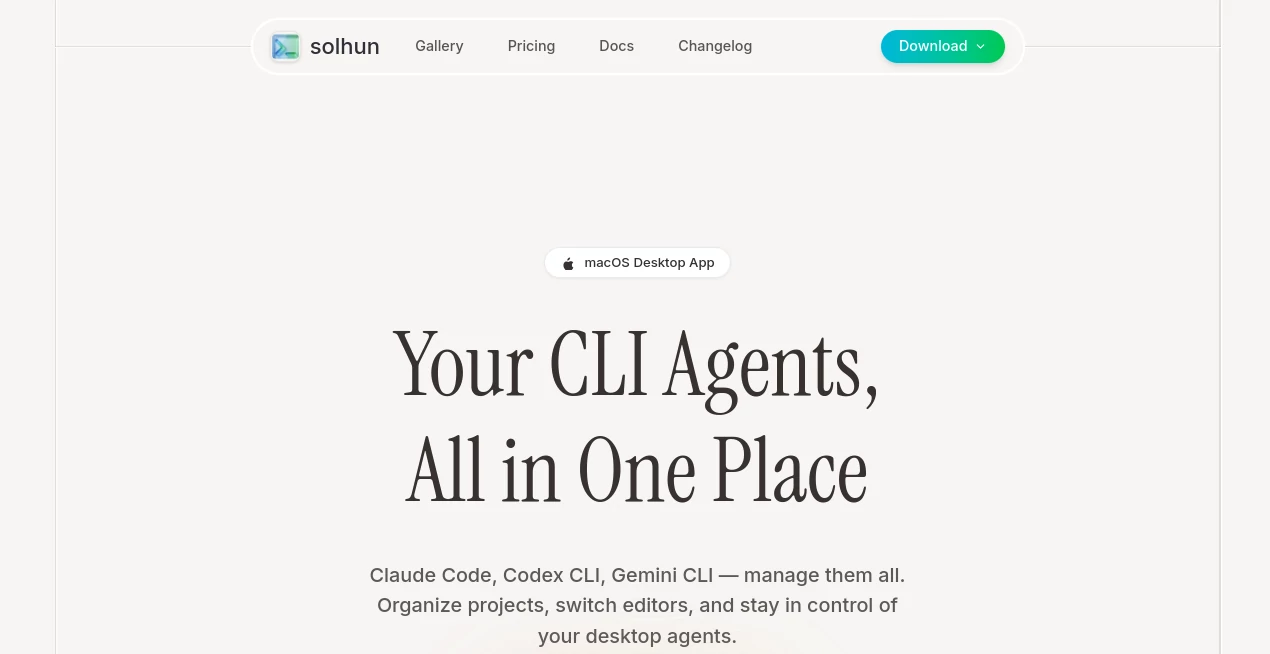
What is solhun?
Ever juggle a dozen terminals just to keep your AI agents in line? This app changes all that, pulling everything into a single spot where switching editors or firing up a new project feels as easy as grabbing your morning coffee. I remember the first time I loaded it up—my scattered setup turned into this organized powerhouse, letting me hop between Claude Code and Gemini CLI without missing a beat. It's the kind of thoughtful design that makes you wonder how you ever got by without it, especially when you're knee-deep in code and need things to just work.
Introduction
For developers tangled in multiple AI agents, this desktop gem arrives like a lifeline, corralling Claude Code, Codex CLI, and Gemini CLI into one intuitive workspace. Born from the frustrations of constant context switches, it lets you nickname agents, assign roles, and manage Git worktrees with a few clicks—turning chaos into clarity. What started as a niche fix for macOS users has become a staple for folks who value flow over fuss. A buddy of mine, a freelance dev, swears it doubled his daily output by ditching the terminal tango; now he launches complex workflows from templates, all while keeping ports and editors in perfect sync. It's not just software—it's that reliable partner who anticipates your next move.
Key Features
User Interface
The whole thing greets you with a dashboard that's refreshingly uncluttered, showing your agents at a glance with easy nicknames and role tags that make sense of the madness. Switching editors? One click, and you're in VS Code or Cursor without the usual hassle. It's got that macOS polish—smooth, responsive, and built for quick glances during a crunch. I love how it feels like an extension of your desktop, not some bolted-on extra; even on a busy day, finding what you need is instinctive.
Accuracy & Performance
When it comes to keeping things running smooth, this setup excels at handling agent activations and project shifts without a hitch, ensuring your workflows fire up exactly as intended every time. Performance-wise, it's snappy even with multiple agents in play— no lag when jumping between setups or tracking ports. In my experience, it holds steady under load, making those long coding sessions feel less like a battle and more like a breeze.
Capabilities
Beyond the basics, it lets you categorize agents with custom roles like "Frontend Dev" or "Design Review," streamlining how you tackle tasks. Git worktrees get effortless management, and terminal templates launch intricate processes in seconds. Whether you're organizing projects or flipping editors on the fly, it covers the ground with tools that feel tailored for real dev life—practical, powerful, and always on point.
Security & Privacy
As a desktop app, it keeps everything local on your machine, minimizing risks and giving you full control over your data without cloud worries. No unnecessary sharing or tracking; it's designed with devs in mind who handle sensitive code. That focus on keeping things contained builds real confidence—I've never second-guessed loading up a project here.
Use Cases
Picture a solo dev prototyping a new feature: assign roles to agents, switch to Cursor for edits, and manage Git branches without leaving the app—done in half the time. Teams love it for collaborative setups, where one person handles backend via Codex CLI while another reviews designs, all synced seamlessly. Freelancers juggling client projects use templates to spin up environments fast, tracking ports to avoid conflicts. Even hobbyists dabble, organizing personal experiments with nicknames that make revisiting old code a joy rather than a hunt.
Pros and Cons
Pros:
- Streamlines agent management so well, it feels like cheating on your workflow.
- Editor switching is a game-changer—seamless and instant, saving precious minutes.
- Custom roles and nicknames add that personal touch, making complex setups intuitive.
- Handles Git and ports with ease, turning potential headaches into highlights.
Cons:
- macOS only for now, so Windows folks are left waiting in the wings.
- No built-in cloud sync, which might irk remote workers craving cross-device magic.
Pricing Plans
It starts free as a download, letting you dive right in without barriers—perfect for testing the waters on your setup. No hidden fees or subscriptions mentioned; it's all about getting the app and going, with future updates likely included. That open-handed approach feels rare these days, encouraging devs to integrate it fully without budget second-guesses.
How to Use CLI Manager
Grab the download for your macOS flavor—ARM or Intel—and install it like any app. Fire it up, add your agents with nicknames and roles that fit your flow, then set preferred editors for quick swaps. For a project, create a new one, manage Git worktrees, track ports, and launch templates from the dashboard. I started small: named one agent "API Guru," switched to VS Code, and had a workflow running in under five minutes—build from there, and it'll soon feel indispensable.
Comparison with Similar Tools
While some agent managers scatter features across tabs or require constant tweaks, this one unifies everything with a polish that's hard to beat—think less like a patchwork terminal emulator and more like a dedicated cockpit. Competitors might offer broader platform support, but they often lag in the seamless editor integration or role-based organization that makes daily use a delight here. For macOS devs, it's the standout choice, blending depth with that effortless vibe others chase but rarely catch.
Conclusion
This app quietly revolutionizes how devs wrangle AI agents, wrapping powerful tools in a package that's as enjoyable as it is effective. It's the difference between grinding through setups and gliding toward solutions, freeing up headspace for the creative stuff that matters. If you're tired of fragmented workflows, give it a spin—you might just find it's the missing piece that's been holding you back.
Frequently Asked Questions (FAQ)
Does it support all AI agents?
Focused on Claude Code, Codex CLI, and Gemini CLI, but handles them masterfully in one spot.
Can I customize workflows?
Yes, with templates and role assignments that tailor everything to your style.
What about Windows support?
macOS exclusive for now, but keep an eye out for expansions.
How do I manage multiple projects?
Easy—dedicated sections for Git worktrees and port tracking keep things tidy.
Is it free forever?
Download and use without costs, with potential updates at no extra charge.
AI Code Assistant , AI Developer Tools , AI Task Management , AI Workflow Management .
These classifications represent its core capabilities and areas of application. For related tools, explore the linked categories above.
solhun details
This tool is no longer available on submitaitools.org; find alternatives on Alternative to solhun.
Pricing
- Free
Apps
- Web Tools
Categories

solhun Alternatives Product

LaunchBoard

JSON-Tools

Scillus

Project Genie

ModelsLab

cznull

Instantly Id…

VisualGPT

MindSnapz
