🧠 AI Quiz
Think you really understand Artificial Intelligence?
Test yourself and see how well you know the world of AI.
Answer AI-related questions, compete with other users, and prove that
you’re among the best when it comes to AI knowledge.
Reach the top of our leaderboard.


















Sora Watermark Remover
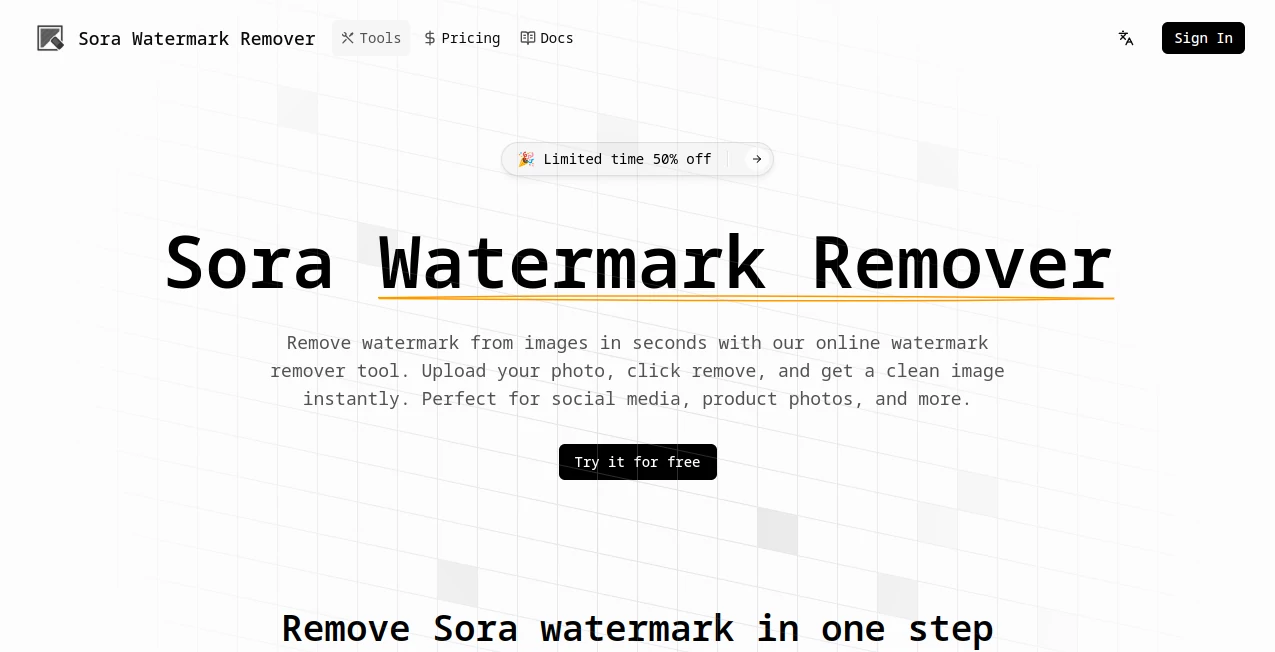
What is Sora Watermark Remover?
Imagine pouring your heart into a stunning AI-generated video, only to have that pesky watermark stealing the spotlight. This clever online spot sweeps in to save the day, wiping away those marks with a single click while keeping every frame looking crisp and untouched. I've tried it on a few clips myself, and the way it handles even tricky moving logos left me grinning—suddenly, my rough demos felt ready for prime time, no extra editing required.
Introduction
When OpenAI's Sora started churning out jaw-dropping videos, creators everywhere rejoiced—until those telltale watermarks showed up, reminding everyone of the source. This tool was born to bridge that gap, offering a straightforward way to polish those exports for sharing, pitching, or just personal pride. It's tailored right to Sora's quirks, from static corners to shifting overlays in newer versions, using smart detection that feels almost magical. What draws people in is how it respects the original magic: motion stays fluid, details don't blur, and you end up with clips that shine on their own merits. For anyone juggling daily posts or client work, it's the quiet helper that turns good into great without the fuss.
Key Features
User Interface
Everything unfolds on one welcoming page—drag your file in or paste a link, and the process kicks off with minimal clicks. A clear preview pops up once done, letting you eyeball the cleanup before grabbing the file. It's refreshingly uncluttered, like a friend handing you exactly what you need without the small talk, perfect for those rushed moments when inspiration strikes.
Accuracy & Performance
The detection nails common patterns right away, tracking changes across frames to avoid those annoying flickers or patchy spots. Reconstruction draws from nearby details, keeping textures and flow intact even in busy scenes. On shorter clips, it flies through in no time, delivering results that hold up on closer looks—I've rerun a few with originals and seen the difference in consistency that makes all the difference.
Capabilities
It zeroes in on typical overlays, whether text, logos, or faint blends, rebuilding the hidden bits with context that matches the vibe. Handles shifts smoothly for evolving formats, and focuses on natural fills over simple smudges. Best for clips you own, it preps them cleanly for whatever comes next, from social drops to pro reels.
Security & Privacy
Uploads get treated with care—processed solely for the task and not lingered on afterward, keeping things private and straightforward. It's built for responsible tweaks on your own work, giving that reassurance when handling personal or client pieces.
Use Cases
Content makers polish quick reels for platforms, turning experimental bursts into seamless shares that draw eyes without distractions. Marketers freshen demo clips for pitches, ensuring the focus stays on the message. Educators clean examples for lessons, keeping visuals sharp and engaging. Even hobbyists tidy personal projects, like family montages blended with generated flair, making memories pop cleaner.
Pros and Cons
Pros:
- One-click ease that fits frantic schedules like a glove.
- Natural-looking cleans that preserve the original charm.
- Tracks tricky movements without extra effort.
- Quick turns on everyday clips, no waiting woes.
Cons:
- Shorter pieces fly best; longer ones might need patience or splits.
- Credits nudge for frequent flyers beyond the free taste.
Pricing Plans
A free trial lets you dive in and test the waters with a processing or two, deducting a small credit bite only when it runs. It's pitched as an accessible entry, with hints of discounts floating for limited spells, keeping the door wide for casual tries before any deeper commitment.
How to Use Sora Watermark Remover
Drag your clip straight in or drop a public link if that's handy—make sure it's the original for top tracking. Let the scan do its thing automatically, spotting and smoothing the marks frame by frame. Peek at the preview to confirm the polish, and if something's off, loop back with the source file for finer tunes. Once it clicks, download the fresh version and roll it out wherever it belongs.
Comparison with Similar Tools
Plenty of options blur or crop to hide marks, but this one rebuilds thoughtfully, holding onto motion and nuance where others falter. It's tuned tight to specific patterns, outpacing general erasers on consistency, especially with shifting spots. For creators wanting clean without compromise, it edges ahead by feeling purposeful rather than patchwork.
Conclusion
In the rush of AI video wonders, those lingering marks can feel like uninvited guests—this handy fixer shoos them away gracefully, letting your creations stand tall and true. It's the thoughtful touch that elevates good clips to great shares, all with minimal hassle. If you're tinkering with generated footage, give it a whirl; the difference in polish might just spark your next big idea.
Frequently Asked Questions (FAQ)
Does it need any installs?
All online, straight in the browser—no extras to download.
Handles moving marks well?
Tracks them smoothly for steadier cleans, especially with originals.
Truly free to try?
Yes, with credits kicking in on runs, plenty for initial tests.
Keeps the quality intact?
Focuses on natural fills to maintain flow and sharpness.
Safe for any video?
Best on ones you own or have rights to tweak responsibly.
Photo & Image Editor , AI Video Editor , AI Video Enhancer .
These classifications represent its core capabilities and areas of application. For related tools, explore the linked categories above.
Sora Watermark Remover details
Pricing
- Free
Apps
- Web Tools
Categories

Sora Watermark Remover Alternatives Product

Better Image

Just Christm…

Kapwing

Logo Animati…

Professional…

img2img.net

AI Picture G…

Pixora

Image Unblur