
🧠 AI Quiz
Think you really understand Artificial Intelligence?
Test yourself and see how well you know the world of AI.
Answer AI-related questions, compete with other users, and prove that
you’re among the best when it comes to AI knowledge.
Reach the top of our leaderboard.


















Square Image
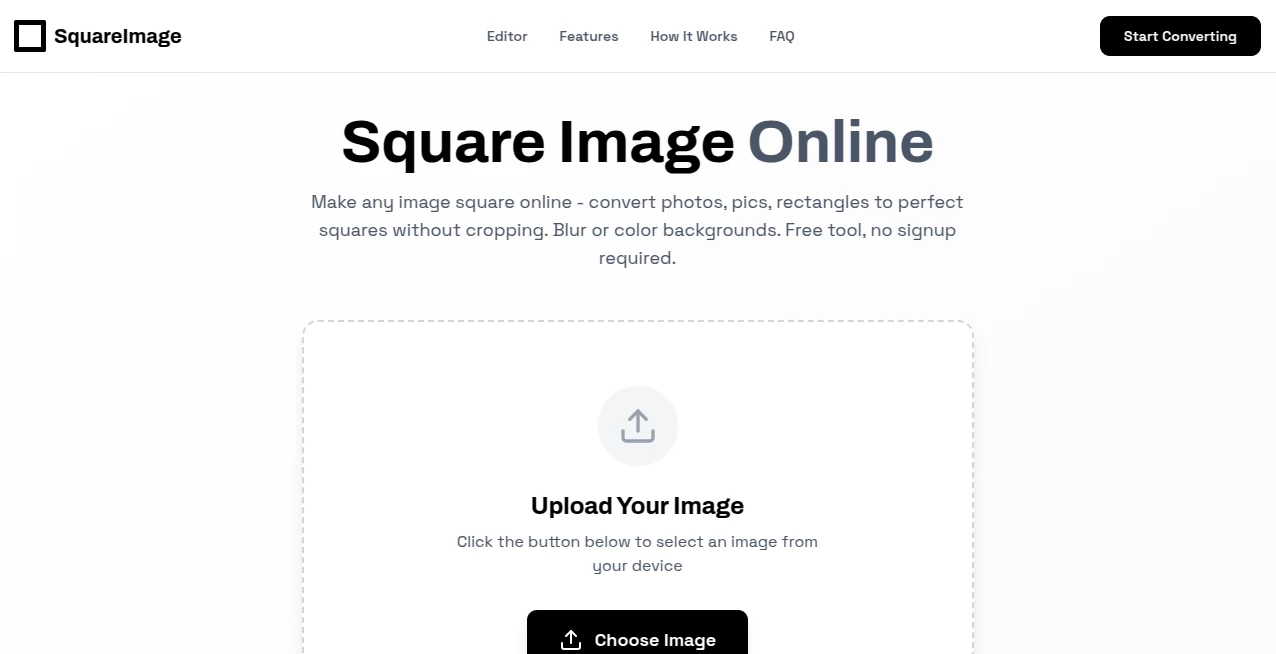
What is Square Image?
Posting a stunning landscape photo or a beautiful portrait only to watch it get awkwardly cropped on Instagram or Facebook is one of the small frustrations of modern sharing. This tool quietly solves that problem in the most elegant way possible. Upload any image—wide panorama, tall portrait, messy screenshot—and it centers the subject, smartly crops to a perfect square, and gives you multiple composition options in seconds. I’ve lost count of how many times I’ve used it before hitting “post” and thought, “Why didn’t I have this years ago?” It’s the kind of simple, thoughtful fix that makes every image look intentionally framed instead of forced into shape.
Introduction
Social media platforms love squares—Instagram grids, Facebook profile covers, LinkedIn banners—but most photos aren’t naturally square. Cropping manually in apps usually means losing important details or spending too much time zooming and panning. This platform removes all that guesswork. It analyzes your photo, finds the most visually balanced crop, centers the subject intelligently, and presents several smart alternatives so you can choose the one that feels right. It’s become a tiny but indispensable part of many creators’ workflow: shoot, edit lightly, square it here, post. The results look polished and professional without ever feeling over-edited. For anyone who shares visuals regularly, that’s quietly transformative.
Key Features
User Interface
The experience is almost invisible in the best way. Drag or click to upload, and within a breath you’re looking at a clean preview with several square crops already suggested. Buttons are minimal, options are clear (center, rule-of-thirds, face-focused, etc.), and you can fine-tune with simple sliders if you want. No account needed for basic use, no watermarks on free downloads, no pop-ups begging for upgrades. It’s the rare tool that respects your time and attention from the first second.
Accuracy & Performance
It consistently finds the subject—whether it’s a person, product, pet, or landscape—and keeps the most meaningful part centered without awkward cuts. Processing is near-instant, even for larger files. Face detection is reliable (great for portraits and selfies), and the composition algorithms respect classic rules while still feeling natural. In practice, the first suggested crop is usually the winner, which is rare for automated tools.
Capabilities
Smart auto-cropping with multiple composition styles (center, golden ratio, rule of thirds, face/object priority), background extension when needed (so nothing important gets chopped), high-resolution output, batch processing for multiple images, and support for any aspect ratio input. You can also choose custom square dimensions or export with transparent backgrounds. It handles everything from professional product shots to casual phone snaps without losing quality.
Security & Privacy
Your images are processed in memory and deleted immediately after download—no storage, no cloud backups, no sneaky data collection. No login required for core features means no profile tied to your photos. For anyone cautious about uploading personal or client work, that zero-retention approach is a genuine comfort.
Use Cases
An Etsy seller photographs jewelry on different backgrounds and squares every listing photo in one go for a cohesive grid. A travel blogger turns wide-angle shots into Instagram-ready squares without losing the best part of the scene. A small business owner creates LinkedIn banners and profile images from existing photos in minutes instead of hiring a designer. A social media manager preps client content batches quickly before scheduling posts. It’s the perfect last-step polish for anyone who needs visuals to look intentional across platforms.
Pros and Cons
Pros:
- Smart cropping that almost always nails the subject on the first try.
- Multiple composition options let you choose what feels right.
- Lightning-fast processing even for high-res files.
- Completely free for unlimited basic use—no watermarks, no sign-up pressure.
- Background extension feature saves images that would otherwise lose edges.
Cons:
- Very abstract or heavily cluttered images can confuse the subject detection (rare but possible).
- Advanced batch editing and custom export options are in the paid tier.
- No built-in editing tools beyond cropping (but that keeps it focused and fast).
Pricing Plans
Everything core is completely free—unlimited uploads, unlimited downloads, no watermarks, no daily limits. The paid upgrade adds batch processing for dozens of images at once, priority support, custom export sizes, and background removal/enhancement features. It’s priced like a single coffee subscription—affordable for creators who use it daily, unnecessary for occasional users. The free tier is so generous that many never feel the need to upgrade.
How to Use Squaree
Drag your photo into the upload area or click to select it. Wait a few seconds while the tool analyzes and suggests crops. Browse the options—each shows a different composition style. Click the one you like best (or use the slider to adjust centering manually). Download the high-res square instantly. For batches, upgrade to pro, upload multiple files, and let it process them all at once. That’s the entire workflow—under 30 seconds per image.
Comparison with Similar Tools
Most photo editors force you to crop manually, often guessing wrong about what matters in the frame. Free online croppers usually add watermarks or limit quality. This one stands apart with intelligent subject-aware cropping, multiple smart suggestions, and completely free high-quality output. It’s faster and more accurate than manual cropping, cleaner and more generous than competitors, and focused solely on solving the square problem perfectly.
Conclusion
Perfect squares shouldn’t be a hassle—they should just work. This tool removes the friction so your images look intentionally composed every time you post. It’s small, focused, generous, and quietly excellent at what it does. In a world of overcomplicated editing suites, sometimes the simplest solution is the most powerful. For anyone who shares visuals regularly, this becomes one of those tools you wonder how you ever lived without.
Frequently Asked Questions (FAQ)
Do I need an account to use it?
No—upload, crop, download. No sign-up required for full free use.
What image sizes can I upload?
Up to 20MB and very high resolutions—most common formats (JPG, PNG, WebP) work perfectly.
Can I use it for commercial images?
Yes—free tier allows commercial use with no attribution needed.
Does it remove backgrounds?
Basic version focuses on square cropping; pro upgrade adds background removal and extension tools.
Why is it free?
Built as a helpful utility for creators; premium features fund development and server costs.
Photo & Image Editor , AI Image to Image , AI Design Generator .
These classifications represent its core capabilities and areas of application. For related tools, explore the linked categories above.
Square Image details
Pricing
- Free
Apps
- Web Tools
Categories

Square Image Alternatives Product

Z-Image Gene…

Seedream 4.5

claude image

GPT Image 1.5

Banana AI
Free PNG to …

WonderShare …

Image to Ima…

VIGGLE
