
🧠 AI Quiz
Think you really understand Artificial Intelligence?
Test yourself and see how well you know the world of AI.
Answer AI-related questions, compete with other users, and prove that
you’re among the best when it comes to AI knowledge.
Reach the top of our leaderboard.


















Styvid

What is Styvid?
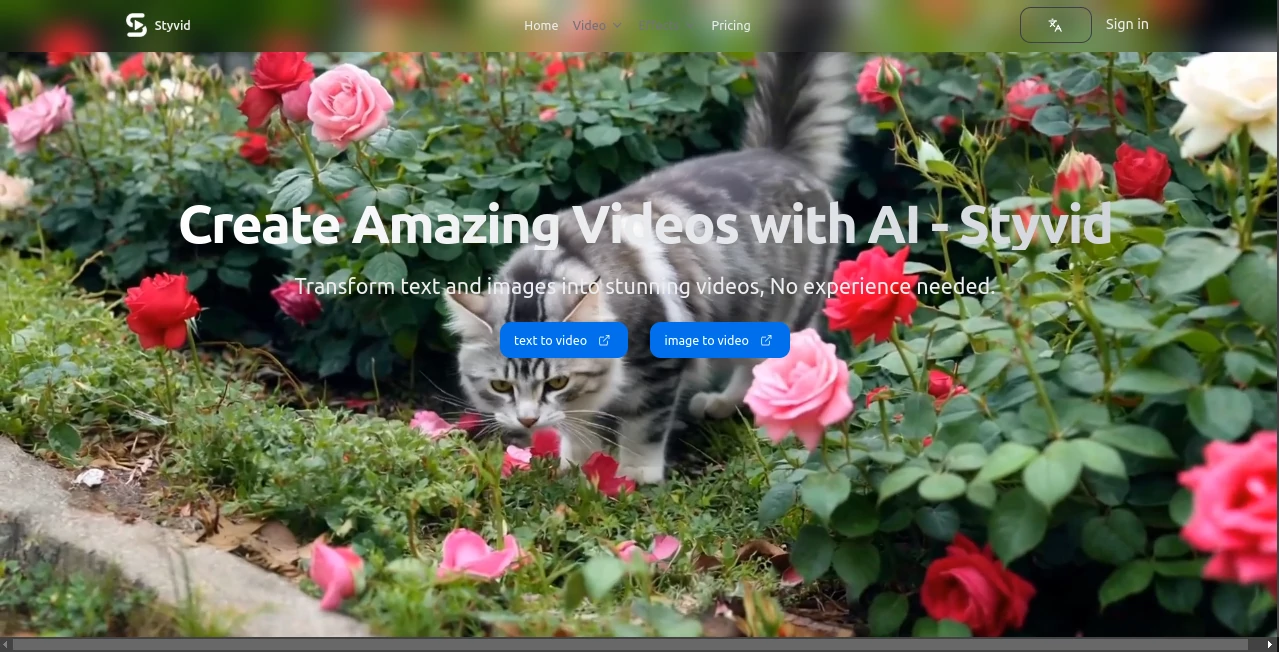
There's something downright thrilling about typing a wild idea into a box and watching it morph into a slick video clip, complete with smooth moves and eye-catching flair. This platform nails that experience, blending top-shelf AI brains to turn simple text or still shots into content that looks like it took hours in a studio. I've fiddled with a few similar setups, but this one stands out for how reliably it delivers polished results, especially when you're chasing that viral spark for social feeds or quick ads.
Introduction
Gone are the days when video making meant wrestling timelines or hunting stock footage—this tool flips the script by harnessing heavy hitters like Sora, Veo, and SeedDance to craft clips from scratch. Start with a description of a bustling city scene or upload a quiet photo, and it layers in motion, effects, and even sound that fits just right. Over half a million creators have jumped on board, many sharing how it cranked their engagement through the roof—one marketer saw conversions jump 150%, while an educator's channel ballooned 300%. It's built for folks who want pro vibes without the pro hassle, offering full commercial freedom and clean exports that scream quality.
Key Features
User Interface
Everything unfolds in four straightforward steps that feel like a casual stroll: pick text or image input, let it suggest a model or choose yourself, sprinkle effects from a hefty library, then export tailored for your platform. The real-time preview is a game-changer—you tweak and see shifts instantly, no endless renders stealing your momentum. It's welcoming for newcomers yet packed enough for regulars, with that clean layout keeping focus on your creation rather than the controls.
Accuracy & Performance
It grabs the nuance in your prompts remarkably well, picking the right model automatically for cinematic polish or realistic flow, churning out clips in 30 to 60 seconds that rarely need do-overs. The motion feels natural, transitions seamless, and audio sync spot-on, holding steady even on detailed scenes. From my own pokes around, it consistently turned vague ideas into cohesive shorts that played beautifully on phones or big screens.
Capabilities
Dual inputs mean you can describe a story for full generation or breathe life into existing images with camera pans and animations. Over a hundred effects—fades, zooms, color tweaks, overlays—plus music and voice options let you fine-tune the mood. Exports hit multiple formats and resolutions up to 4K, optimized for TikTok verticals or YouTube wides, all with no watermarks weighing them down.
Security & Privacy
Creations come with outright commercial rights, so you monetize freely without strings. The process keeps things straightforward and contained, focusing on delivering your vision securely for personal or business blasts.
Use Cases
A TikTok regular pumps out daily hooks that rack views, blending text prompts with trending audio for instant virals. Marketers craft ad variants that convert better, testing styles mid-campaign. Teachers animate lessons from static slides, making tricky concepts stick with movement. Businesses whip client pitches into visuals that impress, all from a quick description or brand photo.
Pros and Cons
Pros:
- Blends multiple powerhouse models for versatile, high-quality outputs.
- Huge effects stash turns basic clips into standouts effortlessly.
- Platform tweaks make sharing a breeze, no reformatting fuss.
- Commercial clearance from day one, perfect for pros.
Cons:
- Shorter clips suit social best, not epic lengths.
- Free tier limits volume, though generous to start.
Pricing Plans
Dive in free with monthly credits to feel the flow—no card needed. Premium unlocks unlimited runs, priority speed, and extras like advanced models, scaling up for heavier creators or teams. It's structured to grow with you, rewarding commitment with better perks while keeping entry wide open.
How to Use Styvid
Begin by sketching your concept in text or uploading an image that captures the essence. Choose a model for the vibe—cinematic, realistic, or artistic—or trust the auto-pick. Layer effects, timing, and audio till it sings, previewing live to nail the feel. Export optimized for your spot, and you're sharing pro content that started as a spark.
Comparison with Similar Tools
Plenty out there generate clips, but few match this one's multi-model flexibility and built-in effects depth, delivering more refined shorts without extra steps. It's tailored for quick, platform-ready wins over raw experimentation, edging ahead for creators who value consistency and commercial polish in one tidy package.
Conclusion
This platform captures the joy of video making in its purest form—ideas flowing freely into visuals that engage and endure. It's a quiet powerhouse for turning everyday thoughts into content that connects, whether for fun or fortune. Give it a whirl with a simple prompt, and you'll see why so many keep it in their daily toolkit.
Frequently Asked Questions (FAQ)
What models drive the magic?
Sora for cinematic depth, Veo for real motion, SeedDance for artistic twists—auto-selected or your call.
How long per clip?
Typically 30-60 seconds to brew, ready fast for your next idea.
Commercial use okay?
Full rights on everything you make, no restrictions.
Watermarks on free?
Clean across the board, even starters.
Best for what lengths?
Shorts that shine on social, packed with impact.
AI Image to Video , AI Video Generator , AI Video Editor , AI Text to Video .
These classifications represent its core capabilities and areas of application. For related tools, explore the linked categories above.
Styvid details
This tool is no longer available on submitaitools.org; find alternatives on Alternative to Styvid.
Pricing
- Free
Apps
- Web Tools
Categories

Styvid Alternatives Product

Sora 2

Wan AI

LTX 2.3

See dance 2.…

Veo4

Seedance 4.0

Veo 3.1
seeddance

Veo 3
