
🧠 AI Quiz
Think you really understand Artificial Intelligence?
Test yourself and see how well you know the world of AI.
Answer AI-related questions, compete with other users, and prove that
you’re among the best when it comes to AI knowledge.
Reach the top of our leaderboard.


















SubSaver

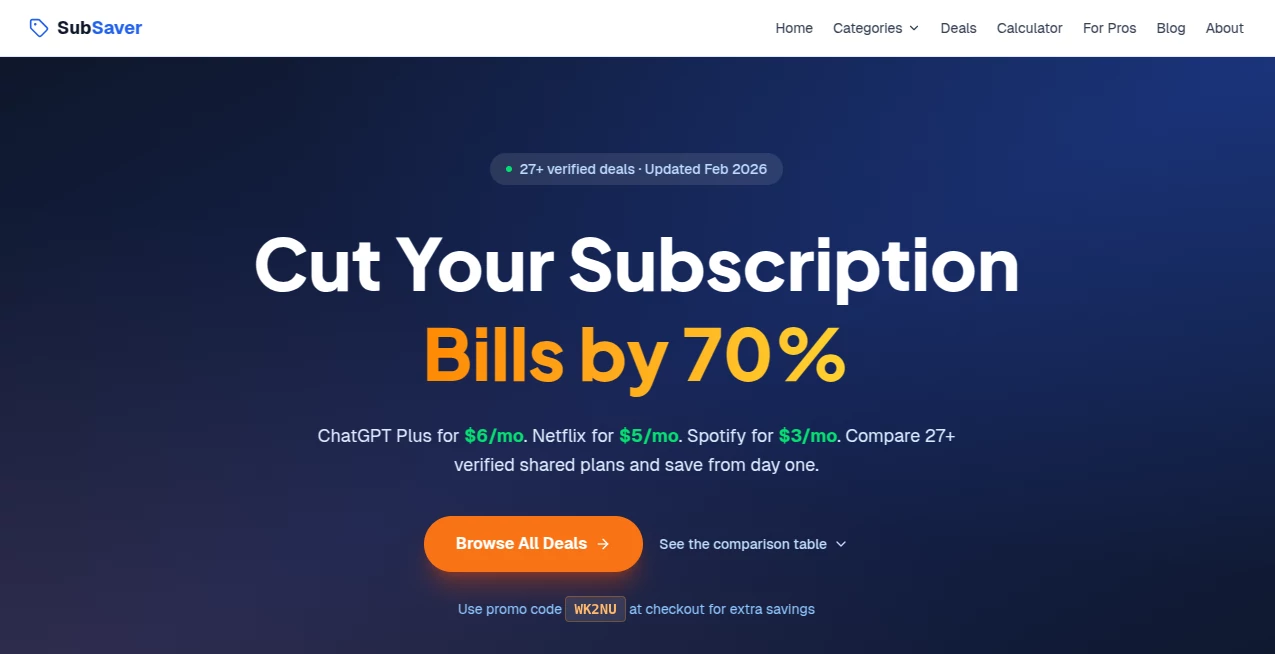
What is SubSaver?
Ever opened your bank statement and felt that quiet dread when you see $9.99 here, $14.99 there—subscriptions you vaguely remember signing up for but never use? This tool cuts straight through that fog. Paste your email, let it scan for recurring charges, and it shows you exactly what’s draining your account with one-click cancel links for almost every service. I’ve watched friends go from “I have no idea where my money goes” to “I just saved $87 a month” in under ten minutes. It’s not glamorous tech, but it’s the kind that puts real dollars back in your pocket without any hassle.
Introduction
Subscription creep is real—companies make it deliberately hard to cancel, burying options in menus or forcing you to call a number that’s never answered. Most people just give up and keep paying. This platform flips that power dynamic. It scans your inbox (securely, no passwords shared), finds every active subscription, shows you the cost and last charge date, and gives direct cancel paths for dozens of popular services. No more logging into each account separately, no more remembering passwords you set years ago. It’s become a small ritual for many: run the scan once a quarter, cancel what’s unused, feel a little richer. Simple, effective, and oddly satisfying.
Key Features
User Interface
The dashboard is dead simple. Connect your email (or upload statements if you prefer), watch it pull subscriptions in seconds, and see a clean list: service name, monthly cost, last billed date, and a big “Cancel” button next to most entries. No clutter, no upsell walls, no confusing jargon. Everything is scannable in one view—exactly what you need when you’re trying to stop the bleeding fast.
Accuracy & Performance
It catches recurring charges from major services (Netflix, Spotify, Adobe, gym memberships, software tools, meal kits) with high accuracy—rarely misses a subscription, rarely flags false positives. Scanning takes 10–60 seconds depending on inbox size, and cancel links go directly to the official cancellation page (no shady redirects). Users report it finds forgotten trials or annual renewals they didn’t even remember—often uncovering $50–200/month in savings on the first run.
Capabilities
Email-based subscription detection, direct one-click cancel routing for 100+ popular services, manual entry for unsupported ones, monthly/annual cost breakdown, last-charge date visibility, exportable list for records, and optional reminder scans so you don’t re-subscribe accidentally. It works across Gmail, Outlook, Yahoo, iCloud, and more. No app install required—just browser-based and private.
Security & Privacy
No passwords are ever asked for or stored. It uses read-only OAuth access to your inbox (revokable anytime), scans only for billing-related emails, and deletes all temporary data after the session. No selling of your info, no long-term storage of your emails. For anyone protective of their inbox, that level of care feels essential—and it’s delivered without compromise.
Use Cases
A freelancer runs a scan after tax season and cancels three unused creative tools—saves $42/month. A parent discovers their teen signed up for gaming services and quietly removes them before the next billing cycle. A recent graduate cleans up old student discounts and forgotten streaming accounts—frees up $120/year for something useful. A small business owner finds duplicate SaaS subscriptions across team cards and trims $300/month in waste. It’s the kind of quick financial hygiene that feels good every time.
Pros and Cons
Pros:
- Uncovers forgotten subscriptions most people miss completely.
- One-click cancel routing saves hours of searching and frustration.
- Privacy-first design—no passwords, no data retention.
- Fast scans and clear cost breakdowns make decisions easy.
- Free tier is generous—finds savings before you pay anything.
Cons:
- Some niche or very old subscriptions may need manual cancel (still shows them).
- Requires email access (though read-only and revocable).
- Advanced tracking and reminders live on paid plans.
Pricing Plans
Free plan scans your inbox, shows all subscriptions, and provides cancel links for many services—no card needed. Premium adds monthly auto-scans, reminder alerts before renewals, priority support, and coverage for more obscure providers. Pricing is modest—many users say one month pays for itself after canceling just one forgotten service. It’s built so the value is obvious from day one.
How to Use PassWithProof
Sign in with Google or Outlook (read-only access), let it scan your inbox for billing emails. Review the list—sorted by cost and frequency. Click “Cancel” next to any unwanted subscription; it takes you straight to the official page. Confirm cancellation there, then return to mark it done. Run again in a few months or set premium auto-scans. It’s intentionally simple so you actually use it instead of procrastinating.
Comparison with Similar Tools
Some subscription trackers require linking bank accounts or credit cards, which many people hesitate to do. Others just list services but leave you to find cancel pages yourself. This one keeps everything inbox-based (no financial data needed), provides direct cancel paths, and focuses on speed and privacy. It’s less about long-term budgeting and more about quick, painless cleanups—which is exactly what most people need when they finally decide to tackle subscription creep.
Conclusion
Small recurring charges add up fast, and most of us let them slide because canceling feels like a chore. This tool turns that chore into a quick win—scan, spot, cancel, save. It’s not flashy, but it’s honest: it finds money you’re already spending and helps you stop. When you see $50–200 land back in your account each month after one session, it feels like free money. For anyone tired of subscription guilt, it’s the gentle push most of us need.
Frequently Asked Questions (FAQ)
Do you store my emails or passwords?
No passwords ever. Read-only access is revoked when you disconnect; emails are scanned temporarily and deleted after the session.
How many subscriptions can you find?
Most people discover 5–20 active ones on the first scan—often more than they realized.
What if a service isn’t supported for one-click cancel?
It still shows the subscription and links to the official account page with cancel instructions.
Is it safe to connect my email?
Yes—OAuth read-only scope, major providers (Google, Microsoft, etc.), revocable anytime, no data sold or stored long-term.
How often should I scan?
Once a quarter is plenty; premium auto-scans can remind you monthly if you want.
AI Life Assistant , AI Productivity Tools .
These classifications represent its core capabilities and areas of application. For related tools, explore the linked categories above.
SubSaver details
This tool is no longer available on submitaitools.org; find alternatives on Alternative to SubSaver.
Pricing
- Free
Apps
- Web Tools
Categories

SubSaver Alternatives Product

TopPDF

HelloDay.ai

MixBooze

Alloy

Rierino

Notion

Resyfy AI

InPage AI

MatchMyType
