
🧠 AI Quiz
Think you really understand Artificial Intelligence?
Test yourself and see how well you know the world of AI.
Answer AI-related questions, compete with other users, and prove that
you’re among the best when it comes to AI knowledge.
Reach the top of our leaderboard.


















SuperCalc

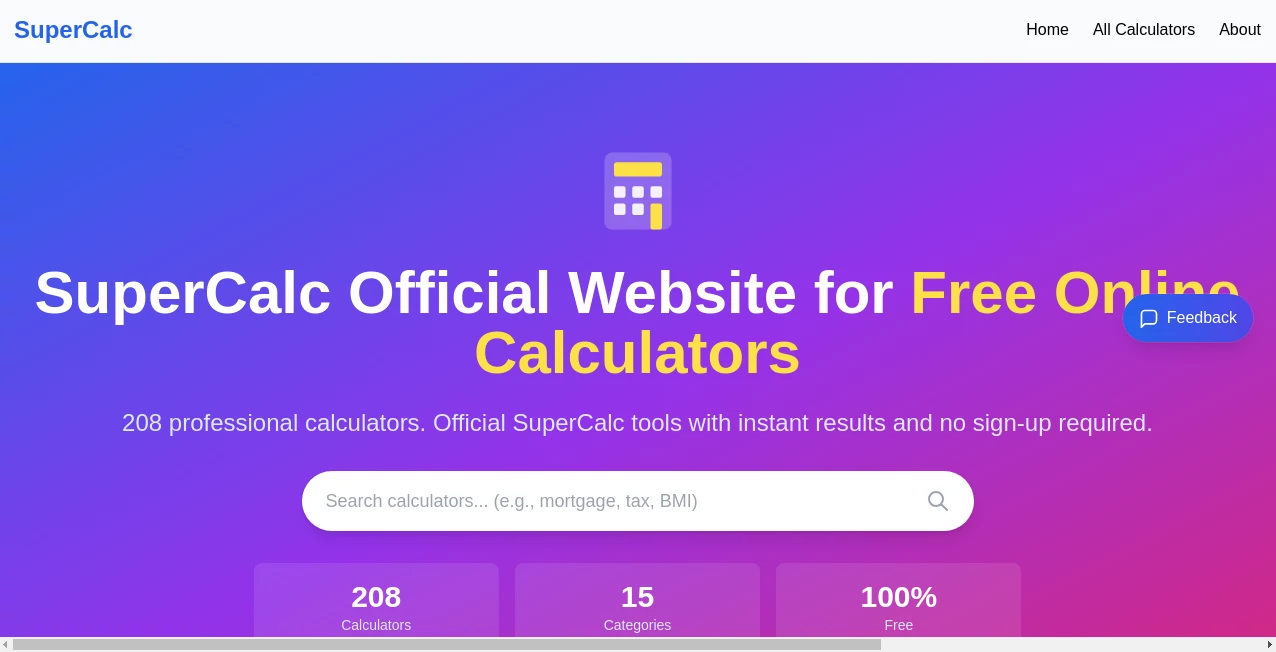
What is SuperCalc?
Most calculators feel like relics—punch numbers, get answer, repeat. This one changes the game entirely. You type a question the way you’d actually ask it—“what’s my monthly mortgage if I borrow 320k at 6.75% over 30 years?”—and it doesn’t just compute; it understands, shows every step, pulls real-time rates when needed, and gives you the full picture in plain language. I’ve used it for quick budget math, freelance invoicing, investment projections, even helping my sister figure out student loan forgiveness scenarios. Every time it feels like having a patient finance friend who never gets tired of explaining things.
Introduction
Calculators haven’t really evolved in decades. They still expect you to know the formula, the order of operations, and how to format everything perfectly. This platform flips that script. It’s built to understand natural language, complex multi-step problems, real-world financial questions, unit conversions, and even symbolic math—all while showing transparent, step-by-step reasoning so you’re never left wondering “where did that number come from?” It’s become the go-to for students who want to learn while calculating, professionals who need defensible numbers fast, and anyone who’s tired of switching between five different apps to get one answer. The difference is night and day: it doesn’t just give results; it teaches you why.
Key Features
User Interface
The input box is front and center—big, forgiving, and smart enough to auto-suggest as you type. Results appear instantly below in clean, readable formatting: equations, explanations, alternate scenarios, and graphs when useful. You can continue the conversation (“what if I pay an extra $200/month?”) and it remembers context. Dark mode, keyboard shortcuts, history sidebar, export to PDF or copyable LaTeX—it’s polished without feeling over-engineered. It’s the rare tool that gets out of your way while still feeling luxurious.
Accuracy & Performance
It uses high-precision arithmetic and pulls live data (currency, mortgage rates, stock prices) when relevant, so answers are current and trustworthy. Step-by-step breakdowns are mathematically rigorous—no black-box magic. Complex expressions involving matrices, integrals, statistics, or chained financial functions resolve correctly and quickly. In practice, it handles everything from high-school algebra to actuarial calculations without breaking a sweat or introducing rounding errors.
Capabilities
Natural language math (“15% tip on $87.42 split 3 ways”), unit-aware calculations (“convert 55 mph to km/h”), financial modeling (mortgages, compound interest, loan amortization, retirement projections), symbolic solving, graphing, statistics, physics formulas, currency & crypto conversions, date math, and even basic programming-like expressions. It keeps context across messages, so follow-up questions build on previous ones. The breadth is impressive, but it never feels bloated—everything is discoverable through plain English.
Security & Privacy
No account is required for core use, so your calculations never get tied to a profile unless you choose to save them. When you do sign in, history is end-to-end encrypted and private by default. No selling of query data, no training on personal calculations. For sensitive financial planning or proprietary work, that level of discretion is a genuine advantage.
Use Cases
A freelancer quickly figures out take-home pay after taxes and expenses across multiple currencies. A first-time homebuyer models different down payments and rates to find the sweet spot before talking to a lender. A student verifies every step of a calculus problem and finally understands where they’ve been going wrong. A small business owner projects cash flow scenarios with variable growth rates and sees the impact immediately. It’s the calculator you reach for when the question is more than just numbers—when you need clarity and confidence along with the answer.
Pros and Cons
Pros:
- Understands questions the way humans actually ask them—no formula memorization needed.
- Transparent step-by-step reasoning builds real understanding, not just answers.
- Handles finance, science, units, and everyday math in one consistent interface.
- Live data integration (rates, prices) keeps results current without manual lookups.
- Free tier is powerful—most casual and moderate users never need to pay.
Cons:
- Very advanced symbolic math or heavy computation can hit limits on free plan.
- Requires internet for real-time data pulls (offline mode is more limited).
- Pro features (unlimited history, priority support, custom functions) are paid.
Pricing Plans
Free plan covers unlimited basic calculations, step-by-step breakdowns, and most common use cases—more generous than most expect. Pro plan removes all quotas, unlocks advanced graphing, custom functions, priority processing, full export options, and saved workspaces. Pricing is modest—many users say it’s cheaper than one coffee a month for the peace of mind and extra power it brings to daily work.
How to Use SuperCalc
Type your question exactly as you’d say it to a friend (“how much should I save monthly to have $500k in 20 years at 7% return?”). Hit enter. Read the step-by-step breakdown, check the final answer, and ask follow-ups in the same box (“what if I increase contributions by $100?”). Use the graph button when visual insight helps. Save important calculations to your history if signed in, or copy the result/LaTeX directly. It’s conversational, forgiving, and surprisingly fast at getting you to the insight you actually need.
Comparison with Similar Tools
Traditional calculators force perfect syntax. Wolfram Alpha is powerful but feels academic and slow for everyday use. Chat-based AIs sometimes hallucinate math or skip steps. This sits in a sweet spot: conversational like chat, rigorous like a CAS, fast and focused like a calculator. It’s less about raw computation horsepower and more about delivering trustworthy, understandable answers exactly when you need them.
Conclusion
Math shouldn’t be a barrier—it should be a tool that helps you think clearer, plan better, and decide with confidence. This platform turns every calculation into a small lesson and every answer into something you can trust and explain. Whether you’re budgeting a life change, verifying homework, modeling a business, or just curious about numbers, it meets you exactly where you are and leaves you smarter than when you started. That’s rare, and it’s worth having in your back pocket.
Frequently Asked Questions (FAQ)
Do I need to sign up to use it?
No—core calculations work without an account. Signing in unlocks history and saved workspaces.
Is it accurate for financial projections?
Yes—uses current rates when possible and shows every assumption clearly.
Can it handle very complex math?
Extremely well—symbolic solving, matrices, integrals, stats, finance—all with step-by-step clarity.
What happens if I make a mistake in my question?
It usually understands intent and gently corrects or asks for clarification.
Is my calculation history private?
Yes—end-to-end encrypted and only visible to you when signed in.
AI Productivity Tools , AI Developer Tools .
These classifications represent its core capabilities and areas of application. For related tools, explore the linked categories above.
SuperCalc details
This tool is no longer available on submitaitools.org; find alternatives on Alternative to SuperCalc.
Pricing
- Free
Apps
- Web Tools
Categories

SuperCalc Alternatives Product

GameClick.io

MindSnapz

Slackactivity

Vurge

Graph Maker

Workik

ace.me

Chrome Sidek…

Defapi
