
🧠 AI Quiz
Think you really understand Artificial Intelligence?
Test yourself and see how well you know the world of AI.
Answer AI-related questions, compete with other users, and prove that
you’re among the best when it comes to AI knowledge.
Reach the top of our leaderboard.

















Symbolfy

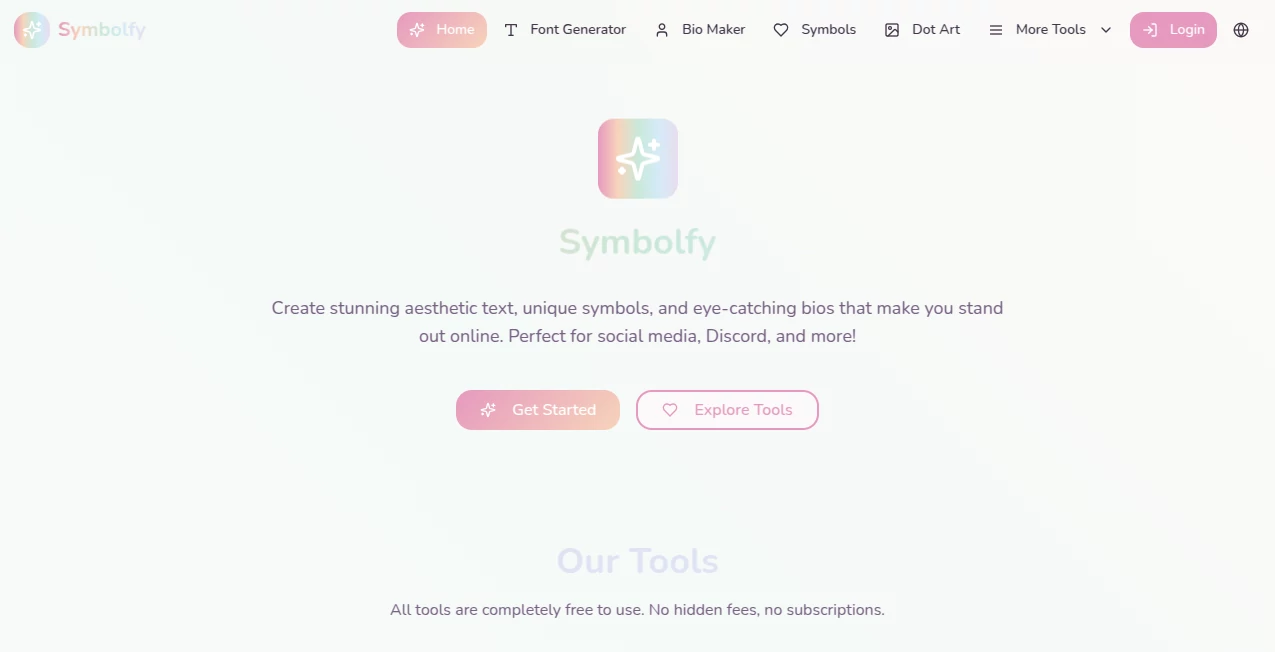
What is Symbolfy?
Ever scrolled past a profile that just pops because of those elegant swirls in the bio or the perfectly placed accents around a username? This handy spot makes that kind of flair effortless, pulling together a treasure trove of fonts, symbols, and ready-made touches that turn plain text into something eye-catching. I stumbled on it while sprucing up my own feed, and suddenly my captions had that extra sparkle without hunting through endless lists elsewhere. It's the little details that make social stand out, and this collection nails them every time.
Introduction
In the fast-paced scroll of feeds, a touch of style can stop thumbs mid-swipe—and that's where this free hub shines, offering a one-stop gallery for fancy scripts, cute icons, and bio builders tailored for platforms like Instagram or TikTok. No downloads, no fees; just pure, instant access to Unicode magic that works across apps. Folks who've used it often mention how it saved the day for quick updates, like adding hearts and stars to a post that needed more warmth, or crafting a username that feels uniquely yours. It's grown popular because it keeps things simple yet versatile, letting anyone from casual posters to avid creators add that polished vibe without the fuss.
Key Features
User Interface
The layout greets you with clear sections—one for typing text to flip into various styles, another for browsing symbol categories like arrows or animals, and spots for bio templates that mix it all. Everything loads quick, with copy buttons right there to grab and go, no digging required. It's refreshing how uncluttered it feels, like a well-organized drawer of decorations you can rifle through in seconds.
Accuracy & Performance
Styles render crisp across devices, sticking true to how they'll appear on actual profiles or posts, with no weird breaks or missing characters. Searches pull up matches instantly, and the variety ensures you find just the right flourish without lag or errors. In my tweaks, it handled long phrases smoothly, keeping the aesthetic intact every copy.
Capabilities
Hundreds of font variations for text flips, thousands of symbols sorted neatly—from hearts and stars to zodiacs and kaomoji—plus generators for usernames and full bios with placeholders to customize. It all relies on compatible Unicode, so outputs paste perfectly into most apps, opening doors for creative combos like layered accents or themed sets.
Security & Privacy
No logins needed for the basics, so your experiments stay anonymous, with nothing stored or tracked beyond the session. It's a straightforward, no-strings setup that respects your quick visits, ideal for popping in and out without leaving traces.
Use Cases
Teens jazz up gaming tags with bold scripts and icons that scream personality, drawing squad invites faster. Influencers craft cohesive bios with matching symbols that tie themes together, boosting that pro look on a budget. Message threads get playful with kaomoji reactions that say more than words, or event invites sparkle with decorative borders copied straight in. Even notes apps benefit from section dividers that organize thoughts prettier.
Pros and Cons
Pros:
- Vast selection in one place, saving endless tab-switching.
- Instant copy-paste that works flawlessly on socials.
- Completely free with no hidden upsells or ads overwhelming.
- Regular fresh additions keep the gallery feeling current.
Cons:
- Some ornate styles might not display everywhere consistently.
- No custom font uploads for truly personal twists.
Pricing Plans
It's all open access—no tiers or payments gating the goodies, just dive in and use as much as you like. That pure free model makes it a staple for anyone dipping into text flair regularly.
How to Use Symbolfy
Head straight to the text changer, type your phrase, and scroll the options till one clicks—tap copy and paste away. For symbols, browse categories or search specifics, grab multiples for combos. Bio maker offers templates to fill and tweak, blending fonts with icons seamlessly. Experiment freely; a few tries usually land the perfect mix.
Comparison with Similar Tools
Scattered sites often limit to one trick, like just fonts or basic emojis, but this bundles the lot with better organization and broader choices, feeling more complete without the scatter. It's lighter and quicker than app-heavy alternatives, prioritizing web ease for on-the-go tweaks that fit real life better.
Conclusion
This gallery turns the everyday chore of text dressing into a delight, arming you with endless ways to infuse personality into digital words. It's the unsung hero behind countless standout profiles, proving simple tools can spark big impressions. Give it a whirl next time your feed feels flat—you'll wonder how you scrolled without it.
Frequently Asked Questions (FAQ)
Do the styles work on all platforms?
Most yes, thanks to Unicode, though some apps simplify fancier ones.
How many symbols are there?
Thousands, grouped for easy hunting across themes.
Need an account?
Nope—all open, no sign-ups required.
Can I combine multiple fonts?
Mix manually after generating pieces separately for layered looks.
Updates happen often?
Fresh additions keep rolling in to match trends.
AI Fun Tools , AI Design Generator .
These classifications represent its core capabilities and areas of application. For related tools, explore the linked categories above.
Symbolfy details
This tool is no longer available on submitaitools.org; find alternatives on Alternative to Symbolfy.
Pricing
- Free
Apps
- Web Tools
Categories

Symbolfy Alternatives Product

Trump AI Vid…

BeYourCover
Video to GIF…

AI Age Progr…

Normal Map G…

Wplace Toolk…

Seedream 5.0

MatchMyType

AI Signature…
