
🧠 AI Quiz
Think you really understand Artificial Intelligence?
Test yourself and see how well you know the world of AI.
Answer AI-related questions, compete with other users, and prove that
you’re among the best when it comes to AI knowledge.
Reach the top of our leaderboard.


















Taskade

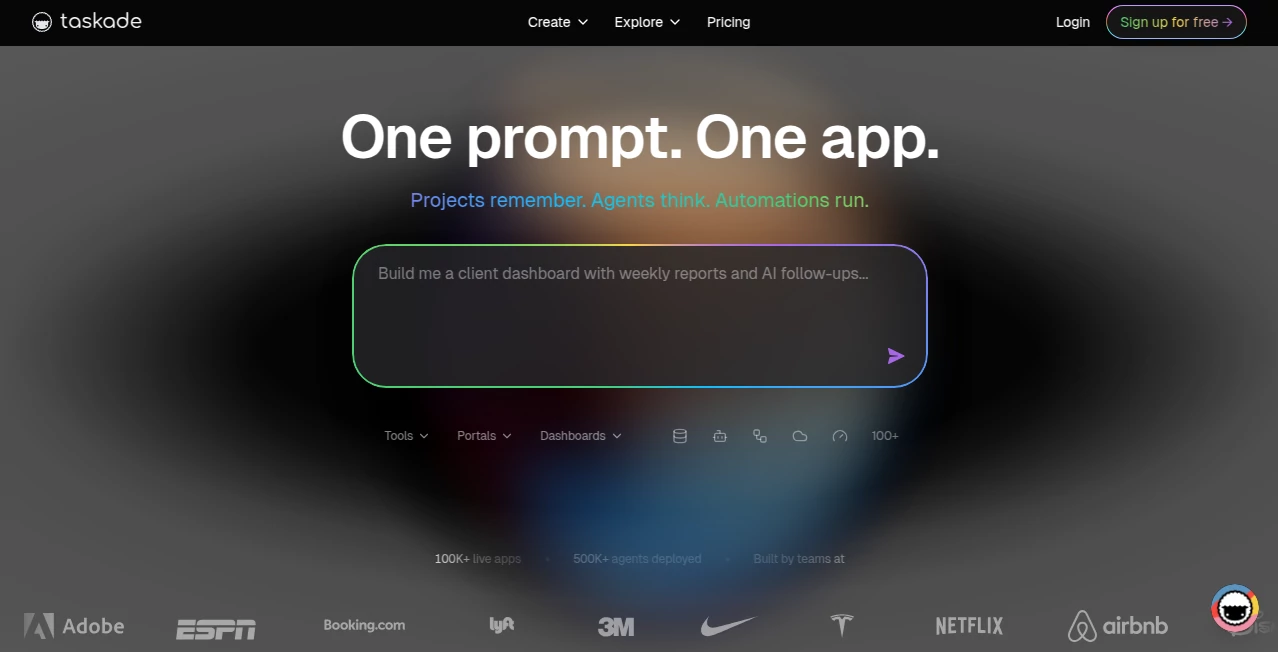
What is Taskade?
Some days you just need everything in one place: tasks, notes, mind maps, docs, video calls, and a little AI magic to keep the chaos at bay. This platform quietly pulls it all together without feeling bloated. You start a project, type a few words, and suddenly there's an outline, action items, and even suggested next steps waiting for you. I’ve watched small teams go from scattered Slack threads and Google Docs to one fluid workspace where ideas actually turn into done work. It’s not trying to be everything to everyone—it’s trying to be the one place you actually want to open every morning.
Introduction
Most productivity tools force you to pick: task manager or note app? Mind map or doc? This one says why choose. It combines lists, boards, mind maps, wikis, chats, video, and AI agents into a single canvas that flexes with your workflow. What started as a simple collaborative list has grown into a full workspace that feels alive—AI suggests structure, summarizes meetings, drafts content, and automates repetitive steps. For freelancers juggling clients, small teams avoiding tool sprawl, or creators who think visually, it removes friction so the focus stays on the work, not the tools.
Key Features
User Interface
The canvas is generous and calm. Everything lives in one infinite workspace: drag tasks into a mind map, turn notes into action items, embed videos or docs, all without leaving the page. Sidebar navigation is clean, themes are subtle, and the AI assistant pops up exactly when you need help (and stays out of the way when you don’t). It feels like a digital desk that organizes itself—spacious enough for big projects, intimate enough for solo deep work.
Accuracy & Performance
The AI understands context across your workspace: it knows which project you’re in, what’s been discussed, who’s assigned what. Suggestions land on point—meeting notes become tasks with owners and due dates, long docs condense into bullet summaries, prompts turn into structured outlines. Speed is snappy even with large projects; real-time collab stays smooth with multiple people editing simultaneously. Reliability is high—crashes are rare, sync is near-instant, and the AI rarely hallucinates irrelevant ideas.
Capabilities
Unlimited AI agents that automate workflows, real-time collaborative canvas (tasks, notes, mind maps, wikis), built-in video calls with transcripts, powerful templates for everything from standups to content calendars, project views (list, board, mind map, org chart), automation rules, and integrations with Slack, Zapier, Google Calendar, and more. The AI can draft, summarize, brainstorm, rewrite, research, and even role-play scenarios. It’s one of the few workspaces where AI feels like a teammate, not an add-on.
Security & Privacy
Enterprise-grade encryption at rest and in transit, SOC 2 Type II compliance, granular permissions (workspace, project, page-level), private workspaces by default, and no training on user data. Teams can control who sees what, and sensitive projects stay locked down. For agencies, startups, or anyone handling client work, that level of control and trust is non-negotiable—and it’s delivered here without compromise.
Use Cases
A remote marketing team runs brainstorms, creates content calendars, assigns tasks, holds standups, and reviews deliverables—all inside one project space. A solo freelancer manages client projects, tracks invoices, drafts proposals, and brainstorms campaign ideas without switching apps. A product team maps user flows in mind maps, turns discussions into tickets, summarizes sprint retros, and keeps the backlog alive. A creator builds video scripts, storyboards, shot lists, and schedules in one canvas. Wherever work involves thinking, planning, and doing, this adapts seamlessly.
Pros and Cons
Pros:
- Everything in one beautiful, infinite canvas—no more app-switching.
- AI agents that actually understand your workspace and save real time.
- Real-time collaboration that feels natural, even across time zones.
- Highly customizable views and templates for any workflow.
- Strong free tier that’s genuinely usable for individuals and small teams.
Cons:
- Can feel overwhelming at first if you’re used to rigid tools.
- Advanced automation and unlimited AI agents require paid plans.
- Video call quality is solid but not Zoom-level for very large meetings.
Pricing Plans
Free plan gives unlimited tasks, projects, and basic AI—more than enough for solo creators or small teams starting out. Pro plan unlocks advanced AI agents, unlimited storage, custom roles, and priority support. Teams & Enterprise plans add advanced permissions, SSO, private workspaces, and dedicated account management. Pricing is competitive, especially when you consider the number of tools it replaces (Todoist + Notion + Miro + Slack lite).
How to Use Taskade
Sign up (free), create a workspace, start a new project (or use a template). Type your goal (“plan Q4 marketing campaign”) and let the AI suggest structure—or build manually with tasks, notes, mind maps. Invite teammates; they join instantly. Use AI to summarize meetings, generate ideas, draft content, or automate repetitive steps. Switch views (list → board → mind map) as needed. Assign, set due dates, chat in-thread, hop on video. Export or share when done. It becomes your central hub surprisingly fast.
Comparison with Similar Tools
Notion is flexible but slower and less task-focused. ClickUp is powerful but overwhelming. Asana/Trello are task-first but lack docs and mind maps. Miro excels at visuals but not daily task management. This blends the best parts—Notion’s docs, Trello’s boards, Miro’s visuals, Slack’s chat—into one cohesive, AI-powered space without the bloat. It’s the rare all-in-one that actually feels unified rather than stitched together.
Conclusion
Work doesn’t have to be fragmented across ten tabs and three apps. This platform proves you can have depth, beauty, and speed in one place. It turns scattered ideas into clear plans, solo work into team wins, and daily grind into something almost enjoyable. When your workspace actually helps you think instead of fighting you, that’s rare—and worth protecting. For anyone who creates, collaborates, or simply gets things done, it’s one of the most quietly powerful tools available today.
Frequently Asked Questions (FAQ)
Is it really free forever?
Yes—the free plan is unlimited for core features. Paid unlocks advanced AI and team controls.
Can I use my own AI models?
Paid plans support custom models and API keys for more control.
How good is real-time collaboration?
Very smooth—multiple people editing the same project simultaneously works flawlessly.
Is it secure for client work?
Yes—enterprise-grade encryption, SOC 2, granular permissions, private workspaces.
Can I replace multiple tools with it?
Most users replace Notion + Trello/Asana + Slack + Zoom + part of Miro. It consolidates beautifully.
AI Workflow Management , AI Productivity Tools , AI Team Collaboration , AI Notes Assistant .
These classifications represent its core capabilities and areas of application. For related tools, explore the linked categories above.
Taskade details
This tool is no longer available on submitaitools.org; find alternatives on Alternative to Taskade.
Pricing
- Free
Apps
- Web Tools
Categories

Taskade Alternatives Product

Alai

Overlap

eesel AI

Linkflare

Rabbitholes …

Zivy

Workik

Jujutsu Zero…

MyMap.AI
