🧠 AI Quiz
Think you really understand Artificial Intelligence?
Test yourself and see how well you know the world of AI.
Answer AI-related questions, compete with other users, and prove that
you’re among the best when it comes to AI knowledge.
Reach the top of our leaderboard.


















TimeTuna

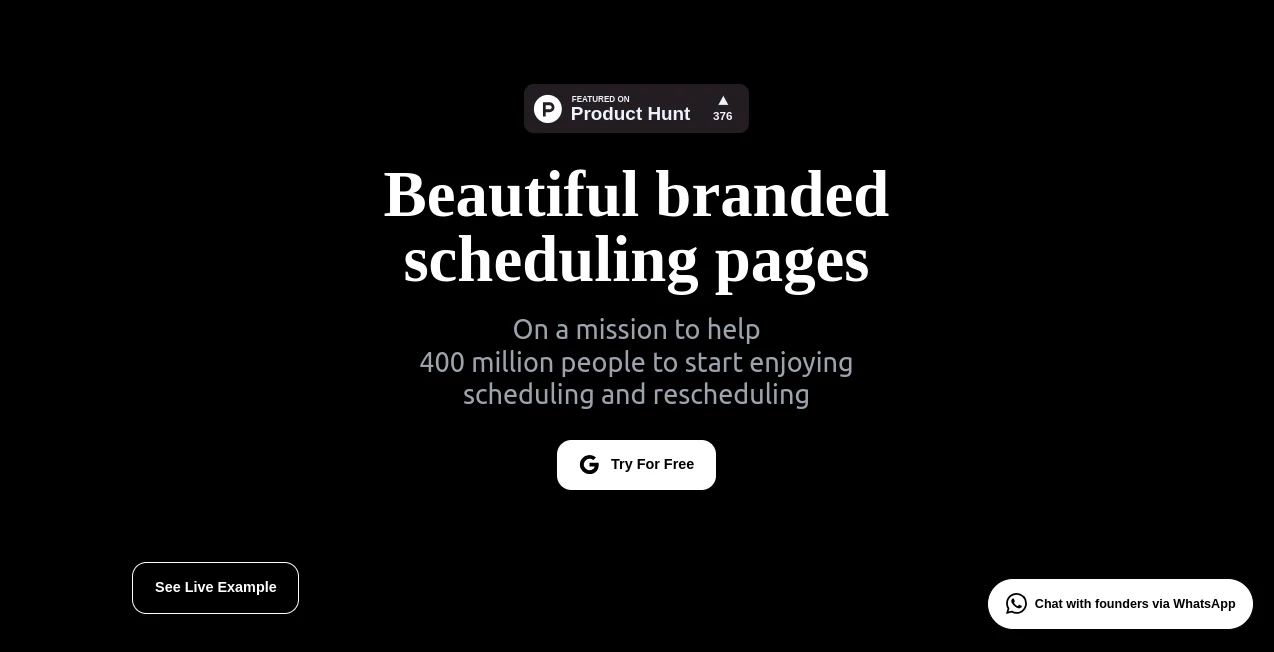
What is TimeTuna?
Booking meetings shouldn't feel like a chore, especially when you're trying to make a great first impression. This tool gets that completely, giving you stunning, fully branded pages that turn scheduling into something people actually look forward to. I've seen founders use it and watch their calendar fill up faster because the page just looks so much more inviting than the usual plain links. It's like upgrading from a boring business card to one with your logo, colors, and even a looping video background—suddenly, everything feels more personal and professional at the same time.
Introduction
For anyone who's tired of sending out generic booking links that blend into the noise, this platform changes the game by letting you create scheduling pages that scream "this is me" from the very first glance. It syncs seamlessly with your Google or Microsoft calendar, so availability is always spot-on, and you can layer in custom video backgrounds, logos, and avatars that match your brand perfectly. A designer friend of mine switched over and said her clients started responding quicker because the page felt like an extension of her portfolio. It's built with creative minds in mind—founders, artists, agencies—who want every touchpoint to reflect their style, and it delivers that without making you wrestle with complicated setups.
Key Features
User Interface
The dashboard is clean and straightforward, guiding you through setup in just a few clicks without overwhelming you with options. You pick your calendar, choose durations, and start customizing—add a video loop, swap in your logo, tweak colors. Everything previews instantly, so you see exactly what your clients will see. It's one of those rare tools where the interface actually feels enjoyable to use, not like a task you dread.
Accuracy & Performance
Availability pulls live from your calendar, so double-bookings are a thing of the past, and changes reflect immediately. The pages load fast even with video backgrounds, and email reminders go out reliably, cutting down on no-shows. In practice, it handles busy schedules smoothly—I've heard from users who juggle multiple projects and never worry about conflicts anymore.
Capabilities
You can offer different meeting lengths on the same page, embed the scheduler directly into your website for a seamless experience, and integrate with Google Meet or Microsoft Teams so links generate automatically. Coming features like group scheduling and AI-powered rescheduling will take it even further, making it a true all-in-one for busy creatives. It's already powerful for solo bookings, but the roadmap promises to handle more complex needs without losing that elegant touch.
Security & Privacy
Your calendar data stays secure with proper integrations, and the tool follows best practices so you don't have to worry about leaks. It's designed with trust in mind—everything you customize stays under your control, and client info is handled responsibly. For anyone sharing professional links, that kind of reliability is a quiet relief.
Use Cases
A freelance photographer sets up pages with moody video loops that match her style, and clients book faster because the page feels like an extension of her work. Agencies create branded links for client calls, embedding them on their site so everything stays on-brand. Coaches offer 30-minute intros and 60-minute deep dives on the same page, with automatic reminders keeping attendance high. Even small teams use it to manage internal syncs while keeping the look polished and professional.
Pros and Cons
Pros:
- The branding options are gorgeous—video backgrounds and logos make every page look custom-crafted.
- Super easy setup that doesn't sacrifice power or polish.
- Reliable calendar sync and reminders mean fewer headaches.
- Embedding on your site keeps the experience seamless and on-brand.
Cons:
- Some advanced features like group scheduling are still in the works.
- Free plan is basic, so heavy users will want to upgrade.
Pricing Plans
It starts free so you can try the core experience without any pressure. The Pro plan at €60/year unlocks unlimited pages, full branding, website embedding, and custom reminders. For those who want everything, Executive at €600/year adds priority support and future AI features. Yearly billing saves you a nice chunk, and the value feels strong once you see how much more professional your scheduling looks.
How to Use TimeTuna
Sign up, connect your Google or Microsoft calendar, and create your first page in a couple minutes. Pick your available slots and durations, then customize with your logo, colors, and a video background that fits your vibe. Embed it on your site or share the link—clients book directly, and everything syncs back to your calendar. Set up reminders, and you're done. It's so straightforward that even on a busy day, you can tweak it in under five minutes.
Comparison with Similar Tools
Other schedulers get the job done, but they often feel generic and plain. This one stands out because it prioritizes aesthetics and branding without making you sacrifice functionality. Where some require workarounds for custom looks, here it's built-in and effortless. For creatives who care about every detail, it's the clear winner—polished, personal, and a step ahead in making scheduling feel like part of your brand story.
Conclusion
This tool turns a mundane part of work into something beautiful and effortless, letting you focus on what you love while your scheduling page does the heavy lifting. It's perfect for anyone who wants to show up professionally without the hassle. Give it a try—you'll likely find yourself smiling every time a new booking lands, knowing it came through a page that truly represents you.
Frequently Asked Questions (FAQ)
How many calendars can I connect?
It pulls from multiple Google or Microsoft calendars, so availability stays accurate even if you're juggling a few.
Can I embed it on my site?
Yes, Pro and above let you embed seamlessly so visitors never leave your domain.
Do clients get reminders?
Automatic confirmations and 24-hour reminders help reduce no-shows.
Is there a free plan?
Absolutely—start free and upgrade when you need more customization.
What about video backgrounds?
You can add looping videos even on free, making pages feel alive and unique.
AI Life Assistant , AI Productivity Tools , AI Scheduling .
These classifications represent its core capabilities and areas of application. For related tools, explore the linked categories above.
TimeTuna details
This tool is no longer available on submitaitools.org; find alternatives on Alternative to TimeTuna.
Pricing
- Free
Apps
- Web Tools
Categories

TimeTuna Alternatives Product

AntForms

Manus

Slackactivity

Greetings Is…

Hall Of Tarot

VisualGPT

Classroom Sc…

Notion

Greek Numero…