Trellis 2
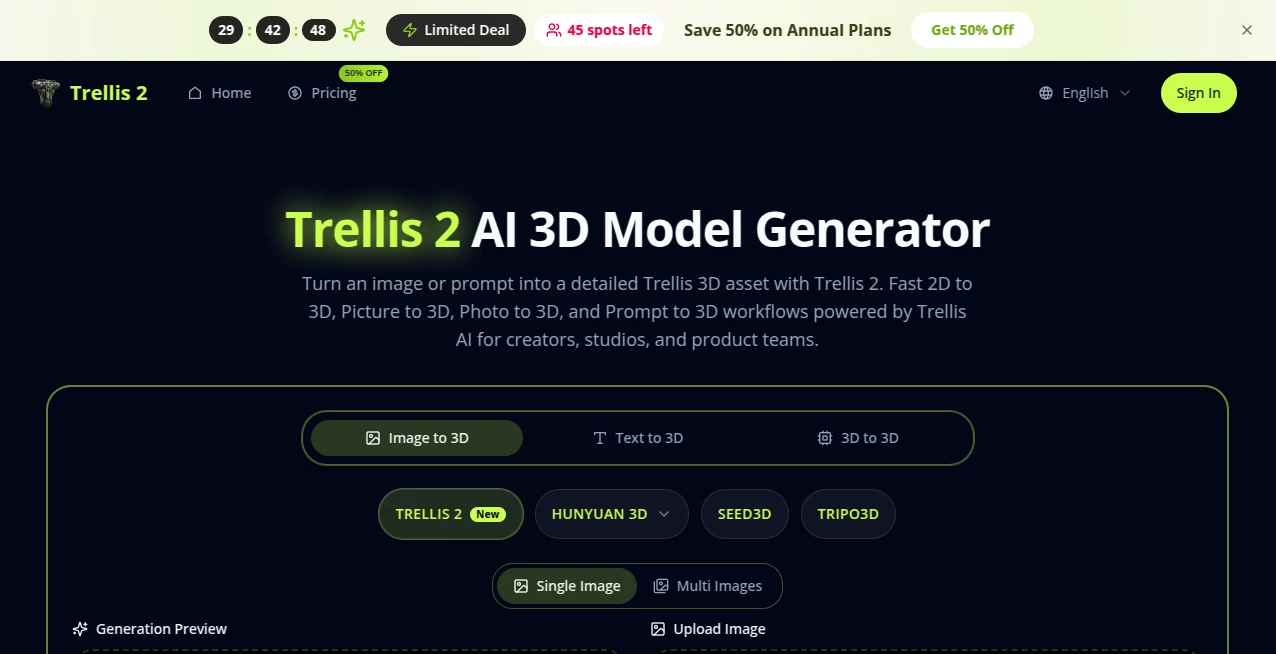
What is Trellis 2?
Turning a simple photo or a quick written idea into a fully textured 3D model used to mean hours of modeling, retopology, and material work. This tool quietly changes that reality. You drop in an image or type a description, and it returns a clean, detailed 3D asset with geometry and textures that feel production-ready. I've watched 3D artists and game devs go from skeptical to genuinely impressed after their first few generations—the models hold up under lighting, keep consistent detail, and save enormous time on early-stage exploration. It's the kind of practical leap that makes you wonder how you ever managed without it.
Introduction
Most teams still lose days moving from concept sketches or reference photos to something dimensional they can actually review and iterate on. Trellis 2 shortens that painful gap. Built as a creator-friendly implementation of advanced 3D AI research, it turns 2D inputs into textured 3D models with surprising speed and quality. Whether you're a solo indie dev prototyping props, a product designer testing form language, or a studio exploring environment concepts, it gives you usable 3D drafts fast enough to try multiple directions in one sitting. The results aren't just pretty previews—they're assets you can actually take into your pipeline for further refinement. That bridge from flat idea to dimensional reality is where real creative momentum begins.
Key Features
User Interface
The interface stays out of your way. Clean upload area for images, a prominent prompt box for text descriptions, and simple controls for style and detail level. Previews load quickly so you can compare variations without losing flow. No complicated menus or steep learning curves—just enough options to guide the result while keeping the focus on your idea. Beginners get usable models in minutes; experienced users appreciate how little friction there is between thought and 3D output.
Accuracy & Performance
It reads both visual references and written prompts with impressive understanding—capturing shape, proportion, and surface intent without common AI hallucinations. Models come out with solid topology and coherent textures that hold up under different lighting angles. Generation is fast enough for real iteration, often delivering review-ready assets in under a minute. The consistency across different input types (product photos, concept art, real-world scans) is what makes it reliable for daily work rather than occasional novelty.
Capabilities
Strong support for both image-to-3D and prompt-to-3D workflows, high-detail textured outputs suitable for games, visualization, and product design, multiple style directions, and export formats that fit common 3D pipelines. It handles complex forms, organic shapes, and hard-surface objects with believable geometry and materials. The speed of going from 2D reference to textured 3D makes it especially valuable for early concept validation and rapid prototyping where traditional modeling would be too slow.
Security & Privacy
Your uploads and generations are handled with care—processed securely and not used for training unless explicitly allowed. No unnecessary data retention, and outputs belong to you. For teams working with client concepts or proprietary designs, that thoughtful approach removes a major hesitation when experimenting with new AI tools.
Use Cases
An indie game studio uploads concept art for weapons and environments, quickly generating 3D previews to test in-engine before committing to full modeling. A product designer photographs real-world references and turns them into dimensional mockups for client presentations in the same afternoon. An architectural visualization team uses prompt-to-3D to explore massing options rapidly before detailed work begins. Even educators use it to help students move from 2D sketches to 3D understanding faster. Wherever ideas need to become dimensional quickly, it delivers practical value.
Pros and Cons
Pros:
- Remarkably fast path from 2D to textured 3D—ideal for iteration.
- Strong understanding of both images and text prompts.
- Outputs feel production-adjacent rather than pure novelty.
- Clean, usable geometry and textures that integrate well into pipelines.
- Approachable enough for non-specialists while powerful for pros.
Cons:
- Best results still come from good input references or clear prompts.
- Very complex or highly stylized requests may need refinement passes.
- Heavy commercial or high-volume use benefits from paid plans.
Pricing Plans
Free access lets you explore and generate several high-quality models to see the difference firsthand. Paid plans unlock higher resolutions, faster generation, more credits, and priority features for heavier workflows. The pricing stays reasonable for the time it saves—many teams find it pays for itself after just a few productive sessions compared to traditional modeling hours.
How to Use Trellis 2
Start by uploading a clear reference image or writing a detailed prompt describing the object, style, and materials you want. Adjust any available style or detail settings to match your vision. Hit generate and review the 3D preview—rotate, inspect textures, and check geometry. If needed, tweak the input and regenerate. Once satisfied, download the model in your preferred format and bring it into your 3D software or engine. The whole process is fast enough that you can explore several variations in one creative session.
Comparison with Similar Tools
Many 3D AI generators still produce noisy geometry or inconsistent textures that require heavy cleanup. This one focuses on cleaner, more usable outputs with better shape understanding and material coherence. Where some tools feel like experiments, Trellis 2 feels like a practical workflow tool—fast enough for real iteration and solid enough to move into production pipelines with minimal rework. It strikes a rare balance between speed, quality, and approachability.
Conclusion
Good 3D ideas deserve to be seen in dimension quickly, not buried under weeks of modeling. This tool makes that possible without sacrificing quality or requiring expert skills. It gives creators, studios, and teams a faster, more enjoyable path from inspiration to tangible 3D assets. When you can explore more ideas in less time and move stronger concepts forward with confidence, your entire creative process improves. For anyone working in 3D today, that kind of acceleration feels essential.
Frequently Asked Questions (FAQ)
How good are the generated models for production?
Excellent for early-to-mid stage work—many users take them straight into engines or DCC tools with only light refinement.
Can I use my own reference images?
Yes—photo-to-3D and image-to-3D workflows are core strengths and often produce the most accurate results.
Is it suitable for stylized or cartoon assets?
Absolutely—style controls let you push toward stylized, hand-painted, or cartoon directions effectively.
Do I need 3D modeling experience to use it?
Not at all—many non-technical users get great results, though 3D artists appreciate the time savings even more.
What file formats are supported for export?
Common 3D formats suitable for major engines and modeling software, making integration straightforward.
AI 3D Model Generator , Photo & Image Editor , AI Image to 3D Model , AI Design Generator .
These classifications represent its core capabilities and areas of application. For related tools, explore the linked categories above.

Trellis 2 Alternatives Product
YoFont

Modelfy 3D
China Brush

Roblox Man F…

Tripo 3D

GPT IMAGE2

Nano Banana …

Caricature A…

Z image AI