🧠 AI Quiz
Think you really understand Artificial Intelligence?
Test yourself and see how well you know the world of AI.
Answer AI-related questions, compete with other users, and prove that
you’re among the best when it comes to AI knowledge.
Reach the top of our leaderboard.


















Try AI Beauty

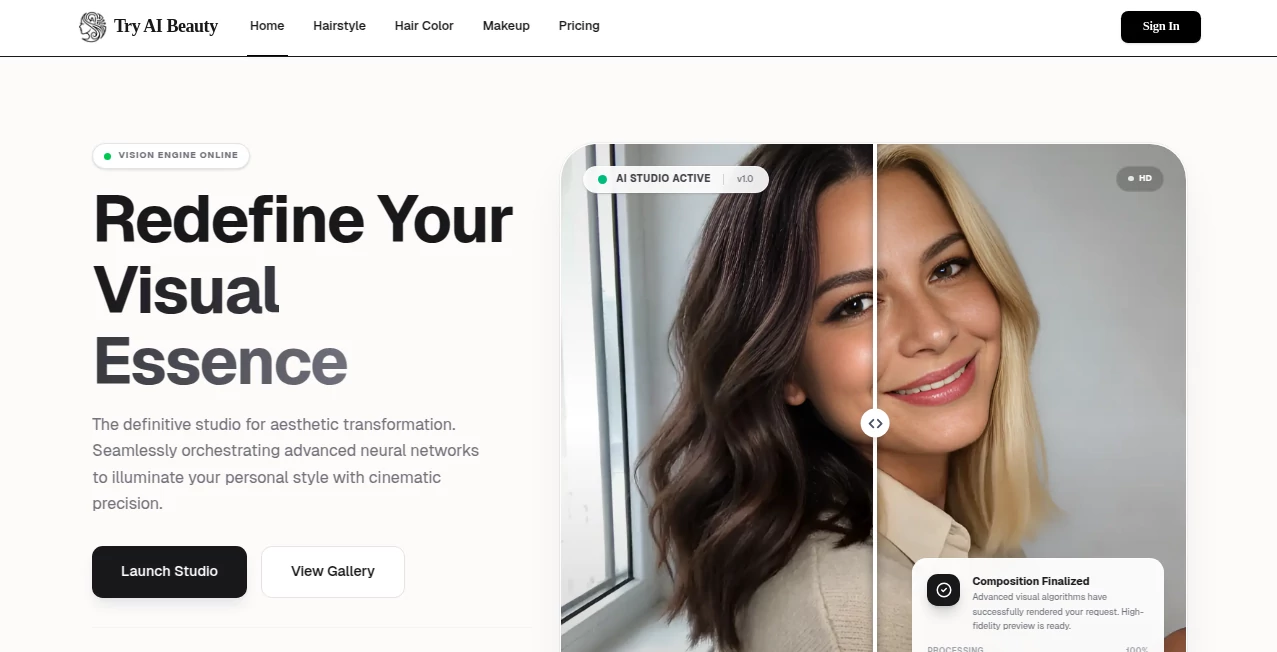
What is Try AI Beauty?
There's something quietly exciting about opening your camera and suddenly wearing a bold red lip, smoky eyes, or a full glam look you’d never dare try in real life—without a single brush stroke or mirror check. This tool makes that possible in seconds. Upload a selfie or use your live camera, pick a lipstick shade, eyeliner style, blush intensity, or even a complete celebrity-inspired face, and it applies everything realistically—lighting, shadows, skin texture all respected. I’ve seen friends go from “I could never pull that off” to “wait, I actually look good like this” in one click. The joy is real, and the realism is what keeps people coming back.
Introduction
Makeup is personal, emotional, and often intimidating to experiment with—especially when you’re not sure how a color or style will actually look on your face. Traditional virtual try-on apps either feel cartoonish or require perfect lighting and positioning. This one changes the game by using advanced face mapping and lighting-aware rendering so the makeup blends naturally with your skin tone, face shape, and even ambient light. It’s become a daily habit for many: quick lip color tests before buying, full look experiments for events, or just playful “what if” sessions that boost confidence. The best part? It’s fun without judgment—try neon liner at 2 a.m. or a soft bridal glow at noon; no one’s watching, and the results feel honest.
Key Features
User Interface
The screen greets you with a big camera feed or upload button—nothing hidden. Lipsticks, eyeshadows, foundations, and full looks appear as clean swatches below. Tap one, and the makeup applies in real time or instantly on upload. A simple intensity slider lets you dial from subtle to dramatic. It’s intuitive enough for first-timers; my mom (who avoids tech) figured out how to try wedding makeup in under 30 seconds. That kind of effortless flow is rare.
Accuracy & Performance
It reads skin tone, undertone, face contours, and even subtle lighting shifts with impressive accuracy—reds don’t turn orange on warm skin, matte finishes stay believable, glitter catches light naturally. Processing is near-instant on modern phones, with no lag even when switching looks rapidly. Face tracking holds steady during movement—smile, turn your head, talk; the makeup stays put without floating or smudging. The realism is what separates it from older try-on apps that feel like stickers.
Capabilities
Live camera try-on, photo upload mode, individual products (lips, eyes, cheeks, brows, foundation, contour), full curated looks (day, night, bridal, editorial), intensity and color adjustments, multiple skin tone matching, and high-res export for sharing or saving. It handles diverse features—different eye shapes, lip sizes, facial hair, glasses—and still applies makeup naturally. The library is constantly growing with trending shades and celebrity-inspired collections, so there’s always something fresh to play with.
Security & Privacy
Photos are processed in real time and never stored on servers unless you explicitly save or share them. No account is forced for basic use—your camera feed stays local. For those concerned about data, that no-storage policy feels like a quiet reassurance. When you do save a look, it’s encrypted and tied only to your device or chosen share method.
Use Cases
A bride-to-be tests ten lipstick shades at midnight and finds “the one” without buying samples. A makeup beginner plays with bold looks privately to build confidence before trying in real life. A content creator generates quick before/after reels for tutorials without reapplying makeup constantly. Friends at a sleepover take turns trying celebrity glam and laughing over how surprisingly good they look. It turns makeup exploration into something joyful, low-pressure, and deeply personal.
Pros and Cons
Pros:
- Realistic blending and lighting that actually respects your skin tone and face shape.
- Instant live camera mode—see changes as you move, no frozen selfies.
- Huge library of shades, products, and full looks keeps it fresh.
- Completely private—no forced account or data collection for basic use.
- Free access is generous; you can play a long time before needing premium.
Cons:
- Very extreme lighting or heavy shadows in photos can occasionally confuse tracking.
- Some niche makeup trends (hyper-specific liner art) may not be in the library yet.
- Unlimited saves and ad-free experience require a paid plan.
Pricing Plans
Free access lets you try dozens of looks daily—more than enough for casual fun or serious decision-making. Premium unlocks unlimited saves, ad-free browsing, exclusive looks, and higher-res exports. It’s priced like a single lipstick—affordable enough that many say it’s cheaper than buying (and returning) shades they weren’t sure about. The value feels immediate: one good color discovery pays for months of use.
How to Use Image Enhancer
Allow camera access or upload a clear selfie. Browse lipsticks, eyeshadows, or full looks—tap to apply instantly. Use the intensity slider for subtle or bold application. Switch between products freely to mix and match. Like a look? Snap a photo or save directly (premium for unlimited saves). Share to socials or save privately. That’s it—under 30 seconds from curiosity to “this is my new go-to shade.”
Comparison with Similar Tools
Older virtual makeup apps often look flat or sticker-like, with poor tracking and unnatural blending. This one stands apart with realistic lighting interaction, accurate skin-tone matching, and smooth real-time performance. Where others force you into rigid presets, the flexibility here (individual products + full looks + intensity control) feels more like playing with real makeup. It’s simply more believable and more fun.
Conclusion
Makeup should be playful, experimental, and confidence-building—not stressful or expensive to try. This tool brings that spirit back in a way that feels modern and kind. It lets you explore without commitment, discover what really suits you, and share the results with zero pressure. Whether you’re shopping smarter, prepping for an event, or just having fun with friends, it turns “what if” into “wow, that’s me”—and that small shift can mean a lot. Give it five minutes; you’ll likely lose an hour smiling at your screen.
Frequently Asked Questions (FAQ)
Do I need perfect lighting for it to work?
Good natural light helps, but it handles average room lighting surprisingly well—better than most apps.
Can I try it without signing up?
Yes—camera and upload work immediately; account only needed for saving favorites.
Does it work on all skin tones?
Yes—trained on diverse data; shades adapt realistically across undertones.
What if I wear glasses or have facial hair?
It respects both—makeup applies naturally around glasses and facial hair.
Can I use it for professional work?
Absolutely—many makeup artists and influencers use it for client mockups and content.
AI Fun Tools , Photo & Image Editor , AI Selfie & Portrait , AI Design Generator .
These classifications represent its core capabilities and areas of application. For related tools, explore the linked categories above.
Try AI Beauty details
This tool is no longer available on submitaitools.org; find alternatives on Alternative to Try AI Beauty.
Pricing
- Free
Apps
- Web Tools
Categories

Try AI Beauty Alternatives Product

insMind

Nano AI

Avatarka AI

ImgEnhancer

nana banana …

Grow A Garde…

GEMPIX2

Picsart

Garden Horiz…