
🧠 AI Quiz
Think you really understand Artificial Intelligence?
Test yourself and see how well you know the world of AI.
Answer AI-related questions, compete with other users, and prove that
you’re among the best when it comes to AI knowledge.
Reach the top of our leaderboard.


















Unblur Image
What is Unblur Image?
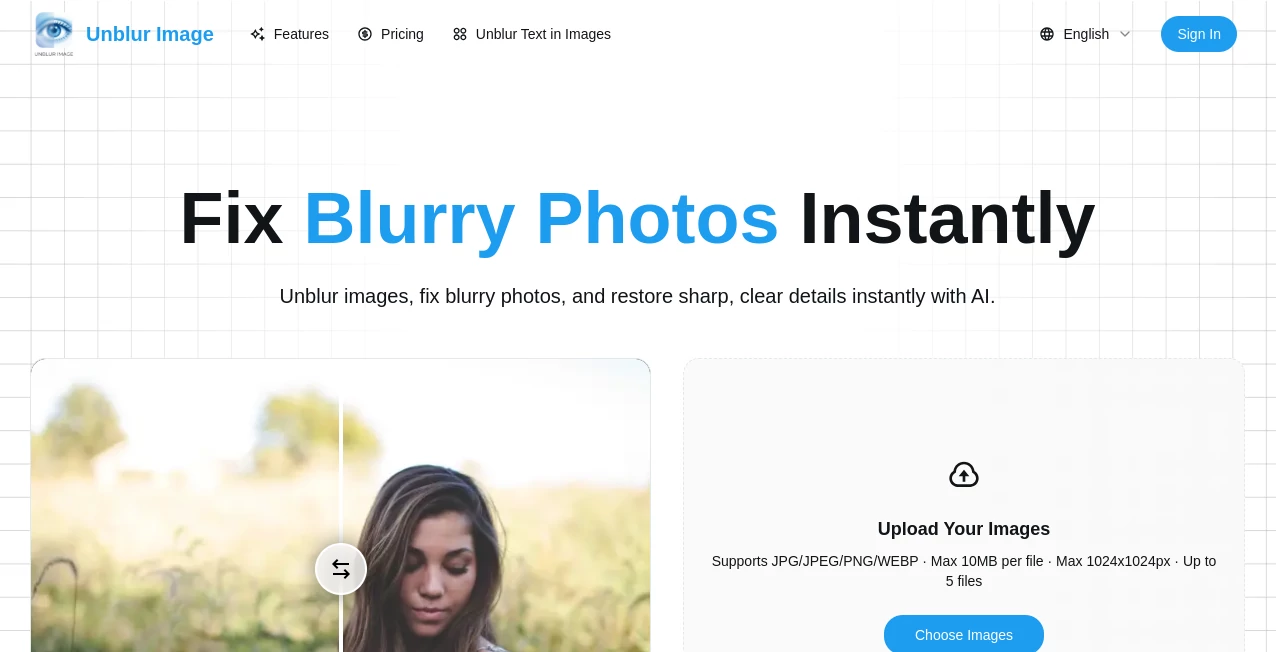
We've all been there — you take what should have been the perfect shot, but it's blurry, out of focus, or just plain soft. Maybe it's a once-in-a-lifetime family photo, a product shot for your shop, or an old memory you thought was lost forever. This tool brings those moments back with surprising clarity. You upload the blurry image, and within seconds it returns a version that looks noticeably sharper, cleaner, and more detailed. I've seen people tear up when they recover a cherished childhood picture that had been sitting blurry in their phone for years. It's not magic, but it feels pretty close.
Introduction
Blurry photos are one of the most common frustrations in the digital age. Whether it's camera shake, motion blur, low light, or an old low-resolution scan, the result is the same — a moment you wanted to keep is almost unusable. Traditional fixes like Photoshop require skill and time most people don't have. This platform makes deblurring simple, fast, and remarkably effective. It uses smart AI that understands what sharp details should look like, so it doesn't just add fake sharpness — it actually recovers lost information in a natural way. For everyday users, hobby photographers, small business owners, and anyone with a collection of imperfect memories, it’s become a quiet hero in the photo toolbox.
Key Features
User Interface
The design is wonderfully straightforward. You see one big, inviting upload area, a few clear enhancement options, and a simple “Enhance” button. No complicated menus, no account required to start, and the before-and-after view appears instantly so you can judge the improvement right away. It works smoothly on phones too, which is perfect when you’re digging through old photos on the go. The whole experience feels designed for real people rather than tech experts.
Accuracy & Performance
What stands out is how natural the results look. Many sharpeners turn photos into noisy, artificial messes, but this one keeps skin tones soft, textures believable, and edges clean without overdoing it. It handles different types of blur — motion, focus, compression — surprisingly well. Processing is fast, usually just a few seconds even for higher-resolution images, so you stay in the moment instead of waiting around.
Capabilities
It restores clarity to portraits, landscapes, product photos, old scanned images, and even slightly out-of-focus group shots. You can choose different strength levels depending on how much enhancement you want, and it also offers basic upscaling alongside deblurring. The output is high enough resolution for social media, printing, or further editing. It’s especially good at recovering fine details like text on signs or facial features that were previously lost in the blur.
Security & Privacy
Your photos are processed quickly and not stored long-term on their servers. No forced account creation for basic use means you’re not building a profile of your personal images. For family photos, client work, or anything sensitive, that respectful approach to privacy is genuinely appreciated.
Use Cases
A parent rescues a blurry first-day-of-school photo that looked hopeless and turns it into a framed keepsake. An Etsy seller sharpens product shots taken in bad lighting so they look professional and convert better. Someone restoring old family albums brings faded 90s snapshots back to life for a reunion slideshow. A real estate agent quickly cleans up listing photos before uploading them to a site. Wherever a blurry image stands between you and a clear memory or better sale, this tool steps in quietly and effectively.
Pros and Cons
Pros:
- Results look natural rather than artificially sharpened or noisy.
- Extremely fast processing — most images are done in seconds.
- Works on a wide variety of blur types and photo subjects.
- Free tier lets you test it on real photos without commitment.
- Simple enough for complete beginners, powerful enough for regular use.
Cons:
- Extremely severe blur or very low-resolution images may still have limits.
- Heavy daily use requires a paid plan for unlimited enhancements.
- Advanced batch processing and extra features are behind the paywall.
Pricing Plans
The free version gives you several high-quality enhancements per day — enough to rescue important photos or test the tool on your own images. Paid plans remove daily limits, unlock batch processing, higher resolution options, and priority speed. The pricing is reasonable for the time and memories it saves, especially if you regularly work with photos.
How to Use Unblur Image
Go to the main page and either drag your blurry photo into the upload area or click to select one from your device. Choose the enhancement strength that matches your needs (gentle for natural photos, stronger for heavily blurred ones). Click enhance and wait just a few seconds. Use the side-by-side comparison to see the difference, then download the improved version. If you’re not fully satisfied, try a different strength or upload a slightly different crop. The whole process is usually complete in under 30 seconds.
Comparison with Similar Tools
Many free sharpeners either do very little or go overboard and create unnatural artifacts. This one consistently delivers cleaner, more natural-looking results while staying fast and easy to use. Where some tools require accounts or watermarks, this keeps things simple and private. It strikes a sweet spot between quality and accessibility that many competitors miss.
Conclusion
Blurry photos don’t have to stay blurry forever. This tool gives you a quick, effective way to bring clarity back to images that matter — whether they’re precious memories, important business shots, or everyday captures you want to improve. It’s simple enough for anyone to use, powerful enough to make a real difference, and respectful of your time and privacy. In a world full of imperfect photos, having a reliable way to fix them feels like a small but meaningful gift.
Frequently Asked Questions (FAQ)
How many free enhancements can I do?
You get several high-quality ones per day on the free tier — enough for important photos.
Will it work on very old or damaged photos?
It works best on photos with focus or motion blur; extremely damaged or torn images may need additional restoration first.
Is my photo stored anywhere?
No — images are processed temporarily and not stored long-term.
Can I use it for professional work?
Yes — many small businesses and photographers use it to improve client photos and product shots.
What if I’m not happy with the result?
Try adjusting the strength level or uploading a different crop — small changes often improve the outcome.
Photo & Image Editor , AI Photo Enhancer , AI Image to Image .
These classifications represent its core capabilities and areas of application. For related tools, explore the linked categories above.
Unblur Image details
Pricing
- Free
Apps
- Web Tools
Categories

Unblur Image Alternatives Product

Z Image

MuseArt AI

FaceTo3D

Gemini AI Ph…

Remove Handw…

TextSharp | …

Sketchready

img2img.net

Artifox
