🧠 AI Quiz
Think you really understand Artificial Intelligence?
Test yourself and see how well you know the world of AI.
Answer AI-related questions, compete with other users, and prove that
you’re among the best when it comes to AI knowledge.
Reach the top of our leaderboard.


















Undertale Text Box Generator
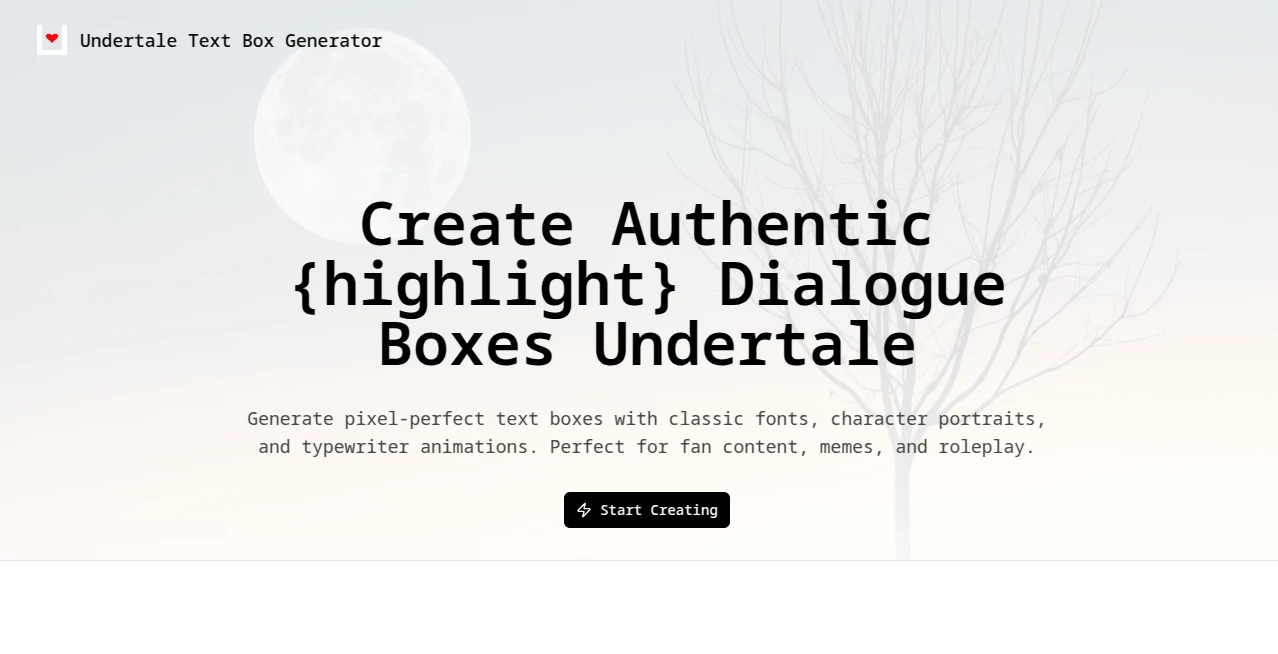
What is Undertale Text Box Generator?
Few things capture the heart of Undertale quite like those little pixelated speech bubbles—simple on the surface, but packed with personality the moment a character starts talking. This tool brings that exact charm back to life so effortlessly that it's almost nostalgic. You type a line, pick a face, choose a style, and suddenly you've got a perfect recreation of the game's dialogue boxes, complete with that signature typewriter tick and color pops. I still remember the first time I made a silly exchange between Sans and Papyrus for a group chat; the reactions were instant and pure joy. It's one of those rare online gems that feels made with real love for the source material.
Introduction
The magic of Undertale lives in its small details—the way text appears one letter at a time, how a single sprite can say so much without words, the quiet humor or weight carried in every bubble. This generator understands that deeply and hands you the keys to recreate it all with pixel-perfect care. Whether you're making fan comics, roleplay scenes, memes that hit just right, or even tribute videos, it removes every technical hurdle so your ideas can flow freely. What started as a fun side project has become a favorite corner of the fandom, where people spend hours crafting conversations that feel straight out of the Underground. It's simple, it's accurate, and it brings back that same sense of wonder you felt playing the game for the first time.
Key Features
User Interface
The layout is clean and welcoming from the start. A big text area waits for your dialogue, with helpful hints for color codes and bullets right nearby. Character portraits are easy to browse or upload, style options sit in a neat dropdown, and a live preview updates as you type. There's even a play button to watch the typewriter effect in action. Everything is intuitive—my younger cousin figured it out in under a minute and immediately started recreating his favorite scenes.
Accuracy & Performance
It gets the details right in ways that matter most to fans. Fonts match the originals perfectly (Determination Mono, Sans, Papyrus), borders and colors feel authentic, and the typewriter animation has that satisfying pace you remember. Previews load instantly, exports are crisp and quick, and even multi-line conversations with mixed colors come out flawless. The attention to detail is impressive—nothing feels off or approximated.
Capabilities
You can build classic Undertale boxes, switch to Deltarune vibes, dive into AU flavors like Underfell or TS!Underswap, or even borrow styles from Earthbound, FNAStale, or TuberTale variants. Upload custom sprites, tweak animation speed, play with octagonal or shaded borders, add color codes for emphasis, and export as transparent PNGs or animated MP4s. It's a surprisingly deep playground for something so focused.
Security & Privacy
Your creations stay yours—no accounts forced, no data lingering longer than necessary. The tool runs entirely in-browser with no unnecessary tracking. For something fandom-driven, that quiet respect for user content feels right and reassuring.
Use Cases
A roleplayer builds an entire conversation thread for their AU story and shares it as images that look ripped from the game. A meme maker drops Papyrus yelling about spaghetti into a group chat for instant laughs. Content creators animate short dialogue scenes for YouTube thumbnails or TikTok clips. Fans commemorate favorite moments by recreating them exactly as they remember. It's endlessly versatile—lighthearted fun one minute, heartfelt tributes the next.
Pros and Cons
Pros:
- Spot-on recreation of the game's look and feel—fonts, timing, everything.
- Huge variety of styles and characters, including AUs and crossovers.
- Free to use with generous features and clean exports.
- Fast previews and smooth typewriter animation that nails the nostalgia.
Cons:
- GIF export still on the way, though MP4 covers most animation needs.
- Custom uploads need decent quality sprites to look their best.
Pricing Plans
It's completely free—no hidden catches, no premium tiers pushing for upgrades. Every feature, from classic styles to AU variants to video export, is open to everyone. That generosity alone makes it a standout in the fan-tool space.
How to Use Undertale Text Box Generator
Type your dialogue (use * for actions or bullets, \yellow or \red for color). Pick a character from the built-in library or upload your own sprite. Choose a style—classic, Deltarune, Underfell, whatever fits. Adjust animation speed if you want, then hit play to see the typewriter effect. When it looks right, download as PNG (transparent or black background) or export as MP4. It's that simple, and the preview loop keeps you tweaking until it's perfect.
Comparison with Similar Tools
Other generators often feel limited—basic fonts, few styles, clunky previews. This one goes deeper with AU support, color codes, custom sprites, and true-to-game animation that others rarely match. Where some tools give you a flat image, this delivers something alive and share-ready. For anyone serious about Undertale-style content, it's clearly ahead.
Conclusion
Some tools simply recreate; this one revives. It brings back the exact feeling of watching text appear in those little boxes, line by line, carrying all the charm and heart of the original game. Whether you're making memes, roleplaying, or just reliving favorite moments, it hands you the brush and says go. In a fandom full of creativity, this is one of the kindest gifts—free, faithful, and full of possibilities.
Frequently Asked Questions (FAQ)
Can I use my own sprites?
Yes—upload any sprite sheet or portrait, and it slots right in.
Does it support multiple lines?
Absolutely—type paragraphs, and it handles wrapping and * bullets automatically.
How do I change text color?
Use codes like \yellow or \red right in the text box—super simple.
Is the animation adjustable?
Yes, tweak the speed to match the classic feel or speed it up for fun.
Can I export as video?
Yes, MP4 export captures the full typewriter animation beautifully.
AI Photo & Image Generator , AI Design Generator , AI Fun Tools .
These classifications represent its core capabilities and areas of application. For related tools, explore the linked categories above.
Undertale Text Box Generator details
Pricing
- Free
Apps
- Web Tools
Categories

Undertale Text Box Generator Alternatives Product
Pixfy AI
Birthday Car…
JPG to Small

Greek Numero…

nana banana …

Fine Image
NB2 Hub

Nano Banana 2

Seedream Ima…