
🧠 AI Quiz
Think you really understand Artificial Intelligence?
Test yourself and see how well you know the world of AI.
Answer AI-related questions, compete with other users, and prove that
you’re among the best when it comes to AI knowledge.
Reach the top of our leaderboard.

















Uni-1
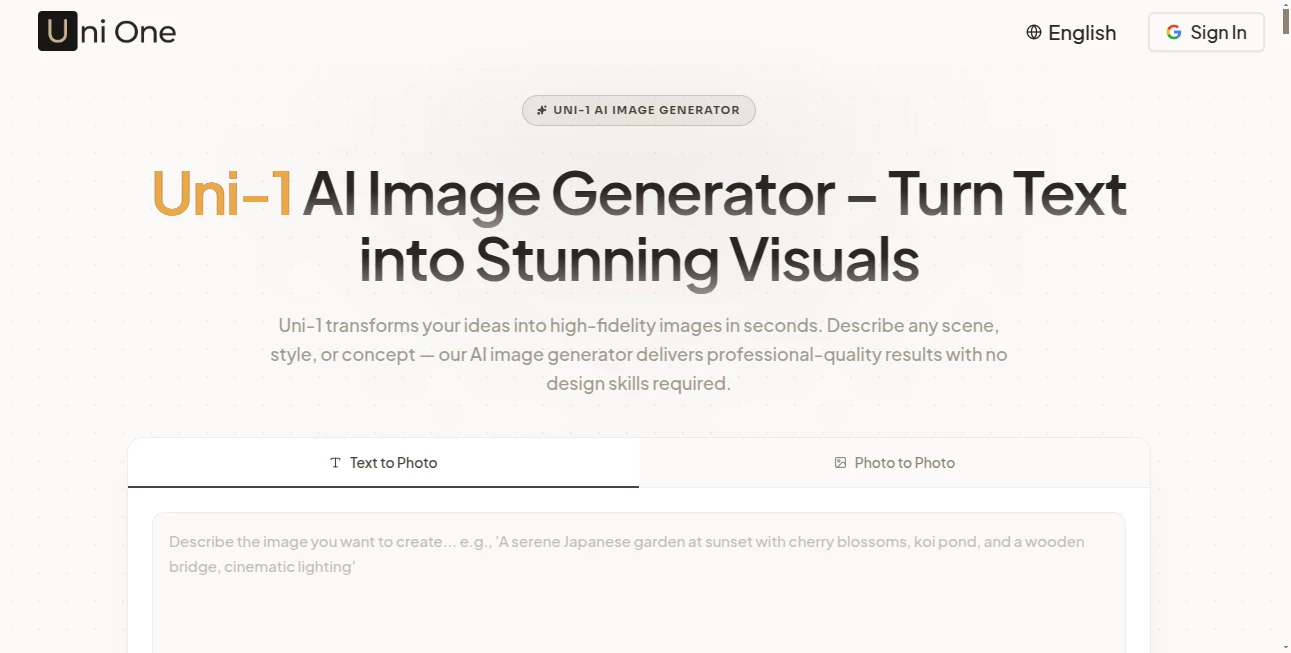
What is Uni-1?
There’s a big difference between an image that looks good and one that actually understands what you meant. This tool bridges that gap beautifully. You describe a scene, drop in a reference photo, or combine both, and it doesn’t just generate pixels—it thinks through composition, lighting, mood, and logic before delivering the result. I’ve thrown complex, contradictory prompts at it and watched it resolve them in ways that feel thoughtful rather than random. The output often surprises me with small, intelligent touches that make the image feel alive and intentional, not just pretty.
Introduction
Most AI image generators still feel like clever pattern-matchers. They can produce beautiful results, but they sometimes miss the deeper intent behind a prompt. Uni-One AI takes a different approach. Built as a multimodal reasoning model, it understands context, plans composition, and reasons step-by-step before creating the final image. Whether you’re a designer needing precise brand visuals, an artist exploring concepts, or a marketer creating campaign assets, it delivers results that feel directed rather than generated. The difference is noticeable from the first try—images carry better coherence, logical lighting, and emotional tone that align with what you actually asked for.
Key Features
User Interface
The workspace is clean and inviting. A prominent prompt box welcomes your ideas, with easy options to upload reference images or sketches. Sliders and toggles for style, aspect ratio, and intensity sit nearby but never overwhelm. Previews load quickly, letting you iterate without frustration. It feels like a creative partner rather than a complicated machine—simple enough for beginners, powerful enough for pros who want fine control without the hassle.
Accuracy & Performance
What stands out is how well it follows complex instructions. It understands spatial relationships, causal logic, and cultural context, so prompts involving multiple subjects, specific poses, or detailed scenes come out coherent. Generation speed is impressive for the quality level, and the results maintain consistency across iterations. Faces stay recognizable, hands behave, and compositions make visual sense. It’s one of those rare tools where the output feels like it was created by someone who actually read and thought about your request.
Capabilities
You can start with pure text, a reference image, or a combination of both. It excels at text-to-image, image-to-image transformations, style transfers, and intelligent editing. The model handles intricate scenes with multiple characters, precise camera angles, and detailed environments. It also supports artistic styles, photorealism, and everything in between. The reasoning layer means it can resolve ambiguities and make smart creative decisions when your prompt leaves room for interpretation—exactly what you want when exploring ideas.
Security & Privacy
Your prompts and uploaded images are handled with care. The platform focuses on processing without unnecessary data retention, giving creators confidence when working on personal, client, or sensitive projects. No lingering worries about your concepts being stored or reused without permission.
Use Cases
A product designer uploads a rough sketch and gets multiple polished variations ready for presentation. A children’s book author describes scenes and receives consistent character illustrations that match across pages. A marketing team generates campaign visuals with precise brand guidelines and mood. An indie game developer creates concept art and environment references in minutes instead of days. Wherever visual ideas need to move from head to screen quickly and intelligently, this tool shines.
Pros and Cons
Pros:
- Strong reasoning leads to more logical and coherent images than typical generators.
- Excellent balance between creativity and following your exact instructions.
- Fast iteration cycle that keeps creative flow alive.
- Handles complex, multi-element prompts with impressive consistency.
- Clean, professional outputs ready for real-world use.
Cons:
- Very abstract or highly contradictory prompts can still challenge it (like most models).
- Advanced features and higher volumes require paid access.
- Occasional refinement is still needed for ultra-precise commercial work.
Pricing Plans
It offers a generous free tier that lets you explore and create high-quality images without immediate commitment. Paid plans unlock faster generation, higher resolutions, more daily credits, and priority access during peak times. The pricing feels fair for the quality and reasoning power you get—many creators find the paid tier quickly pays for itself through time saved and better results.
How to Use Uni-One AI
Start simple: type a detailed description of what you want to see. Add a reference image if you have a specific style or subject in mind. Choose your preferred aspect ratio and any style guidance. Hit generate and review the result. Use the before/after or variation tools to refine. Download when it clicks. The more specific and clear your prompt, the better the output—but even vague ideas often yield surprisingly strong starting points. Iterate a few times and you’ll usually land on something special.
Comparison with Similar Tools
While many image generators focus purely on visual beauty, this one adds a layer of reasoning that makes outputs more coherent and useful. It stands out in following complex instructions and maintaining logical consistency across elements. Where others might produce pretty but nonsensical results, the intelligence here helps translate your vision more faithfully. It’s particularly strong for users who need both creativity and control.
Conclusion
Creating strong visuals shouldn’t require fighting with the tool or settling for mediocre results. This platform raises the bar by combining beautiful generation with actual understanding. It respects your ideas and helps bring them to life in ways that feel thoughtful and intentional. For designers, marketers, artists, and storytellers, it’s the kind of creative partner that makes the process enjoyable again. When your images start matching the picture in your head more closely than ever, you realize how valuable that intelligence truly is.
Frequently Asked Questions (FAQ)
How detailed should my prompt be?
The more specific, the better—but even short, clear prompts often produce excellent results thanks to the reasoning layer.
Can I upload reference images?
Yes—reference photos dramatically improve consistency for characters, products, or specific styles.
Is it good for professional/commercial work?
Absolutely—many users rely on it for client work, marketing assets, and concept development.
How fast are generations?
Usually just a few seconds to under a minute, depending on complexity and current load.
Do I need an account to start?
You can try it without signing up, though an account unlocks saving and more features.
AI Photo & Image Generator , AI Art Generator , AI Design Generator , AI Text to Image .
These classifications represent its core capabilities and areas of application. For related tools, explore the linked categories above.
Uni-1 details
Pricing
- Free
Apps
- Web Tools
Categories

Uni-1 Alternatives Product
AI Anime

img2img.net

Motion Contr…

Klyra AI

AI Picture G…

Normal Map G…
Consistent C…

Nano Banana 2
Seedream 4.5
