
🧠 AI Quiz
Think you really understand Artificial Intelligence?
Test yourself and see how well you know the world of AI.
Answer AI-related questions, compete with other users, and prove that
you’re among the best when it comes to AI knowledge.
Reach the top of our leaderboard.


















Veo 3
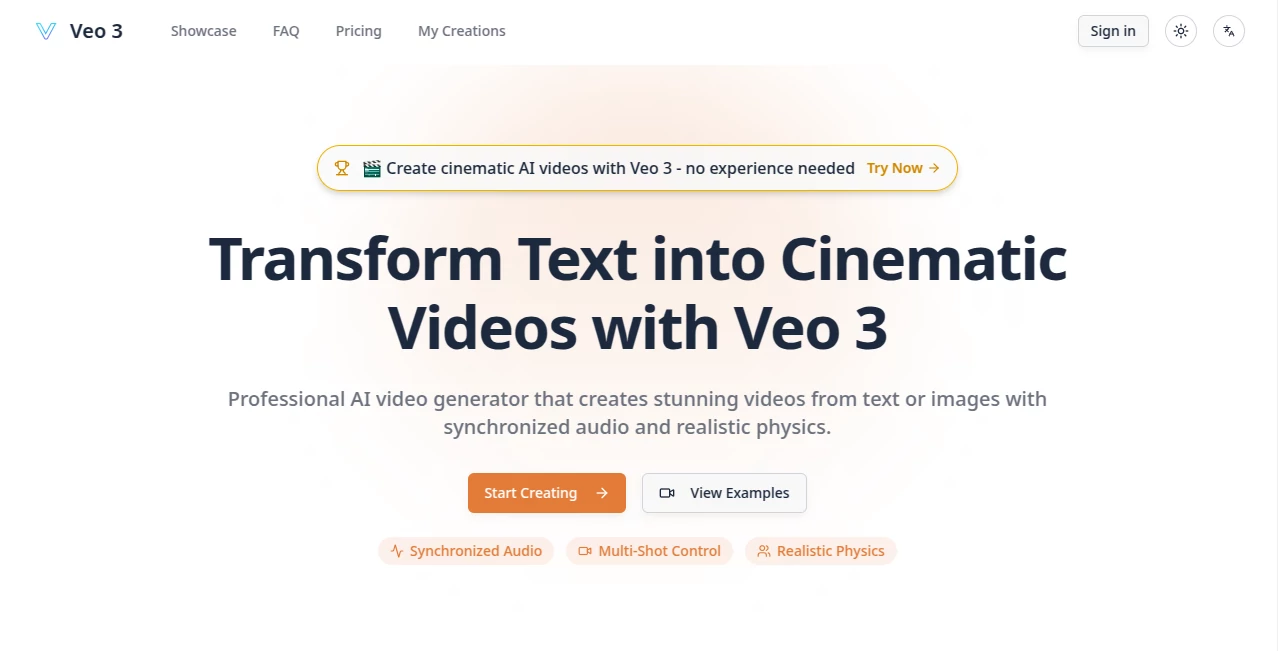
What is Veo 3?
There's a quiet thrill in typing a few lines of description and watching a full cinematic sequence unfold—complete with dialogue that lands just right, sound effects that fit the moment, and motion that feels alive rather than robotic. This platform captures that excitement perfectly, handing you Google’s latest video model in a way that makes pro-level clips feel approachable. I put it through its paces on a simple idea for a product teaser, and the result had smooth camera moves, realistic physics, and audio that synced like it was recorded on set. It’s the kind of tool that makes you pause and think: this changes how quickly you can turn imagination into something shareable.
Introduction
When the goal is to create videos that look and sound expensive without the actual expense, this platform stands out by delivering exactly what many creators have been quietly hoping for. Powered by Google DeepMind’s Veo 3.1, it turns text prompts or static images into sequences up to 60 seconds long, complete with synchronized dialogue, ambient sound, and physics that respect gravity and momentum. What impressed me most was how it handles multi-shot storytelling—characters stay consistent, lighting matches across cuts, and the whole thing flows like a tiny film rather than stitched-together stills. For anyone who’s ever stared at a blank timeline feeling stuck, this feels like a shortcut to finished work that still carries your personal touch.
Key Features
User Interface
The layout keeps things focused: a generous prompt box, clear toggles for resolution and style, and a reference upload area that’s impossible to miss. Once you hit generate, progress shows cleanly, and the preview player lets you scrub through the result without any lag or confusion. It’s not flashy, but it’s thoughtful—every control is where you expect it, and the whole process stays calm even when you’re iterating on a tricky scene.
Accuracy & Performance
Prompt adherence is remarkably tight; describe a basketball bouncing down stairs and the ball actually reacts to each step with proper weight and rebound. Audio sync feels natural rather than forced, and motion stays coherent across longer clips. Generations rarely take more than a few minutes, even for 1080p, which means you can refine ideas quickly instead of waiting around. In my own tests, complex actions like liquid pouring or fabric moving came out convincingly real—something that still trips up many competitors.
Capabilities
You get full multi-shot sequences with precise camera control, style options that range from photoreal to cinematic to anime, and native audio generation that includes dialogue, effects, and background ambiance. Image-to-video opens another door: start with a still and watch it animate naturally. Up to 60 seconds at 1080p gives enough room for meaningful storytelling, and the physics engine ensures nothing looks cartoonishly off. It’s the kind of versatility that lets you go from concept sketch to polished short without leaving the browser.
Security & Privacy
Your prompts and generated clips stay private by design; nothing is shared or used for training without explicit consent. The platform follows standard compliance practices, so you can experiment with sensitive ideas or client concepts without second-guessing where the files end up. That level of care matters more than ever when you’re creating content that might eventually go public.
Use Cases
Social media creators produce scroll-stopping Reels or Shorts with consistent characters and beat-synced audio that keeps viewers watching. Small businesses turn static product photos into dynamic demos that show how items move and feel. Filmmakers prototype scenes before shooting, testing angles and pacing without calling in actors. Educators animate short explanations that feel more engaging than plain slides. In every case, the strength lies in how fast you can go from rough idea to watchable result—often in under an hour.
Pros and Cons
Pros:
- Outstanding audio-visual sync that makes videos feel professionally mixed.
- Physics and motion that respect real-world rules—rare at this level.
- Multi-shot coherence keeps stories flowing naturally across cuts.
- Generous length and resolution options for meaningful storytelling.
Cons:
- Credit-based system means heavier users will need to plan ahead.
- Complex prompts sometimes benefit from a bit of trial and refinement.
Pricing Plans
You can start exploring without spending anything, though full access runs on credits that scale with your needs. Packages range from modest entry-level bundles for occasional creators to larger allotments for frequent use, with per-video costs that stay reasonable even at higher resolutions. The model rewards experimentation while giving serious users plenty of runway—enough that most people find a sweet spot that fits their rhythm.
How to Use Veo 3.1 AI Video Generator
Type a clear, vivid prompt describing the scene, mood, and any camera moves you want. Upload a reference image if you need a specific look or character consistency. Choose resolution and any style presets, then generate. Once the clip appears, review it, tweak the prompt if needed, and download or export. For audio-heavy pieces, include dialogue notes in the description—the system handles sync automatically. The whole loop is quick enough that you can iterate several versions in one sitting.
Comparison with Similar Tools
Many generators still struggle with audio integration or drop consistency across shots, but this one combines strong physics, native sound, and narrative coherence in a way that feels more complete. It prioritizes cinematic quality over raw length, which suits creators focused on impact rather than runtime. For polished shorts that look and sound expensive, it consistently outperforms alternatives that lean heavier on gimmicks or require extra post-production.
Conclusion
This platform quietly raises the bar for what’s possible when you combine powerful models with thoughtful design. It turns the often frustrating process of video creation into something fluid and rewarding, letting your ideas reach the screen faster and looking better than you expected. Whether you’re building a brand presence, teaching a concept, or simply playing with stories, it gives you tools that feel like they were made for exactly what you want to say.
Frequently Asked Questions (FAQ)
How long can generated videos be?
Up to 60 seconds, giving plenty of room for complete scenes or short stories.
Does it generate audio automatically?
Yes—dialogue, effects, and ambient sound are created in sync with the visuals.
Can I use reference images or clips?
Absolutely; image-to-video and reference control help maintain style and characters.
What resolution is supported?
1080p output keeps everything sharp and suitable for modern platforms.
Are the videos commercial-ready?
Yes, generated content is licensed for commercial use, so you can monetize freely.
AI Animated Video , AI Image to Video , AI Text to Video , AI Video Generator .
These classifications represent its core capabilities and areas of application. For related tools, explore the linked categories above.
Veo 3 details
Pricing
- Free
Apps
- Web Tools
Categories

Veo 3 Alternatives Product

vei4 ai

Seedance 2.0…

Sora AI Vide…

Sora 2 AI

Sora by Open…

Seedance 2.0…

AI Animate I…

Klyra AI

Seedance 2 A…
