
🧠 AI Quiz
Think you really understand Artificial Intelligence?
Test yourself and see how well you know the world of AI.
Answer AI-related questions, compete with other users, and prove that
you’re among the best when it comes to AI knowledge.
Reach the top of our leaderboard.


















Veo 4
What is Veo 4?
There’s a special kind of excitement when you type a short description—“a lone cyclist riding through misty mountain roads at dawn”—and moments later a smooth, atmospheric clip plays with natural lighting, realistic motion, and a sense of place that feels almost directed. This platform delivers that experience consistently. It turns simple text prompts or reference images into short cinematic videos that look and feel surprisingly professional. I’ve watched marketers create product launch teasers, creators build engaging social clips, and hobbyists bring personal story ideas to life—all without cameras, crews, or weeks of editing. The results often make people pause and say, “Wait, that was made with AI?”
Introduction
AI video has come a long way, but many tools still struggle with consistency, natural movement, or that hard-to-define cinematic quality. Veo 4 stands out by focusing on exactly those things: coherent storytelling, believable physics, and visual polish that makes the output feel intentional rather than generated. Whether you start with pure text or guide it with images, the platform produces short clips that work well for social media, marketing, training, or creative experiments. It’s become a favorite for people who need good-looking video fast but don’t have the time or budget for traditional production. The best part? It keeps getting better while staying approachable for everyday users.
Key Features
User Interface
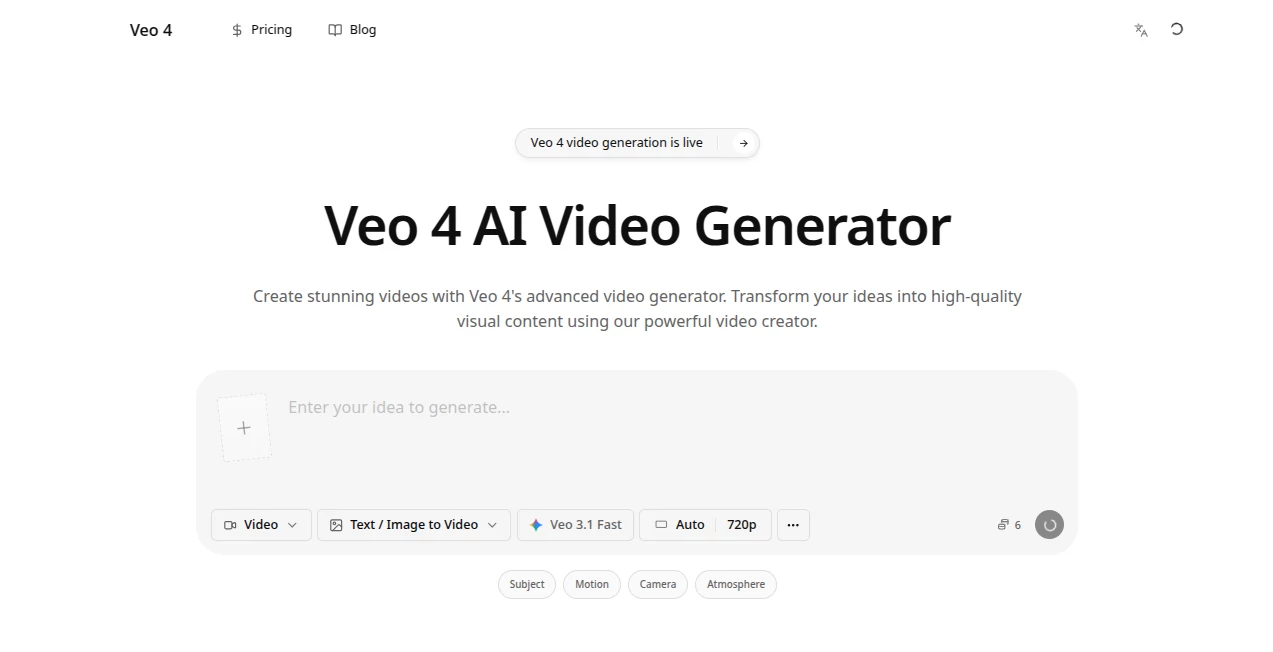
The workspace is clean and inviting. A prominent prompt box lets you describe your scene in plain language, with an easy area to upload reference images if you want more control over style or characters. Simple toggles for aspect ratio, duration, and quality sit nearby without cluttering the screen. Generation previews appear reasonably quickly, so you can iterate without losing momentum. It’s one of those interfaces that feels welcoming to beginners yet efficient for people who create video regularly.
Accuracy & Performance
The model handles motion, lighting, and character consistency remarkably well for its generation speed. Prompts translate into clips with natural camera movement, realistic physics, and coherent action. Faces and objects stay recognizable across frames, and the overall quality feels cinematic rather than artificial. Processing times are practical—fast enough to support real creative back-and-forth without the long waits that kill inspiration.
Capabilities
You can generate videos from text prompts alone or use image references for stronger visual control (image-to-video or hybrid mode). It supports multiple aspect ratios suitable for social, landscape, or square formats. The output works well for marketing clips, product demos, story teasers, training videos, and creative experiments. The cinematic quality—good lighting, smooth motion, and attention to mood—sets it apart from many earlier AI video attempts.
Security & Privacy
Your prompts and generated videos are handled with standard care for this type of platform. The focus is on delivering the creative output while keeping the process straightforward and respectful of user data. For casual creators and professionals alike, the low-friction approach makes experimentation feel safe and enjoyable.
Use Cases
A small brand creates eye-catching product teasers from simple text descriptions and reference photos, saving significantly on video production costs. Content creators generate short, engaging social media clips that match their brand voice without daily filming. Educators turn lesson concepts into short explanatory videos that hold student attention. Indie storytellers prototype scenes or mood pieces to test ideas before committing to larger projects. The common thread is speed and quality—getting professional-looking video when time or resources are limited.
Pros and Cons
Pros:
- Produces cinematic-quality clips with natural motion and good visual consistency.
- Flexible input options—text, images, or both—give real creative control.
- Fast enough generation to support quick iteration and experimentation.
- Useful across marketing, social, education, and personal creative projects.
Cons:
- Clip length is still relatively short, best suited for teasers and short-form content.
- Very complex or highly specific scenes may need prompt refinement.
- Access to the highest quality and unlimited generations typically requires paid plans.
Pricing Plans
The platform offers a free tier that lets you explore and create several videos to experience the quality firsthand. Paid plans unlock higher resolution, longer clips, faster processing, and more generous daily limits. Pricing is structured to scale with your needs—casual users can stay on free or low tiers, while regular creators benefit from the upgraded capacity without excessive cost.
How to Use Veo 4
Start by typing a clear scene description in the prompt box. Add a reference image if you want to guide style, characters, or composition. Choose your preferred aspect ratio and any available quality settings. Hit generate and wait a short moment for the video to render. Preview the result, then refine your prompt or reference if needed and try again. Once satisfied, download the clip. The workflow is straightforward enough for quick tests yet powerful enough for more deliberate creative work.
Comparison with Similar Tools
While many AI video generators produce decent motion, this one stands out for its attention to cinematic qualities—better lighting, more natural movement, and stronger overall coherence. Some competitors excel at raw speed or length but sacrifice visual polish; others feel too experimental. Veo 4 manages a nice middle ground: fast enough for real workflows, polished enough to use in actual projects, and approachable enough that you don’t need to be a prompt engineer to get good results.
Conclusion
Creating video used to mean choosing between quality and speed. This tool narrows that gap in a meaningful way. It gives creators—whether marketers, educators, storytellers, or hobbyists—the ability to turn ideas into watchable, shareable clips without the traditional production burden. The results carry a cinematic feel that makes the output feel like a real creative achievement rather than just another AI experiment. For anyone who wants to bring visual stories to life quickly and with heart, it’s a welcome addition to the toolbox.
Frequently Asked Questions (FAQ)
How long are the generated videos?
Typically short clips optimized for social media, teasers, and quick storytelling—ideal length for engagement without long render times.
Do I need reference images?
No—text prompts work well on their own—but adding images gives you more control over style and composition.
Is the output suitable for professional use?
Yes—many users successfully use the clips for marketing, social content, and creative projects.
What if the first result isn’t quite right?
Refine your prompt or add a reference image. Small adjustments often lead to significantly better outputs.
Is there a free way to try it?
Yes—a free tier lets you generate videos and see the quality before considering paid options.
AI Animated Video , AI Image to Video , AI Video Generator , AI Text to Video .
These classifications represent its core capabilities and areas of application. For related tools, explore the linked categories above.
Veo 4 details
Pricing
- Free
Apps
- Web Tools
Categories

Veo 4 Alternatives Product

Nano Banana …

Sisif

ReelsBuilder…

AudioVideoGe…

Veo

Seedance 2 P…

Seedance 2.0…

Seedance 2.0…

Seedance
