
🧠 AI Quiz
Think you really understand Artificial Intelligence?
Test yourself and see how well you know the world of AI.
Answer AI-related questions, compete with other users, and prove that
you’re among the best when it comes to AI knowledge.
Reach the top of our leaderboard.


















Veo 4 AI Video Generator
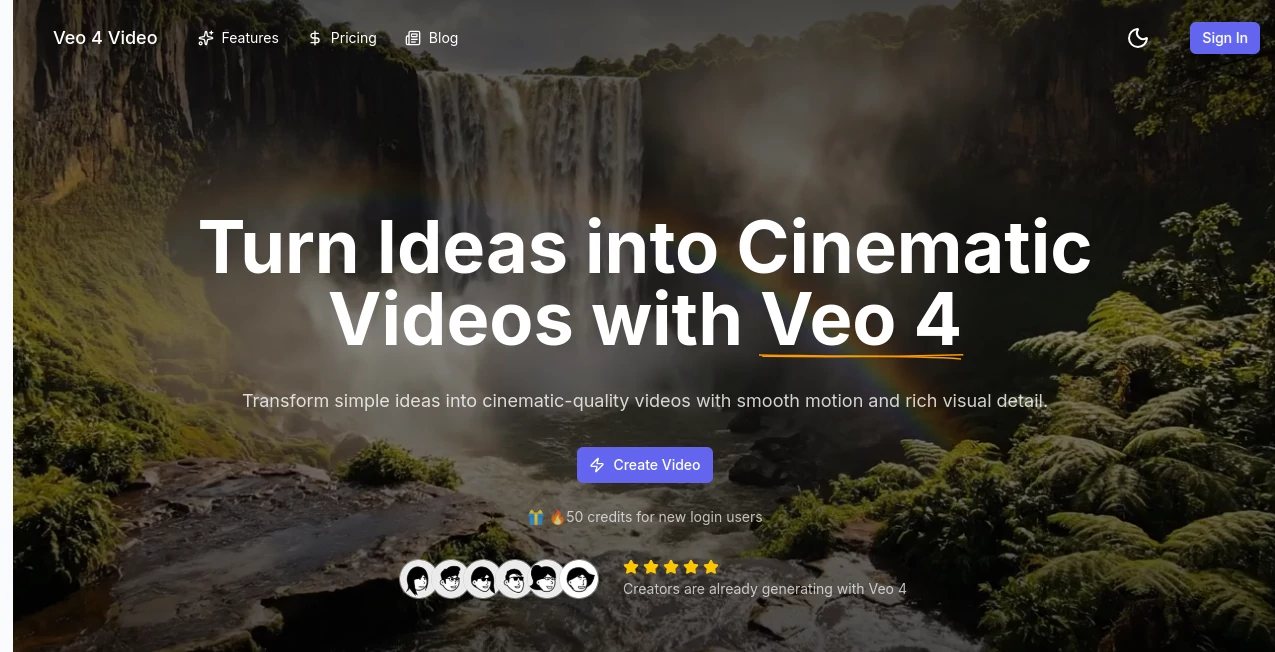
What is Veo 4 AI Video Generator?
Few things feel as satisfying as watching a vague description or a still photo suddenly come alive as a short, flowing video clip that looks like it belongs in a movie trailer. This tool captures that exact thrill—describing a quiet moment in a rainy city street or animating a single frame into smooth motion—and delivers results that carry real cinematic weight. I’ve played with plenty of generators, but the way this one handles motion naturally, adds synced audio that actually fits the scene, and keeps everything looking polished without watermarks on paid runs makes it stand out. It’s the kind of thing that turns a lazy afternoon idea into something shareable in minutes.
Introduction
Short-form video dominates feeds these days, and the pressure to create something eye-catching fast is real. This platform steps in with a focused, no-nonsense approach: feed it text or images, choose your aspect ratio, and get an 8-second clip that feels intentionally directed rather than randomly stitched. The built-in audio generation—dialogue, background sounds, even subtle effects—adds a layer most tools skip entirely. What started as an exciting way to experiment has become a daily go-to for creators who want professional-looking shorts without the production headache. I once turned a quick prompt about a lone figure walking through fog into a moody opener for a podcast episode; the atmosphere was spot-on and the sound design elevated it far beyond what I expected from an online tool.
Key Features
User Interface
The dashboard keeps things refreshingly simple: a generous prompt box, clear toggles for fast vs quality mode, aspect ratio picker, and upload spots for images or audio that don’t clutter the screen. Preview appears promptly, and controls stay within reach so tweaking feels natural rather than buried. It’s designed for flow—write, generate, adjust, export—without pulling you into endless sub-menus.
Accuracy & Performance
Motion stays coherent and intentional; characters don’t morph mid-scene, camera moves feel deliberate, and audio locks to the action instead of floating loosely. Generation times stay reasonable even in quality mode, and outputs hold sharpness at 1080p. From testing, prompts with specific lighting or pacing instructions come back surprisingly faithful—rare for this kind of tool.
Capabilities
Text prompts build full scenes from scratch, while image-to-video breathes motion into stills or uses two frames to guide the transition between them. Native audio syncs dialogue, ambience, and effects automatically. Multiple aspect ratios cover horizontal feeds, vertical stories, and auto framing. Exports are clean—no forced branding on paid plans—and the quality toggle lets you balance speed against detail depending on the moment.
Security & Privacy
Your prompts and uploads are handled with care, processed securely, and not used to train anything else. Paid plans especially give that extra reassurance when working on branded or personal content. It’s reassuring to know the platform respects boundaries while delivering fast results.
Use Cases
Content creators whip up Reels or TikToks that match their channel vibe without spending hours in editing software. Small brands produce quick product teasers or social ads that look far more expensive than they are. Filmmakers sketch scene ideas to test pacing or mood before committing to real shoots. Musicians animate lyric videos where visuals sync tightly to the track. The 8-second sweet spot fits perfectly for hooks, intros, or standalone moments that grab attention fast.
Pros and Cons
Pros:
- Genuinely cinematic motion and composition that feels directed, not random.
- Built-in audio sync saves an entire editing step.
- Clean 1080p exports with no watermark on paid plans.
- Image-to-video and dual-frame control open creative possibilities.
Cons:
- Locked at 8 seconds—great for shorts, limiting for longer narratives.
- Free tier includes watermark; full potential unlocks with subscription.
Pricing Plans
Start free to test the waters—enough generations to see the quality firsthand. Creator plan brings watermark-free clips and generous credits for $19.90 monthly. Professional tier adds faster processing and priority support around $34.90, while Enterprise scales up credits and speed for heavier users at $62.90. Yearly billing cuts costs noticeably, and credits refresh monthly so you always have room to play.
How to Use Veo 4 AI Video Generator
Open the prompt field and describe your scene—add camera direction, mood, time of day if you want control. Upload a starting image or pair of frames for guided animation. Select aspect ratio (16:9, 9:16, or auto), choose fast or quality mode, and hit generate. Preview the clip, tweak the prompt if needed, then download the clean file. For audio-driven pieces, upload your track first—it aligns everything automatically. Simple enough for quick experiments, powerful enough for repeatable results.
Comparison with Similar Tools
Many generators spit out clips that feel stitched or inconsistent; this one prioritizes coherent storytelling and intentional movement from the start. Native audio sync sets it apart—most force you to add sound later, losing momentum. It strikes a sweet balance between creative control and polished output that feels more production-ready than many competitors, especially for short, impactful pieces.
Conclusion
This tool quietly raises the bar for what short video creation can look and feel like, putting cinematic quality within reach without the usual production grind. It turns fleeting ideas into shareable moments that carry real weight, making it a favorite for anyone who wants their visuals to match their imagination. If you’ve been waiting for AI video that actually delivers on the promise, start here—the results speak louder than any hype.
Frequently Asked Questions (FAQ)
How long are the generated videos?
Up to 8 seconds of cohesive, cinematic motion—ideal for hooks, intros, and social clips.
Does it generate audio automatically?
Yes—dialogue, ambience, and effects sync naturally to the scene.
Can I upload my own audio?
Absolutely; upload tracks and it aligns visuals to the beat.
What resolutions are available?
1080p HD across all plans, clean exports on paid tiers.
Is there a watermark on free generations?
Yes on free; removed completely with any paid plan.
AI Animated Video , AI Image to Video , AI Text to Video , AI Video Generator .
These classifications represent its core capabilities and areas of application. For related tools, explore the linked categories above.
Veo 4 AI Video Generator details
Pricing
- Free
Apps
- Web Tools
Categories

Veo 4 AI Video Generator Alternatives Product
hailuo03

Seedance 2 V…

v04 ai

Kling 3.0 Vi…

AI Animate I…

AudioVideoGe…

Seedance AI

seedance 3.0

gemini video
