
🧠 AI Quiz
Think you really understand Artificial Intelligence?
Test yourself and see how well you know the world of AI.
Answer AI-related questions, compete with other users, and prove that
you’re among the best when it comes to AI knowledge.
Reach the top of our leaderboard.


















Veo 4 Prompt
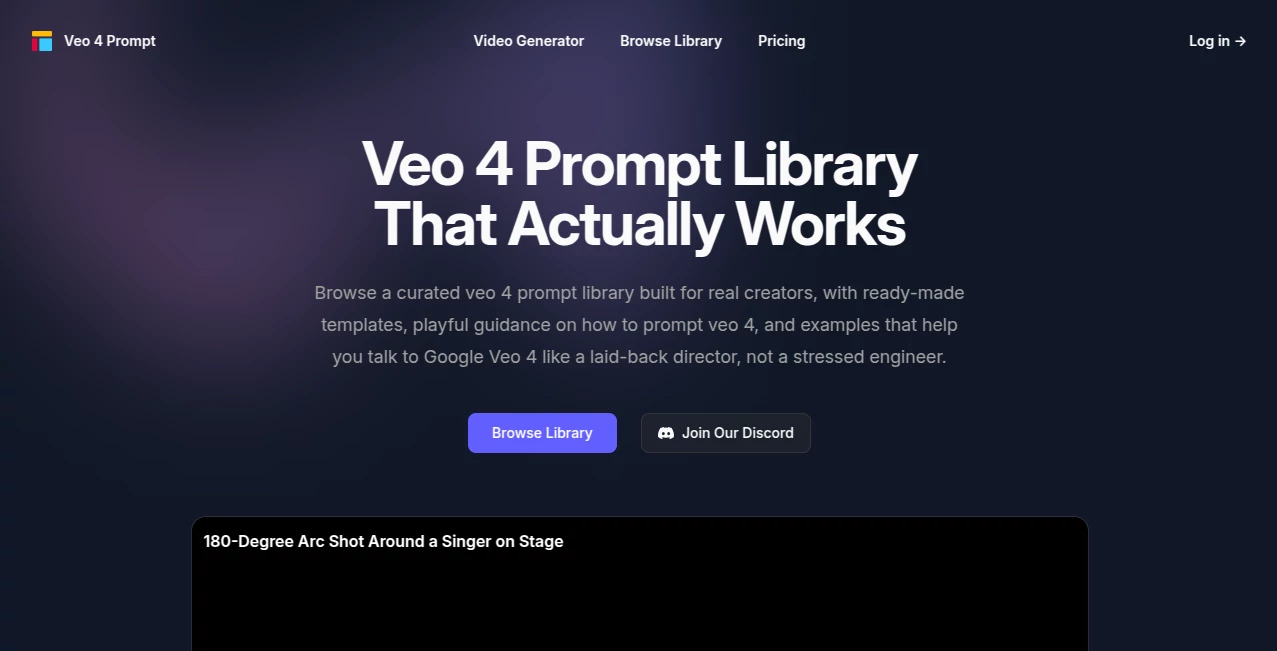
What is Veo 4 Prompt?
Staring at a blank prompt box while trying to get Google Veo to create the exact scene in your head can be incredibly frustrating. You know what you want—a moody detective scene, an epic canyon shot, a singer performing with the right camera move—but the words just won't come out right. This platform fixes that frustration by giving you a well-curated library of prompts that have already been tested and refined for Veo 4. Instead of guessing, you browse, copy, tweak slightly if needed, and get results that feel cinematic rather than random. I've watched creators who used to spend ages rewriting prompts now generate usable clips much faster, simply because they started with language that actually speaks Veo's cinematic language.
Introduction
Google Veo is powerful, but getting great video out of it often depends on how well you speak its language. This tool acts as a thoughtful prompt companion specifically built for Veo 4 users. It offers ready-made templates and real examples that break down complex cinematic shots into copy-paste scripts covering camera movement, mood, lighting, and subject behavior. The prompts feel like friendly direction notes rather than technical code. Whether you're making short social videos, testing story ideas, or building longer sequences, having a reliable starting point saves hours of trial and error. Many users say it keeps them in the creative "magic zone" instead of turning them into full-time prompt engineers.
Key Features
User Interface
The site keeps things clean and focused. You can browse a gallery of prompts organized by mood or style, filter quickly, and see real Veo 4 examples with full text ready to copy. Each prompt comes with a short description of the scene it creates, making it easy to find what matches your vision. One-click copy buttons and direct "Try It Yourself" links to the video generator make the transition from idea to output seamless. It's the kind of simple, useful design that respects your time and keeps the focus on creating rather than navigating.
Accuracy & Performance
The prompts are battle-tested—curated and refined so they reliably produce coherent, cinematic results in Veo 4. They handle camera instructions, emotional tone, lighting, and subject details in ways that reduce weird artifacts and improve consistency. Users report higher success rates on the first or second try compared to writing from scratch. The library stays updated with new examples as Veo evolves, so the prompts continue to perform well even as the model improves.
Capabilities
The collection covers a wide range of cinematic scenarios: moody night scenes, epic landscape reveals, character-driven dialogue moments, dynamic camera moves like 180-degree arcs, and stylized or realistic looks. Prompts include detailed guidance on depth of field, lighting, motion blur, and subject behavior. You can filter by style, copy full prompts, and adapt them quickly for your own projects. It also includes tips on how to prompt Veo effectively, helping you level up your own prompting skills over time.
Security & Privacy
Your usage stays private—no prompts or generated ideas are stored or shared without your consent. The focus is on giving you useful starting points without collecting unnecessary data about your creative process. It's a low-pressure environment where you can experiment freely, knowing your ideas remain yours.
Use Cases
A short-form creator looking for fresh Reels ideas browses the gallery, grabs a melancholic bus window prompt, tweaks it slightly, and gets a moody video that performs well. An indie filmmaker tests story beats by generating quick cinematic shots of key moments before committing to full production. A marketer creates product reveal concepts with precise camera language to pitch to clients. A hobbyist explores "what if" scenes late at night, turning random thoughts into shareable clips. It's especially useful when inspiration is low but you still need to ship something that looks intentional.
Pros and Cons
Pros:
- Ready-made prompts that actually work well with Veo 4, saving hours of guessing.
- Clear examples covering camera moves, mood, and composition in cinematic language.
- Simple browsing and one-click copy makes iteration fast and painless.
- Helps users learn better prompting techniques while delivering immediate results.
- Regular updates keep the library fresh as Veo improves.
Cons:
- Best results still come from some light tweaking to match your exact vision.
- Free access is limited; full library and premium collections require a Pro plan.
- It's a prompt helper, not a full video generator— you still need access to Veo 4 itself.
Pricing Plans
The free tier gives you access to a solid selection of prompts to test and use right away. The Pro plan unlocks the full library of 100+ professional prompts, monthly premium collections, priority updates, and extra benefits like AI generation credits to test prompts directly in-app. At a reasonable monthly price, it pays for itself quickly for anyone regularly creating with Veo 4. The value comes from the time saved and the quality boost in your output.
How to Use Veo 4 Prompt
Browse the gallery or use filters to find a prompt that matches the mood or style you're after. Read the short description to understand the scene it creates. Click copy to grab the full prompt text. Paste it into Google Veo 4 (or use the "Try It Yourself" link if available), make small adjustments if needed, and generate your video. Review the result, then come back to the library for variations or new ideas. Over time, you'll start recognizing patterns in the language that work well and apply them to your own custom prompts.
Comparison with Similar Tools
Generic prompt generators often give vague or overly technical suggestions that don't translate well to Veo 4's cinematic strengths. This one is specifically tuned for Veo 4 with real, tested examples that focus on camera language, mood, and storytelling flow. Where other libraries feel random or overwhelming, this collection stays curated and practical—more like a helpful director's notebook than a giant database of random text. It's especially strong for users who want reliable starting points rather than endless experimentation.
Conclusion
Good prompts are the secret sauce behind great Veo 4 videos, but writing them from scratch can kill momentum. This platform gives you a smart head start with prompts that respect the model's strengths and your creative vision. It turns blank-box frustration into confident creation, helping you ship better videos faster. For anyone working with Google Veo 4—whether casually or professionally—having a reliable prompt companion like this makes the whole process more enjoyable and productive. Sometimes the best tools aren't the ones that generate the final piece, but the ones that help you get there with less friction and more joy.
Frequently Asked Questions (FAQ)
Do these prompts work with the latest Veo 4?
Yes—the library is regularly updated to match current model behavior and best practices.
Can I modify the prompts?
Absolutely. They're designed as strong starting points—tweak details, add specifics, or combine elements to make them your own.
Is there a free way to try it?
Yes, a good selection of prompts is available without paying, so you can test the quality immediately.
How often is the library updated?
New prompts and collections are added monthly for Pro users, with general improvements as Veo evolves.
Do I need a separate Veo 4 subscription?
Yes—this is a prompt library and helper. You still need access to Google Veo 4 to generate the actual videos.
Prompt .
These classifications represent its core capabilities and areas of application. For related tools, explore the linked categories above.

Veo 4 Prompt Alternatives Product

Sourcetable

Lovable

PromptZerk

MidJourney

Seedance Pro…

Midas Tools

Nano Banana …

Trending AI …

Random Promp…
