
🧠 AI Quiz
Think you really understand Artificial Intelligence?
Test yourself and see how well you know the world of AI.
Answer AI-related questions, compete with other users, and prove that
you’re among the best when it comes to AI knowledge.
Reach the top of our leaderboard.


















Vibecode

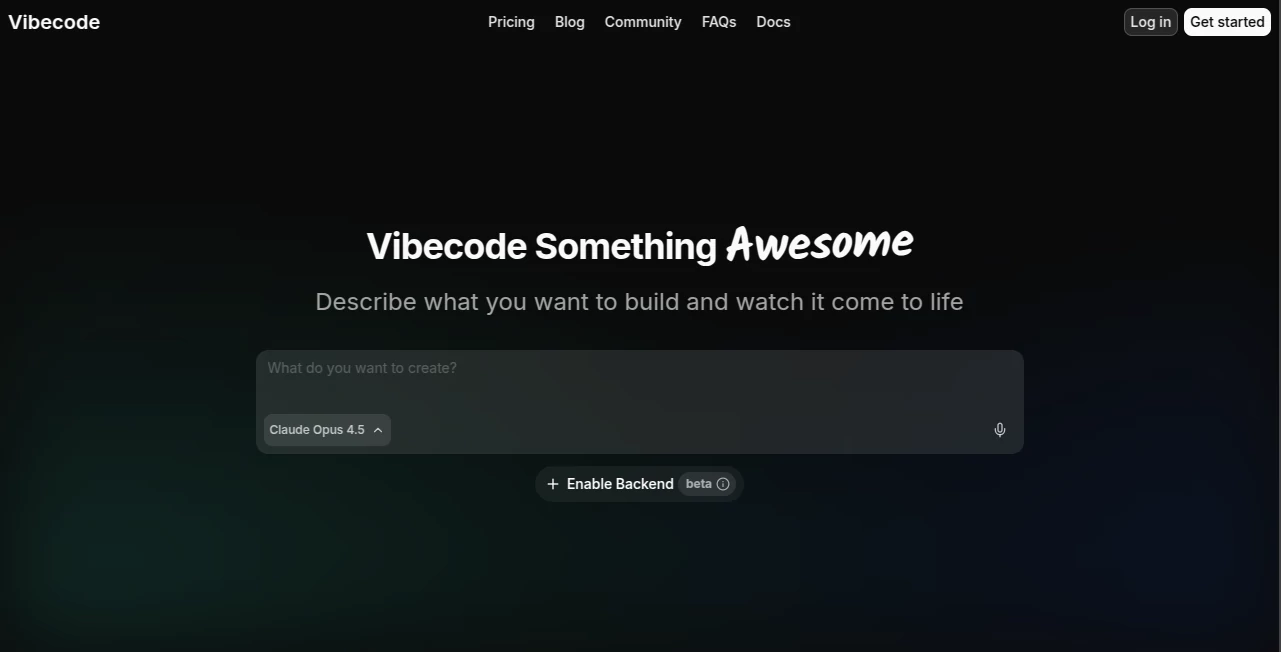
What is Vibecode?
There's a real thrill in sketching out an app idea on a napkin one evening and waking up to a working prototype the next morning—all from your phone, no laptop required. This clever mobile tool makes that possible, letting you chat your vision into existence and watch native apps take shape right before your eyes. I've played around with a few builders, but the way this one feels like an extension of your thoughts, refining and iterating on the go, turned a casual weekend experiment into a fully testable app that friends actually downloaded and poked at.
Introduction
Born from the frustration of clunky dashboards and endless setup, this platform puts the power of app creation squarely in your pocket, using smart AI to interpret natural descriptions and spin them into functional mobile experiences. It's aimed at everyone from curious beginners to seasoned devs looking for rapid prototyping, with a focus on React Native and Expo under the hood for solid, native performance. Users often share how it cut their development time from months to minutes, like one camper who built a full trip planner complete with reminders and sorting features over a few evenings. It's that blend of accessibility and depth—vibe coding brought to the masses—that makes it stand out in a crowded field.
Key Features
User Interface
The whole experience lives inside a sleek mobile app, where prompting feels like texting a brilliant collaborator who instantly mocks up screens and logic. Preview and test right on your device, tweak with follow-up chats, and share via App Clips for instant feedback—no exports or complicated handoffs. It's remarkably intuitive; my first session had me refining a simple tracker app while commuting, everything flowing without a single confusing menu.
Accuracy & Performance
Powered by advanced models like Claude Opus, it grasps complex requests with impressive fidelity, handling interactions, categories, and even reminders that work out of the box. Builds happen swiftly, with live previews that run smooth on your phone, and the agent improves with each update for even sharper results. In practice, it rarely misses the mark on straightforward ideas, delivering apps that feel polished and responsive from the initial generation.
Capabilities
Generate full apps from prompts, add advanced logic like sorting or notifications, test in real-time, and iterate conversationally until it matches your vision. Share instantly with clips, or dive deeper for production-ready tweaks—it's geared toward React Native pros but welcoming to newcomers willing to learn the vibe. The backend beta opens doors to more robust features, making it versatile for everything from quick proofs to serious launches.
Security & Privacy
Standard practices keep your projects contained, with clear terms outlining data handling for a worry-free build process. It's reassuring for personal or client work, focusing on letting you create freely without unnecessary complications.
Use Cases
Side-hustlers prototype marketplace ideas on the couch, refining until ready for real users. Campers craft custom planners with gear lists and alerts that actually ping. Teams brainstorm internal tools during meetings, sharing clips for immediate input. Even hobbyists turn fun concepts into playable demos, like a simple game or habit tracker that evolves with casual prompts.
Pros and Cons
Pros:
- True mobile freedom—build and test anywhere, no desk required.
- Rapid iterations that capture the creative flow perfectly.
- Instant sharing via clips speeds up feedback loops dramatically.
- Solid native foundation for apps that perform like the real deal.
Cons:
- Geared toward those familiar with React Native for deeper tweaks.
- Agent performance can vary day to day, though support steps in quick.
Pricing Plans
Download free from app stores to explore the core prompting and previewing, with subscription options unlocking fuller access and removing limits as your projects grow. It's structured to let you start light and scale up, fitting everything from casual tinkering to committed development.
How to Use Vibecode
Grab the app, describe your idea in plain words—like "a camping checklist with reminders"—and let the agent propose a build. Preview on your phone, chat refinements like adding categories, test interactions live, and share a clip when ready. Loop through prompts to polish, building complexity one conversation at a time until it's something you're proud to show off.
Comparison with Similar Tools
While web-based builders tie you to a screen, this one's mobile-first approach lets ideas strike and develop anywhere, trading broad templates for focused, conversational depth. It's more hands-on than fully automated rivals, rewarding that back-and-forth for results that feel truly yours, especially in the React Native ecosystem where others might falter.
Conclusion
This tool captures the joy of creation unfiltered, putting powerful app building in your palm and turning fleeting ideas into tangible experiences. It's a reminder that the future of development feels personal again—conversational, immediate, and full of possibility. If you've got an app brewing in your head, this is the spark to set it free.
Frequently Asked Questions (FAQ)
Do I need coding experience?
Not strictly, though some React Native familiarity helps for advanced refinements—prompting handles the heavy lift.
Can I publish to stores?
Builds are production-capable, ready for final tweaks and submission.
How fast are generations?
Often minutes for solid starters, with iterations speeding things up.
Is there support if stuck?
Responsive team on hand, plus community tips for common hurdles.
Works on Android too?
Yes, available across platforms for seamless building.
AI App Builder , AI No-Code & Low-Code , AI Code Generator , AI Developer Tools .
These classifications represent its core capabilities and areas of application. For related tools, explore the linked categories above.
Vibecode details
This tool is no longer available on submitaitools.org; find alternatives on Alternative to Vibecode.
Pricing
- Free
Apps
- Web Tools
Categories

Vibecode Alternatives Product

AntForms

Workik

PromptCoder
axiom.ai

JSON to TOON…

Lovable APP

GPTLocalhost

Jujutsu Zero…

Somnio
