
🧠 AI Quiz
Think you really understand Artificial Intelligence?
Test yourself and see how well you know the world of AI.
Answer AI-related questions, compete with other users, and prove that
you’re among the best when it comes to AI knowledge.
Reach the top of our leaderboard.


















VideoDubber
What is VideoDubber?
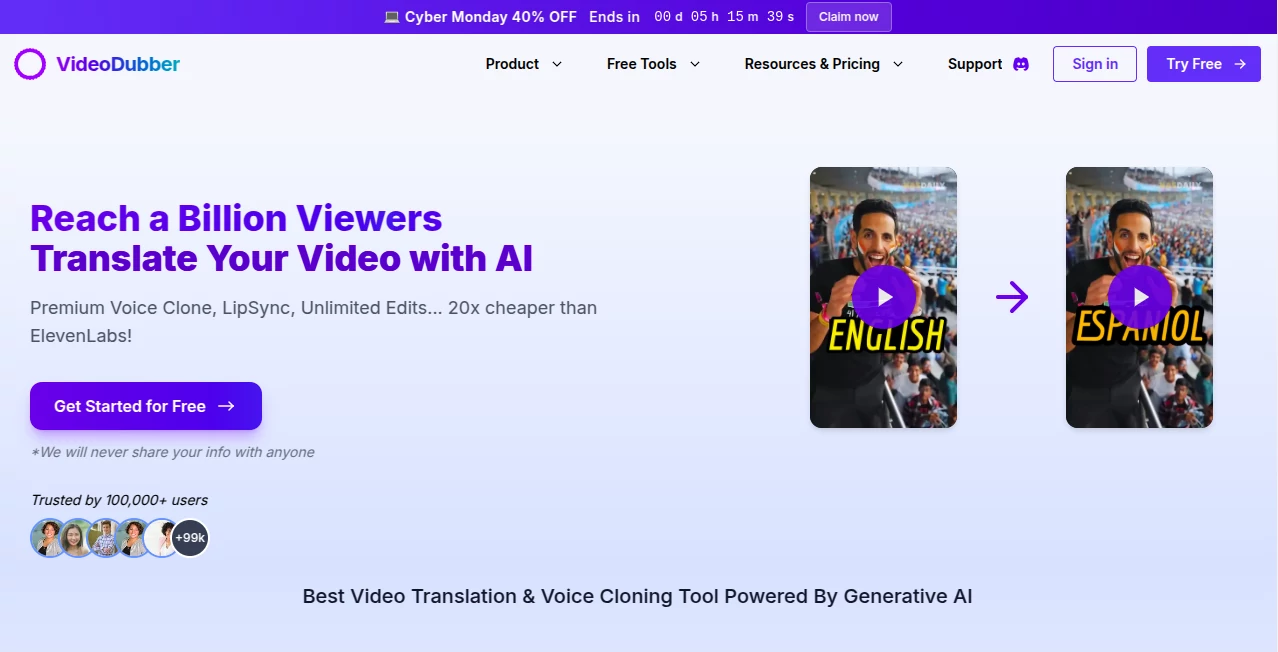
VideoDubber opens doors for creators to share their stories across borders, breathing new life into clips by swapping languages while keeping the original spark intact. This handy service takes the hassle out of reaching new ears, letting you tweak voices and words to fit any crowd. Many who've given it a spin talk about how it turned local hits into worldwide favorites, all without losing that genuine feel in every frame.
Introduction
VideoDubber came along a short while back, sparked by folks who saw how great content often stayed stuck in one tongue, missing out on bigger audiences. It started as a way to bridge that gap, quickly winning over YouTubers and marketers tired of clunky workarounds. Now with thousands of clips transformed and glowing feedback from everyday users, it's become a go-to for anyone aiming to spread their message far and wide. What draws people in is that seamless blend of smarts and simplicity, turning what used to be a headache into a quick win that feels almost too good to be true.
Key Features
User Interface
The setup feels welcoming right from the start, with a clean dashboard that guides you through uploads and picks without overwhelming the screen. Drop in a link or file, choose your starting and ending tongues from a long list, and watch options unfold in a straightforward flow. Previews pop up fast, letting you spot tweaks on the spot, and the whole thing runs smooth on any device, like a trusted notebook that flips pages on its own.
Accuracy & Performance
It captures the essence of what's said with a sharpness that surprises, matching tones and timing so the new version flows naturally. Jobs wrap up quicker than expected, even for longer pieces, and the results hold up well under close looks, often blending so well you forget it's not the original. Users often point out how it shines on clear inputs, delivering outputs that land close to the mark without much fuss.
Capabilities
From swapping single voices to handling chats with multiple speakers, it covers a wide ground, layering in matching movements and keeping background hums just right. You can pull from a huge pool of options for sounds and styles, and even fine-tune words or add notes below the action. It's built to handle everything from quick talks to drawn-out tales, making it versatile for projects big and small.
Security & Privacy
Your files get treated with care, locked down tight and cleared out after the job's done, following rules that keep things above board. It gives you full say over who sees what, with checks in place to spot any slips. Creators rest easier knowing their work stays safe, letting them focus on the fun without a nagging doubt in the back of their mind.
Use Cases
YouTubers refresh old uploads for fresh crowds, watching views climb as tutorials click in new spots. Businesses push ads that hit home in local flavors, boosting pulls without remaking everything. Teachers adapt lessons for classes full of different backgrounds, making tough topics easier to grasp. Even travel sharers dub their adventures, drawing in followers from corners they'd never reached before.
Pros and Cons
Pros:
- Covers a ton of tongues and styles, opening up real worldwide doors.
- Keeps things lively with matches that feel spot-on.
- Runs cheap and easy, with no extra marks or caps on changes.
- Handles groups and extras without skipping a beat.
Cons:
- Trickier bits or fuzzy sounds might need a second pass.
- Free runs limit length, nudging toward paid for bigger plays.
- Best on straightforward setups, less so for wild mixes.
Pricing Plans
You can start at no cost with a taste of the basics, good for short tries without any strings. From there, a mid-range option opens up more room and fancier touches for steady use, while the top shelf brings unlimited pulls and team shares for heavy hitters. Deals pop up now and then to sweeten the pot, keeping it light on the wallet as you grow.
How to Use VideoDubber
Sign in quick and load up your clip, picking the from and to languages from the dropdowns. Settle on a voice match or fresh clone, tweak the undernotes if needed, and give it a listen through the preview. Make any last adjustments, then grab the finished file ready to roll out. It's a loop you can rerun with ease, building a library of versions that fit any crowd.
Comparison with Similar Tools
Next to pricier setups that charge per word, VideoDubber keeps costs down while packing in more options, though those might edge on raw power for niche needs. Against simpler swappers, it adds that extra layer of life with movements and multiples, but could lag if you're after bare-bones speed. It strikes a nice balance for most, blending value with versatility where others tip one way or the other.
Conclusion
VideoDubber wraps up the chase for easy worldwide sharing, handing creators tools that turn one story into many without the sweat. It proves that reaching farther doesn't have to mean starting over, fostering connections that span the globe one dubbed clip at a time. As more voices seek broader stages, this one's poised to keep the conversation going, smooth and true.
Frequently Asked Questions (FAQ)
How many languages does it cover?
A whole bunch, enough to touch almost every corner of the map.
Can I keep the original music?
Yes, it lets you hold onto the tune or swap it out as you like.
Is there a free way to try it?
Absolutely, jump in with no charge for a quick feel.
What about group talks?
It handles multiples just fine, keeping everyone in sync.
How real do the voices sound?
Close enough to fool most, blending right into the scene.
AI Video Editor , AI Lip Sync Generator , AI Voice Cloning , AI Speech Synthesis .
These classifications represent its core capabilities and areas of application. For related tools, explore the linked categories above.
VideoDubber details
Pricing
- Free
Apps
- Web Tools
Categories

VideoDubber Alternatives Product

VoiceAILabs

MixHub AI

Quso AI

Remove Water…

Leonardo.ai

Zeemo AI

Qwen3 TTS

Free Voice C…

Kapwing
