
🧠 AI Quiz
Think you really understand Artificial Intelligence?
Test yourself and see how well you know the world of AI.
Answer AI-related questions, compete with other users, and prove that
you’re among the best when it comes to AI knowledge.
Reach the top of our leaderboard.


















Wan Animate AI

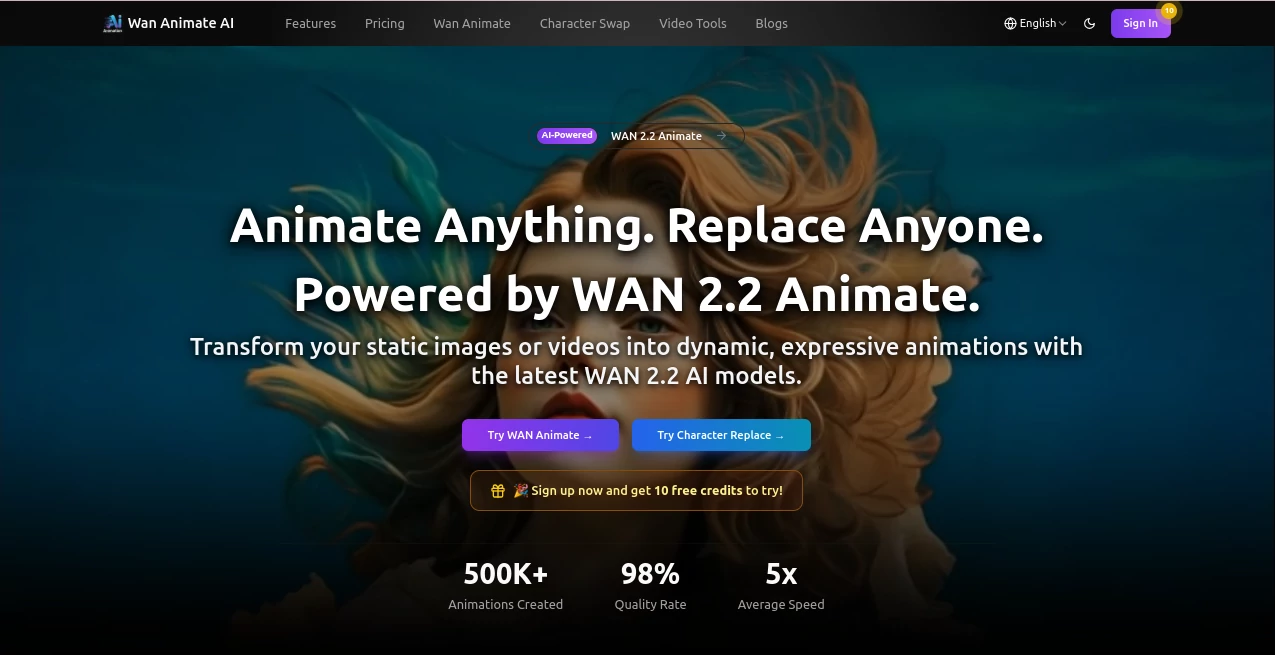
What is Wan Animate AI?
Ever watched a dancer nail a routine and thought, "What if my cartoon hero could pull that off too?" That's the thrill this tool unlocks—grabbing a clip's energy and breathing it into characters that leap off the page. I once handed it a goofy family video of my kid's first twirl, and out came an anime version where her stuffed bear joined in, expressions spot-on and moves fluid as butter. It's these little miracles that make folks like me, a weekend video tinkerer, feel like a studio wizard without the budget or the burnout.
Introduction
In the whirlwind of content demands, where every scroll craves something fresh and fluid, this platform arrives like a breath of inventive air, harnessing clever tech to swap and animate figures in ways that feel almost too seamless. Picture indie creators ditching days of frame-by-frame drudgery, or marketers whipping up ads that pop with personality—all from a simple upload. It's drawn a crowd of animators, filmmakers, and social butterflies who swap tales of "before" slogs turning into "after" awe, like that one editor who cut her project time in half and finally nailed a client's quirky vision. Rooted in cutting-edge motion mapping, it bridges the gap between static sketches and dynamic stories, inviting anyone with a spark to fan it into a flame.
Key Features
User Interface
The flow here is pure poetry—three steps that unfold like a friendly chat: drop in your motion clip or base footage, add your star's portrait, and step back as it weaves the wonder. No labyrinth of menus; just clean prompts and a live peek that lets you nudge if needed, all wrapped in a dashboard that loads quick and looks sharp on any device. My go-to test? Uploading a quick phone vid—boom, intuitive sliders for tweaks, and a before-and-after that makes you grin at how effortless it all feels.
Accuracy & Performance
It dives deep into every twitch and glance, replicating them with a fidelity that leaves jaws dropped—think natural blinks syncing perfectly or a head tilt that carries the original's charm. Clips churn out in 1-3 minutes for those bite-sized 5-10 second gems, scaling smoothly for longer hauls without skimping on quality. Users in the know highlight how it nails photorealism, turning potential glitches into graceful blends that hold up on big screens, all while keeping your machine humming, not huffing.
Capabilities
Whether you're infusing a dancer's groove into an illustrated elf or seamlessly subbing a hero's mug for a scene-stealer, it handles the heavy lifting with grace—face swaps that preserve lighting quirks, animations that flow like water, all in crisp HD from PNGs, JPGs, or MP4s. The real gem? That motion magic that captures not just steps but soul, plus swaps that keep environments intact. It's a Swiss Army knife for visuals, from social snippets to storyboard savers, opening doors to wild ideas like reimagining classic tales with modern flair.
Security & Privacy
Your uploads get the VIP treatment—processed on the spot and tucked away securely, with clear paths to snag commercial rights baked right in. No hidden hooks or data drifts; it's all about that quiet confidence, letting you pour in personal clips or client proofs without a flicker of fret. In a field full of fine print, this straightforward shield feels like a handshake you can trust, especially when your creations are headed for the spotlight.
Use Cases
Social media mavens breathe life into avatars for trending challenges, watching engagement soar as followers tag along with the fun. Animation outfits streamline character arcs, swapping performers mid-project to match visions without reshooting. Marketers craft tailored ads where a brand mascot mirrors a celeb's charisma, hitting home harder than stock footage ever could. And educators? They animate historical figures for lessons that stick, turning dry dates into dances that kids replay on loop. It's these sparks—from a YouTuber's quick skit to a filmmaker's bold pivot—that show how it fuels creativity across the board.
Pros and Cons
Pros:
- Pinpoint motion mirroring that saves hours of manual magic.
- Blends so natural, they fool the eye and wow the crowd.
- Quick-turn HD outputs that fit any workflow, big or small.
- Versatile enough for pros yet welcoming to wide-eyed newbies.
Cons:
- Credit tally means planning ahead for marathon sessions.
- Best bets on shorter clips—epics might need a slice-and-dice.
Pricing Plans
It rolls out the red carpet with free starter credits just for signing on, letting you test the waters without a wallet wince. The basic pass at $21.90 a month bags 500 credits for steady starters, unlocking HD delights and swap savvy. Bump to pro at $36.90 for a thousand credits and priority hand-holding, or go all-in with ultimate at $148.90 for 4300 credits and endless elbow room. Discounts sweeten the yearly deal, and top-ups keep it flexible—smart scaling that matches your momentum without the nickel-and-dime dance.
How to Use WAN 2.2 Animate
Kick off by grabbing your motion muse—a lively clip of someone grooving—then slot in your character's snapshot, be it a hand-drawn hero or photo-real pal. Hit process, sip your brew for a minute or three, and voila: a video where every sway and smile syncs flawlessly. For swaps, flip the script—upload the scene, pick your stand-in, and watch the seamless sub unfold. I tried it with a beach romp vid and my nephew's doodle dog; the result? A pup party that had the family howling, exported crisp and ready for the 'gram in under five minutes flat.
Comparison with Similar Tools
Old-school rigs demand mocap suits and editing marathons, but this one sidesteps the sweat with AI that intuits intent, delivering dancer-level detail without the dance studio. Where rivals render rigid or rush rough, it strikes that sweet spot of speed and soul, outpacing plugins that plug away at basics while packing pro punch for pennies. For creators craving control without the chaos, it's the upgrade that feels like coming home—smarter, smoother, and seriously addictive.
Conclusion
This isn't merely a tool; it's the quiet revolution handing storytellers the keys to fluid futures, where characters cavort with conviction and clips come alive with ease. It whispers possibilities to the part-timer and powers the pro, turning "what if" whims into watch-this wins that linger. If your feed's feeling flat or your footage's frozen, give it a whirl—chances are, you'll wonder how you ever animated without it.
Frequently Asked Questions (FAQ)
What formats does it chew on?
PNG, JPG for stills, MP4 for motion—keeps it versatile without the format fuss.
How long for a full clip?
Snaps to in 1-3 minutes for shorts; scales gracefully for your grander gestures.
Commercial cool?
Locked and loaded with licenses in every plan—monetize without the migraine.
Need fancy gear to start?
Nah, just decent uploads; the AI does the heavy lifting from there.
Batch bliss available?
Queue 'em up and let it roll—perfect for powering through project piles.
AI Animated Video , AI Image to Video , AI Video Generator , AI Character .
These classifications represent its core capabilities and areas of application. For related tools, explore the linked categories above.
Wan Animate AI details
This tool is no longer available on submitaitools.org; find alternatives on Alternative to Wan Animate AI.
Pricing
- Free
Apps
- Web Tools
Categories

Wan Animate AI Alternatives Product

Nano Banana …

Seedance 2.0

seedance 2.0

Kling 3.0 Vi…

seedance 3.0

WonderShare …

See dance 2.…

Seedance Pro…

RenderFlow AI
