
🧠 AI Quiz
Think you really understand Artificial Intelligence?
Test yourself and see how well you know the world of AI.
Answer AI-related questions, compete with other users, and prove that
you’re among the best when it comes to AI knowledge.
Reach the top of our leaderboard.


















wan2-6.org
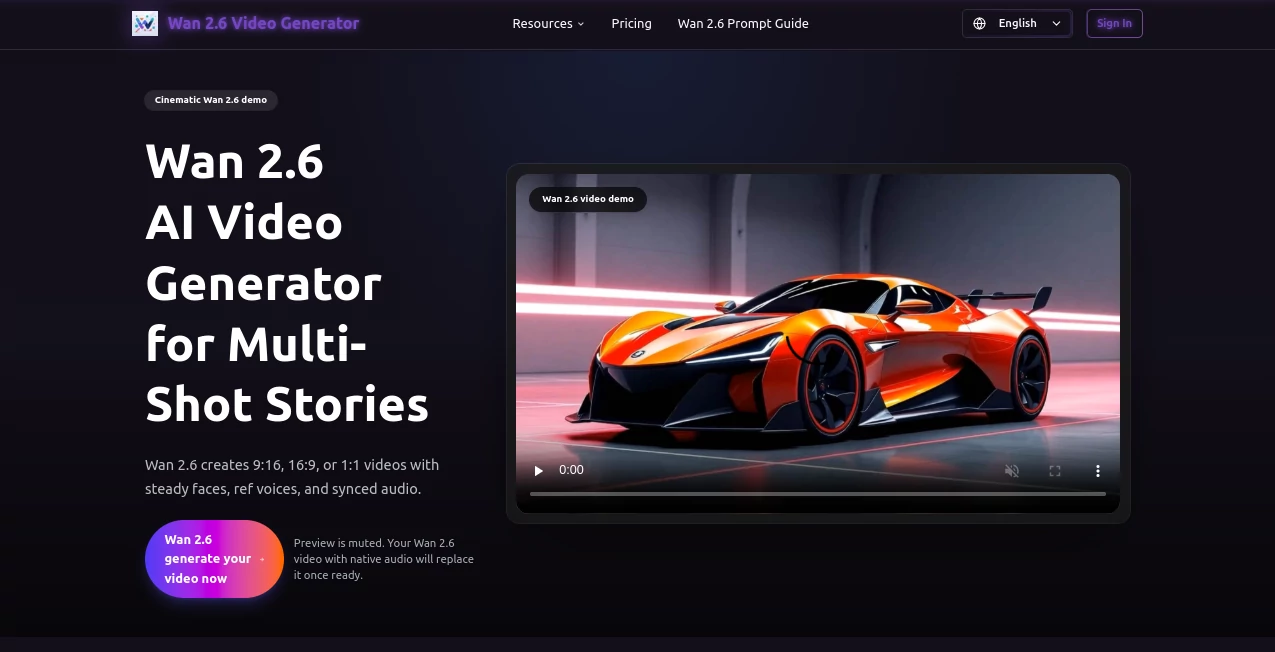
What is wan2-6.org?
There's something downright thrilling about typing a quick scene description, dropping in a short clip or photo, and ending up with a crisp 15-second video that flows like a mini-movie—complete with synced dialogue, music that hits the beats, and characters who look the same from one shot to the next. This tool nails that magic in under a minute, handing creators polished shorts that feel thoughtfully directed rather than hastily thrown together. I've seen marketers turn bland product ideas into eye-catching ads overnight, and hobbyists craft personal stories that actually move people—all without wrestling timelines or hunting stock audio.
Introduction
What draws people in is the way it thinks in shots, breaking your prompt into a logical sequence while keeping faces, voices, and vibes locked across cuts. Upload a five-second reference, and it mirrors the people perfectly, even handling two at once with natural interactions. Add your own track for beat-perfect sync, or let it weave in dialogue that lips match flawlessly. At 1080p and 24 frames, these clips land ready for TikTok, ads, or demos, with full commercial rights baked in. Over 75,000 creators trust it for everything from quick reels to branded stories, praising the 99.9% uptime and renders that average just 30 seconds. It's the kind of reliable partner that turns "I have an idea" into "here's the finished clip" without the usual frustration.
Key Features
User Interface
The dashboard keeps things delightfully uncluttered: pick your mode—text, image, or reference clip—then drop prompts, uploads, or audio in designated spots that make sense right away. Aspect ratios sit front and center for landscape, square, or vertical, and previews hover-to-play so you can judge motion instantly. My first run felt like second nature; no buried menus, just clear steps that guide without nagging, perfect whether you're on desktop or sneaking a quick generate from your phone.
Accuracy & Performance
Consistency is the standout here—faces and voices hold steady across multiple shots, even when weaving in references or dialogue hints in different languages. Renders fly at around 30 seconds on average, scaling smoothly for concurrent jobs on higher plans, with that native audio-visual sync delivering clear lip movements and music that lands on the mark. Users often share how it handles complex prompts with two subjects interacting naturally, producing results that feel directed rather than random, time after time.
Capabilities
Generate up to 15 seconds of multi-shot storytelling in 1080p, pulling from text prompts, single images, or short reference clips to replicate people and voices. It smartly plans transitions, matches lighting across scenes, and syncs uploaded audio or generated dialogue perfectly. Multiple aspect ratios, language support, and commercial-ready outputs make it versatile for everything from hero shots to full mini-narratives that keep viewers hooked.
Security & Privacy
Projects stay private by default, with robust compliance backing that gives peace of mind for commercial work. Credits never expire, and there's no surprise subscription churn—just straightforward access that respects your workflow and keeps your creations securely yours until you're ready to share.
Use Cases
Marketers craft product reels that showcase items in dynamic sequences, syncing music for instant engagement. Content creators on short-form platforms build consistent character series that grow followings fast. Educators animate lessons with narrated multi-shot explainers, while small businesses produce branded ads that look studio-polished on a startup budget. Even filmmakers prototype scenes with accurate lip-sync and motion before committing to full shoots.
Pros and Cons
Pros:
- Outstanding character and voice consistency across shots that tells coherent stories effortlessly.
- Native audio sync with precise lip movements saves massive editing time.
- Reference-to-video control for realistic people replication feels almost magical.
- Fast renders and commercial rights make it production-ready out of the box.
Cons:
- 15-second limit keeps focus on shorts rather than longer formats.
- Free tier includes watermarks, though easily removed with any plan.
Pricing Plans
Try it free with starter credits—no card needed—to feel the quality firsthand. One-time purchases start at $29.90 for solid packs that never expire, or go yearly: Starter around $238.80 (effectively $8.33/month) for 1,200 credits, Pro at $358.80/year ($16.66/month) for priority and higher quality, up to Premium at $598.80/year ($33.32/month) with fastest speeds and API access. It's refreshingly flexible—pay for what you need, keep the credits forever, and scale as your projects grow.
How to Use Wan 2.6
Choose your mode on the dashboard—text for pure prompts, image for stills, or reference for clipping people from video. Add your description, upload assets or audio, select aspect ratio, and generate. Results appear fast; preview, regenerate if you want tweaks, then download clean. Batch concurrent jobs on pro plans, and you'll have a reel of polished shorts ready before you finish your coffee.
Comparison with Similar Tools
While many generators deliver single clips or struggle with continuity, this one excels at true multi-shot narratives with reference accuracy and audio sync that rivals dedicated editors. It's built for coherent storytelling rather than isolated moments, offering cleaner consistency and faster polish that busy creators truly appreciate over scattershot alternatives.
Conclusion
This tool quietly redefines what's possible for short-form video, blending smart planning with seamless execution to turn simple ideas into compelling clips. It's the reliable creative boost that feels like an extension of your imagination—fast, consistent, and always ready to deliver. Give it a prompt, watch the shots unfold, and you'll understand why so many creators won't go back.
Frequently Asked Questions (FAQ)
How long can videos be?
Up to 15 seconds of smooth multi-shot action at 1080p and 24fps.
Can I use my own music or dialogue?
Yes—upload tracks for perfect native sync, including lip movements.
Does it keep characters consistent?
Absolutely, especially with reference clips for one or two people.
Commercial use allowed?
Full rights included with every generation on any plan.
How fast are renders?
Around 30 seconds on average, with priority options for pros.
AI Animated Video , AI Image to Video , AI Text to Video , AI Video Generator .
These classifications represent its core capabilities and areas of application. For related tools, explore the linked categories above.
wan2-6.org details
Pricing
- Free
Apps
- Web Tools
Categories

wan2-6.org Alternatives Product

Seedance 2.0

Veo 3.2

Image to Vid…

Seedance 2.0

Seedance 2.0…

Nodu AI

Seedance 2.0
Veo 3.2 AI V…

Seedance 2.0
