
🧠 AI Quiz
Think you really understand Artificial Intelligence?
Test yourself and see how well you know the world of AI.
Answer AI-related questions, compete with other users, and prove that
you’re among the best when it comes to AI knowledge.
Reach the top of our leaderboard.

















Wan 2.7 Image
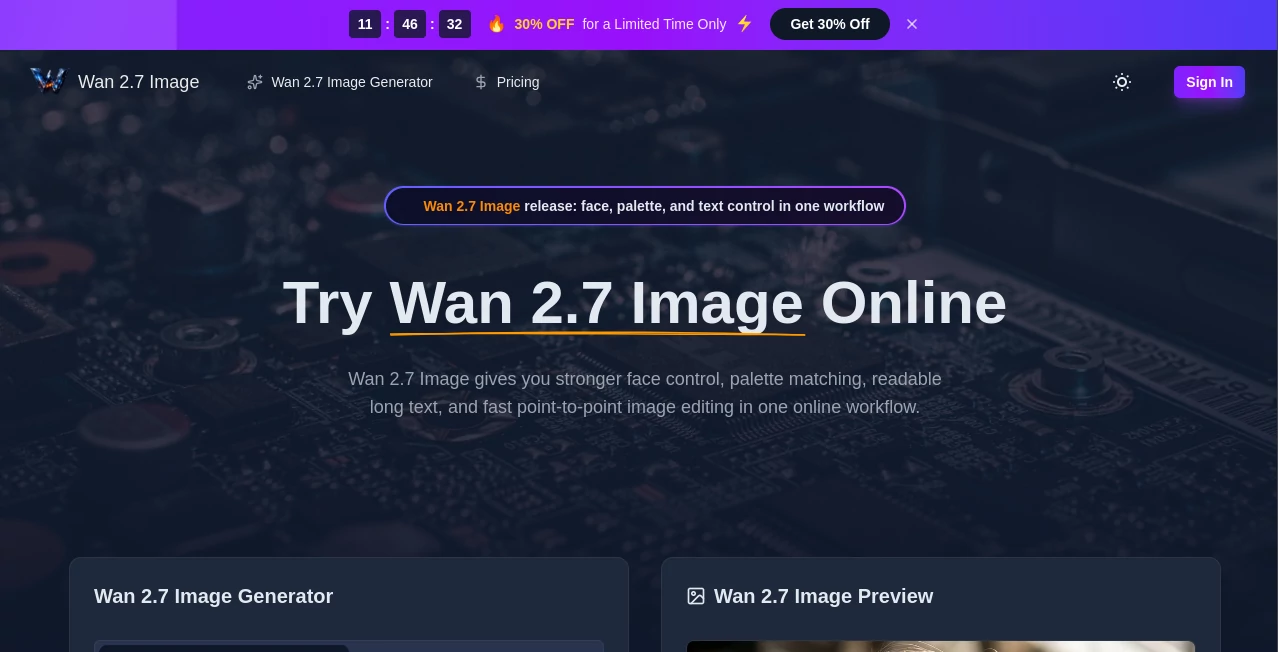
What is Wan 2.7 Image?
There’s a special satisfaction when an AI image tool actually listens — when you upload a reference face and it keeps the person looking like themselves, when text stays readable, and when colors feel exactly right. This platform delivers that experience consistently. You can generate fresh images from prompts, edit existing ones with surgical precision, or combine multiple references into something cohesive. I’ve seen designers use it to turn rough concepts into polished visuals and portrait artists maintain perfect likeness across variations. The results often feel less like “AI output” and more like a skilled collaborator who understands what you’re going for.
Introduction
Many AI image generators are great at flashy concepts but stumble on consistency, especially with faces, text, or specific color palettes. Wan 2.7 Image stands out by focusing on control and reliability. It handles strong face locking, accurate long text rendering across multiple languages, palette matching, and fast point-to-point editing all within one smooth workflow. Whether you’re creating product visuals, character designs, marketing assets, or detailed illustrations, it gives you the precision needed for professional-looking results without endless rerolls. It’s the kind of tool that makes you feel in charge of the creative process rather than hoping for the best.
Key Features
User Interface
The workspace is clean and practical. A clear prompt area, dedicated sections for uploading reference images, simple sliders for strength and style influence, and quick preview options. Everything is arranged so you can focus on your vision instead of hunting for buttons. You can upload multiple references at once, adjust influence per area, and see changes reflected fast. It’s approachable for beginners yet powerful enough for experienced users who want fine control.
Accuracy & Performance
Face consistency is notably strong — the model keeps identity across different angles, expressions, and lighting without the usual drift. Text rendering is clear and legible even with longer phrases, and palette control lets you match brand colors or artistic moods reliably. Generation speed is practical for iteration, and the outputs hold detail well at higher resolutions. The accuracy on reference-driven tasks makes it feel dependable rather than random.
Capabilities
It excels at reference-based generation, multi-image input, precise face locking, readable text in multiple languages, palette matching, and fast localized editing. You can generate from text, transform existing images with instructions, or combine several references for cohesive scenes. The point-to-point editing lets you change specific areas without affecting the whole composition. It’s versatile for portraits, product shots, illustrations, posters, and concept art where consistency and control matter most.
Security & Privacy
Your uploaded references and generated images are handled with care during processing. The platform maintains a respectful approach to user content, with no unnecessary long-term storage for casual sessions. This gives creators confidence when working with personal photos, client briefs, or brand assets.
Use Cases
A brand designer uploads product photos and generates consistent lifestyle variations while keeping exact colors. A character artist locks a face reference and creates multiple expressions and outfits for a game or story. A marketer turns text-heavy campaign concepts into clean visuals with readable headlines. A content creator edits existing images to match new branding or seasonal themes without starting from scratch. It shines anywhere precision and consistency are required in visual work.
Pros and Cons
Pros:
- Excellent face and identity consistency across generations.
- Strong text rendering and palette control for professional results.
- Fast, targeted editing that saves major rework time.
- Flexible reference system that supports complex creative needs.
- Clean, focused interface that respects your workflow.
Cons:
- Very complex multi-subject scenes may still need careful prompting.
- Higher-volume or priority use benefits from paid access.
- Learning to maximize all control features takes a short practice period.
Pricing Plans
Free daily credits let you test the quality and workflow without commitment. Paid plans unlock higher limits, faster generation, more reference options, and priority access during busy times. The pricing is reasonable for the level of precision and time saved, especially for regular creators and small teams who rely on consistent visuals.
How to Use Wan 2.7 Image
Start with a clear prompt describing your desired scene. Upload one or more reference images for faces, style, or composition. Adjust influence sliders for each reference and choose your output style or resolution. Generate and review the preview. Use the editing tools to refine specific areas with new instructions if needed. Download the final image or generate variations until it feels right. The iterative process is fast enough to explore several directions in one session.
Comparison with Similar Tools
While many AI image tools produce impressive single images, they often struggle with consistency when using references or editing specific parts. This one stands out for its strong face locking, readable text, and practical editing capabilities in one workflow. It feels more production-oriented than pure creative explorers, giving creators better control without sacrificing speed or quality. For users who need reliable, repeatable results, it frequently outperforms more general-purpose alternatives.
Conclusion
Creating visuals that match your exact vision doesn’t have to involve endless trial and error. This tool brings meaningful control and consistency to AI image generation, making it a practical partner for real creative work. Whether you’re building a brand, telling stories, or producing assets quickly, it delivers results you can use with confidence. The difference between hoping for a good output and directing one is significant — and this platform makes that shift feel natural and achievable.
Frequently Asked Questions (FAQ)
How important are reference images?
They significantly improve consistency, especially for faces and specific styles, though text-only generation works well too.
Can it handle text in images?
Yes — it renders longer text clearly across multiple languages, which is rare among AI generators.
Is editing localized?
Yes — you can target specific areas for changes without regenerating the entire image.
What resolutions are available?
It supports high-resolution outputs suitable for professional use and marketing materials.
Are my images stored?
Processing is temporary for most sessions, giving you privacy for sensitive or client work.
AI Art Generator , AI Design Generator , AI Image to Image , AI Text to Image .
These classifications represent its core capabilities and areas of application. For related tools, explore the linked categories above.
Wan 2.7 Image details
Pricing
- Free
Apps
- Web Tools
Categories

Wan 2.7 Image Alternatives Product

Use Nano Ban…
Change-BG

Square Image

Brat Generat…

VIGGLE

Z-Image Gene…

UNi-1 AI

Max Studio AI

SparkIconAI
