🧠 AI Quiz
Think you really understand Artificial Intelligence?
Test yourself and see how well you know the world of AI.
Answer AI-related questions, compete with other users, and prove that
you’re among the best when it comes to AI knowledge.
Reach the top of our leaderboard.


















Website Traffic Checker
What is Website Traffic Checker?
There's a quiet thrill in typing any domain and watching real numbers roll in—monthly visitors, where they're coming from, how long they stay—without signing up or paying a cent. This tool delivers exactly that kind of instant clarity, pulling together visitor stats, traffic sources, rankings, and even domain details in one clean view. I've used similar checkers over the years, but the no-login simplicity here, combined with exportable CSV reports, makes it the one I reach for when I need quick, trustworthy insights without the usual hassle.
Introduction
When you're sizing up a competitor, vetting a potential partner, or just curious about market shifts, having reliable traffic data at your fingertips changes everything. This platform steps in as a genuinely free alternative to those pricey enterprise dashboards, offering a straightforward way to peek under the hood of any site. No registration wall, no credit card nudge—just enter the URL, hit analyze, and get a solid breakdown that feels built for real-world decisions. What stands out is how it combines visitor estimates, source breakdowns, geo distribution, engagement metrics, global and category rankings, plus WHOIS info—all in seconds. It's the kind of practical helper that saves hours of digging and lets you focus on what matters: acting on the data.
Key Features
User Interface
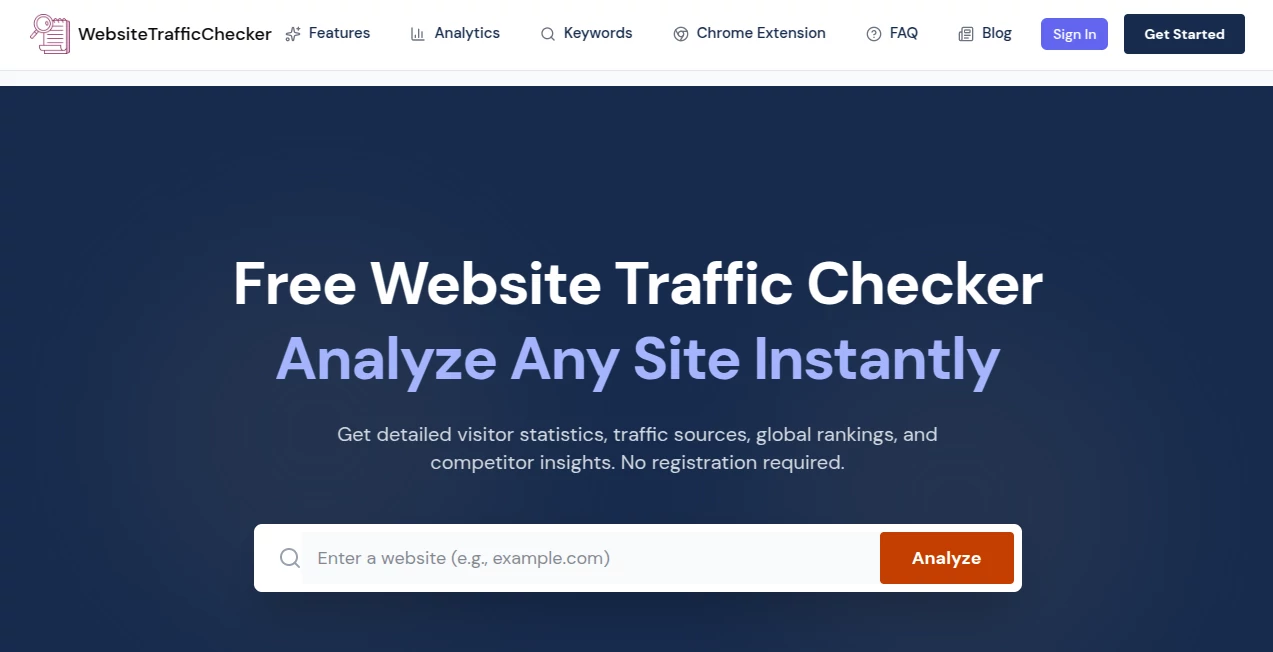
The whole experience is refreshingly uncluttered: a single search box greets you on the homepage, you type the domain, click one button, and the report loads without redirects or pop-ups. Results lay out neatly—big numbers up top for visitors and pageviews, clear charts for trends and sources, tables for countries and rankings. Exporting to CSV is a single click away, and there's even a Chrome extension for batch-checking domains right from any page. It's designed for speed and zero friction, so you spend your time thinking about the numbers, not fighting the tool.
Accuracy & Performance
The estimates draw from multiple trusted sources, giving you a realistic picture of monthly traffic, daily averages, growth curves, and engagement signals like bounce rate and time on site. Results appear almost instantly, even for larger domains, and the data holds up well for benchmarking and trend spotting. In practice, it rarely leaves you guessing—when I compared it side-by-side with paid tools, the numbers aligned closely enough to trust for quick decisions.
Capabilities
Beyond basic visitor counts, it breaks traffic down by channel (direct, organic, social, paid), maps geographic origins, ranks sites globally and in categories, shows engagement depth, and pulls WHOIS details like registration date and owner info. The Chrome extension adds batch scanning—highlight domains on any page, sort by age, find newly registered ones. You get a full snapshot for competitor analysis, partner checks, market research, or due diligence, all exportable and ready to reference.
Security & Privacy
No account means no personal data stored—your searches stay private by default, nothing ties back to you. The tool runs on secure infrastructure, and since it doesn't require logins or payment details, there's no risk of data leaks from user profiles. It's a low-profile, no-strings way to gather intel without exposing yourself.
Use Cases
Affiliate marketers quickly size up niche sites to find collaboration opportunities or spot rising players. SEO consultants pull competitor traffic sources and rankings to refine strategies for clients. Small business owners check potential vendors' legitimacy with WHOIS and traffic data before partnering. Content creators scan trending domains to inspire topics or gauge audience interest. It's versatile enough for solo side-hustlers and agency teams alike—anytime you need a fast, factual look at online presence.
Pros and Cons
Pros:
- Completely free with no usage caps or hidden paywalls.
- Instant access—no signup, no waiting, just results.
- Clean, exportable reports with all the essentials in one place.
- Handy Chrome extension for batch work and domain discovery.
Cons:
- Estimates, not exact server logs—fine for trends, less for precise internal audits.
- Very new or low-traffic sites sometimes show limited or no data.
Pricing Plans
It's free forever—no trials, no tiers, no upsells. Every feature, including CSV exports and the Chrome extension, is available at zero cost. That alone sets it apart in a space full of freemium traps; you get the full toolkit without ever feeling like you're on a limited version.
How to Use It
Head to the homepage, type any domain into the box (no http:// needed), and click Analyze. Wait a few seconds for the report to build—scroll through visitor estimates, source pie charts, country maps, engagement stats, rankings, and WHOIS at the bottom. Like what you see? Hit Export CSV to save it locally. Install the Chrome extension for extra power: browse any page, highlight domains, and run batch checks or sort by registration date. It's dead simple and surprisingly addictive once you start digging.
Comparison with Similar Tools
Paid platforms often throw more historical depth or API access at you, but they lock basic lookups behind subscriptions that add up fast. This one gives you the core essentials—traffic estimates, sources, geo, rankings, WHOIS—for free and without friction, making it the practical first stop before you commit to heavier tools. It's not trying to be everything; it's trying to be the quickest, most no-nonsense way to get solid intel, and it succeeds at that every time.
Conclusion
In a digital landscape where data is power, having a reliable, zero-cost way to peek at any site's traffic story feels like an unfair advantage. This tool quietly levels the playing field, giving freelancers, small teams, and curious minds the insights they need without gatekeepers or budgets. If you're tired of walled gardens and just want straightforward answers about who's getting seen online, this is the clean, capable companion you've been missing. Give it a spin—you'll probably keep it bookmarked.
Frequently Asked Questions (FAQ)
How accurate is the traffic data?
It's estimated from multiple trusted sources—very reliable for trends, comparisons, and rough sizing, though not exact like private analytics.
Do I need to create an account?
Not at all. No signup, no email, no tracking—just type and go.
Can I check multiple domains at once?
Use the free Chrome extension to batch-analyze domains from any page.
What if a site shows no data?
Very new, private, or extremely low-traffic sites may not have enough signals yet.
Is there historical data?
You get current estimates plus recent growth trends shown in graphs.
AI Research Tool , AI Analytics Assistant .
These classifications represent its core capabilities and areas of application. For related tools, explore the linked categories above.
Website Traffic Checker details
Pricing
- Free
Apps
- Web Tools
Categories

Website Traffic Checker Alternatives Product

UPDF AI

Serplux

Greek Numero…

Domain Rank …

MidJourney

LazyLister

Elicit

Sourcetable

Liftburst