
🧠 AI Quiz
Think you really understand Artificial Intelligence?
Test yourself and see how well you know the world of AI.
Answer AI-related questions, compete with other users, and prove that
you’re among the best when it comes to AI knowledge.
Reach the top of our leaderboard.


















Whisper Thunder

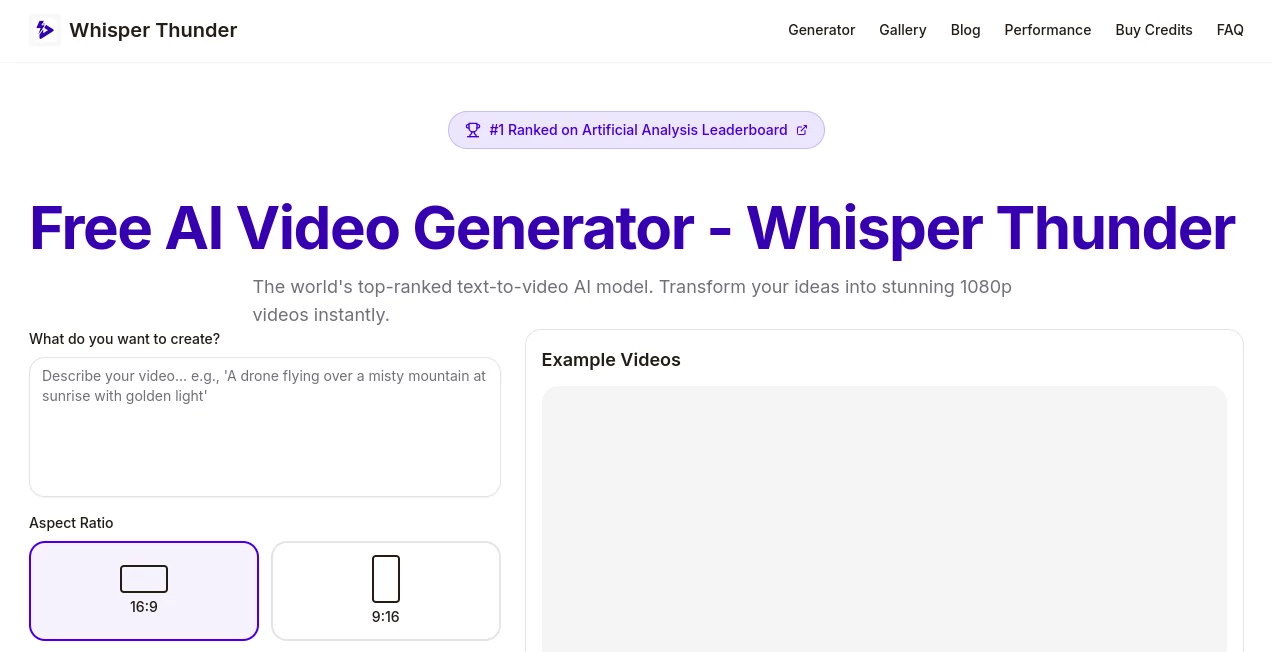
What is Whisper Thunder?
Whisper Thunder stands as a game-changer for anyone looking to breathe life into ideas with motion, turning simple descriptions into crisp, ready-to-use clips that capture the imagination. This platform has quickly become a go-to for those who want professional-looking footage without the hassle of cameras or crews, drawing in creators who appreciate its blend of speed and polish. Users often share how it transforms a quiet afternoon brainstorm into a clip that feels like it belongs on a big screen, all from a few well-chosen words.
Introduction
Whisper Thunder came about when a team of thinkers grew tired of the barriers standing between fresh concepts and finished pieces, deciding to craft something that could handle the heavy lifting of visual storytelling. It launched with a splash, earning top marks in independent tests that pitted it against the field's heavy hitters, and word spread through creator circles like wildfire. From indie filmmakers piecing together short reels to marketers whipping up quick ads, it's woven itself into workflows, praised for making high-end results feel within reach. What keeps folks returning is that sense of discovery—watching a vague notion unfold into something tangible, complete with movement that draws the eye and holds it there.
Key Features
User Interface
The setup greets you with a clean entry point, a single spot to jot your thoughts and a straightforward choice between quick spins or deeper dives, all laid out without extra clutter. As you describe your scene, a handy guide pops up with tips on phrasing that packs a punch, and once you hit go, a simple tracker shows the progress without pulling you from the moment. It's the kind of flow that feels natural, like sketching out a story with a friend who nods along and adds the details you missed.
Accuracy & Performance
When you lay out a bustling street or a serene overlook, it captures the essence down to the subtle shifts in light and shadow, sticking close to what you envisioned with a reliability that turns heads. Results roll in steady, wrapping up in a handful of minutes even when servers hum with activity, delivering files that play smooth on any setup. Those who've run it through real-world paces often point to how it nails the finer points, like the way elements interact or the rhythm of the scene, without the usual hiccups that force restarts.
Capabilities
It excels at building short bursts of motion that pack a story, from sweeping views of misty peaks to electric city nights alive with color, all while syncing sounds that match the visuals beat for beat. You can steer it toward specific moods or setups, layering in actions and atmospheres that come together seamlessly, and the outputs hold up for everything from quick social shares to polished promos. With a nod to various looks, it opens doors for scenes that span the everyday to the out-there, making it versatile enough to fit a wide range of visions.
Security & Privacy
Your descriptions and the scenes they birth stay under wraps, handled with care and cleared away once you're done, ensuring nothing slips out without your nod. It puts you in full control of what happens next, from keeping things close to letting them loose for wider eyes, all while following solid practices that keep worries at bay. Creators lean on that peace of mind, knowing their sparks of inspiration remain theirs to shape and share on their own terms.
Use Cases
Social sharers craft eye-catching snippets that stop scrolls, like a drifting ride through glowing streets or a quiet pour in a cozy corner, pulling in likes without a full shoot. Marketers build promo pieces that highlight products in action, from sleek demos to dreamy setups that sell the lifestyle. Filmmakers grab ready bits for intros or fillers, weaving in clips of cosmic bursts or urban drifts to round out their reels. Even educators slip in dynamic visuals to liven lessons, turning flat facts into flowing tales that stick.
Pros and Cons
Pros:
- Top-ranked for its knack at motion and staying true to ideas.
- Steps in free with enough tries to hook you without a hit to the wallet.
- Outputs come clean and clear, ready for work or play right away.
- Guides make it easy to get sharp results from the first swing.
Cons:
- Clips cap short, best for bites rather than full features.
- Peak times might stretch the wait a touch longer than hoped.
- Deeper sounds and syncs wait for the upgrade path.
Pricing Plans
It opens with a no-cost entry that hands over a batch of tries just for showing up, letting you explore the basics without strings. From there, a small step up unlocks more runs with richer touches, like matched audio and finer finishes, all wrapped in a package that's light on the budget. The structure keeps things approachable, with ways to stretch your starts through shares, making it fit for casual dips or steady streams alike.
How to Use Whisper Thunder
Start by sketching your scene in words, pulling from tips on what makes a strong pitch—like who, what, where, and how it feels. Pick your level of detail, tap to set it in motion, and give it a few minutes to weave the magic. Once it lands, grab the file for your next move, whether that's a quick post or a bigger build, and circle back with tweaks to refine the flow.
Comparison with Similar Tools
Against some big names that lock doors behind lists or stamps, Whisper Thunder swings wide open with no marks and full rights to run with what you make, though those might stretch longer tales. Where others lag on lively moves or drift from the script, it holds steady with sharp adherence and fluid action, trading a bit of length for that quick-hit punch. It carves its spot for those who want pro vibes without the wait or the walls.
Conclusion
Whisper Thunder wraps the rush of creation in a package that's as straightforward as it is striking, handing over tools that turn whispers of what-could-be into thunderous visuals that demand attention. It levels the field for dreamers and doers alike, proving that bold stories don't need big budgets to break through. As more eyes chase the next captivating clip, this one's poised to keep leading the charge, one seamless scene at a time.
Frequently Asked Questions (FAQ)
How long do the clips run?
They clock in at a handful of seconds, perfect for hooks or highlights.
Can I use them for paid projects?
Absolutely, they're yours to leverage in whatever way works.
What makes a good starting description?
Layer in the main player, their move, the spot, and the vibe for best results.
Any tricks for sharper outputs?
Toss in nods to views or lights to guide the feel just right.
How do I get more without paying?
Share your wins on social spots to snag extra rounds on the house.
AI Animated Video , AI Text to Video , AI Video Generator , AI Short Clips Generator .
These classifications represent its core capabilities and areas of application. For related tools, explore the linked categories above.
Whisper Thunder details
This tool is no longer available on submitaitools.org; find alternatives on Alternative to Whisper Thunder.
Pricing
- Free
Apps
- Web Tools
Categories

Whisper Thunder Alternatives Product

Veo 3.1

WonderShare …

UniVideo

Vidmix

Toon Composer

seedance 2

wan2-6.org

Nano Banana …

videodance
