
🧠 AI Quiz
Think you really understand Artificial Intelligence?
Test yourself and see how well you know the world of AI.
Answer AI-related questions, compete with other users, and prove that
you’re among the best when it comes to AI knowledge.
Reach the top of our leaderboard.


















Z-Image

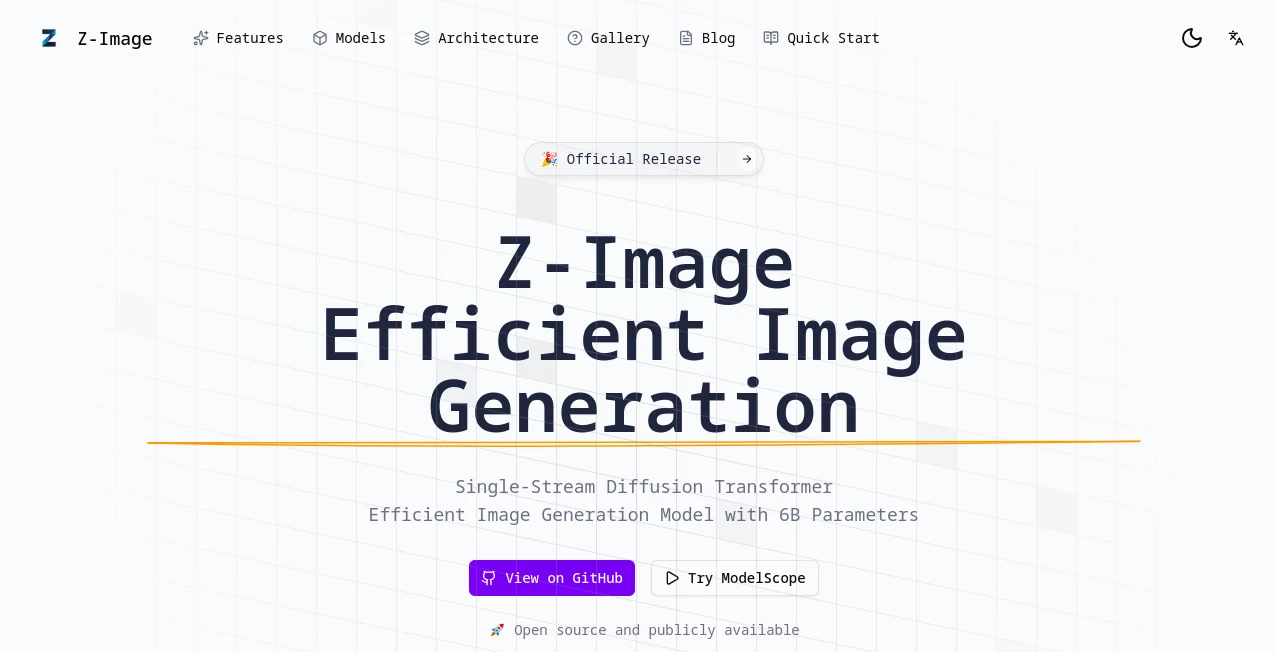
What is Z-Image?
Z-Image steps into the crowded world of visual creation with a fresh promise: delivering lifelike pictures and crisp text overlays without the heavy lift of massive computing power. This open-source powerhouse, cooked up by a team at a major tech outfit, lets creators summon detailed scenes from simple descriptions, blending speed with a keen eye for realism. It's drawing quiet nods from folks who've grown weary of bloated tools that chew through resources just to spit out something half-baked, offering instead a lean machine that punches above its weight.
Introduction
Z-Image hit the scene as part of a bigger push toward smarter, more accessible ways to whip up images, born from the grind of researchers tired of models that either skimped on quality or demanded server farms to run. What started as an internal experiment quickly spilled over into the open, pulling in a wave of tinkerers and artists who shared their first "wow" moments—turning a hazy idea into a photo-sharp vista in under a dozen steps. Over the months, it's built a steady hum of activity on code hubs, with users swapping tips on coaxing out those perfect moods or flawless letterings. At its core, it's about democratizing the craft, stripping away the barriers so more hands can shape the visual stories that stick.
Key Features
User Interface
The entry point feels welcoming, like a quick sketch session rather than a tech deep dive—a clean prompt box paired with a live preview that updates as you refine your words. For those diving into the code side, repositories lay out the pieces in straightforward folders, with examples that guide without hand-holding. The online playground lets you poke around without installs, flipping between test runs and tweaks in a flow that's more conversation than command, keeping even casual visitors from feeling lost.
Accuracy & Performance
When you describe a bustling market at dusk, it captures the glow and grit without blurring the lines, nailing textures from weathered stone to fluttering fabrics in ways that rival bigger beasts. Runs wrap up snappy, often in eight quick passes, making it a fit for setups that aren't supercharged. Benchmarks show it holding its own against the pack, with high marks for keeping faces natural and compositions balanced, so your outputs land closer to intent than guesswork.
Capabilities
It excels at crafting scenes that look pulled from a lens, weaving in cultural nods or logical layouts that make sense at a glance, from serene landscapes to intricate setups with overlaid notes in multiple tongues. The editing arm takes existing shots and reshapes them on command—swapping skies or styles while holding the essence steady. With a broad grasp of the world, it handles everything from everyday prompts to layered edits, opening doors to custom visuals that feel thoughtful rather than tossed off.
Security & Privacy
Being open-source means eyes on every line, with community checks helping spot and squash any weak spots before they bite. For the demo side, inputs get handled fleetingly, without long hauls on servers, giving you peace that your rough ideas don't linger. It's the sort of setup that trusts users to run it local if they're picky, keeping sensitive sketches off the grid altogether.
Use Cases
Graphic designers mock up ad visuals with spot-on lighting, testing bilingual tags that read true without redraws. Storytellers breathe depth into book covers, layering scenes that echo the plot's pulse. Marketers spin product mocks in varied vibes, from cozy to cosmic, to see what clicks with crowds. Even educators craft aids that blend text and tale, turning abstract lessons into images that linger long after the bell.
Pros and Cons
Pros:
- Light on the load, runs smooth on everyday gear without drama.
- Hits photoreal peaks with text that doesn't warp or wander.
- Open arms for tweaks, from code dives to prompt plays.
- Grasps the global bits, pulling in nuances across cultures.
Cons:
- Shorter chains shine brighter; epic edits might need chaining.
- Demo limits nudge toward local setups for heavy hauls.
- Fine control grows with practice, not out of the gate.
Pricing Plans
True to its open roots, Z-Image waves the free flag high, with full access to code and weights on public spots—no tiers or tolls to trip you up. The playground demo stands open for all, though running big batches local might call for your own juice. It's built to spread, not squeeze, so costs stay at zero unless you scale to clouds on your dime.
How to Use Z-Image
Start in the demo zone, typing a scene like "a quiet cafe at rain-slicked dawn with a steaming cup foreground," then watch variants bloom. Grab the code from the hub, slot it into your runner, and feed fresh prompts to fine-tune. For reshapes, load an image and describe the shift—say, "turn the sky stormy"—and let it layer the change. Save the keepers, share the sparks, and circle back to build a visual vault that evolves with your eye.
Comparison with Similar Tools
Against the giants that guzzle gigabytes, Z-Image slips in leaner, matching moods and marks with less fuss, though those might edge on endless variety. Where some stumble on scripts or scenes, it steadies with bilingual bite and edit ease, but could yield to specialized slicers for ultra-niche needs. It finds its stride for balanced builders, where efficiency meets excellence without excess.
Conclusion
Z-Image quietly carves a corner in the creative chaos, proving that smart shortcuts can yield scenes worth savoring. It invites the curious to craft without compromise, blending brains with beauty in a package that's as generous as it is gifted. As more makers mull the medium, this one's poised to keep the conversation going, one vivid frame at a time.
Frequently Asked Questions (FAQ)
Can it handle mixed languages in one go?
Yes, it weaves English and Chinese seamlessly, keeping clarity across the board.
What's the sweet spot for prompts?
Detailed but direct—layer in lights, moods, and must-haves for the best hits.
Runs on my laptop?
Spot on for modest machines, especially the turbo take.
Editing from scratch or existing?
Both shine, with the edit variant acing alterations.
Community tweaks welcome?
Absolutely—fork and fiddle, the open door's always ajar.
AI Text to Image , AI Photo & Image Generator , AI Image to Image , AI Art Generator .
These classifications represent its core capabilities and areas of application. For related tools, explore the linked categories above.
Z-Image details
This tool is no longer available on submitaitools.org; find alternatives on Alternative to Z-Image.
Pricing
- Free
Apps
- Web Tools
Categories

Z-Image Alternatives Product

Z Image

Just Christm…
whisk ai

Fine Image

NanoBanana2F…

RenderFlow AI

Z-Image

Createimg.ai

Banana Promp…
