
🧠 AI Quiz
Think you really understand Artificial Intelligence?
Test yourself and see how well you know the world of AI.
Answer AI-related questions, compete with other users, and prove that
you’re among the best when it comes to AI knowledge.
Reach the top of our leaderboard.


















Z Image
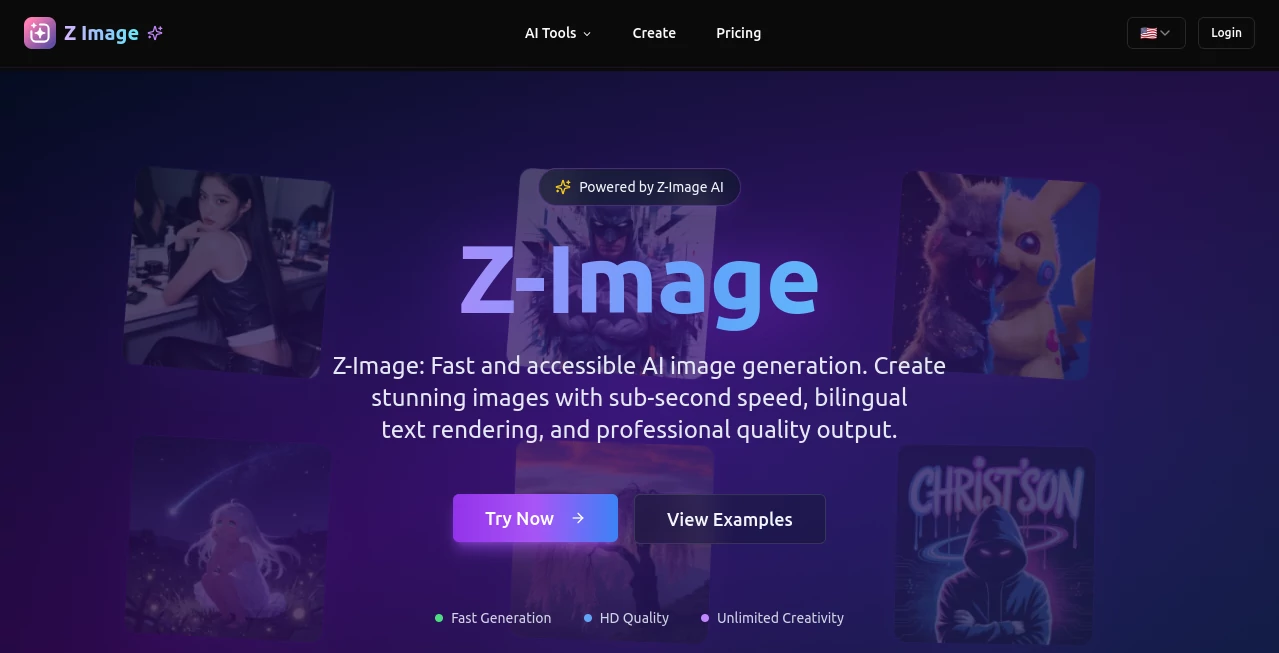
What is Z Image?
I still remember the first time I tried a tool like this and waited ages for something half-decent to appear—hours of tweaking, blurry results, weird artifacts. Then I stumbled across this one, and it was a total game-changer. Type a prompt, hit generate, and in under a second you’ve got a crisp, professional-looking image that actually matches what you described. No waiting, no frustration. It’s the kind of speed and quality that makes you wonder why everything else feels so slow.
Introduction
This platform feels like it was built by people who really use AI image tools daily and got tired of the usual pain points. The focus is simple: make generation fast, make it reliable, and make it work for everyone—not just those with monster GPUs. It runs smoothly on everyday hardware, handles detailed prompts without falling apart, and even gets text right in both English and Chinese, which is huge for bilingual creators. I’ve seen designers use it for quick client mockups, marketers for social graphics, and hobbyists just experimenting late at night. What keeps drawing people back is how effortless it is to get stunning results every time.
Key Features
User Interface
The moment you land on the page, you’re greeted with a clean, no-nonsense prompt box and a big “Generate” button. No cluttered menus or hidden settings. You can pick aspect ratios, toggle high-res mode, or add a reference image—all right there. It’s so straightforward that even my non-tech-savvy friend managed to create a beautiful poster on her first try without asking for help. That kind of simplicity is rare and honestly refreshing.
Accuracy & Performance
The speed is honestly ridiculous—in 8 steps, it delivers results that look like they took dozens of iterations elsewhere. Prompts are understood deeply; it doesn’t just slap elements together, it composes scenes with real thought. And the text rendering? Legible, accurate, and natural in both languages. I’ve thrown complex descriptions at it—multiple subjects, specific lighting, exact compositions—and it rarely needs a second generation. That level of reliability is what makes you trust it for real work.
Capabilities
Beyond basic text-to-image, it excels at photorealistic outputs, strong aesthetic control, and editing tasks like inpainting or style transfer. The bilingual text handling is a standout—perfect for posters, product mockups, or anything needing accurate writing. It also supports image-to-image transformations, letting you refine or remix existing visuals. Whether you’re creating marketing assets, concept art, or just playing around, it covers the bases with surprising depth.
Security & Privacy
Your creations stay private; nothing gets used for training or shared without your consent. It follows strict data policies, and the whole system is designed with responsibility in mind. For anyone working on sensitive or client projects, that peace of mind is huge—no one wants their unpublished designs floating around.
Use Cases
Freelance designers use it for rapid client concepts—generate a dozen variations in minutes, not hours. Social media managers create eye-catching posts with perfect text overlays. E-commerce sellers mock up products in realistic settings without hiring photographers. Even game devs prototype character designs or environments on the fly. It’s versatile enough to fit into almost any creative workflow, and the speed means you can iterate until it’s just right.
Pros and Cons
Pros:
- Sub-second generation that keeps your creative flow unbroken.
- Exceptional text rendering in English and Chinese—no more gibberish.
- Runs efficiently on consumer hardware, no need for high-end rigs.
- Beautiful, professional-quality results that look hand-crafted.
Cons:
- Free tier has limits, so heavy users will want to upgrade.
- Advanced editing features are still evolving, though core generation is rock-solid.
Pricing Plans
It starts free with generous daily credits, letting you test the full power without paying a dime. Paid plans kick in for unlimited generations, higher resolutions, and priority access—perfect for professionals who rely on it daily. The pricing feels fair, especially given the speed and quality you’re getting. No hidden fees, just straightforward value.
How to Use Z-Image
Head to the generation page, type your prompt (be as detailed as you like), choose your aspect ratio or reference image, and hit generate. Results appear almost instantly. If you need tweaks, adjust the prompt or use the editing tools to refine. Download in high quality and you’re done. It’s so fast you can iterate 10 times in the time it takes other tools to do one.
Comparison with Similar Tools
Most other generators feel sluggish by comparison, and many still struggle with text or complex scenes. This one stands out for its speed, text accuracy, and overall polish. It’s not just about generating images—it’s about generating images you’d actually want to use professionally. For anyone who values time and quality, it’s the clear choice.
Conclusion
This tool has quietly raised the bar for what AI image generation should feel like: fast, reliable, and genuinely useful. It removes the usual frustrations and lets you focus on the fun part—creating. Whether you’re a pro needing quick turnarounds or a hobbyist exploring ideas, it delivers results that surprise and delight every time. It’s one of those rare tools that makes you wonder how you ever worked without it.
Frequently Asked Questions (FAQ)
How fast is it really?
Sub-second for most prompts—often faster than you can read the result.
Does it handle text well?
Yes, especially English and Chinese—clear, accurate, and natural.
Can it run on my computer?
Absolutely—optimized for 16GB VRAM cards, no supercomputer needed.
Is it free to start?
Yes, with daily credits, and paid plans are affordable for heavier use.
What about privacy?
Your images stay private; nothing is used for training or shared.
AI Text to Image , AI Photo & Image Generator , AI Image to Image , AI Design Generator .
These classifications represent its core capabilities and areas of application. For related tools, explore the linked categories above.
Z Image details
Pricing
- Free
Apps
- Web Tools
Categories

Z Image Alternatives Product
Nano Banana …

Normal Map G…

RenderFlow AI

Leonardo.ai

Gpt Image 1.5
Ambigram Gen…

Gemini AI Ph…

Banana AI

NanoEditor
