🧠 AI Quiz
Think you really understand Artificial Intelligence?
Test yourself and see how well you know the world of AI.
Answer AI-related questions, compete with other users, and prove that
you’re among the best when it comes to AI knowledge.
Reach the top of our leaderboard.


















ZuloAI

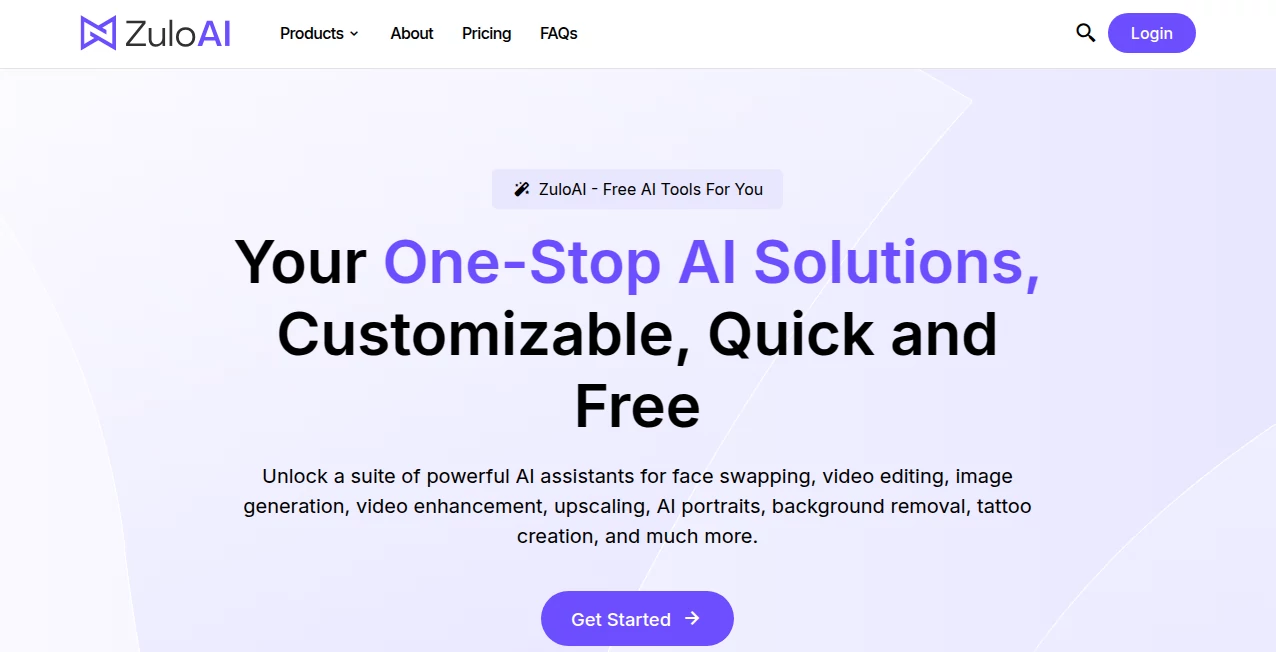
What is ZuloAI?
There’s something almost addictive about typing a wild idea—“neon cyberpunk fox riding a motorcycle through a rainy Tokyo alley at midnight”—and watching it turn into a crisp, cinematic image or short clip in under a minute. This platform makes that feel effortless. The colors pop, the lighting feels intentional, and the composition holds together like someone actually directed it. I’ve had moments where I generated something just to test a prompt, only to end up staring at the screen thinking, “I could use this for real.” It’s the kind of tool that turns casual curiosity into serious creative fuel.
Introduction
Most AI art generators still feel like lottery machines—sometimes you get gold, often you get noise. This one consistently leans toward gold. It understands nuance in prompts, handles complex scenes with multiple subjects, and delivers visuals that look thoughtfully crafted rather than randomly assembled. Whether you’re after hyper-detailed illustrations, stylized portraits, cinematic stills, or short animated clips, the output carries a level of polish that makes sharing feel exciting instead of embarrassing. For creators who want fast inspiration without sacrificing quality, it’s become a quiet go-to. You start playing, and suddenly half your mood board is filled with pieces you generated in an afternoon.
Key Features
User Interface
The workspace is clean and distraction-free. A wide prompt box sits front and center, flanked by quick style presets, aspect ratio toggles, and a strength slider. Upload a reference image if you want guidance, hit generate, and results appear in a neat grid with instant upscaling and variation options. No account needed to start, no aggressive upsell pop-ups. It’s designed so you spend time creating, not configuring—exactly how inspiration should feel.
Accuracy & Performance
It nails prompt adherence remarkably well—details you specify (lighting direction, mood, art style, camera angle) show up without wild reinterpretation. Faces stay consistent across generations, compositions feel balanced, and artifacts are minimal even on busy scenes. Generation is fast—usually 8–25 seconds per image—and the model rarely produces the uncanny distortions that still plague many competitors. When it does miss, it’s almost always traceable to an ambiguous prompt rather than model failure.
Capabilities
Text-to-image, image-to-image, inpainting/outpainting, style transfer, upscaling to 4K+, short video generation (5–10 seconds), multiple art styles (realistic, anime, painterly, cyberpunk, minimalist, etc.), negative prompt support, seed control for reproducibility, and batch generation. It handles complex multi-subject prompts, detailed character designs, product mockups, concept art, and cinematic stills with equal confidence. The video mode adds subtle motion that enhances storytelling without feeling gimmicky.
Security & Privacy
Images are processed ephemerally—nothing is stored long-term unless you explicitly save or share it. No mandatory account for basic use, so your prompts and outputs aren’t tied to a profile unless you choose. For creators working with client concepts, personal art, or brand-sensitive visuals, that low-commitment privacy is a real comfort.
Use Cases
A freelance illustrator generates concept variations for a client pitch in minutes instead of hours. A small brand turns product photos into stylized marketing visuals that stand out on social. A game dev mocks up character designs and environment keys to test art direction before modeling. A musician creates striking album artwork that perfectly matches the track’s mood. Content creators pump out consistent thumbnails and short teaser clips that boost engagement. Wherever visual impact needs to happen quickly and look professional, this tool quietly becomes indispensable.
Pros and Cons
Pros:
- Remarkable prompt understanding—complex ideas come out looking intentional.
- Consistent character and style across multiple generations.
- Fast enough to support real creative iteration.
- Video generation adds motion without losing quality.
- Free tier is generous—no hard paywall to feel the quality.
Cons:
- Longer or higher-res video clips require paid plans.
- Extremely abstract or contradictory prompts can still confuse it.
- Batch and priority features sit behind paid tiers.
Pricing Plans
Free daily credits let anyone test the quality without commitment—enough to generate several strong images or short clips. Paid plans unlock higher resolutions, longer videos, unlimited generations, faster queue times, and advanced controls (seed locking, negative prompts, inpainting). Pricing feels fair for the output leap—many creators say one month covers what they used to spend on stock assets or freelance illustrators for a project.
How to Use the Tool
Start with a descriptive prompt (“futuristic city rooftop at dusk, neon signs reflecting in rain, lone figure in trench coat looking over edge, cinematic lighting”). Optionally upload a reference image for style or character consistency. Choose aspect ratio (portrait, landscape, square) and generation mode (image or short video). Adjust quality/strength sliders if desired, then generate. Review results—use variations or upscale favorites—then download in high resolution. For video, add motion cues in the prompt (slow pan, gentle zoom). Iterate quickly; the loop is fast enough to refine several directions in one sitting.
Comparison with Similar Tools
Many generators still struggle with coherence, especially on multi-subject scenes or longer clips. This one maintains style, character identity, and cinematic feel across outputs more reliably than most. The hybrid image+text guidance and native short video capability give creators more director-like control than pure text-to-image or basic animation tools typically offer. It sits in a sweet spot: powerful enough for pros, approachable enough for casual creators.
Conclusion
Visual storytelling shouldn’t require a full production team or endless patience. This platform quietly removes most of those barriers, handing anyone the ability to create striking, coherent art and short videos from nothing more than words and imagination. The results don’t just look good—they feel directed, intentional, alive. For creators who think in pictures and motion, that’s a spark worth chasing. Try one prompt. See where it takes you.
Frequently Asked Questions (FAQ)
How long are the generated videos?
Typically 5–10 seconds; longer storytelling possible by combining multiple clips.
Do I need a reference image?
No—text-only works very well—but adding one improves consistency dramatically.
What resolutions are supported?
Up to 4K on paid plans; free tier offers high-quality previews.
Can I use outputs commercially?
Yes—paid plans include full commercial rights.
Watermark on free generations?
Small watermark on free clips/images; paid removes it completely.
AI Image to Video , AI Video Generator , AI Art Generator , AI Text to Image .
These classifications represent its core capabilities and areas of application. For related tools, explore the linked categories above.
ZuloAI details
This tool is no longer available on submitaitools.org; find alternatives on Alternative to ZuloAI.
Pricing
- Free
Apps
- Web Tools
Categories

ZuloAI Alternatives Product

Mimo AI

flux 3

Seedance 2.0

Wan AI Video…

Genmi AI

Video Upscal…
grok imagine…
ds video

Nano Banana 2