


















Arch Tools
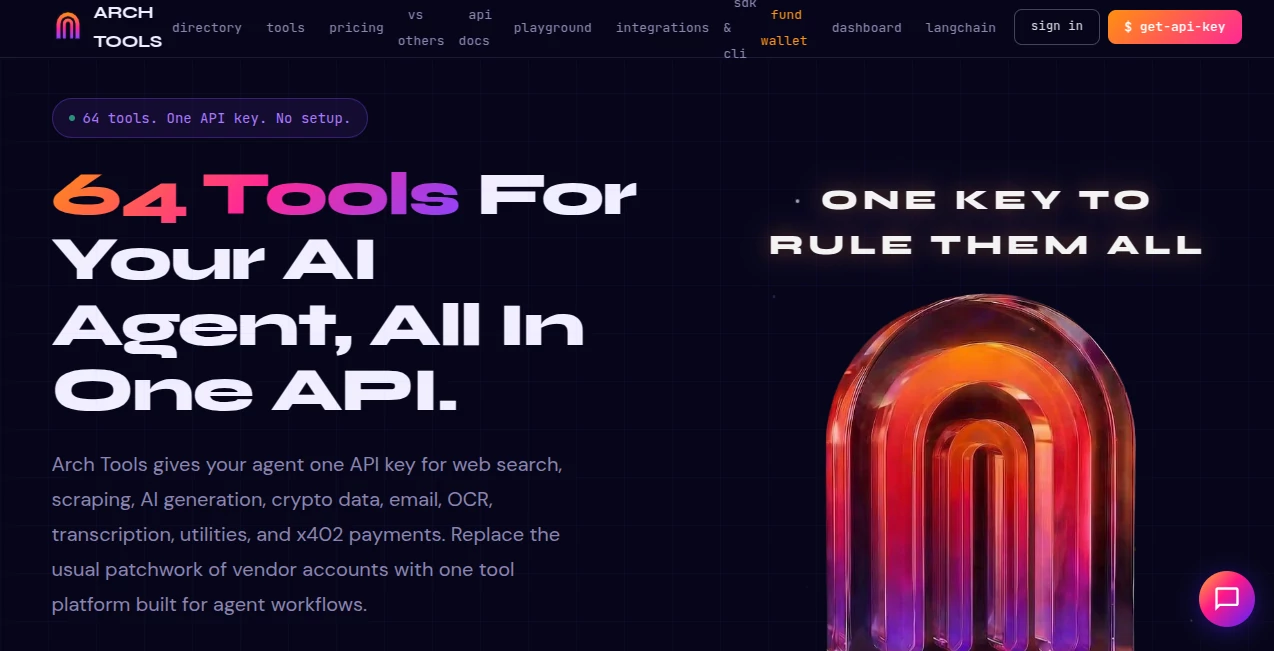
What is Arch Tools?
Building AI products often starts with excitement and quickly turns into a maze of API keys, scattered dashboards, monthly subscriptions, and endless setup work. Developers usually piece together multiple services for web scraping, AI generation, OCR, search, transcription, crypto data, and automation. Managing all of that can become a project on its own.
This platform approaches the problem from a completely different angle. Instead of assembling dozens of services manually, developers receive a unified ecosystem where essential tools live under one roof. With a single API key and a remarkably broad collection of ready-to-use endpoints, teams can focus on building experiences rather than infrastructure.
What immediately stands out is how naturally it fits modern AI workflows. Autonomous agents are becoming more capable every month, and tools that support machine-to-machine interaction are becoming increasingly valuable. The addition of direct payment capabilities and native agent workflows makes this feel less like a traditional API hub and more like infrastructure designed for the next generation of intelligent applications.
Key Features
User Interface
The overall experience feels refreshingly practical. Navigation focuses on action rather than visual clutter. Developers can browse tools, inspect available endpoints, understand usage costs, and begin testing quickly.
One detail many users appreciate is transparency. Instead of hiding technical information behind sales calls or account upgrades, endpoint details and usage logic are easy to explore. For developers who value speed, that matters.
Accuracy & Performance
Speed plays a major role in AI workflows, especially when agents perform multiple chained actions. Fast responses reduce delays and make automation feel natural. The system is designed for rapid execution with optimized response times across many utility and AI services.
Performance becomes even more noticeable in workflows involving search, extraction, generation, and processing tasks that happen sequentially. Faster execution means smoother pipelines and less waiting during production workloads.
Capabilities
- Web scraping with support for dynamic pages
- AI text generation through multiple leading models
- Image generation capabilities
- OCR and document extraction
- Audio transcription and speech tools
- Search and content extraction
- Crypto market data access
- Validation and utility endpoints
- MCP integration support
- Native AI workflow support
The range is surprisingly broad. A developer building an AI assistant could retrieve web data, process files, generate content, perform analysis, and trigger actions without switching providers.
Security & Privacy
Modern AI systems process significant amounts of sensitive information. Privacy cannot be treated as an afterthought.
The platform includes dedicated utilities for identifying and handling personally identifiable information. Validation tools and controlled API access create a more structured workflow, especially for teams working with customer data or automated systems handling external content.
Developers also maintain clearer visibility into usage patterns and costs, reducing surprises that often happen with fragmented API ecosystems.
Use Cases
- Building autonomous AI agents
- Creating research assistants with search and summarization features
- Developing workflow automation systems
- Generating AI-powered content pipelines
- Adding OCR and document processing to applications
- Building crypto monitoring tools
- Connecting AI assistants with browser automation workflows
- Rapid prototyping for startups
A solo developer could realistically launch a working AI product in a fraction of the usual development time because many essential components already exist.
Pros and Cons
- Pros
- Single API access across many services
- Large collection of tools available immediately
- Designed specifically for AI agents
- Supports multiple AI models
- Transparent pricing structure
- Works with modern AI ecosystems and integrations
- Simple onboarding process
- Cons
- Advanced users may only need a small subset of tools
- New users may initially feel overwhelmed by the large feature catalog
- Some specialized workflows may still require external services
Pricing Plans
Flexible pricing is one of the stronger aspects of the platform. New users receive free credits, allowing meaningful experimentation without immediate payment requirements.
Paid plans scale for individual developers and larger teams. The credit-based approach also feels more practical than rigid subscription structures because usage aligns more naturally with actual activity.
Another interesting aspect is support for autonomous payment workflows, opening possibilities for AI-driven systems that transact independently.
How to Use Arch Tools
Getting started is surprisingly straightforward.
- Create an account
- Receive an API key
- Access available tools
- Select the endpoint needed
- Send a request
- Receive structured responses
- Connect workflows into applications or AI agents
For users familiar with REST APIs, the learning curve feels minimal. Even developers experimenting with agent frameworks can start quickly.
Comparison with Similar Tools
Many platforms provide APIs. Some specialize in AI generation, others focus on scraping, utilities, or automation. The common challenge is fragmentation.
Traditional alternatives often require several subscriptions, multiple billing systems, and separate integrations. Here, the experience is consolidated into a more unified model.
What separates this approach from standard API marketplaces is the focus on autonomous systems. Rather than treating AI as an add-on feature, the entire ecosystem appears designed around machine-driven workflows.
Conclusion
The AI ecosystem increasingly rewards simplicity. Teams move faster when they spend less time wiring infrastructure together and more time building experiences users actually care about.
This platform stands out because it removes friction in places where developers usually expect complexity. The combination of broad tool availability, agent-focused design, flexible payments, and straightforward implementation creates something that feels practical rather than experimental.
For developers building modern AI products, automation systems, or agent-based applications, it offers a compelling foundation that can significantly reduce setup time and operational overhead.
Frequently Asked Questions (FAQ)
Can beginners use this platform?
Yes. Developers can start with simple API calls and gradually build more advanced workflows.
Does it support multiple AI models?
Yes. Users can access several leading language models through a unified environment.
Is there a free option available?
Yes. New accounts receive credits for testing and experimentation.
Can AI agents interact autonomously?
Yes. The system is designed around machine-first workflows and supports autonomous interactions.
Does it work with AI development environments?
Yes. It supports integrations commonly used by developers and AI workflows.
AI Research Tool , AI API Design , AI Developer Tools , AI Workflow Management .
These classifications represent its core capabilities and areas of application. For related tools, explore the linked categories above.

Arch Tools Alternatives Product

Aiso

Workik

Website Audi…

Mage Flow AI…

Skygen AI

CitedSpy

AllInOneTools

Zloth

AI Workflow …
