🧠 AI Quiz
Think you really understand Artificial Intelligence?
Test yourself and see how well you know the world of AI.
Answer AI-related questions, compete with other users, and prove that
you’re among the best when it comes to AI knowledge.
Reach the top of our leaderboard.


















BananaEditor
Whip Up Stunning Visuals in Seconds Flat

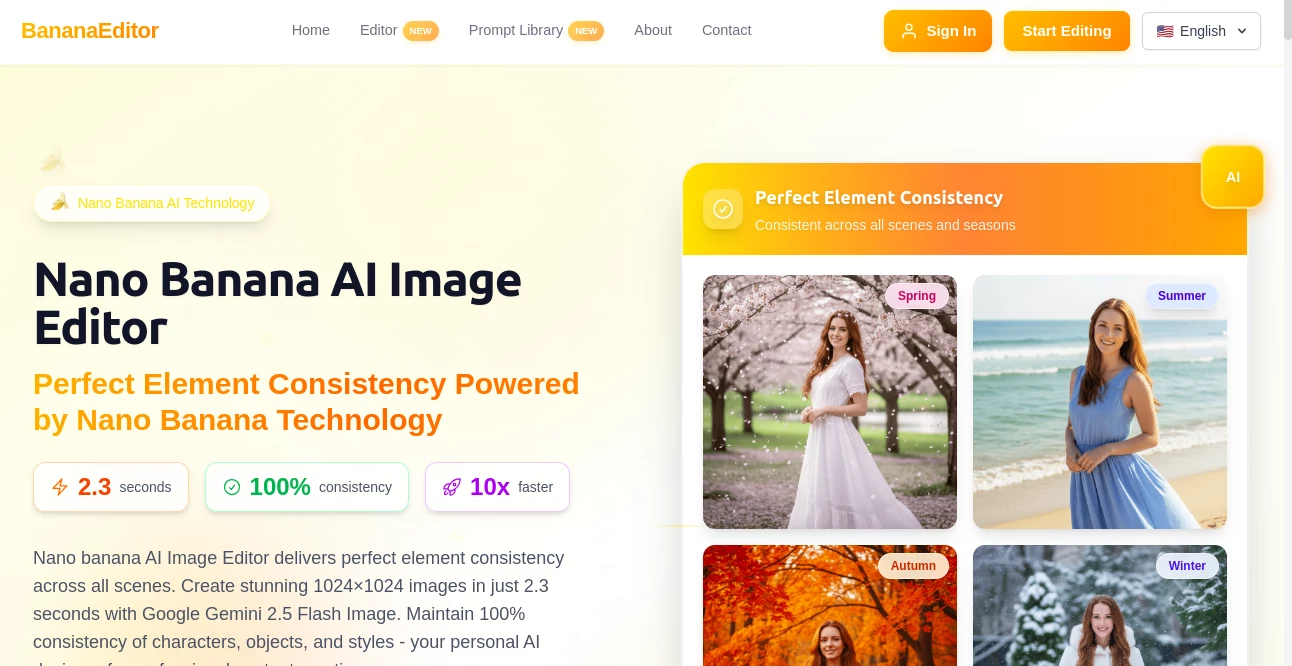
What is BananaEditor?
Banana Editor slips into your creative routine like a trusty sidekick, churning out sharp, on-point pictures that stay true no matter the twist. Picture this: you toss in a rough idea, and in a heartbeat, it hands back a crisp scene that nails every detail, ready to shine in your next pitch or post. Designers and marketers alike keep raving about how it cuts the fluff, letting them focus on the spark instead of the slog, turning what-if moments into wow-right-now wins.
Introduction
Banana Editor sprang up a couple years back when a band of visual pros got weary of chasing shadows in their drafts, always tweaking to keep things from drifting off course. They pieced it together as a quick-fix helper for those endless edit loops, but it soon hit big with everyday creators who needed reliable results without the wait. Now with thousands dipping in daily and over a million pieces cooked up, it's that quiet powerhouse folks turn to when consistency matters most. What pulls them back is the way it reads your cues like an old pal, building on what you started to deliver scenes that feel seamless, whether you're mocking up a quick ad or fleshing out a full campaign.
Key Features
User Interface
You ease in with a straightforward chat window that takes your words as they are, no fancy setups or sign-ups to slow the roll. As you describe a tweak or a fresh start, the screen lights up with previews that stack neatly, letting you pick and prod without losing your place. It's all about that back-and-forth feel, like sketching ideas over lunch, with history tabs that pull up past tries for easy jumps, keeping the flow light and your mind on the magic.
Accuracy & Performance
Every output locks in tight, holding steady on folks, props, and vibes across flips and shifts, way sharper than the usual scatter. It clocks in under three seconds for full-blown views, zipping past the old ways by a mile, so you can stack variations without watching the clock. Creators nod to how it keeps the essence pure, rarely fumbling a nuance, making it a go-to for gigs where one off-note could throw the whole thing.
Capabilities
From steady shots of the same setup in sunny fields to twilight twists, it holds the line on every bit, letting you spin out poses, spots, or seasons without a hitch. Chat your changes, and it layers them smart, pulling from what came before to build richer layers each time. Outputs come polished for the pros, crisp and clear for shops, shares, or screens, with no marks or muddles to clean up later.
Security & Privacy
Your roughs and finals stay under wraps, handled quick and quiet with no trails left behind unless you choose to share. It sticks to the basics of safe handling, giving you the reins on what sticks around, so you can brainstorm bold without a second thought about leaks or locks. That peace lets teams dive deep, knowing their edge stays sharp and just theirs.
Use Cases
Shop owners spin seasonal snaps of their wares in fresh settings, keeping the look locked for holiday pushes that pop. Social whizzes batch out themed posts with the same star in new lights, ramping up likes without redoing from scratch. Ad teams test quick swaps on layouts, nailing what clicks before the deadline bites. Even bloggers grab custom visuals for stories, matching moods that draw readers in deeper.
Pros and Cons
Pros:
- Holds every detail steady across wild changes, no drifts in sight.
- Blasts out pros in a blink, freeing up hours for the good stuff.
- Chat-style tweaks feel natural, no tech walls to climb.
- Ready for real work, from posts to prints, right off the bat.
Cons:
- Best on clear starters; fuzzy briefs might need a nudge.
- Heavy runs could tap limits on free dips.
- Fine controls grow with a few tries, not snap mastery.
Pricing Plans
You can jump in free for quick tests that give the full flavor without a dime, ideal for one-and-dones. For steady spins, the main pass runs light on the wallet monthly, unlocking endless builds and grabs, with group options for crews that share the spark. Yearly nods cut the edge, and no-lock trials mean you can bail if it doesn't fit your groove.
How to Use Banana Editor
Drop your first thought into the chat, watch it shape up in seconds, then riff on tweaks like swapping lights or spots. Pull from the stack to refine, layering your words till it clicks, and snag the file for your files. Keep the thread going for series that build, turning singles into sets that tell a tale, all in bites that keep the buzz alive.
Comparison with Similar Tools
Where others let bits wander in the mix, Banana Editor clamps down tight, though those might flex wider for raw experiments. Against slower builders, it races ahead with pro punch, skipping the wait but maybe missing deep manual reins. It shines for steady pros who crave speed and sure, carving space where flux meets flow just right.
Conclusion
Banana Editor wraps the wild ride of visual hunts into neat, nifty bursts that stick the landing every time. It hands creators the wheel to dream steady and deliver swift, proving quick can pack real depth without the drag. As more eyes hunt for that flawless fit, this spot keeps the door cracked, whispering ways to make every glance count.
Frequently Asked Questions (FAQ)
How quick does it really run?
Under three ticks for full frames, leaving old waits in the dust.
Does it keep my figures the same across shots?
Dead on, locking looks from pose to place without a waver.
Can I chat in my own words?
Yep, plain talk guides it smooth, no codes or tricks needed.
What's the output like for shops?
Crisp and clean, set for sales snaps or social scrolls.
Any signs or stamps on the finals?
None at all, pure and pro from the get-go.
AI Photo & Image Generator , Photo & Image Editor , AI Image to Image , AI Design Generator .
These classifications represent its core capabilities and areas of application. For related tools, explore the linked categories above.
BananaEditor details
This tool is no longer available on submitaitools.org; find alternatives on Alternative to BananaEditor.
Pricing
- Free
Apps
- Web Tools
Categories

BananaEditor Alternatives Product

Z Image
Change-BG

Curved Text …

Flux2 Klein

MuseCraft.AI

Klyra AI

Roblox Man F…

Normal Map G…

Better Image