
🧠 AI Quiz
Think you really understand Artificial Intelligence?
Test yourself and see how well you know the world of AI.
Answer AI-related questions, compete with other users, and prove that
you’re among the best when it comes to AI knowledge.
Reach the top of our leaderboard.

















Caricature AI Studio
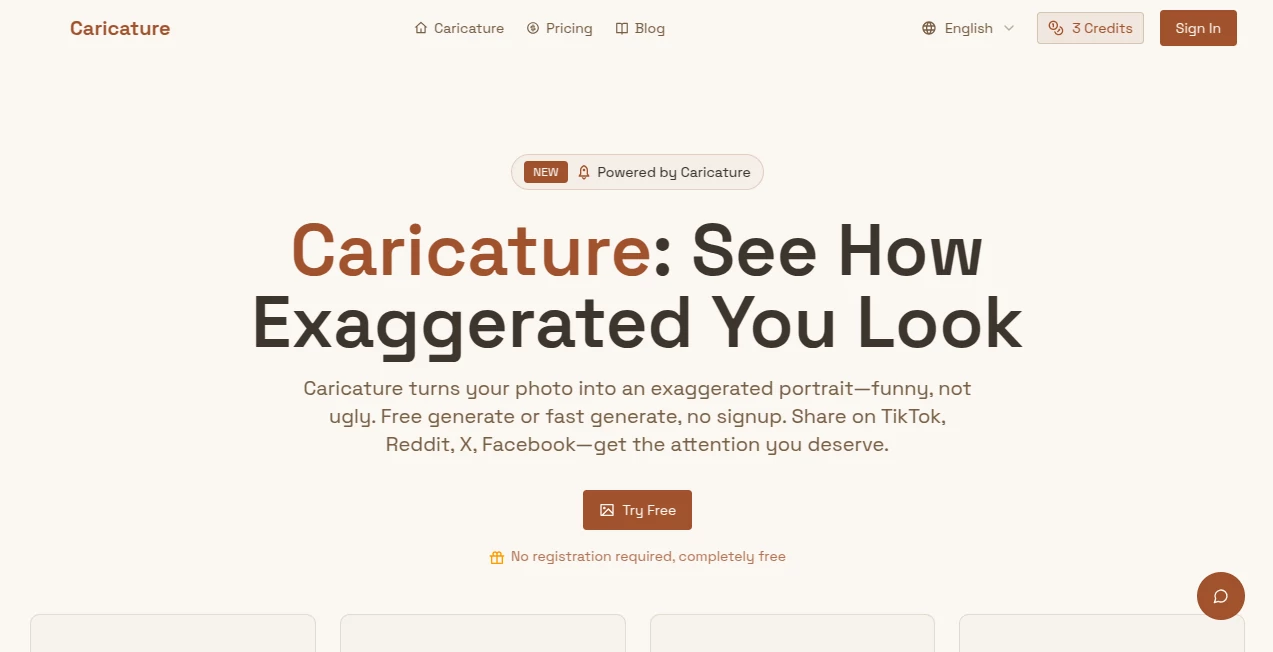
What is Caricature AI Studio?
There's something instantly disarming about seeing yourself—or anyone else—turned into a playful, exaggerated version that still feels unmistakably you. This little site nails that balance so well it almost feels cheeky: upload a selfie, pick a style, and seconds later you're staring at a caricature that's hilarious without ever crossing into mean. I've watched groups of friends crowd around a phone, laughing at each new version, the kind of shared grin that only comes from something that's clever and kind at the same time. It's free to start, no account nonsense, and the results land with such quick charm that you can't help but share them.
Introduction
Most caricature generators either go too far and lose the likeness or stay too tame and miss the fun. This one finds the sweet spot every time—amplifying just the right features so the portrait is funny yet flattering, never ugly. No signup walls, no waiting around; you drop a photo in, choose from a handful of strong AI models, and get a result that begs to be posted. People use it for profile pics that stand out, quick birthday laughs, or just to brighten a dull afternoon. The joy is immediate, and the quality is surprisingly high for something so frictionless. It's the kind of tool that reminds you creativity doesn't always need to be complicated.
Key Features
User Interface
The page is stripped down in the best way: a big upload area, a couple of model choices, and a generate button that does exactly what it promises. No clutter, no hidden settings—just drop your photo (JPEG, PNG, or WebP), maybe add a quick prompt if you feel like it, and watch the magic happen. It's so straightforward that my non-tech-savvy aunt managed it on her first try, giggling the whole time as each version popped up. The preview is instant and share buttons for TikTok, Reddit, X, and Facebook are right there, making the whole loop feel effortless.
Accuracy & Performance
It recognizes faces cleanly and exaggerates with intention—big smiles get bigger, distinctive noses get playful emphasis, eyes sparkle without distortion. Results come back in seconds, crisp and ready to share, even on mobile. The exaggeration is consistent across tries; it doesn't flip-flop into weird territory. I've thrown in group selfies and solo shots alike, and it keeps the personality intact while adding that cartoonish wink. For something free and fast, the polish is impressive.
Capabilities
You get nine-plus AI models to play with, from quick Nano Banana for speed to higher-res Nano Banana Pro for sharper detail, plus options like GPT-4o Image and Flux for different flavors. Each one exaggerates in its own style—some lean goofy, others almost painterly—but they all stay on the "funny not ugly" side of the line. Outputs are high-quality images ready for avatars, posts, or prints. Add a prompt for extra direction if you want, or just let the AI run wild. It's surprisingly versatile for such a focused tool.
Security & Privacy
No account means no profile to worry about. Your photo gets processed and isn't stored long-term; it's gone after the job is done. Everything happens in the moment, so there's no lingering data trail. For casual fun like this, that zero-commitment feel is perfect—no nagging emails, no privacy second-guesses.
Use Cases
A group of coworkers turns their team photo into caricatures for the company Slack—suddenly everyone's using them as avatars and the chat lights up with laughs. Someone makes a funny birthday card by caricaturing the birthday person with their favorite hobby exaggerated. A TikTok creator drops a quick before-and-after clip, watches engagement spike, and gets flooded with requests for more. It's lighthearted fuel for socials, gifts, or just a quick mood boost when the day needs one.
Pros and Cons
Pros:
- Hilarious yet flattering results that actually look like the person.
- Zero signup, instant access, free credits to start.
- Fast generations with multiple strong AI models to choose from.
- One-click sharing to major platforms keeps the momentum going.
Cons:
- Free tier has limits; heavier use needs paid credits.
- Best with clear, well-lit portraits—blurry shots can confuse it.
Pricing Plans
New users get free credits right away, enough to play around and see the magic without spending anything. After that, it's pay-as-you-go credits for generations, with fast-track options if you want priority. No subscriptions forcing monthly spends—just top up when you need more fun. It's fair, flexible, and keeps the barrier low so the laughs can keep coming.
How to Use Caricature
Land on the page, drag in your photo or click to upload—clear face shots work best. Pick a model (Nano Banana is quick and fun, Pro gives sharper detail), maybe add a short prompt like "funny but flattering" if you want, then hit generate. Watch the progress bar, then download or share the result directly to TikTok, Reddit, X, or Facebook. Try a few models on the same photo to see which vibe you like best. It's over before you finish your coffee.
Comparison with Similar Tools
Plenty of caricature apps exist, but many lean too hard into ugly exaggeration or require signups and endless prompts. This one keeps it light, fast, and flattering while offering real model choice without complexity. The no-account entry and instant sharing give it an edge for casual, social-first use—it's less about perfection and more about instant grins, and it delivers that better than most.
Conclusion
Sometimes you just need a quick laugh or a fresh profile pic that makes people smile before they even read the caption. This tool delivers exactly that—fast, free to start, and surprisingly good at capturing personality without crossing lines. It's small, joyful, and perfectly timed for a world that could use more light moments. Give it a photo and watch what happens; the grin it puts on your face is worth every second.
Frequently Asked Questions (FAQ)
Do I need to sign up?
No—jump right in, no account needed. Free credits for new visitors.
What makes the results funny but not ugly?
The models are tuned to exaggerate playfully while keeping you recognizable and attractive.
How fast is it?
Seconds for most generations; fast mode skips any wait.
Can I use it for social media?
Yes—one-click sharing to TikTok, Reddit, X, Facebook built right in.
What file types work?
JPEG, PNG, WEBP—clear portraits give the best exaggeration.
Photo & Image Editor , AI Image to Image , AI Face Swap Generator , AI Fun Tools .
These classifications represent its core capabilities and areas of application. For related tools, explore the linked categories above.
Caricature AI Studio details
Pricing
- Free
Apps
- Web Tools
Categories

Caricature AI Studio Alternatives Product

Gemini AI Ph…

Berrioo
City Boy Meme
Snow day Cal…

BananaFrame

photo to URL
Change-BG

ShinePhoto

Editaimg
