🧠 AI Quiz
Think you really understand Artificial Intelligence?
Test yourself and see how well you know the world of AI.
Answer AI-related questions, compete with other users, and prove that
you’re among the best when it comes to AI knowledge.
Reach the top of our leaderboard.


















ChatGPT Images Generator
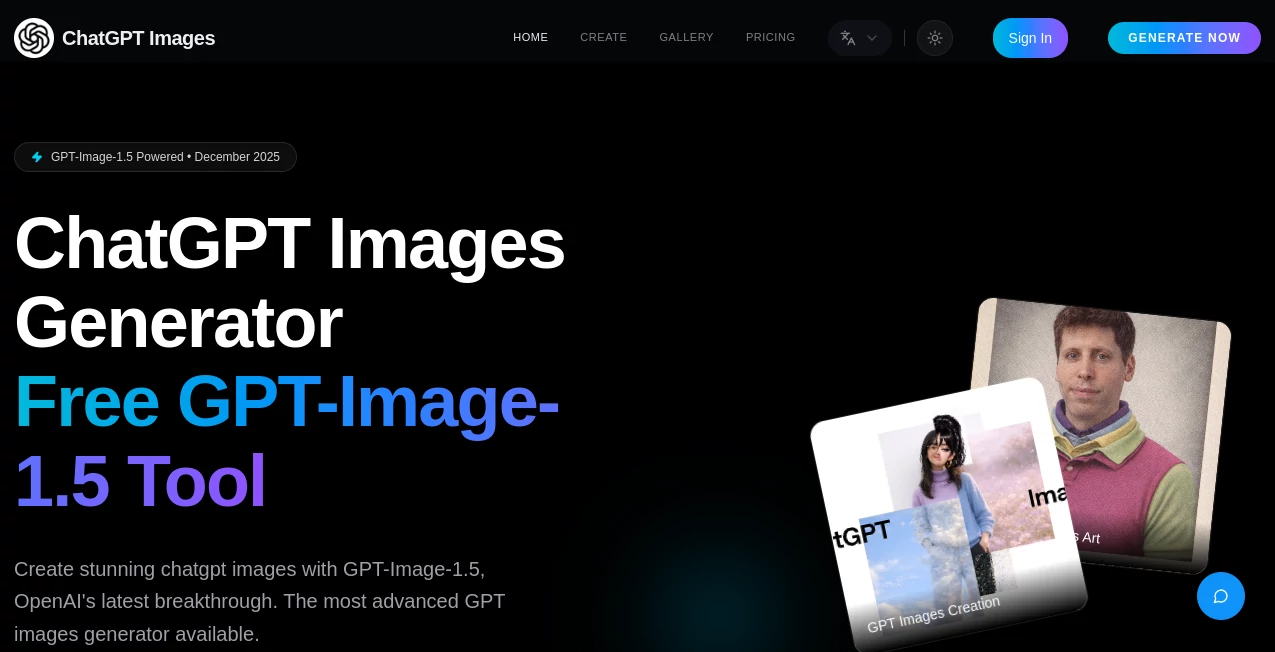
What is ChatGPT Images Generator?
There's something downright thrilling about typing a wild idea into a box and watching it materialize as a crisp, jaw-dropping image seconds later. This tool nails that feeling every time, harnessing the latest breakthrough model to churn out visuals that look like they took hours in a studio. I've tossed in everything from surreal fashion concepts to product mockups, and the outputs keep surprising me with their sharpness and spot-on details—especially when it comes to nailing text in logos or posters, something that's tripped up so many others.
Introduction
Late last year, OpenAI dropped a game-changer with GPT-Image-1.5, and this platform jumped on it quick, making it accessible for anyone to play with right in their browser. It's all about turning words—or even uploaded pics—into high-def creations that feel pro from the jump, with speed that's four times snappier than before and text rendering that's basically flawless. Over half a million images have rolled out already, and the buzz is real: folks are using it for everything from quick social posts to full campaign assets. What draws me back is how it gets complex prompts without the usual garble, delivering that rare mix of fast, beautiful, and bang-on accurate.
Key Features
User Interface
It keeps things delightfully straightforward—a big prompt field front and center, spots to upload for edits, and a gallery that showcases what others have cooked up. Track your credits up top, flip through styles or tweaks with ease, and downloads hit your folder clean and quick. My first session felt like chatting with an eager artist: describe the vibe, hit go, and variants line up ready for picks. No overwhelming options; just enough to guide without getting in the way.
Accuracy & Performance
That 99% text accuracy isn't hype—it renders letters crisp and placed just right, even in busy scenes, while the overall grasp on prompts means fewer do-overs. Generations fly, often in a handful of seconds, scaling smooth whether you're firing off one or a batch. I've pushed it with layered descriptions involving multiple elements, and it weaves them together without the muddles that plague older setups, keeping colors vibrant and compositions balanced.
Capabilities
Core magic lies in text-to-image that's lightning quick and HD sharp, plus an editor that lets you upload and reimagine existing shots—enhance, shift styles, or build on them. Unlimited styles from photorealistic portraits to surreal dreams, perfect for logos where text has to pop or marketing mocks that need to sell. Community gallery inspires with real examples, like floating fashion shoots or splashy product bottles that look straight out of ads.
Security & Privacy
You own everything you make outright, with commercial rights baked in—no surprises there. Higher tiers add extras like API hooks and dedicated oversight, but even basics keep things contained and compliant. It's reassuring for pros dropping client ideas, knowing outputs stay yours without loose ends.
Use Cases
Marketers craft campaign visuals that grab eyes, from poster collages to product splashes that convert browsers to buyers. Artists experiment with surreal concepts, like goldfish-in-bag fashion that pushes boundaries. Bloggers illustrate posts with custom fits, while shops mock up listings that stand out in crowded feeds. Even hobbyists turn holiday ideas into personalized cards or covers that feel bespoke.
Pros and Cons
Pros:
- Blistering speed paired with HD polish that rivals dedicated suites.
- Text handling that's leagues ahead, ideal for branded work.
- Editing uploads opens remix doors without starting blank.
- Free start plus fair scaling for heavier lifts.
Cons:
- Free quota runs quick if you're hooked on trying tons.
- Best with thoughtful prompts—vague ones might need a nudge.
Pricing Plans
Free gets you in the door with a handful of credits to feel the power, no strings. Pro at around thirteen bucks monthly unlocks hundreds of generations, watermark-free highs, and commercial peace. Enterprise jumps for teams with thousands of credits, 4K pulls, and API ties. Discounts on yearly or codes shave more off—smart setup that grows with your groove.
How to Use ChatGPT Images
Start with a solid description—paint the scene, mood, style—and let the model do its thing. Upload for edits if you're building on something existing, preview variants, then snag the winners in full res. Refine prompts for that perfect hit, and you're stacking a portfolio faster than you thought possible.
Comparison with Similar Tools
While plenty chase the text-to-image crown, this one's edge with GPT-Image-1.5 shows in the speed, text finesse, and prompt smarts that cut reruns. It's less about endless fiddles and more about nailing it quick, standing tall for pros who need reliable branded visuals without the wait.
Conclusion
This tool captures the pure joy of visual brainstorming, making pro-grade images feel within everyone's reach. It's the kind of everyday enhancer that sparks better ideas and finishes jobs smoother, all while keeping things fun. Give it a spin with a quirky prompt—you might just find your next favorite creation waiting.
Frequently Asked Questions (FAQ)
What powers the generations?
OpenAI's GPT-Image-1.5, fresh and four times faster with top-tier text and detail handling.
Can I edit uploaded images?
Yes—transform, enhance, or reimagine them for fresh takes.
Commercial use allowed?
Full rights on paid plans, perfect for business or sales.
How's the text in images?
Near-perfect, great for logos or labeled designs.
Free tier limits?
A taste with credits to start, upgrade for unlimited flow.
AI Text to Image , AI Photo & Image Generator , Photo & Image Editor , AI Art Generator .
These classifications represent its core capabilities and areas of application. For related tools, explore the linked categories above.
ChatGPT Images Generator details
Pricing
- Free
Apps
- Web Tools
Categories

ChatGPT Images Generator Alternatives Product

Z-Image
GPT Image 1.5
Nano Banana …

Photo Locati…

Curved Text …

RenderFlow AI

img2img.net

Roblox Man F…

ColorChanger