🧠 AI Quiz
Think you really understand Artificial Intelligence?
Test yourself and see how well you know the world of AI.
Answer AI-related questions, compete with other users, and prove that
you’re among the best when it comes to AI knowledge.
Reach the top of our leaderboard.


















ClawBridge
What is ClawBridge?
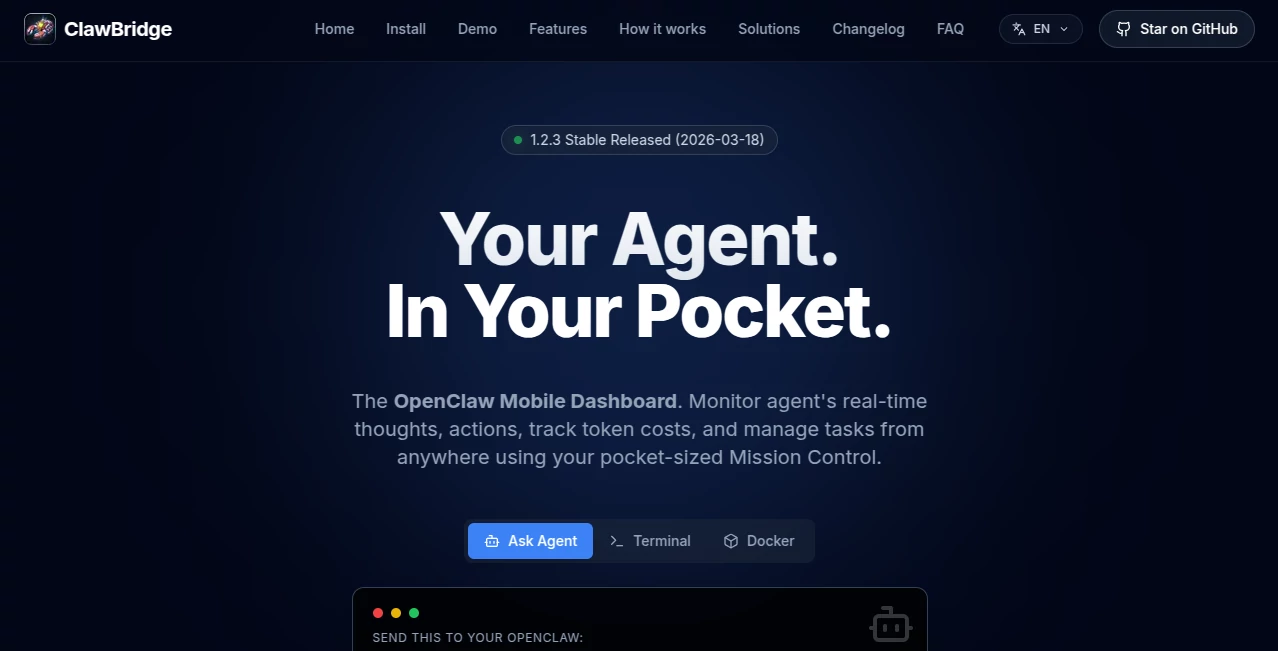
Running autonomous AI agents can feel like launching a rocket and then hoping it doesn’t drift off course. You set it going, walk away, and suddenly you’re wondering what it’s thinking, how much it’s spending, or whether it’s about to do something you’ll regret. ClawBridge changes that feeling. It turns your phone into a lightweight mission control center so you can watch your agent think in real time, track every token it burns, scroll through its memory like a journal, and even hit an emergency stop if things start going sideways—all without leaving the couch or opening your laptop. It’s the kind of tool that makes you exhale with relief the first time you catch a rogue action before it escalates.
Introduction
Most people who run AI agents eventually hit the same wall: you give it a task, it starts working, and then you lose visibility. Is it looping? Did it just spend $20 on API calls? Is the memory drifting? ClawBridge was built to close that gap. It’s a mobile-first dashboard that sits beside your OpenClaw agent, reading logs directly and piping a clean, responsive interface to any phone or tablet. No complicated setup, no exposing ports, no storing secrets in the UI. Just install once and you have pocket-sized oversight that feels secure and immediate. For anyone who’s ever woken up to an unexpected bill or a deleted dataset because their agent went off-script, this brings back a sense of control that’s surprisingly calming.
Key Features
User Interface
The interface is built for glances, not deep dives. A clean timeline shows your agent’s live thoughts as they happen, with auto-deduplicated logs so you’re not drowning in noise. Scroll through the memory feed like reading a diary—see how its long-term recall evolves over days. Token costs appear in clear breakdowns by model and day. Everything is mobile-optimized, so tapping an emergency stop or triggering a cron job feels as natural as checking messages. It’s refreshingly uncluttered; you open it on your phone and immediately understand what’s happening without hunting through tabs.
Accuracy & Performance
It reads logs straight from disk with almost zero performance hit on your agent. Live thoughts update in near real-time, memory entries appear as they’re written, and cost tracking stays accurate down to individual model calls. The dashboard itself is lightweight—runs as a simple Node.js sidecar—so it doesn’t slow down the very agent you’re monitoring. In practice, people report catching small issues early because the feed is both fast and readable, not buried in raw terminal spam.
Capabilities
Beyond watching, you can manually trigger scheduled tasks, restart services, or emergency-stop scripts from anywhere. Stealth mode gives secure remote access without exposing your real IP or storing secrets. It supports the full OpenClaw ecosystem—terminal access, Docker awareness, and more. You get a complete picture: what the agent is thinking right now, what it remembers, how much it’s costing, and the power to intervene instantly. All of it works from any mobile browser, no app install required.
Security & Privacy
Data stays local by design. The dashboard only reads logs; nothing is uploaded to the cloud unless you explicitly enable a tunnel. Access is protected by a random key, and temporary URLs obscure your actual server. For users who run agents handling sensitive tasks, that local-first philosophy combined with optional secure tunneling feels like the right balance of convenience and caution.
Use Cases
A developer runs a research agent overnight and uses ClawBridge on his phone to watch the chain-of-thought in real time—catching a bad loop before it wastes hours. A small team managing multiple agents tracks daily token spend across models so they can optimize prompts before the bill surprises them. Someone automating email workflows keeps the kill switch handy after a near-miss where the agent almost deleted important messages. Even hobbyists monitoring personal automation enjoy the peace of mind of being able to peek in from anywhere without opening their laptop. It turns “set and forget” into “set and stay quietly in control.”
Pros and Cons
Pros:
- Real-time visibility into thoughts and memory that actually feels useful, not overwhelming.
- Mobile-first design that works beautifully on phones without needing a dedicated app.
- Lightweight with negligible impact on agent performance.
- Open source and MIT licensed—full ownership and customizability.
- Secure remote access without complicated port forwarding or VPNs.
Cons:
- Currently tied to the OpenClaw ecosystem (though that’s expanding).
- Some advanced remote features require optional tunnel setup.
- Free and open source means community support rather than enterprise hand-holding.
Pricing Plans
ClawBridge is completely free and open source. You can install, use, and modify it without any cost. Optional paid hosting or premium support may exist in the broader ecosystem, but the core dashboard and all core features are available at no charge. That “free forever” approach makes it especially appealing for indie developers and small teams who want powerful oversight without adding another subscription.
How to Use ClawBridge
Send a simple skill command to your OpenClaw agent (via the provided link) and it installs the dashboard automatically. Once running, open the generated URL on any phone or tablet. You’ll see the live thoughts feed, memory timeline, and token cost overview right away. To intervene, tap to trigger a cron job, restart a service, or hit the emergency stop. Everything stays responsive even on slower connections. The whole setup takes minutes, and after the first time you catch an issue from your couch, it becomes part of your daily routine.
Comparison with Similar Tools
Traditional monitoring often means SSHing into a server or staring at raw logs—clunky on mobile and slow to act. Cloud dashboards can feel heavy, expose more data than needed, or come with recurring costs. ClawBridge keeps everything local-first and lightweight while still giving you real-time mobile access and a kill switch. It’s less about enterprise-scale observability and more about practical, everyday control for people who actually run agents themselves.
Conclusion
Autonomous agents are powerful, but they’re also a little wild. ClawBridge gives you eyes and a gentle hand on the wheel without slowing them down or complicating your setup. It turns “I hope this works” into “I can see exactly what’s happening and step in if needed.” For anyone running AI agents—whether for research, automation, or fun—this pocket-sized mission control brings back confidence and calm. Once you’ve used it, going back to blind monitoring feels oddly reckless.
Frequently Asked Questions (FAQ)
Do I need to install anything on my phone?
No—just open the dashboard URL in any mobile browser.
Is my data sent to the cloud?
By default, no. Everything stays local; the optional tunnel only pipes the interface.
Can I stop a runaway agent from my phone?
Yes—one tap emergency stop is one of the most popular features.
Is it only for OpenClaw?
Currently optimized for OpenClaw, but the open-source nature makes it adaptable.
How much does it cost?
Completely free and open source under MIT license.
AI Workflow Management , AI Productivity Tools , AI Developer Tools .
These classifications represent its core capabilities and areas of application. For related tools, explore the linked categories above.
ClawBridge details
Pricing
- Free
Apps
- Web Tools
Categories

ClawBridge Alternatives Product

WhispriNote

Workik

Toolquix

Geekflare AI

Alloy

Overlap

AntForms

CodeProt

KwaKwa Cours…