🧠 AI Quiz
Think you really understand Artificial Intelligence?
Test yourself and see how well you know the world of AI.
Answer AI-related questions, compete with other users, and prove that
you’re among the best when it comes to AI knowledge.
Reach the top of our leaderboard.


















EzEditor AI

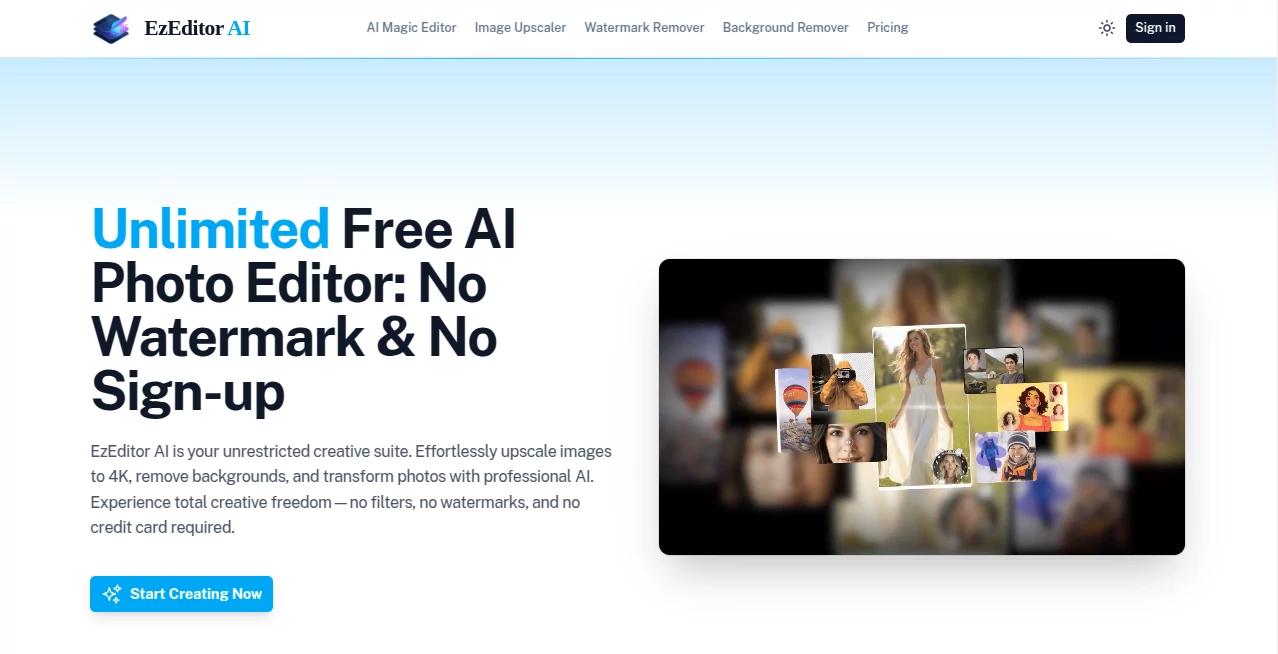
What is EzEditor AI?
There's nothing quite like stumbling on a tool that just works—no fuss, no fees, and results that make you grin at how easy it all feels. This one's a standout for anyone tinkering with photos, whether you're cleaning up product shots for your shop or breathing new life into old family snaps. I've spent afternoons playing with it, turning blurry phone pics into sharp keepers, and the freedom of unlimited tries without a single watermark or login nudge is downright refreshing in a world full of gated gardens.
Introduction
At a time when photo tweaks often mean subscriptions or sneaky upsells, this browser-based gem keeps things gloriously simple and open. Upload your image, pick a fix like stripping the background or banishing a pesky logo, and watch the AI handle the heavy lifting with impressive finesse. No apps to install, no accounts to juggle—just pure, unrestricted editing that feels liberating. I recall pulling an old vacation photo with a crowded backdrop; one click later, the subject floated clean on transparent, ready for whatever project I had in mind. It's built for real folks—e-commerce hustlers, hobbyists, pros on a deadline—who want pro touches without the pro headaches.
Key Features
User Interface
It greets you with a straightforward upload spot that swallows JPGs or PNGs up to 10MB, then lays out clear buttons for the main tricks—background wipe, object erase, upscale, and more. Click to process, preview the magic, and download clean; the whole dance is intuitive, like chatting with a helpful friend who gets right to it. No overwhelming panels or hidden menus; just enough guidance to feel supported without being babysat.
Accuracy & Performance
Edges come out crisp on removals, with the AI nailing subject detection even in tricky spots, and upscales rebuild details that surprise—turning soft shots into 4K-ready without weird artifacts. It hums along quickly in the browser, handling batches if you need, and the lack of filters means it tackles whatever you throw, no judgments. From my fiddles, it restored a faded print with natural colors that matched my memory better than expected.
Capabilities
Core strengths lie in seamless background cuts for transparent exports, smart object or watermark wipes that blend surroundings naturally, and robust upscaling that sharpens and denoises up to four times original size. Extras like clothes swaps, text removal, or sticker conversions add playful depth, all powered by precise algorithms that keep outputs professional. Unlimited runs mean you can experiment freely, perfect for iterating until it clicks.
Security & Privacy
Images process securely with encryption, and files vanish from servers post-job, leaving no traces unless you save locally. No sign-up means less data floating around, giving that extra layer of comfort for personal or sensitive edits. It's thoughtful in a quiet way—letting you focus on creating without worrying about the backend.
Use Cases
Shop owners prep listings by isolating products on clean backgrounds, boosting that polished look that draws buyers. Photographers revive archives with upscales that print beautifully, or erase distractions for cleaner compositions. Digital artists clean AI-generated pieces from unwanted marks, or craft stickers for fun projects. Even casual users turn selfies into pro headshots or restore cherished memories, making everyday edits feel special.
Pros and Cons
Pros:
- Truly unlimited and free, with clean downloads every time.
- Pixel-perfect removals and enhancements that save hours.
- No barriers—no login, no limits, pure access.
- Versatile toolkit covering essentials and fun extras.
Cons:
- File size capped at 10MB, so huge raw files need a pre-crop.
- Browser-only, though that keeps it lightweight and everywhere.
Pricing Plans
It's all free, straight up—no tiers, no trials ending in paywalls, just endless edits for whoever shows up. That commitment to open access feels rare and genuine, letting you dive deep without watching a meter tick.
How to Use EzEditor
Head straight in, click to upload or drag your photo, then choose the task—say, remove background for a quick cutout. Hit generate, wait a brief moment, preview the result, and download the finished file. Experiment with multiples or chain tools, like upscale after cleaning; it's forgiving and fast, encouraging that playful tweak until it's just right.
Comparison with Similar Tools
Many rivals gate strong features behind pays or slap marks on freebies, but this one delivers unrestricted power with comparable quality, often edging ahead in ease and lack of censorship. It's less about flashy extras and more about reliable core edits that get the job done beautifully, making it the everyday choice for folks who value freedom alongside finesse.
Conclusion
In the crowded field of photo fixers, this one stands out for its generous spirit and solid delivery, proving you don't need bells or bills for impressive results. It's the quiet enabler for countless creations, from shop upgrades to personal treasures, reminding us that the best tools often feel the simplest. Give it a spin with that lingering edit in mind—you might just find it becomes your new go-to.
Frequently Asked Questions (FAQ)
Do I need to sign up?
Nope—jump right in, no accounts or emails required.
Are there limits on usage?
Unlimited edits and downloads, day in and day out.
What file sizes work?
Up to 10MB in JPG or PNG for smooth sailing.
Outputs have watermarks?
Never—clean and yours to use freely.
How private is my stuff?
Processed securely, deleted automatically after—no lingering data.
AI Background Remover , Photo & Image Editor , AI Photo Enhancer .
These classifications represent its core capabilities and areas of application. For related tools, explore the linked categories above.
EzEditor AI details
This tool is no longer available on submitaitools.org; find alternatives on Alternative to EzEditor AI.
Pricing
- Free
Apps
- Web Tools
Categories

EzEditor AI Alternatives Product
TextSharp | …

CapCut

BananaFrame

picremake

Face Swag

Beard Remover

AI Photo Edi…

deck cleaner

Curved Text …