
🧠 AI Quiz
Think you really understand Artificial Intelligence?
Test yourself and see how well you know the world of AI.
Answer AI-related questions, compete with other users, and prove that
you’re among the best when it comes to AI knowledge.
Reach the top of our leaderboard.


















Flux-2-ai

What is Flux-2-ai?
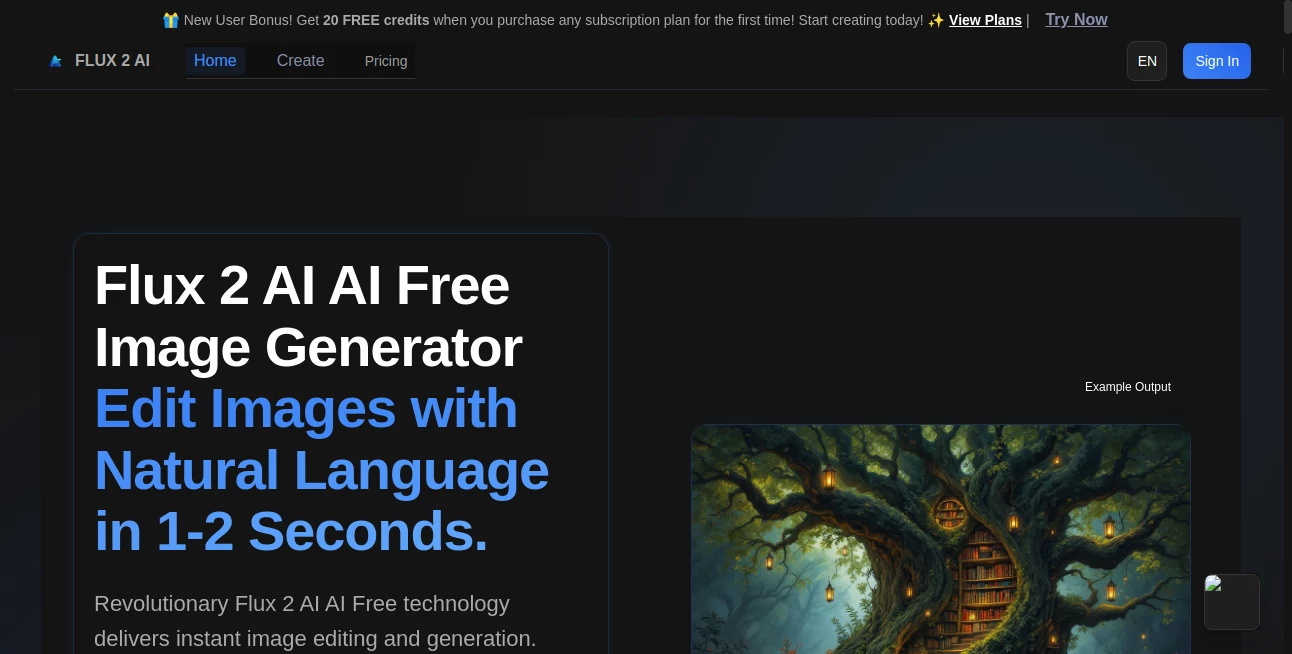
Some images hit you the moment they load: the lighting feels right, the composition breathes, tiny details whisper realism without screaming “AI did this.” That’s the experience people keep describing after using this model. You type a prompt—maybe a moody portrait at golden hour or an intricate sci-fi cityscape—and seconds later you get something that looks like it belongs in a concept art book, not an AI gallery. I’ve watched illustrators who normally spend hours refining Midjourney outputs stare at the first Flux 2 result and quietly say, “Okay… that’s actually better.” It’s not hype; it’s the kind of quiet leap forward that makes you want to keep prompting just to see how far it can go.
Introduction
Text-to-image has come a long way, but most models still force you to choose between speed, quality, or coherence—you rarely get all three. This one refuses that compromise. It delivers razor-sharp detail, near-perfect prompt adherence, excellent typography handling, and generation times that feel almost unfair compared to older flagships. Early users started sharing side-by-sides where complex scenes (multiple characters, intricate environments, legible text) simply worked on the first or second try. For digital artists, game devs, advertisers, book cover designers—anyone who needs visuals fast and right—this has become the new benchmark. It doesn’t feel like a tool; it feels like a creative partner that actually listens.
Key Features
User Interface
Whether you’re using it through a clean web UI or a local install, the experience stays focused. Prompt box takes center stage, negative prompt and style/quality sliders sit nearby, aspect ratio presets are one click away. Generation previews appear progressively so you can stop early if the direction is wrong. It never buries controls or overwhelms with fifty options—just enough dials to guide without distracting from the idea you’re trying to visualize.
Accuracy & Performance
Prompt adherence is uncannily strong: it understands spatial relationships, material properties, lighting direction, and even subtle mood descriptors. Hands, fingers, text on signs, architectural symmetry—problems that still trip up many models—are handled with confidence. Speed is another standout: high-quality 1024×1024 images often finish in 4–12 seconds on decent hardware. The model rarely “forgets” elements mid-generation, and when it does miss, the failure is logical rather than random.
Capabilities
Exceptional handling of complex compositions, accurate anatomy (especially hands and faces), legible typography in-scene, strong photorealism and artistic style control, native support for multiple aspect ratios, inpainting/outpainting, and image-to-image variation. It excels at following detailed prompts without losing coherence, making it ideal for concept art, book covers, advertising visuals, game assets, and cinematic stills. The typography alone—crisp, correctly formed letters in context—is better than most dedicated text-in-image tools.
Security & Privacy
When running locally, everything stays on your machine—no images leave your device. Web-hosted versions use ephemeral processing with no long-term storage of prompts or outputs unless you explicitly save them. For creators working with client briefs, personal IP, or brand-sensitive concepts, that control is non-negotiable—and it’s handled thoughtfully here.
Use Cases
A freelance illustrator generates five strong concept variants in ten minutes and lands the job because the client saw exactly what they meant. An indie game studio creates consistent character portraits and environment keys without hiring extra concept artists. A small brand needs hero product visuals for a campaign; they photograph one prototype and generate polished variations in different lighting and angles. A book cover designer iterates three completely different moods from the same brief in under an hour. Wherever fast, high-fidelity visuals are the bottleneck, this becomes the shortcut everyone reaches for.
Pros and Cons
Pros:
- Best-in-class prompt following and detail at current open-source level
- Excellent typography and text-in-scene rendering
- Fast enough to support real creative iteration
- Strong anatomy, especially hands and faces
- Beautiful stylization without losing coherence
Cons:
- Still requires decent hardware for optimal speed (though quantized versions help)
- Complex multi-subject prompts can occasionally drop minor details
- Web-hosted free tiers usually have queue times during peak hours
Pricing Plans
The open-source weights are freely available for local use—no cost beyond your own hardware. Web-based platforms offer free daily credits generous enough to test thoroughly. Paid tiers remove queues, unlock higher resolutions, faster generation, and unlimited runs. Pricing feels reasonable when you consider the hours saved on manual iteration or outsourcing concept work. Many creators say one paid month equals the value of a single freelance illustration gig.
How to Use Seedance 2 Video
Local run: download weights from Hugging Face, install ComfyUI / Forge / Automatic1111, load Flux 2 checkpoint, write prompt, adjust guidance/ steps / CFG, generate. Web: sign up (or use free guest mode), enter detailed prompt (the more specific the better), optionally upload reference image for stronger grounding, choose aspect ratio and quality preset, hit generate. Review preview—refine wording or strength if needed—then download or upscale. For best results: describe scene, lighting, mood, camera angle, and style explicitly.
Comparison with Similar Tools
Older flagships still struggle with hands, text, and multi-subject coherence. Many newer open models trade speed for quality or vice versa. This one delivers flagship-level prompt adherence and visual polish at dramatically faster speeds, with fewer of the classic AI artifacts. Typography handling alone puts it in a different league. It’s not perfect, but it’s currently the strongest all-rounder for creators who need both beauty and reliability.
Conclusion
Visual storytelling shouldn’t require a render farm, a team, or endless tweaking. When a tool can take your words—or a single reference—and return something that feels thoughtfully crafted, it changes how you work. You start iterating faster, exploring bolder ideas, trusting the output more. This model doesn’t just generate images; it lowers the friction between imagination and tangible result. For artists, designers, filmmakers, marketers—anyone who thinks visually—this is the kind of leap that quietly reshapes daily creative life.
Frequently Asked Questions (FAQ)
How much VRAM do I need to run it locally?
Flux 2 dev runs comfortably on 12 GB; quantized versions work on 8 GB cards. FP8 / NF4 even lower.
Does it handle text in images well?
Yes—one of its standout strengths. Signs, book covers, logos come out legible and stylistically correct.
Can I fine-tune it?
Yes—LoRA training is supported and relatively straightforward with current community workflows.
What’s the best sampler / CFG for quality?
Most users settle on Euler a or DPM++ 2M Karras, CFG 3.5–5.5 for natural results.
Commercial use allowed?
Yes for Flux 2 dev and schnell under Apache 2.0 license—check exact variant terms.
AI Photo & Image Generator , AI Art Generator , AI Design Generator , AI Text to Image .
These classifications represent its core capabilities and areas of application. For related tools, explore the linked categories above.
Flux-2-ai details
This tool is no longer available on submitaitools.org; find alternatives on Alternative to Flux-2-ai.
Pricing
- Free
Apps
- Web Tools
Categories

Flux-2-ai Alternatives Product

Pic 2 Meme
Z-Image Free

Z image AI
Album Cover …
Nano Banana …

Flux 2 Cloud

Yodayo AI

String Art G…

NanoBanana2
