🧠 AI Quiz
Think you really understand Artificial Intelligence?
Test yourself and see how well you know the world of AI.
Answer AI-related questions, compete with other users, and prove that
you’re among the best when it comes to AI knowledge.
Reach the top of our leaderboard.


















FocuSee

What is FocuSee?
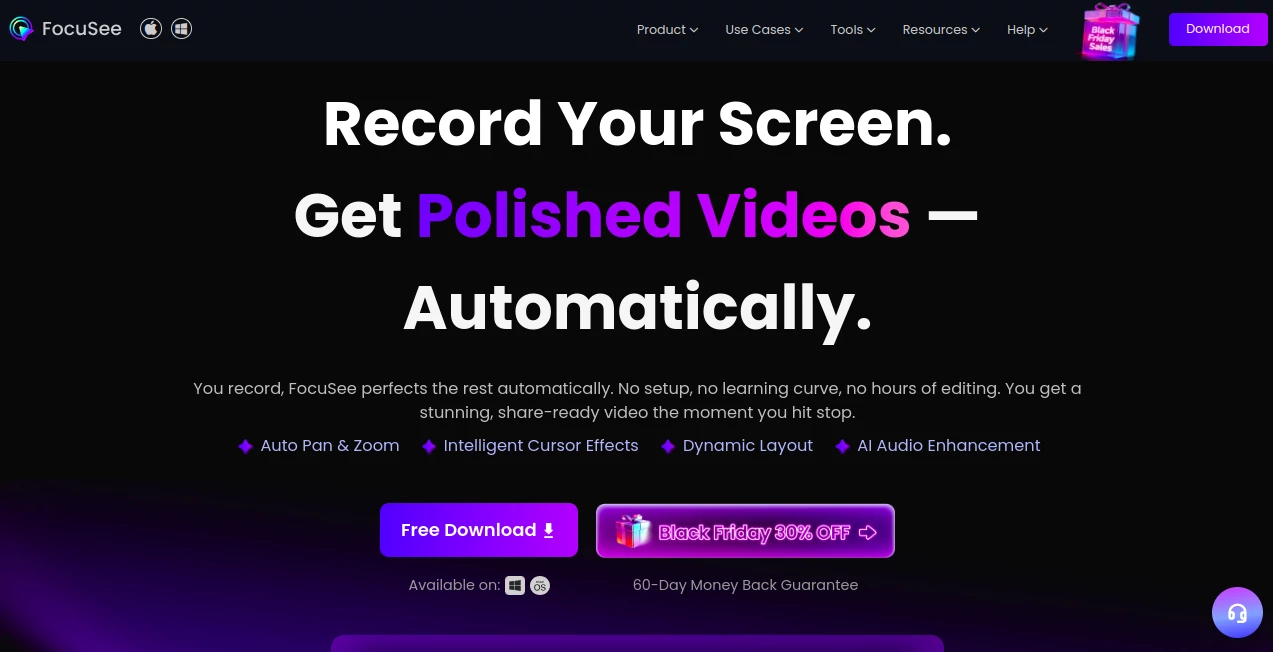
FocuSee steps in as a clever sidekick for anyone capturing screen moments, turning rough takes into sleek clips that grab eyes without the edit grind. This setup listens to your actions on screen, sprinkling in smooth zooms and spotlights that make every click count. Folks who juggle tutorials or demos often chat about how it frees up their afternoons, swapping hours at the timeline for quick shares that land just right.
Introduction
FocuSee came together a short while back, sparked by creators who'd grown weary of staring at unpolished footage that begged for fixes. A small team, drawing from their own late nights piecing clips together, aimed to weave in some smarts that handle the busywork, letting the human touch shine on the story. It caught on through quiet shares in maker circles, where one person's walkthrough wonder turned into another's go-to for quick pitches. Over time, tweaks from user notes have layered in bits like voice tweaks and script aids, making it a steady companion for those chasing crisp content without the crew. At its heart, it's about spotting the spark in your screen time and fanning it into something shareable, proving that a little foresight can turn fleeting captures into lasting impressions.
Key Features
User Interface
The dashboard feels like a familiar workspace, with big buttons for start and stop that sit right up front, no menus to muddle the moment. As your clip wraps, a preview pane pops with suggested shines—like a gentle zoom on key spots—ready for a quick nod or nudge. Sliders for spotlight glow or pace tweaks hover handy, and the whole thing scales smooth on laptops or larger setups, keeping the flow light even when layering in extras like text overlays.
Accuracy & Performance
It picks up on those pivotal presses with a keen eye, framing them just so without clipping edges or missing beats, often landing that 98 percent sweet spot on added captions across tongues. Clips process in a snap, even meatier ones from long sessions, wrapping enhancements faster than a coffee run and holding steady on exports up to sharp 4K. Users nod at how it trims the fluff—those awkward pauses or stray hums—leaving behind something that plays true on any device, every time.
Capabilities
From snagging mobile screens via a simple cable link to blending camera feeds with desktop dances, it covers the bases for demos, lessons, or quick reactions. Toss in a stand-in figure for face-free flows, swap backdrops on the fly, or let it whisper script lines as you go, all while pacing the pulse to match your rhythm. It stretches to batch runs for steady streams or one-offs for spot pitches, with shares that lock down or link out, fitting the bill for solo spins or team turns.
Security & Privacy
Your takes stay close to home by default, tucked on your drive with no rush to the cloud unless you wave them up, and even then, they're wrapped tight in standard shields. Quick masks blur the bits you'd rather hide, and the works—like spotting clicks or trimming talks—happen right where you sit, keeping the details yours alone. It's the sort of quiet guard that lets you capture freely, knowing the final cut won't wander without your word.
Use Cases
Tech guides lean on it for step-by-step walkthroughs, where auto zooms make each tap crystal without the trim toil. Course builders weave in voice lifts and text pops to keep learners locked, turning raw rambles into rhythmic runs. Marketers mock product peeks with stand-in spokes, testing tales that tug without tiring setups. Even casual sharers snag reaction reels, blending feeds for friends that feel fresh off the floor.
Pros and Cons
Pros:
- Shaves the edit slog, landing polished pieces in a fraction of the time.
- Grabs nuances like filler fades or noise nips with sharp smarts.
- Trial tempts with full-fidelity finals, no strings for the first go.
Cons:
- Peak perks like avatar acts need a nod to credits.
- Windows watchers wait a tick for full mobile mirrors.
- Stays snug on screen stories, skipping still-shot sides.
Pricing Plans
A free spin lets you roam the basics and snag one sharp export, enough to taste the twist without a tab. From there, subs unlock the full flair, with credits for those extra AI arms, and a generous window to back out if it doesn't click. It's pitched fair for frequent flyers, scaling as your shares do, without the upfront pinch.
How to Use FocuSee
Grab the download for your setup, fire it up, and frame your feed—screen alone or with a cam companion. Roll the record with a tap, weave your way through the work, and wrap with another; watch the wonders weave in automatically. Poke at paces or pops if the pull needs a push, then push out to your pick of spots, or stash a link for later laughs.
Comparison with Similar Tools
Where plain capturers cough up crude cuts that crave cleanup, FocuSee folds in the finesse upfront, though those might muster more manual might for picky polishes. Against full-suite slicers, it lightens the load for lightning laps, skipping the sprawl but perhaps pinching on plugin plays. It hits home for hasty hits, outpacing the plodders with poise and punch.
Conclusion
FocuSee captures the chaos of creation and calms it into clips that captivate, handing makers a shortcut to shine without the sweat. It turns the tide on tedious takes, proving a dash of foresight can frame the fleeting into forever favorites. As screens keep calling for stories, this one's set to stay a staple, nudging everyday efforts into standout shares.
Frequently Asked Questions (FAQ)
What makes it stand out from basic recorders?
The auto tweaks—like zooms on zingers and hush on hums—polish on the spot.
Works on phones too?
Yep, plug in via cable for the same smooth spins, with Windows on the way.
Face shy? Any workarounds?
Stand-in figures or backdrop swaps keep you off-frame but on point.
Long hauls okay?
Handles hour-plus hauls, trimming the tiresome without a trip.
Safe for sensitive shares?
Stays local till you say send, with masks for the must-hides.
AI Background Remover , AI Video Editor , AI Video Enhancer , AI Recording .
These classifications represent its core capabilities and areas of application. For related tools, explore the linked categories above.
FocuSee details
This tool is no longer available on submitaitools.org; find alternatives on Alternative to FocuSee.
Pricing
- Free
Apps
- Web Tools
- Windows Tools
- Mac Apps
Categories

FocuSee Alternatives Product

ModelsLab

CinemaDrop

Quitar Fondo

Zeemo AI

Nodu AI

Beard Remover

Klyra AI

VideoDubber
Change-BG